How to Format Scripts for Natural Flow in Synthetic Voiceovers
To improve the flow of synthetic voiceover scripts, it helps to format your text for the ear rather than strict grammar. Learn how punctuation, line breaks, and phonetic spelling can help guide AI voices.
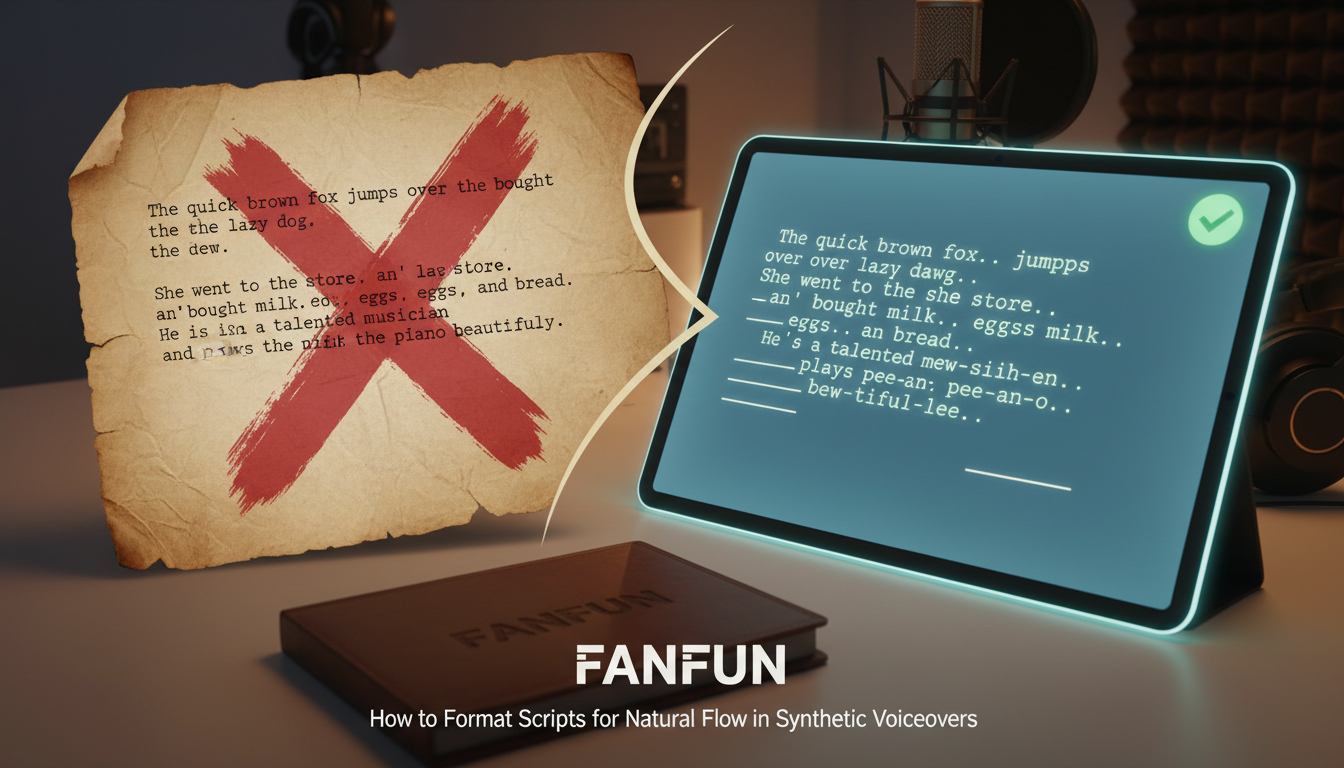
To improve the flow of synthetic voiceover scripts, it helps to format your text for the ear rather than strict grammatical rules. Many synthetic voice engines respond to punctuation, spacing, and capitalization, which can help guide pacing, breathing, and inflection. By replacing standard grammatical structures with strategic commas, dramatic ellipses, and deliberate line breaks, you can often guide an AI voice to pause and shift pitch more naturally.
At Fanfun, we help creators turn their words into character-style voice notes as downloadable MP3s or personal video gifts. We know that getting a synthetic voice to sound natural requires understanding how these tools read text. While AI voices won't perfectly mimic human spontaneity every time, using specific formatting tricks helps you move past flat, robotic delivery and create highly engaging audio tracks.
Write for the Ear: The Golden Rule of Synthetic Scripting
When you write for a human narrator, you write for grammar; when you write for an AI engine, you must write for sound. Synthetic voices do not understand context or emotional subtext the way humans do; instead, they react to the visual cues in your text as direct instructions for inflection and timing. If you rely on standard, grammatically correct sentences, your AI voiceover will often sound rushed, flat, or oddly staccato. To get the most out of your audio, it helps to understand how to choose and direct digital voiceover tools that match your project's tone.
Punctuation Hacks for Perfect Pauses
In the world of synthetic speech, punctuation can serve as a helpful tool for pacing. While grammatical rules dictate where a comma should go, script-writing for AI often involves placing them where you want the voice to take a micro-breath. For a deeper dive into these techniques, refer to our guide on how to write scripts for AI voiceover pacing.
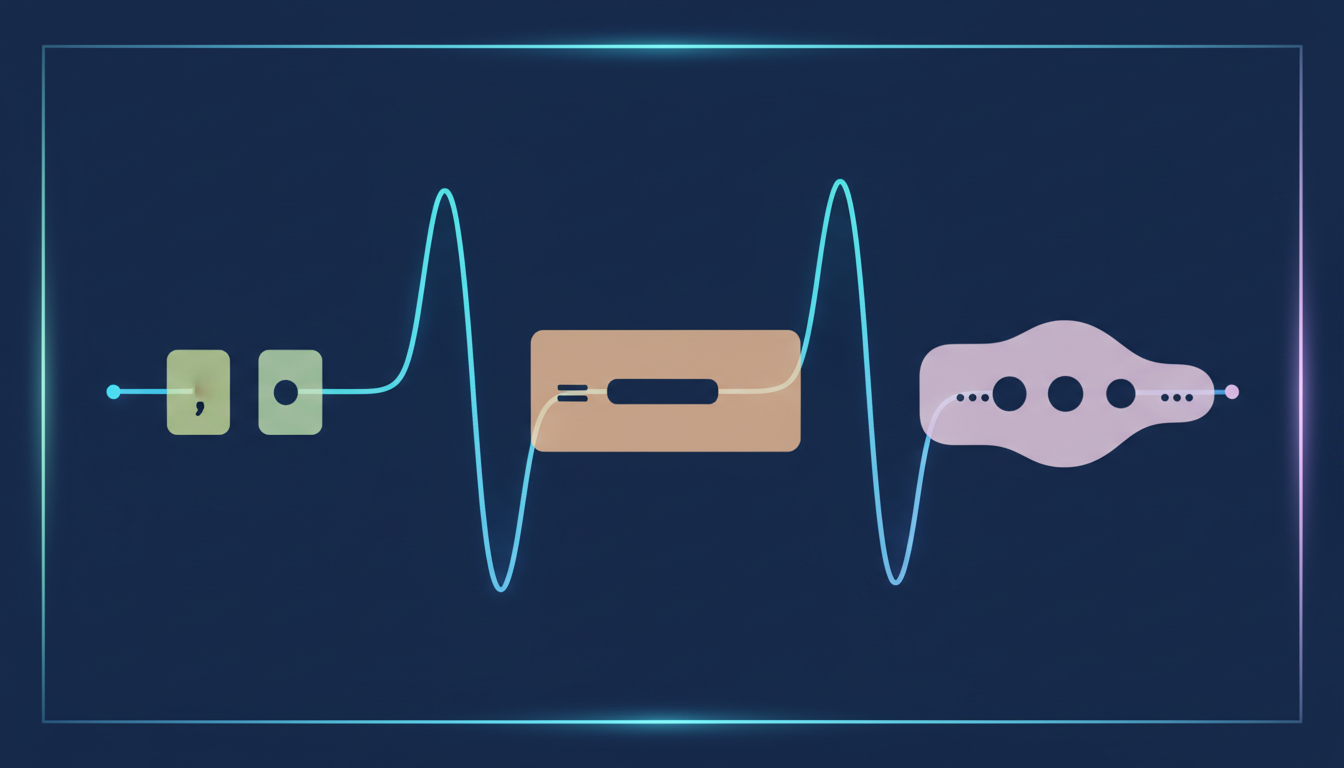
- Commas: Use these for short, natural pauses within a thought. They prevent the AI from rushing through long, complex lists.
- Ellipses (...): These are your best tool for dramatic tension. They force a longer, contemplative pause that simulates a character thinking or hesitating mid-sentence.
- Em-dashes (—) or double hyphens (--): Use these to signal an abrupt shift in tone or an interjection, which helps separate two distinct thoughts that might otherwise blend together.
- Periods: These trigger a full stop and a downward pitch shift. If the AI is failing to signal the end of a thought, a well-placed period is the most effective fix.
This is especially true when writing for highly stylized voices, as explored in our guide on writing scripts for Donald Trump text-to-speech engines, where cadence and rhythm define the entire persona.
Line Breaks and White Space as Breath Indicators
Layout is as important as punctuation. Depending on the platform, a hard return or a line break can sometimes serve as a signal to reset the cadence. If you write a massive block of text, some AI engines may accelerate as they reach the end of the paragraph. By breaking your script into shorter, bite-sized lines, you can encourage the engine to pause naturally between ideas. Try using double line breaks between major topics to give the narrator a clean slate, helping to ensure that a shift in subject matter is clearly audible to your audience.
Phonetic Spelling and Capitalization for Emphasis
Sometimes, the engine just won't get a word right. If an AI struggles with a brand name, a specific slang term, or a tricky proper noun, don't keep trying the correct spelling. Instead, write it out phonetically. If you want a casual, drawled delivery, write "gonna" instead of "going to," or "buh-nan-uh" if the default model is mispronouncing a word.
If you are crafting comedic content, these phonetic tweaks can be highly useful for landing punchlines naturally—see our tips on how to write funny parody voiceover scripts for social media. Regarding capitalization, test your specific tool first. Depending on the platform, capitalization might affect how words are emphasized, or the engine might read them as individual letters. Always run a short test snippet before committing to a full script.
Standard Writing vs. Synthetic Script Formatting
The difference between a standard sentence and an AI-optimized script is often the difference between a robotic recording and a professional-sounding result. If you are producing content for video platforms, check out the YouTube AI voiceover directing playbook for strategies on high-retention editing. For advanced creators looking to build a rich audio environment, you can also learn how to design custom character audio tracks to complement your voiceover.
| Standard Sentence | AI-Optimized Script |
|---|---|
| Welcome to the show, we have a lot to cover today. | Welcome to the show... we have a lot—to cover today. |
| I am not sure if that is the right approach for us. | I am not sure if that is... the right approach for us. |
| The price is five hundred dollars. | The price is five-hundred dollars. |
Before you generate your final audio, use this quick checklist:
- Did you replace complex punctuation with pauses (commas/ellipses)?
- Are your lines broken up to prevent the AI from rushing?
- Have you checked tricky words for phonetic spelling errors?
- Did you perform a short test run to confirm the AI's reaction to your formatting?
How do I prevent an AI voice from dropping its pitch too low at the end of a sentence?
Try ending the sentence with a comma or an em-dash instead of a period. This often tricks the engine into maintaining its current pitch level instead of triggering the natural "downward" inflection of a completed thought.
Does capitalization make the AI voice shout, or will it read individual letters?
It depends entirely on the engine. Some systems may interpret capitalization as emphasis, but others might see words in all caps and spell them out letter by letter. Always test a single word in your specific interface before applying it to the entire script.
How long of a pause does a standard comma create in a synthetic voiceover?
A comma usually triggers a very short, "micro-breath" pause. The exact duration varies depending on the specific voice engine you use. If you need a longer pause, try using an ellipsis or a combination of a comma and a line break.