The YouTube AI Voiceover Playbook: How to Direct Synthetic Narrators for High-Retention Video Essays and Memes
Most creators treat AI voice generators as set-and-forget tools, resulting in flat, lifeless narration that tanks viewer retention. This guide reveals the exact scripting, pacing, and post-production techniques to transform synthetic voices into high-performing digital actors.
Go to any trending video essay, gaming commentary channel, or meme compilation on YouTube, and you will likely hear a voice that did not originate in a physical recording studio. Synthetic narration has democratized content creation, allowing creators to produce highly polished videos without expensive microphones, soundproofing, or endless vocal retakes. Yet, a massive gap has emerged between channels that scale and those that stall: viewer retention. When an AI voice sounds flat, robotic, and devoid of human cadence, viewers click away within the first five seconds.
The secret to keeping viewers hooked is simple but rarely practiced: you must stop treating your AI voice generator as a basic text-to-speech engine and start treating it like a digital voice actor. By shifting your approach from passive generation to active directing, you can manipulate pacing, emphasis, and emotional delivery to rival professional human narrators. At Fanfun, we see firsthand how creators leverage culturally resonant character and celebrity-style voices to build distinct, highly engaging channel identities that stand out in crowded feeds.
The Directing Mindset: Why Your AI Voiceovers Are Tanking Retention (and How to Fix It)
YouTube's algorithm lives and dies by Average View Duration (AVD). If your audience senses a lifeless, automated voice, they instantly categorize your content as low-effort spam. Standard text-to-speech engines fail because they read words sequentially without understanding the overarching context, emotional stakes, or conversational rhythm of a script. They lack the intuitive understanding of when to build tension and when to deliver a punchline.
To fix this, you must adopt a "director's mindset." A human voice actor does not read a script with uniform speed and tone; they pause for dramatic effect, speed up during moments of tension, and emphasize specific syllables to drive a point home. When working with an AI voice generator, you are the director. Every piece of punctuation, line break, and phonetic spelling you input serves as a direct instruction to the AI model on how to perform. Instead of pasting a block of raw text and hoping for the best, you must actively shape the performance to guide the viewer's emotional journey. This means structuring your workflow around iterative generation, where you tweak the input text to coax the perfect performance out of the model.
Scripting for the Synthetic Voice: Formatting Techniques for Natural Delivery
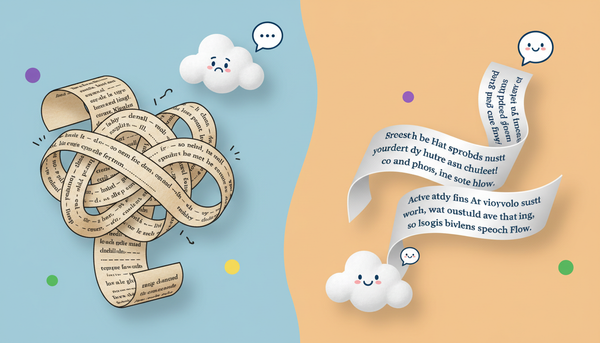
Getting a synthetic voice to sound natural requires you to write for the ear, not the eye. The way a sentence looks grammatically on a page is often completely different from how it should be structured to force natural breathing room and vocal inflection from an AI model. If you write long, run-on sentences with perfect academic grammar, your synthetic narrator will run out of virtual breath, resulting in an unnatural, rushed delivery that breaks the viewer's immersion.
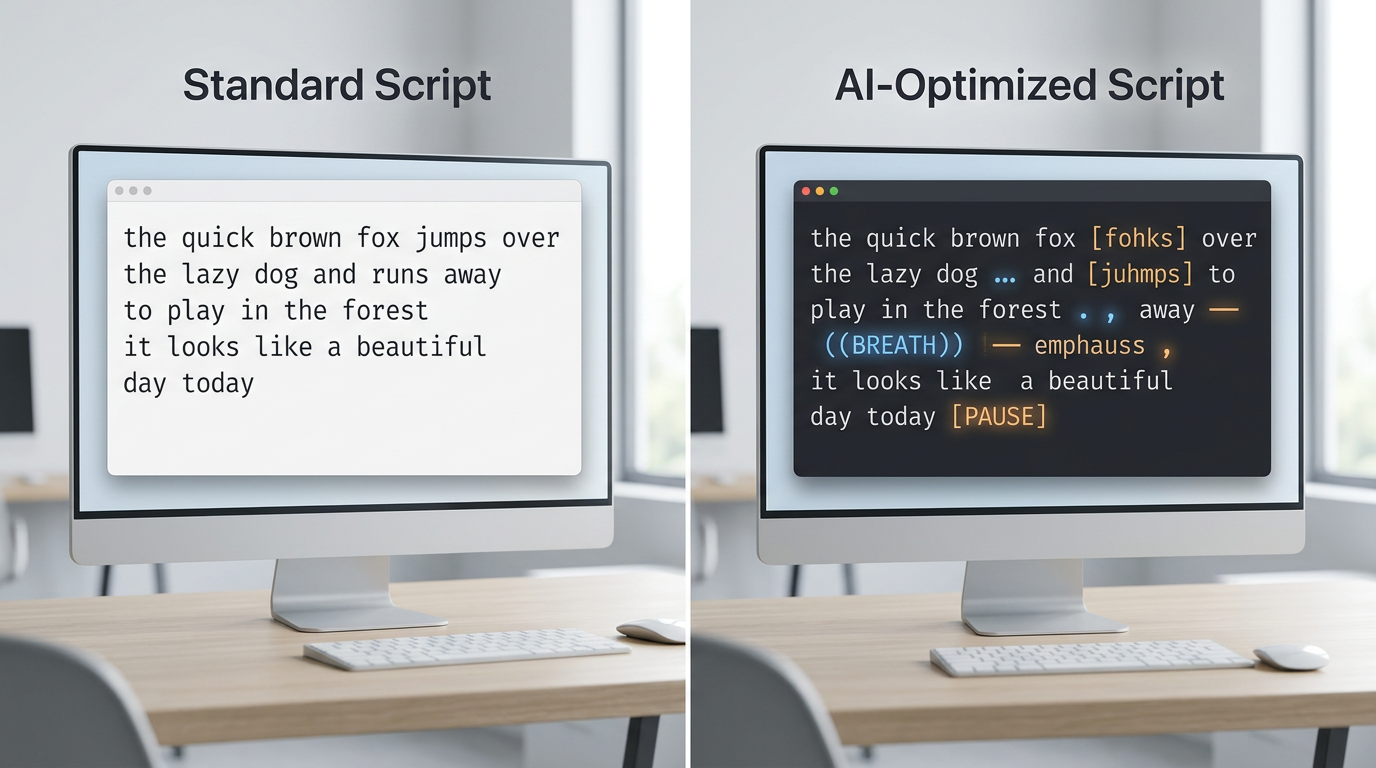
The Punctuation Cheat Sheet
To control the timing and flow of your synthetic narrator, you must use non-standard punctuation as structural cues. AI voice models interpret punctuation marks as indicators of silence, pitch shifts, and cadence transitions. Use this quick-reference table to format your scripts:
| Punctuation Mark | How the AI Interprets It | Best Use Case |
|---|---|---|
| Ellipses (...) | A soft, trailing pause (approx. 0.5 seconds) with a slight drop in pitch. | Building suspense before a punchline or revealing a major video essay point. |
| Em-Dash (—) | An abrupt, sudden pause that keeps the vocal energy high. | Mid-sentence interruptions, energetic transitions, or rapid-fire commentary. |
| Double Commas (,,) | A brief, natural breath indicator without ending the sentence structure. | Breaking up long, complex sentences so the voice doesn't sound rushed. |
| ALL CAPS | Increased vocal volume, intensity, or sharp emphasis on a specific term. | Highlighting key action verbs or emotional peaks in your hook. |
Beyond punctuation, you must master phonetic spelling. Synthetic models frequently struggle with slang, brand names, or niche internet terminology. If the AI mispronounces a word like "YouTube" or a creator's name, do not accept the default output. Spell it phonetically in your script input (e.g., writing "Yew-Toob" or "Feenix" instead of Phoenix) until the generated audio matches natural human speech. For more complex words, try breaking them down into hyphenated syllables to force the AI to place the emphasis on the correct part of the word.
Casting Your Channel: Choosing the Right Persona for Your Audience
Casting is just as critical as scripting. A deep, cinematic, gravelly voice is perfect for a historical documentary channel, but it will completely ruin the pacing of a fast-paced gaming meme compilation. You must align the vocal texture, pitch, and inherent energy of your chosen AI voice with your target audience's expectations. If there is a mismatch between your visual style and your vocal style, viewers will feel a subconscious friction and click away.
One of the most effective ways to instantly hook viewers in the crucial first three seconds of a video is by leveraging cultural familiarity. Using recognizable character and celebrity-style voices gives your content an immediate psychological advantage. For creators focused on comedic timing and high-retention humor, our guide on directing an AI prank voice generator offers advanced pacing tactics that keep audiences engaged through unexpected vocal delivery. By choosing a voice with built-in personality rather than a dry, corporate narrator, you inject immediate flavor and authority into your brand identity, turning casual scrollers into loyal subscribers.
If your goal is to build a highly interactive or narrative-driven series, you should also think about how your voiceovers translate into broader formats. For instance, creators looking to build multi-dimensional content can read how to cast, script, and direct an AI character video generator to learn how visual avatars and voiceovers work in tandem to maximize viewer immersion. The key is consistency: once you choose a voice profile, stick with it so your audience develops a strong parasocial relationship with your digital narrator.
The Post-Production Polish: Mixing AI Voices into Your Video Timeline
Even the best-directed AI voiceover will sound slightly artificial if you simply drop the raw audio file directly onto your video editing timeline. Professional post-production mixing is the final step that bridges the gap between synthetic generation and studio-quality human recordings. It is the difference between a video that feels like an automated slide show and one that feels like a premium television production.
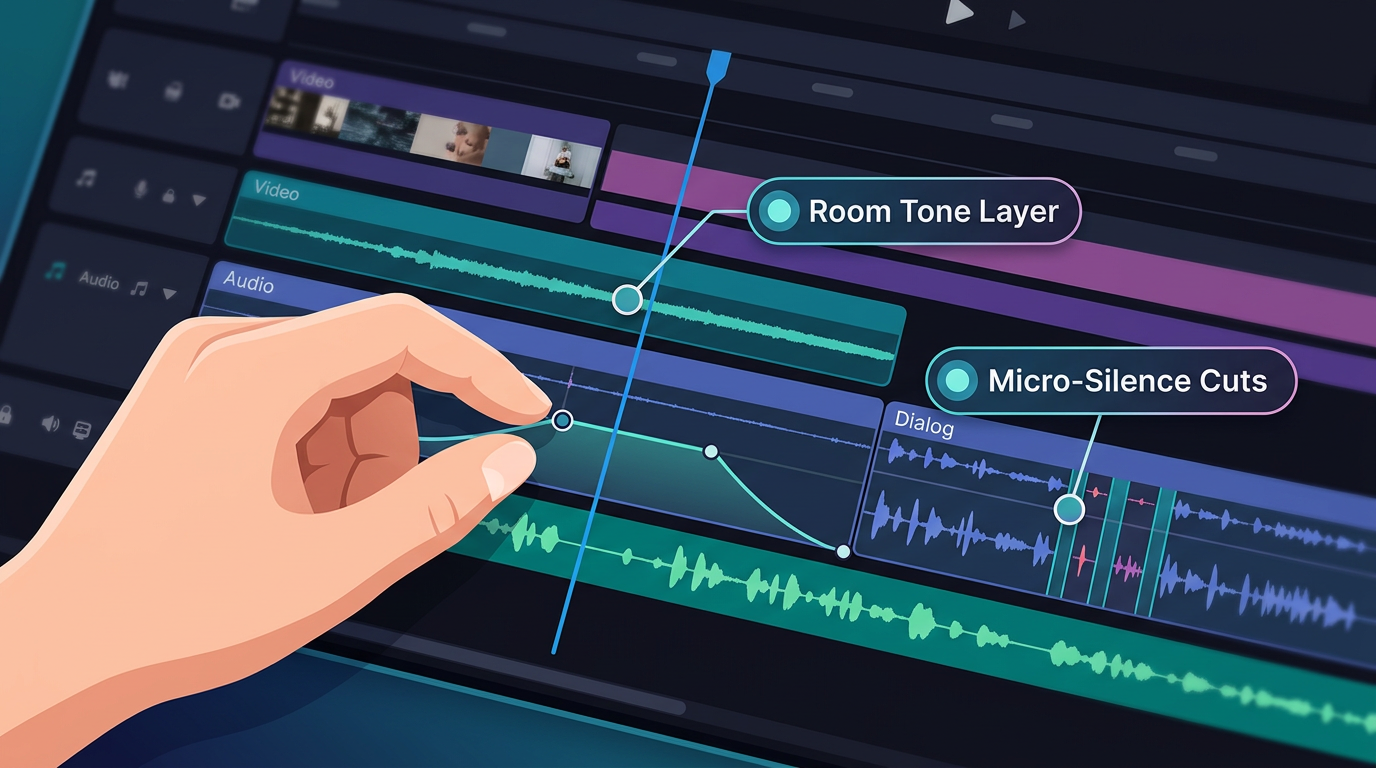
First, implement the "room tone" secret. AI generators produce files with absolute, digital silence in the spaces between words. This sterile silence is a dead giveaway of synthetic audio because human recordings always contain subtle background noise. To mask this, always layer a very low-volume ambient track—such as subtle room tone, outdoor atmosphere, or a lo-fi background music track—beneath your voiceover. This continuous noise floor glues your audio edits together and makes the transitions between spoken phrases seamless.
Second, practice dynamic editing by manually cutting out micro-silences. While punctuation helps the generator pace its delivery, the resulting audio file might still have gaps that are too long for fast-paced platforms like YouTube Shorts or TikTok. Import your audio into Premiere Pro, CapCut, or DaVinci Resolve, and zoom in on the waveform. Manually ripple-delete any dead space that exceeds 0.2 seconds during high-energy segments to keep your video pacing snappy and relentless. You can also apply a light compressor and limiter to the audio track to even out the volume peaks, giving the synthetic voice a warm, broadcast-ready punch.
Creative Use Cases: From High-Impact Memes to Full-Scale Dubbing
Once you master the technical side of directing AI voiceovers, the creative possibilities are virtually limitless. Creators are no longer bound by their own vocal limitations, accents, or recording environments, allowing them to experiment with highly viral formats at scale. This flexibility lets you pivot your content strategy instantly without needing to hire new voice talent or re-record hours of audio.
To see how to structure highly engaging, punchy scripts for comedic commentary, explore our breakdown of scripting an AI roast video generator. This format relies heavily on razor-sharp comedic timing and stylized delivery to keep viewers watching. Similarly, if you are looking to produce localized content or parodies, check out our guide on using an anime AI voice generator to craft high-impact dubs. For those looking to scale their production into personalized formats, you can also learn how to script and scale an AI shoutout video generator to create personalized assets for your community.
Whether you are scaling up a serious video essay channel, pushing out daily gaming memes, or exploring how to leverage an AI celebrity message generator for high-impact content delivery, treating the AI as an active, directable asset ensures your content remains distinctive, highly entertaining, and structurally optimized for maximum algorithmic performance. By combining Fanfun's diverse library of dynamic voices with professional directing techniques, you can build a highly optimized content engine that keeps viewers hooked from the first frame to the last.
How do I make an AI voice sound natural on YouTube?
To make an AI voice sound natural, avoid pasting raw blocks of text. Use non-standard punctuation like ellipses (...) for suspenseful pauses, em-dashes (—) for abrupt transitions, and double commas (,,) for natural breathing room. Additionally, rewrite mispronounced words phonetically and mix a low-volume background track (room tone) beneath the voiceover to eliminate sterile digital silence.
Can you monetize YouTube videos that use AI voiceovers?
Yes, you can monetize YouTube videos with AI voiceovers, provided the content is original, high-effort, and adds creative value. YouTube's monetization policies target low-effort, repetitive, or automatically scraped content. As long as your video features original editing, a unique script, and active direction, using a synthetic narrator will not prevent monetization.
What is the best AI voice generator for YouTube channel narration?
The best generator depends on your niche. For standard documentary narration, deep and clear corporate voices work well. However, for entertainment, gaming, and meme channels, platforms like Fanfun offer highly engaging, culturally recognizable character and celebrity-style voices that instantly hook viewer attention and drive higher retention.
How do I fix mispronounced words in an AI voice generator?
The most effective fix is phonetic spelling. If the AI struggles with a specific word, slang term, or name, write it out exactly as it sounds. For example, change "facade" to "fuh-sahd" or "cache" to "kash" in your script input until the voice generator delivers the correct pronunciation.