How to Use Interactive AI Chat to Practice and Refine Creative Dialogue
Writing dialogue in isolation often leads to flat, predictable scripts. Discover how to use interactive AI character chat as a dynamic sparring partner to stress-test your dialogue, build tension, and refine character voices in real time.

Using interactive AI chat to practice creative dialogue involves treating the AI as a live acting partner rather than a passive text generator. By setting specific scene objectives, establishing behavioral constraints, and feeding the AI one line of dialogue at a time, writers can stress-test conversational pacing, subtext, and character voice consistency. While this method provides immediate, unpredictable responses that help break writer's block, it requires active direction to prevent the AI from defaulting to overly polite or agreeable conversational patterns.
The Virtual Actor: Why Interactive AI Chat Beats Solo Scriptwriting
Writing dialogue in isolation often leads to predictable, exposition-heavy exchanges. When a writer controls both sides of a conversation, characters frequently end up sounding identical, sharing the same vocabulary, pacing, and logical leaps. This "monologue-disguised-as-dialogue" is a common pitfall in early draft scripts, making scenes feel flat and unconvincing.
Using an interactive AI chat acts as a digital sparring partner, offering immediate, unscripted responses that force you to react dynamically. Instead of planning three moves ahead, you are forced to respond to the words actually spoken by the AI. This mirrors the natural, messy flow of human conversation, where people interrupt, misinterpret, or completely ignore what was just said. It serves as an interactive sandbox to stress-test your creative writing before you finalize your script.
At Fanfun, we focus on helping creators bring their written scripts to life instantly through our AI Celebrity Voice Clone & Video Generator. Creators pick a character, input their custom script, and generate a video in minutes. However, the magic of a great video starts with a sharp, punchy script. Before you input your lines into Fanfun to hear them performed, using external interactive AI chat platforms allows you to draft, refine, and polish your dialogue through real-time roleplay.
Setting Up Your Dialogue Sparring Session
To get the most out of an AI dialogue partner, you cannot simply start chatting without parameters. Left to its own devices, a standard AI model will default to a helpful, neutral assistant persona. You must establish a clear framework before typing your first line of dialogue. This is the key to turning a basic chatbot into a writer's sparring partner to break story blocks.
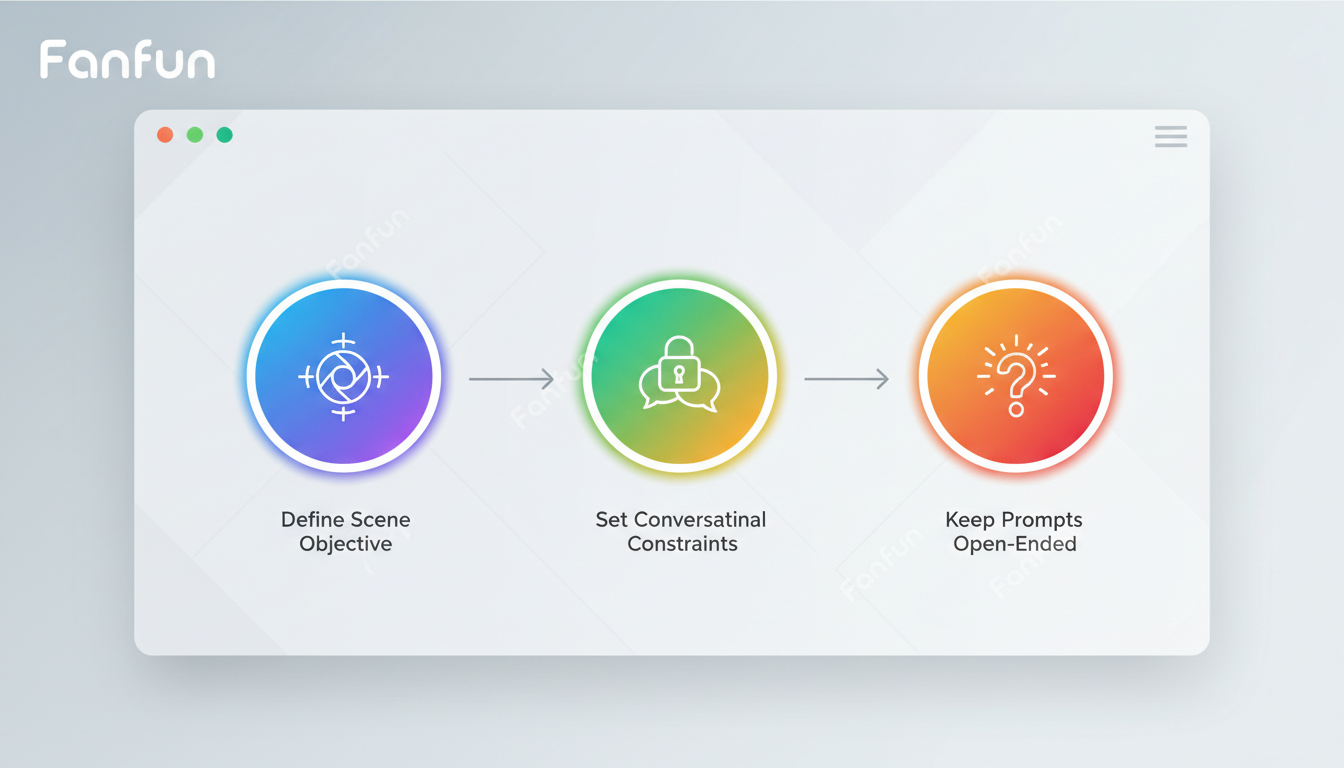
- Establish the Scene's Objective: Clearly define what your character wants versus what the AI character wants. If both characters want the same thing, the scene has no conflict. For example, your character wants to borrow money, while the AI character wants to hide that they are broke.
- Set the Conversational Constraints: Prompt the AI with specific behavioral rules. Instruct it to "speak only in short sentences," "use heavy sarcasm," "never answer questions directly," or "avoid using the letter 'e' if playing a highly specific game." These rules prevent the AI from falling into generic conversational patterns.
- Keep Prompts Open-Ended: Avoid writing both sides of the conversation in your prompts. Feed the AI one line of dialogue at a time. This keeps its reactions authentic, unpredictable, and closer to a real-time table read.
Below is an illustrative, copy-and-paste prompt template you can use to initialize your session:
[System Prompt: You are playing the role of Arthur, a stubborn, retired detective who suspects the person he is talking to is lying.
Your objective: Do not let me leave the room without revealing where I was last night.
Constraints: Speak in short, blunt sentences. Never apologize. Avoid using formal language.
Let's begin. I will start the conversation.]
Three Dialogue Exercises to Run with an AI Character
Once your session is set up, you can run targeted exercises to sharpen specific mechanics of your script.
Exercise 1: The Subtext Test
Great dialogue is rarely about what is actually being said. To stress-test your dialogue and subtext, set a rule where neither you nor the AI character can openly mention the actual topic of the scene. If the scene is about an impending breakup, you must talk about packing boxes, a cold dinner, or a lost set of keys. This exercise forces the AI to dance around a secret, helping you observe if the underlying tension holds up when the main topic is left unsaid.
Exercise 2: The Status Tug-of-War
Dialogue naturally reflects power dynamics. In this exercise, you set up a scene where one character holds all the power, then use the chat to experiment with subtle shifts in dominance and submission. You can use these principles to establish a virtual writer's room of the future to break through creative blocks. Use the following framework to guide the AI's behavior based on status:
| Dialogue Indicator | High-Status Character | Low-Status Character |
|---|---|---|
| Sentence Structure | Short, declarative, complete sentences. Rarely explains themselves. | Rambling, defensive, filled with qualifiers ("just," "kind of"). |
| Interruption Habits | Interrupts freely; speaks over the other character. | Apologizes when interrupted; trails off mid-sentence. |
| Physicality in Text | Stays still, makes direct eye contact (described in action tags). | Fidgets, looks away, occupies minimal space. |
Exercise 3: The Voice Consistency Check
A common issue in ensemble scripts is that characters sound interchangeable. To fix this, try setting up a virtual writer's room using character AI chat. Introduce your protagonist's signature catchphrases, slang, or unique sentence structures to the AI, and instruct it to play an opposing character who hates that style of speaking. By forcing your character's distinct voice to clash directly with an uncooperative AI, you can easily identify if your protagonist's dialogue patterns feel authentic or forced under pressure.
Overcoming Common AI Dialogue Limitations
While AI is a powerful creative partner, standard models have built-in tendencies that can derail a realistic dialogue session if left unchecked. Understanding these limitations is crucial when learning how to choose and master interactive AI roleplay chat platforms.
The most common hurdle is The Agreeability Trap. AI models are trained to be helpful, polite, and cooperative. In creative writing, however, agreement is the death of drama. If you tell the AI character you want to leave, a standard model might say, "Of course, let me open the door for you." To bypass this, you must explicitly instruct the AI to be stubborn, evasive, or unhelpful. If the character starts cooperating too much, pause the roleplay and inject a direct instruction: [System: Remember, you do not want to let me leave. Be more difficult.]
Another issue is Memory Drift. During long chat sessions, the AI can forget the scene's original objective or lose track of its behavioral constraints. To combat this, periodically inject a "system reminder" in brackets. These brief course-corrections keep the context fresh without breaking the flow of your writing session.
Ultimately, using interactive chat as a sparring partner is meant to spark human creativity, not replace it. Once you have captured the raw, authentic rhythm of the exchange, you can copy your refined script directly into Fanfun. By pairing your polished dialogue with Fanfun's AI voice and video generation tools, you can turn your newly stress-tested script into a fully realized, shareable video in just minutes.
How do I prevent the AI from sounding too robotic or formal during dialogue practice?
To reduce robotic phrasing, explicitly instruct the AI to avoid formal grammar, use common contractions (like "don't" and "can't"), and incorporate colloquialisms or slang. You can also give the AI a specific background prompt, such as "Speak like a tired construction worker from Chicago," which naturally shifts its vocabulary away from standard, polished AI output.
Can I use interactive AI chat to practice writing multi-character scenes, or is it best for one-on-one exchanges?
While you can run multi-character scenes by assigning the AI to play multiple roles, it is generally most effective for one-on-one exchanges. In a two-character setup, the turn-taking dynamic is clean and predictable. For scenes with three or more characters, the AI may struggle to manage distinct voices simultaneously, so it is best to focus on key dyadic conflicts first.
How do I save and export my AI chat dialogue sessions for my actual script draft?
Most AI chat interfaces allow you to copy the raw text directly from the window. Copy the transcript into a plain text editor, strip out the system prompts, and use standard script formatting software to refine the pacing, add action lines, and adjust the structure for your final draft.