How to Use Character AI Videos to Boost Retention in Faceless Videos
Generic, robotic text-to-speech voices kill viewer retention. Discover how to elevate your faceless videos using dynamic character AI video clips as engaging visual and audio assets.
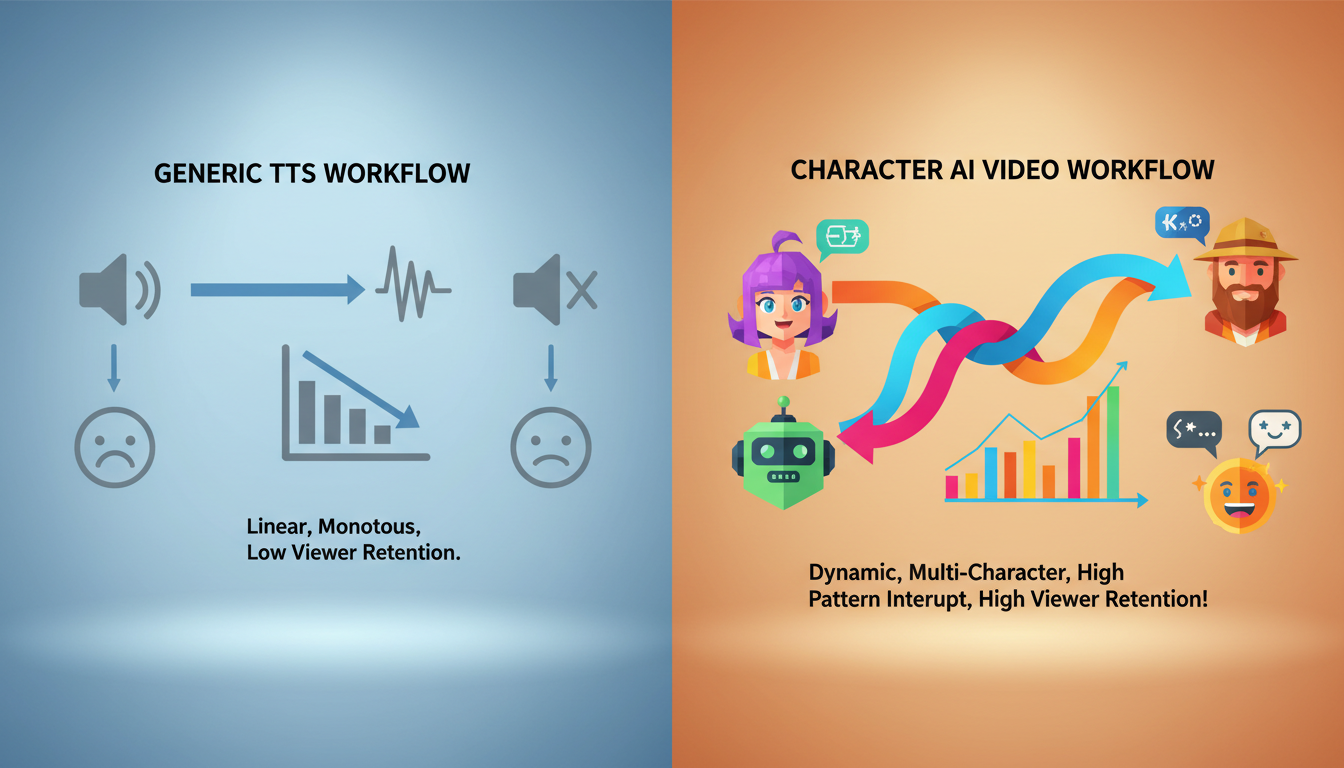
To boost retention in faceless videos, creators must replace generic, robotic text-to-speech engines with high-personality character voices and dynamic visual cutaways that act as immediate sensory "pattern interrupts." While basic text-to-speech often signals low-effort content to viewers—prompting them to swipe away within the first few seconds—using recognizable or highly expressive character videos builds instant curiosity and a distinct channel identity. By using Fanfun, an AI Celebrity Voice Clone & Video Generator, creators can select a character, enter a script (whether it is a roast, a love note, a birthday wish, or total chaos), and receive a custom AI video in minutes. These dynamic video clips can be easily layered into your video editing timeline, providing both an engaging voiceover and a visual character reaction that keeps viewers from scrolling past.
The Retention Problem: Why Generic Text-to-Speech Fails
If you run a faceless channel on YouTube, TikTok, or Instagram Reels, your audio track and visual pacing carry twice the weight of a standard video. Without a human host on screen to convey emotion, build trust, and anchor the viewer's focus, your content relies entirely on dynamic editing to keep people watching.
Unfortunately, many creators default to standard, robotic text-to-speech (TTS) voices. Viewers have developed "robotic voice fatigue" and can spot these automated narrators instantly. Because these voices are heavily associated with low-effort, mass-produced content, audiences subconsciously swipe away the second they hear them.
To keep viewers hooked, you need a pattern interrupt—an unexpected audio-visual element that breaks passive scrolling habits. A distinct, high-personality character clip immediately signals that your video is curated, creative, and worth their time. Instead of sounding like an automated script reader, your faceless content can adopt the tone of an iconic character, a lively commentator, or a stylized parody figure, turning dry narration into an entertaining performance.
4 Creative Formats for Faceless Character Narration
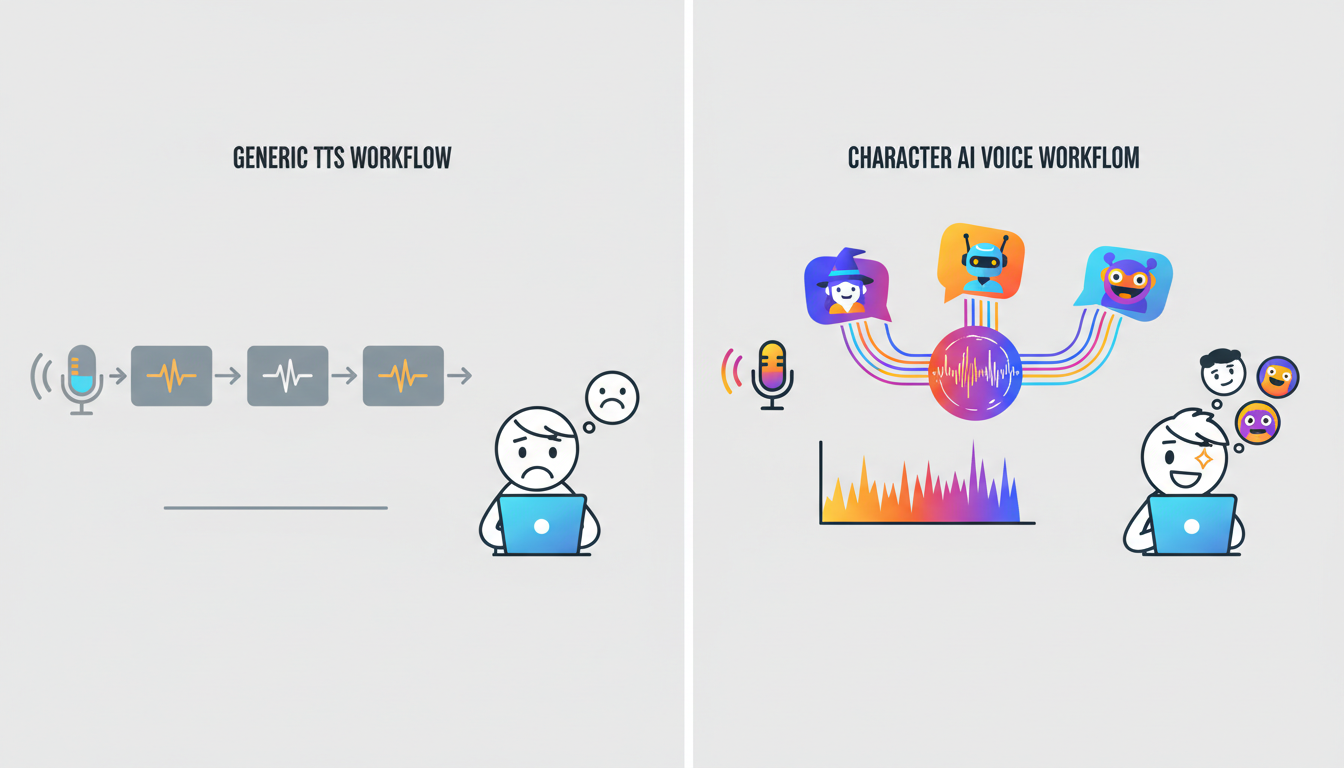
Integrating character videos into your workflow requires more than just swapping out one audio file for another. You need a structured format that leverages the unique personality of the character to drive engagement. Here are four production frameworks you can implement today:
1. The Unlikely Commentator
This format relies on cognitive dissonance. Pair a highly dramatic, technical, or mundane topic with a highly contrasting character video. For example, imagine a historical breakdown of the fall of Rome narrated by an upbeat cartoon character, or a Reddit relationship advice thread read by a dramatic action hero. The contrast between the serious subject matter and the eccentric voiceover keeps viewers entertained and curious to hear how the character responds to the next plot point.
2. The Dual-Character Debate
Instead of relying on a single narrator, script a back-and-forth conversation between two distinct personas. This approach is highly effective for driving engagement in your comments section. You can have a skeptical, deadpan character debate an overly enthusiastic figure on controversial topics, gaming theories, or pop-culture news. Because the characters have defined personalities, viewers will naturally take sides in the comments, boosting your video's engagement metrics and algorithmic reach. For advanced techniques on managing multiple characters in a single project, refer to The Multi-Cast Audiobook: How to Direct, Balance, and Stitch AI Character Voices for Immersive Narration.
3. The Pop-Culture Parody Explainer
Dry tutorials and educational content are notoriously difficult to package for short-form platforms. By using a recognizable character style to explain complex topics, you turn a boring lecture into an entertaining watch. If you want to break down complex subjects like personal finance or coding, you can study how to structure your scripts effectively. For detailed strategies on structuring comedic timing, see The Character Meme Blueprint: How to Script, Pace, and Direct AI Voices for Viral Comedy Videos.
4. The Reaction Soundboard
If you produce gaming videos, compilations, or reaction content, you don't need a continuous character voiceover. Instead, use character videos as dynamic reaction clips. Dropping an unexpected, highly specific character quote or exclamation into a clutch gameplay moment breaks up visual monotony and rewards the viewer's attention. If you are editing gaming content, you can find specific pacing tips in The Gamer's Soundboard: How to Script and Direct AI Voices for High-Retention Gameplay Videos.
Faceless Video Audio-Visual Framework Comparison
| Format | Best Suited Niche | Primary Retention Driver | Complexity Level |
|---|---|---|---|
| The Unlikely Commentator | History, Reddit stories, documentary | Humor and cognitive dissonance | Low (Single video/audio track) |
| The Dual-Character Debate | Pop-culture, theories, reviews | Comment section engagement | Medium (Two video/audio tracks) |
| Pop-Culture Parody Explainer | Tech, finance, tutorials | Entertainment value of dry facts | Medium (Requires tight scripting) |
| The Reaction Soundboard | Gaming, streams, reactions | Pacing and sudden pattern interrupts | High (Requires precise video timing) |
Scripting and Pacing Your Character Videos for Maximum Impact
An AI video generator is only as good as the script you feed it. To make your character videos sound natural and engaging, you must move away from standard writing styles and adapt your scripts specifically for the character persona you select. Here are three key strategies for scripting character videos:
Write for the Character's Vocabulary
Avoid generic, academic, or overly formal sentences unless that is the specific joke of the character. Instead, write with the unique slang, catchphrases, and sentence structures that fit your chosen persona's archetype. If you are using an energetic anime-style voice, use short, punchy sentences and expressive exclamations. To refine your scriptwriting process for specific vocal archetypes, consult Beyond the Cutaway: How to Nail Iconic Character Voices for Modern Content.
Use Phonetic Spelling and Punctuation Experiments
While AI video generators process text-to-speech dynamically, you can experiment with phonetic spellings and basic punctuation during your script drafting to influence the delivery. Try these formatting adjustments to test how the AI-generated video interprets your pacing:
- Commas and Periods: Use commas or periods to encourage natural pauses in the generated video's audio track.
- Phonetic spelling: If the generator struggles with a slang word, brand name, or technical term, spell it out phonetically (e.g., writing "blockchain" as "block-chane" or "TikTok" as "tick-tock").
- Sentence Length: Keep sentences shorter to encourage a more energetic and fast-paced delivery from the AI character.
Align Visual Cuts with Audio Beats
To keep retention high, your visual editing must match the natural cadence of the character's voice. Never let a single visual clip play uninterrupted over a dramatic pause or a voiceover punchline. Cut to a zoom-in, a sound effect, or a new visual element exactly on the syllable of the character's punchline. This synchronized audio-visual pacing creates a polished, professional feel that keeps the viewer's brain actively engaged.
Platform Guidelines and Best Practices for Faceless Creators
While character AI videos offer immense creative freedom, faceless creators must navigate platform guidelines and ethical standards to protect their channels and maintain audience trust.
Understand Synthetic Media Policies
Major platforms like YouTube and TikTok have guidelines regarding AI-generated content. When publishing content featuring synthetic elements, check the latest guidelines of your target platforms regarding synthetic media disclosures and original content requirements. Many platforms suggest or require labeling altered or synthetic content to maintain transparency with your audience. These disclosures help build trust with both the platform and your audience while keeping your channel compliant with community guidelines.
Distinguish Creative Parody from Misleading Representation
Always present your character videos as creative AI interpretations rather than real, verified endorsements. Avoid generating scripts that make false claims about real-world individuals, brands, or products. Keep your content firmly in the realm of parody, education, and creative storytelling. Clear, creative framing ensures your content remains fun, ethical, and safe from copyright or community strikes. If you are looking for alternative formats to traditional shoutout platforms, check out Beyond Cameo: The Best Alternatives for Instant, Personalized Celebrity & Character Videos.
Optimize Your Production Workflow
Consistency is key to growing a faceless channel. To keep up with daily or weekly posting schedules, avoid generating your videos one clip at a time. Instead, batch-generate your scripts. Spend one day writing and generating all your character video clips for the week using Fanfun, and then import those assets into your video editor for streamlined, high-volume production. To explore more ways to integrate these assets across different platforms, read our guide on How to Use AI-Generated Personality Videos for Gifting, Content, and Creative Projects.
How can I ensure my faceless channel meets platform monetization standards when using AI elements?
To maintain monetization eligibility on major platforms, focus on original, transformative content. Avoid low-effort slideshows or unedited automated streams. Instead, combine your AI character videos with original scripts, dynamic visual editing, and unique commentary. Platforms look for human creativity and editing effort, so ensuring your content offers clear creative value is the best path to long-term monetization.
How do I fix mispronounced words or awkward pacing in my generated video?
If the AI character mispronounces a word or delivers a line with awkward pacing, you can resolve this by adjusting your script's spelling and punctuation. Break complex words down into simpler phonetic syllables (e.g., spelling "neural" as "new-rul") and use commas or periods to force the generator to pause. If a specific sentence still sounds unnatural, try rephrasing the line using simpler vocabulary.