
The Multi-Cast Audiobook: How to Direct, Balance, and Stitch AI Character Voices for Immersive Narration
Want to move beyond flat, single-narrator audiobooks? Discover how to use advanced AI voice tools to cast, direct, and stitch dynamic multi-character audiobooks on an indie budget.
Traditional audiobooks are a massive investment. Multi-voice casts are even more restrictive, requiring thousands of dollars in studio time, production engineering, and professional voice actor rates. For indie authors and digital creators, this financial barrier often means settling for a single, flat narrator who reads both high-stakes combat scenes and intimate, quiet dialogue in the exact same tone. The result is a passive listening experience that fails to capture the true emotional depth of the story.
Fortunately, the rise of advanced AI voice generation is rewriting the rules of independent publishing. By leveraging a curated library of distinct digital personas, creators can now produce fully cast, cinematic audio experiences on an indie budget. This guide breaks down the exact workflow for casting, directing, and mastering a multi-character audiobook using AI voice platforms like Fanfun, showing you how to turn raw text into an immersive sonic world.
Beyond the Solo Narrator: The Rise of the Cinematic, Multi-Cast Audiobook
Modern audiobook listeners are incredibly sophisticated. Raised on high-production podcasts, cinematic video games, and immersive audio dramas, they increasingly abandon flat, single-tone audiobooks. They want to hear the gravel in a world-weary detective's voice, the frantic pacing of a sidekick in danger, and the calm, authoritative tone of an omniscient narrator. When a single voice actor tries to cover all these bases, the illusion often breaks—especially when a male narrator attempts a high-pitched female voice, or vice versa.
The creative limitation of traditional AI text-to-speech (TTS) is that it treats dialogue and exposition with the exact same emotional weight. It lacks situational awareness. If a character is running for their life, a standard TTS engine still reads their lines with the steady, measured cadence of a nightly news anchor. This flat delivery is why many listeners reject early-generation AI audiobooks out of hand.
To capture and hold attention, creators are shifting toward multi-voice casting. By assigning distinct digital personas to different characters, you create a dynamic audio landscape. This approach mirrors how modern platforms are designing interactive storytelling experiences for children and adults alike, moving away from passive, one-way media toward rich, multi-dimensional audio. With a diverse AI voice generator, you can bypass the prohibitive costs of traditional multi-casting while maintaining the high-fidelity engagement of a major studio production.
Mapping Your Cast: How to Match Voice Profiles to Character Archetypes
Before you generate a single second of audio, you must map out your vocal landscape. Throwing random AI voices together will confuse your listeners. Instead, you need a systematic casting process that ensures every character has a distinct, recognizable acoustic signature.
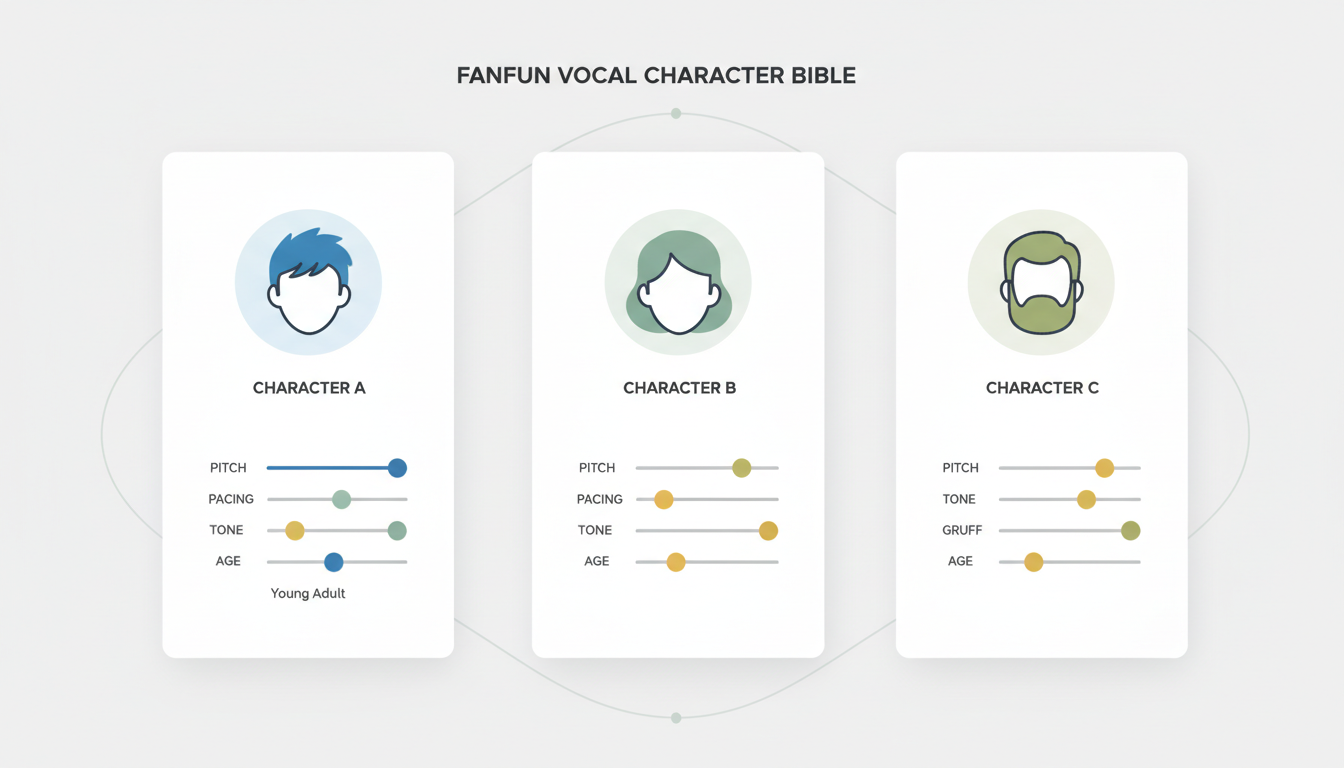
Start by building a "Vocal Character Bible." This is a master document where you track the exact vocal attributes of every character in your manuscript. You should define their age, vocal texture (e.g., raspy, smooth, breathy, nasal), native pacing, and regional accents. This level of detail is crucial when directing iconic character voices with precision, as it prevents your characters from sounding like generic, interchangeable clones.
A key rule of multi-cast audio is vocal contrast. If two characters share a scene, their voices must reside in different frequency ranges or have highly contrasting tempos. If you pair a deep, slow-speaking baritone with another deep, slow-speaking baritone, your listener will constantly struggle to identify who is speaking. Pair that baritone with a high-register, fast-paced voice instead. This natural contrast keeps the dialogue sharp and easily digestible.
The Vocal Character Bible Template
To help you structure your project, use this template to align your manuscript's characters with specific AI voice profiles before starting production:
| Character Name | Archetype | Vocal Texture & Pitch | Pacing Style | Vocal Contrast Match |
|---|---|---|---|---|
| The Narrator | Omniscient Guide | Smooth, warm, mid-range baritone | Deliberate, steady, rhythmic | N/A (Baseline voice) |
| Protagonist (e.g., Jax) | Reluctant Hero | Gravelly, low-pitch, breathy | Slow, cautious, pauses often | Contrasts with high-pitched sidekick |
| Sidekick (e.g., Pip) | Comic Relief / Tech | Bright, high-pitched, energetic | Rapid, excitable, overlapping | Contrasts with low-pitch protagonist |
| Antagonist (e.g., Vesper) | Calculating Villain | Sharp, cold, sibilant treble | Calculated, precise, monotone | Contrasts with warm narrator tone |
The AI Voice Direction Playbook: Pacing, Emotion, and Pronunciation Controls
Generating high-quality AI speech is not just a matter of copying and pasting your manuscript into a text box. To make an AI character voice sound human, you must act as a digital director, using specific formatting hacks to guide the AI's performance, pacing, and emotional delivery.
First, master the art of punctuation hacks. AI voice generators interpret punctuation as physical cues. An ellipsis (...) forces the AI to take a lingering, dramatic breath or hesitate mid-sentence. An em-dash (—) creates an abrupt stop, perfect for characters who get interrupted or lose their train of thought. Strategic line breaks can also force the AI to reset its pitch, preventing it from running through long sentences without a natural pause.
Second, implement phonetic spelling for complex terms. AI models are trained on standard dictionaries, meaning they will struggle with fantasy names, sci-fi jargon, or highly specialized terminology. If your character's name is "Xavier," but the AI mispronounces it, try spelling it phonetically as "Zay-vee-er." If a sci-fi weapon is called a "plasma railgun," you might need to write it as "plaz-ma rayl-gun" to get the exact emphasis you want. Always preview these words individually before generating full chapters.
Finally, understand the fundamental difference between your narrator's voice and your characters' voices. They require completely different settings and directorial approaches:
| Vocal Parameter | Narrator Voice Settings | Character Voice Settings |
|---|---|---|
| Stability / Consistency | High (80-90%) — Keeps the tone uniform across hours of listening. | Medium-Low (40-60%) — Allows for emotional swings and dynamic range. |
| Clarity / Quality | Maximized — Prioritizes clean, crisp, studio-quality speech. | Balanced — Accepts minor vocal imperfections for natural realism. |
| Pacing & Cadence | Strictly metered — Steady rhythm with standard pauses. | Irregular — Uses expressive punctuation to mimic human emotion. |
Stitching and Mastering: How to Assemble Multi-Voice Tracks in Your DAW
Once you have generated your narrator and character files, the real magic happens in post-production. You cannot simply glue these files end-to-end; you must arrange, balance, and master them inside a Digital Audio Workstation (DAW) like Audacity, Reaper, or Pro Tools.
Organization is your defense against chaos. Create a strict folder structure for your raw audio exports. Organize files by Chapter, then by Character/Narrator, and finally by Scene. Label every file clearly (e.g., Ch1_Narrator_01.wav, Ch1_Hero_02.wav). This makes it easy to drag and drop assets into parallel tracks in your DAW.
The biggest giveaway of a cheap, multi-voice AI project is a lack of cohesive "room tone." Because each AI voice is generated independently, they often sound like they were recorded in different universes. To fix this, place all your character tracks into your DAW and apply a very subtle, shared reverb (often called a "room reverb" or "chamber reverb") to the entire mix. Additionally, import a continuous track of low-volume, silent "room tone" (subtle analog hiss or quiet room ambiance) under the entire track. This acoustic glue makes the listener feel as if all characters are standing in the same physical room.
When you are ready to export, you must meet the strict mastering standards of major audiobook distributors like ACX. This includes adjusting your overall loudness to between -23dB and -18dB RMS, with peak values not exceeding -3dB. For a comprehensive guide on managing raw audio exports, check out our blueprint on mastering custom audio assets to ensure your final export sounds polished and professional.
The Legal and Distribution Blueprint for AI-Generated Audiobooks
Publishing an AI-voiced audiobook requires a clear understanding of the legal and platform-specific landscapes. Major distributors have updated their terms of service to reflect the rise of synthetic voices, and navigating these rules is essential to ensure your book isn't flagged or removed.
Platforms like ACX (Audible), Findaway Voices, and Google Play Books have different policies regarding AI narration. While Google Play actively supports auto-narrated audiobooks, Audible historically preferred human narration but now allows AI-generated content under specific disclosure guidelines. You must clearly label your audiobook as "synthesized," "AI-narrated," or "digitally voiced" during the upload process. Failing to do so can result in account suspension.
Ethical sourcing is equally critical. You should never use unauthorized voice clones of real-world actors or celebrities for commercial audiobooks. Instead, rely on legally cleared, licensed voice libraries. Platforms like Fanfun provide safe, high-quality character voices that are fully cleared for creative and commercial use. This ensures that you retain undisputed ownership of your generated audio assets and can distribute your work globally without fearing copyright claims or legal disputes over voice likeness.
Can I upload an AI-voiced audiobook to ACX and Audible?
Yes, but you must follow their specific disclosure guidelines. ACX and Audible allow AI-narrated audiobooks provided they are clearly labeled as such during the submission process. Always verify the latest platform-specific requirements before publishing, as terms of service continue to evolve rapidly.
How do I make an AI character voice sound less robotic and more emotional?
Use punctuation hacks like ellipses (...) for dramatic pauses, em-dashes (—) for sudden interruptions, and exclamation marks to inject energy. Adjusting the stability slider down to 40-60% in your AI voice generator also allows the model to introduce more natural pitch variations and emotional inflections.
How much does it cost to generate character voices for a full-length novel?
Using traditional voice actors for a multi-cast audiobook can easily cost between $3,000 and $10,000. By contrast, generating a fully cast audiobook using an AI voice platform like Fanfun typically costs only a fraction of that amount, often fitting comfortably within a modest indie marketing budget.
Is it legal to use celebrity-style AI voices in my commercial audiobook?
No, using unauthorized voice clones of real-world actors or celebrities for commercial purposes violates right-of-publicity laws and copyright regulations. To publish commercially without legal risk, you must use legally cleared, licensed voice libraries provided by platforms like Fanfun.



