How to Use Custom Character Videos for a Virtual Gender Reveal
Announce your big news with a playful twist. Learn how to select a custom AI character, write a suspenseful 30-second script, and share the video smoothly with your remote loved ones.

Using a custom character video for a virtual gender reveal is a highly creative, low-pressure way to share your big news with remote friends and family. By choosing a stylized AI persona on Fanfun, writing a well-paced 30-second script, and playing the downloaded video during a live group call or in a chat group, you can build suspense and deliver a memorable announcement. Keep in mind that AI voices are playful, stylized approximations of popular characters rather than perfect voice clones, adding a lighthearted and whimsical touch to your family milestone rather than a realistic voice recording.
Designing Your Virtual Reveal Strategy
A virtual character gender reveal uses a stylized AI persona to deliver your big news to remote loved ones, turning a standard announcement into an entertaining event. Because AI voices are playful, stylized approximations of popular characters rather than perfect voice clones, they bring a lighthearted, whimsical energy to the occasion. On Fanfun, parents can easily select a character, enter a custom script, and receive a finalized video delivered straight to their inbox.
To share the news, you have two primary virtual formats:
- Live Stream Watch Party: Gather everyone on a platform like Zoom or Google Meet, share your screen, and play the video live so you can capture everyone's real-time reactions.
- Group Chat Blast: Send the video directly to a family group chat on WhatsApp, iMessage, or Messenger, allowing loved ones to watch and reply at their own convenience.
Selecting the Perfect Character Persona
The key to an engaging reveal is matching the character's personality to your family's style and the overall theme of your virtual baby shower. For instance, a booming, dramatic voice works wonders for a high-energy, suspenseful announcement, while a classic animated hero brings a sense of warm nostalgia. To coordinate your reveal with a broader event, you can reference our guide on designing custom character greetings for virtual baby showers.
To help you choose, consider this quick character style comparison:
| Character Style | Best For | Vibe |
|---|---|---|
| Classic Animated Hero | Nostalgic family themes | Warm, friendly, and family-friendly |
| Booming Hype-Person | High-energy, dramatic reveals | Exciting, theatrical, and loud |
| Playful Sidekick | Lighthearted, funny announcements | Silly, casual, and conversational |
Writing a Suspenseful Reveal Script
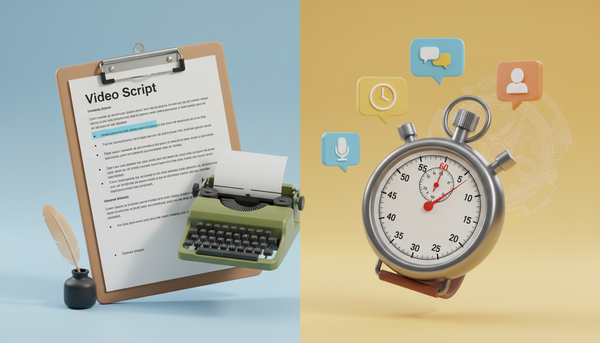
A successful reveal script keeps your guests guessing until the very last moment. Keep your script concise: on Fanfun, one video credit covers up to 30 seconds of speech (roughly 60 to 75 words). Pacing is crucial so the climax of the video doesn't feel rushed or cut off.

Structure your 30-second script into three distinct parts:
- The Hook (0-10 seconds): The character introduces themselves and acknowledges the exciting secret they are holding.
- The Buildup (10-25 seconds): The character teases the audience, dropping playful hints or building suspense with a drumroll effect.
- The Climax (25-30 seconds): The clear, definitive announcement of the gender (e.g., "It's a boy!" or "It's a girl!").
Here is an editable template you can customize for your own reveal:
"Hey everyone! It is your favorite hero here. I have been trusted with the ultimate secret mission today. Is it team pink or team blue? The suspense is killing me! Let us do a quick countdown... Three... Two... One... It is a baby girl! Congratulations to the future parents!"
When writing your script, use clear, easy-to-pronounce words to help the AI generator deliver a smooth performance. For more creative phrasing ideas and celebratory language, you can explore our tips on writing character congratulations prompts.
Sharing the Video and Managing Technical Details
To ensure your virtual reveal goes off without a hitch, a little technical preparation goes a long way. Always test the video and audio quality before your event to make sure the character's voice is clear and audible over your video conferencing software.
For the best live-stream experience, download the video file directly to your local device rather than relying on a live browser stream, which can suffer from buffering or lag. If you plan to text the video to guests who could not make the live call, you can send the downloaded video file directly through your preferred messaging app to share the moment with them.
Before you go live, run through this quick checklist:
- Download the completed video file to your desktop.
- Open the file in your local media player and check the volume level.
- Enable "Share Sound" or "Optimize for Video" in your Zoom or Google Meet settings before sharing your screen.
- Have the downloaded video file saved on your phone to send to the family group chat immediately after the live reveal.
How far in advance should I generate my character reveal video?
We recommend generating your video at least 24 to 48 hours before your virtual event. This gives you plenty of time to preview the final video, ensure the pacing is exactly how you want it, and troubleshoot any local playback issues on your sharing device.
Can I make a video that reveals twins with different genders?
Yes! Because you have full control over the script, you can write a custom message that reveals twins of different genders. Simply adjust your script's climax to announce both genders clearly (e.g., "It's a boy AND a girl!").
What should I do if the character mispronounces our last name in the video?
If a unique last name or word sounds slightly off, try spelling it phonetically in your script. For example, writing "Smithe" as "Smyth" or using phonetic syllables can guide the AI generator to produce a more accurate pronunciation.