The Character Meme Blueprint: How to Script, Pace, and Direct AI Voices for Viral Comedy Videos
Discover how to weaponize cognitive dissonance, manipulate punctuation for comedic pacing, and edit AI character voices into high-performing social media memes.
The standard formula for social media success used to involve expensive gear, hours of filming, and a stroke of pure algorithmic luck. Today, the most viral content on TikTok, Reels, and YouTube Shorts relies on a far simpler hook: a highly recognizable voice saying something utterly ridiculous. By utilizing AI voice generators, creators can bypass the traditional friction of production and tap directly into pre-existing fandoms to build massive, highly engaged audiences.
But simply generating a flat text-to-speech voice and slapping it over a gameplay video isn't enough to stand out anymore. To truly capture the attention of a fast-scrolling audience, you need to understand the mechanics of comedic timing, phonetic scripting, and cognitive dissonance. At Fanfun, we see firsthand how creators weaponize these strategies to turn simple AI-generated voice clips into high-engagement cultural moments. This guide provides your blueprint for directing AI voices that stop the scroll, drive shares, and keep your audience coming back for more.
The Anatomy of a Character Voice Meme (Why Voice Drives the Algorithm)
The human brain is wired for pattern recognition, and nothing triggers this faster than a familiar voice. When a user is scrolling through their feed, their attention is a scarce resource. A standard text-to-speech voice sounds sterile and easily ignorable. However, hearing an iconic anime protagonist, a legendary fantasy wizard, or a prominent cultural figure instantly bypasses the initial three-second attention barrier. The viewer already has an emotional relationship with that voice, which makes them stop to figure out why they are hearing it on their timeline.
The core engine of character voice comedy is cognitive dissonance. This is the psychological discomfort (which, in comedy, translates to hilarity) of holding two contradictory ideas at once. In the context of meme creation, this means placing an epic, dramatic, or highly serious character into an absurdly mundane scenario. When an all-powerful space warlord starts passionately complaining about corporate email etiquette, or a legendary detective spends three minutes overanalyzing the menu at a fast-food drive-thru, the humor writes itself. The contrast between the gravity of the voice and the triviality of the subject matter creates instant comedic tension.
Furthermore, these memes thrive because they build community through shared subcultures. When you use a character voice from a specific gaming, anime, or pop culture universe, you aren't just making a joke; you are signaling to an entire fandom. Viewers love to self-identify with these subcultures, leading to high comment-section engagement as they debate how "in-character" or beautifully "out-of-character" the monologue is. By tapping into these established communities, your content gains an organic distribution network that standard comedy struggle to replicate.
Scripting for Comedic Timing: Punctuation and Phonetics
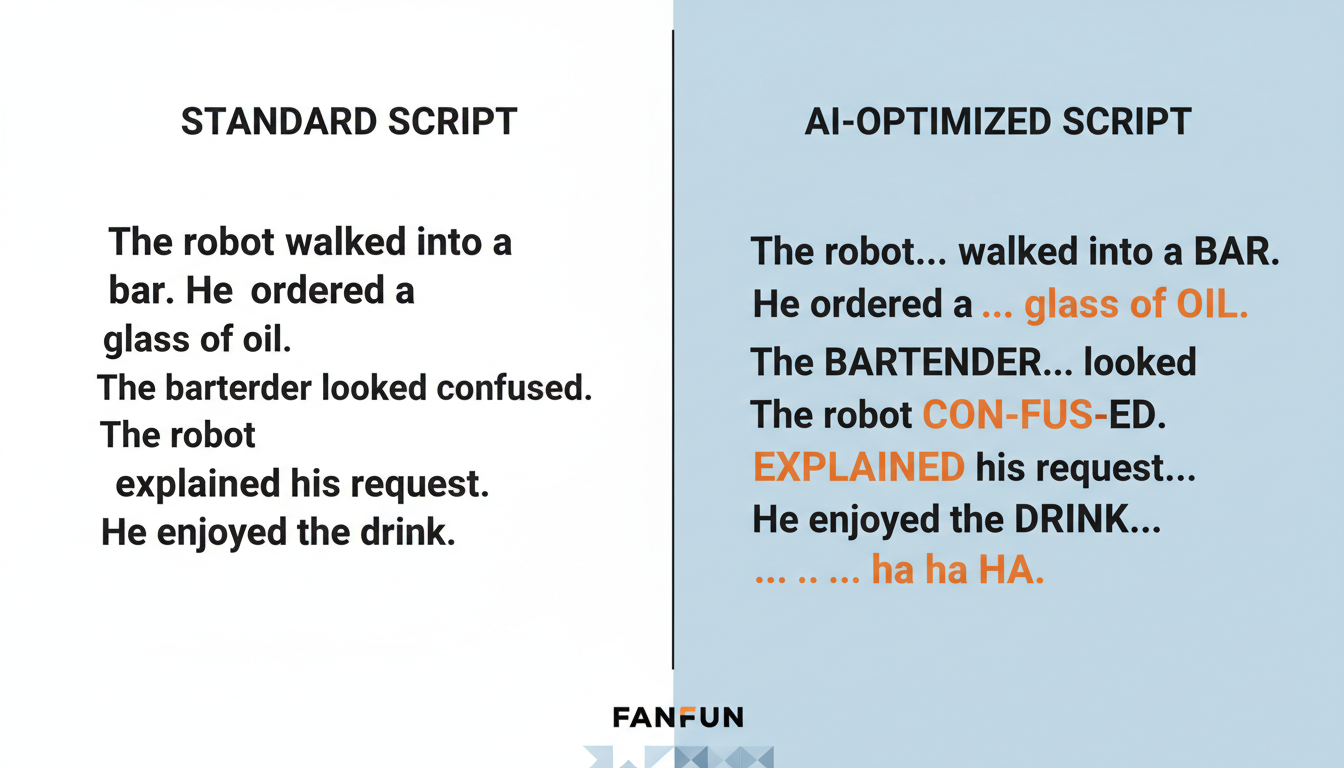
Writing for an AI voice generator is fundamentally different from writing for a human actor. Humans intuitively understand subtext, rhythm, and where to take a breath. An AI engine reads the literal text you feed it. To get a dynamic, expressive performance, you must learn to write phonetically and use "forced punctuation" to manipulate the engine's pacing.
The Mechanics of Forced Punctuation
Standard grammar is the enemy of great AI voice acting. If you write a grammatically perfect sentence, the AI will deliver it in a smooth, continuous, and often monotonous stream. To break this up and inject comedic timing, you must abuse punctuation. For a deeper dive into crafting dialogue that flows naturally, check out our guide on writing scripts that sound human, which covers the underlying psychology of dialogue pacing.
- The Double Comma (,,): Most AI voice generators treat a comma as a brief pause. If you need a slightly longer, hesitant beat—classic for deadpan delivery—use two commas in a row. For example: "I think,, we have a problem."
- The Ellipsis (...): Use ellipses to simulate trailing off, deep thought, or building suspense before a punchline. "And the winner is... absolutely nobody."
- Capitalization for Emphasis: Many modern AI models interpret ALL CAPS as a cue to increase volume, pitch, or intensity. Use this sparingly to highlight the core joke of the sentence without making the entire clip sound like an undifferentiated scream.
- Hyphenated Stuttering: To show fear, confusion, or hesitation, break words up with hyphens. Writing "w-w-what do you mean?" forces the generator to mimic a realistic vocal stumble.
Beyond punctuation, you must master phonetic spelling. AI generators are trained on standard dictionary pronunciations, meaning they can struggle with slang, internet jargon, or regional accents. If the generator mispronounces a word, spell it out how it sounds. For instance, write "meem" instead of "meme," "fol-low-erz" instead of "followers," or "skribble" instead of "scribble." If you want a character to drawl a word for comedic effect, multiply the vowels: "Nooooo way" or "What are you doooo-ing." Experimenting with these phonetic tweaks is often the difference between a robotic voiceover and a masterpiece that feels genuinely alive.
The Meme Format Playbook: Three Viral Frameworks
To turn your scripted voiceovers into high-performing videos, you need a visual wrapper that matches the energy of the audio. Here are three highly effective, battle-tested frameworks that dominate social media feeds.
Framework 1: The "Unfiltered Commentary"
This format pairs a highly specific, passionate, and out-of-character rant with hypnotic, low-stress background footage. The standard visual choice is high-speed mobile gameplay, such as Minecraft parkour, Subway Surfers, or ASMR soap cutting. The visual acts as a passive sensory anchor, keeping the viewer's eyes busy while their ears focus entirely on the voiceover. This is incredibly effective for longer, story-driven jokes or existential monologues delivered by epic characters.
Framework 2: The "Deep-Fried Debate"
The "Deep-Fried Debate" brings multiple iconic characters together into a chaotic group chat, Discord call, or podcast setup. The visuals usually consist of static character portraits that light up, shake, or zoom in when that specific character speaks. The comedy comes from the rapid-fire back-and-forth, contrasting personalities, and overlapping voices. Think of an anime hero, a sci-fi villain, and a historical figure arguing over who ruined the office microwave.
Framework 3: The "Pop Culture Subversion"
This framework uses trend-driven celebrity or character voices to narrate mundane, real-life vlogs or parody popular reality TV tropes. Imagine a high-fashion celebrity voice narrating a chaotic trip to a local discount grocery store, complete with dramatic pauses and intense commentary on the price of milk. If you want to leverage trending stars, you can learn more about using trend-driven celebrity voices to capture immediate audience attention on TikTok.
| Meme Framework | Ideal Length | Visual Style | Difficulty Level | Core Comedic Driver |
|---|---|---|---|---|
| Unfiltered Commentary | 30 - 60 seconds | Gameplay footage / ASMR loops | Easy | Hypnotic visuals paired with a highly specific, passionate rant. |
| Deep-Fried Debate | 45 - 90 seconds | Dynamic UI / Shaking avatar portraits | Medium | Rapid-fire banter, overlapping voices, and escalating chaos. |
| Pop Culture Subversion | 15 - 45 seconds | Mundane daily vlogs / Aesthetic B-roll | Hard | The contrast of glamorous, dramatic voices describing boring tasks. |
Directing Your AI Voice: Pacing, Breath, and Delivery Hacks
Once you have your script, the next step is directing the performance. Raw AI voice generation can sometimes lack the dynamic range required for comedy. To fix this, you need to act as a digital director, shaping the raw audio file into a polished comedic performance.
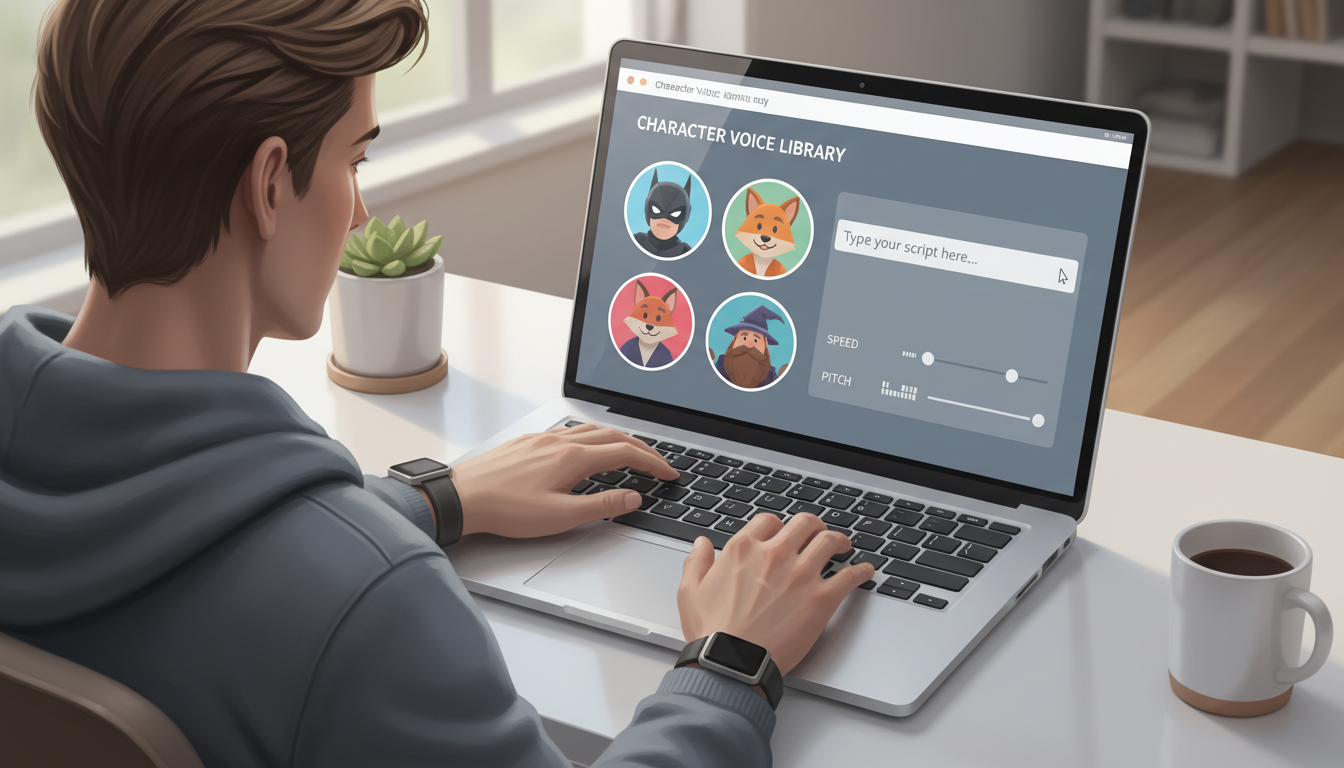
One of the most effective ways to save a joke is manipulating the playback speed in post-production. Many AI voices generate at a steady, measured pace to ensure clarity. For comedy, this can feel too slow. Speeding up your generated audio by 1.1x or 1.15x in your video editor can instantly make the dialogue feel snappier, more energetic, and more natural. Conversely, slowing a voice down to 0.9x is a fantastic way to emphasize a moment of profound confusion or deadpan disappointment, giving the character's realization actual weight.
Sourcing your assets is another critical step in the pipeline. Instead of wrestling with complex local software, command-line interfaces, or waiting days for expensive voice actors, platforms like Fanfun allow you to generate these voices instantly. This means you can react to trending templates and pop-culture moments while they are still hot. Ultimately, mastering the unique vocal tics of your chosen persona is key to nailing the nuances of iconic voices and keeping your audience fully immersed in the joke.
Sourcing, Syncing, and Editing Your Meme in CapCut or Premiere
With your directed audio in hand, it is time to assemble the final video. Whether you are using CapCut on your phone or Premiere Pro on your desktop, the editing workflow follows a specific set of rules to maximize retention and engagement.
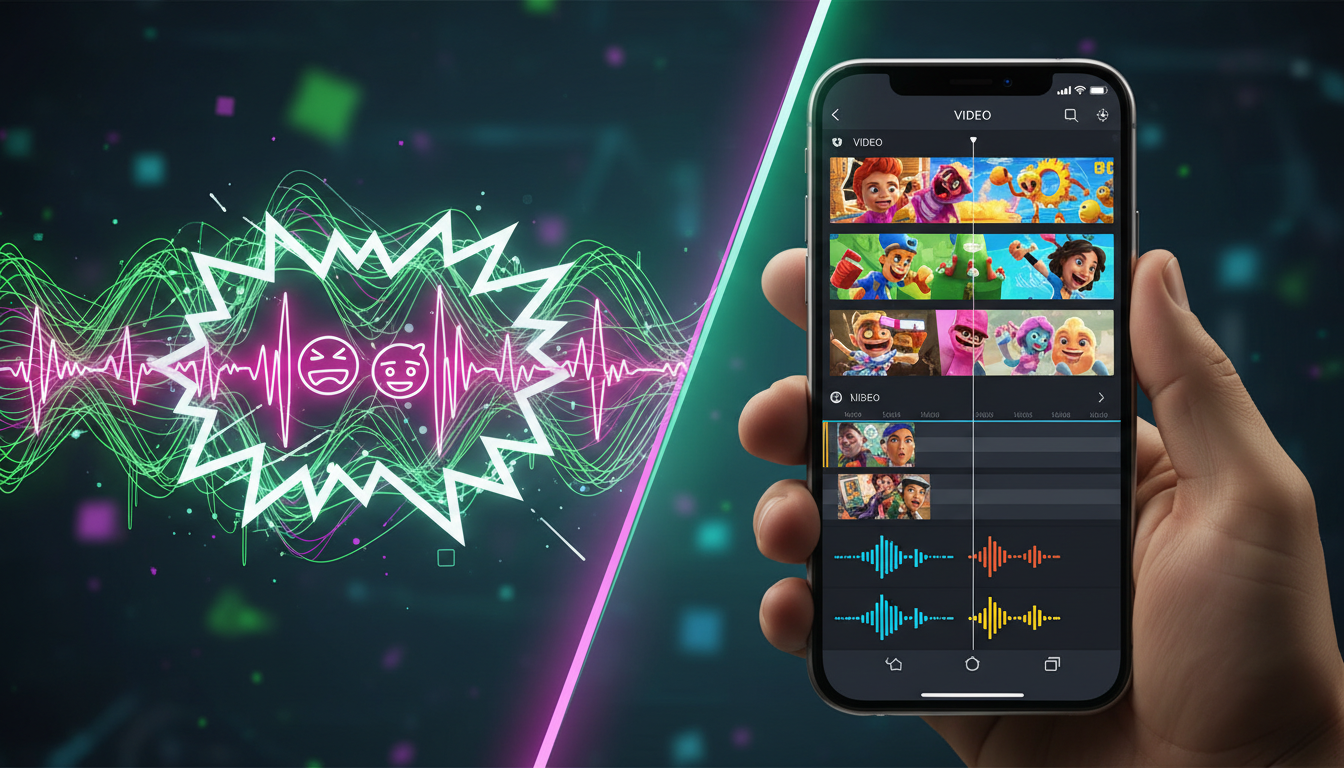
First, always export your audio from your generator in the highest possible bitrate (WAV or high-quality MP3). Low-quality audio will sound muddy once compressed by social media algorithms. Once imported into your timeline, visually inspect the waveform. Look for the audio spikes—these represent the punchlines, exclamation points, and voice cracks. You want to align your visual cuts directly with these spikes. For example, when a character yells or delivers a punchline, cut to a sudden digital zoom-in, a screen shake, or a dramatic color flash. This visual punctuation reinforces the audio and keeps the viewer's eyes locked to the screen.
Second, prioritize caption styling. Over 70% of viewers watch social media videos on mute or in public spaces. Dynamic, auto-generated captions are non-negotiable. Use bold, high-contrast colors (like bright yellow, green, or white with a heavy black stroke) and set your captions to display only one or two words at a time. This rapid-fire word delivery creates a visual rhythm that encourages viewers to read along, keeping their eyes moving and boosting your average watch time. Finally, layer in subtle background music. A low-volume lo-fi track or a dramatic, cinematic orchestral score acts as the "glue" that binds your voiceover and visuals together, masking any minor audio transitions and giving the entire video a highly professional, cohesive feel.
Checklist for Viral Meme Polish
- Audio Quality: Ensure there is no background hiss or clipping in your voiceover.
- Visual Sync: Match camera zooms and frame shakes directly to the loudest audio peaks.
- Caption Readability: Use large, central, single-word captions that are easy to read on mobile screens.
- Background Music: Keep background tracks at -18dB to -24dB so they never drown out the character's voice.
- The Hook: Ensure the first 3 seconds feature a recognizable character voice saying something highly unusual.
How do you get cartoon and anime voices for TikTok memes?
You can generate high-quality cartoon and anime voices using dedicated AI platforms like Fanfun. Instead of waiting for voice actors or using complicated software, you can browse a library of popular characters, input your custom script with comedic punctuation, and generate ready-to-use audio files in seconds.
Is it legal to use AI character voices in comedy and meme videos?
Using AI character voices for parody, satire, and non-commercial comedy generally falls under fair use guidelines in many jurisdictions. However, it is important to respect intellectual property, avoid misrepresenting real individuals maliciously, and use platforms like Fanfun that prioritize ethical creative guidelines and safe, fun community engagement.
How do I make an AI voice sound angry or excited for a punchline?
You can influence the emotional delivery of an AI voice by using strategic formatting in your text input. Try using ALL CAPS for shouted words, adding exclamation points, or using phonetic spelling (like "NOOOOO") to force the engine to change its pitch. Additionally, you can add dramatic sound effects (like bass boosts or record scratches) in your video editor to sell the emotion.
What editing app is best for syncing AI character voices to gameplay footage?
CapCut is highly recommended for mobile creators due to its intuitive multi-track timeline, robust auto-captioning features, and built-in text-to-speech synchronization tools. For desktop editors, Premiere Pro or DaVinci Resolve offer advanced control over audio keyframing, precise waveform editing, and custom visual effects to match your audio spikes.