
How to Create Personalized AI Holiday Video Greetings for Your Whole Group
Sending holiday greetings to a large group usually means choosing between generic bulk cards or hours of manual recording. Here is how to organize your list and write unique, character-driven AI video greetings that your recipients will actually watch.
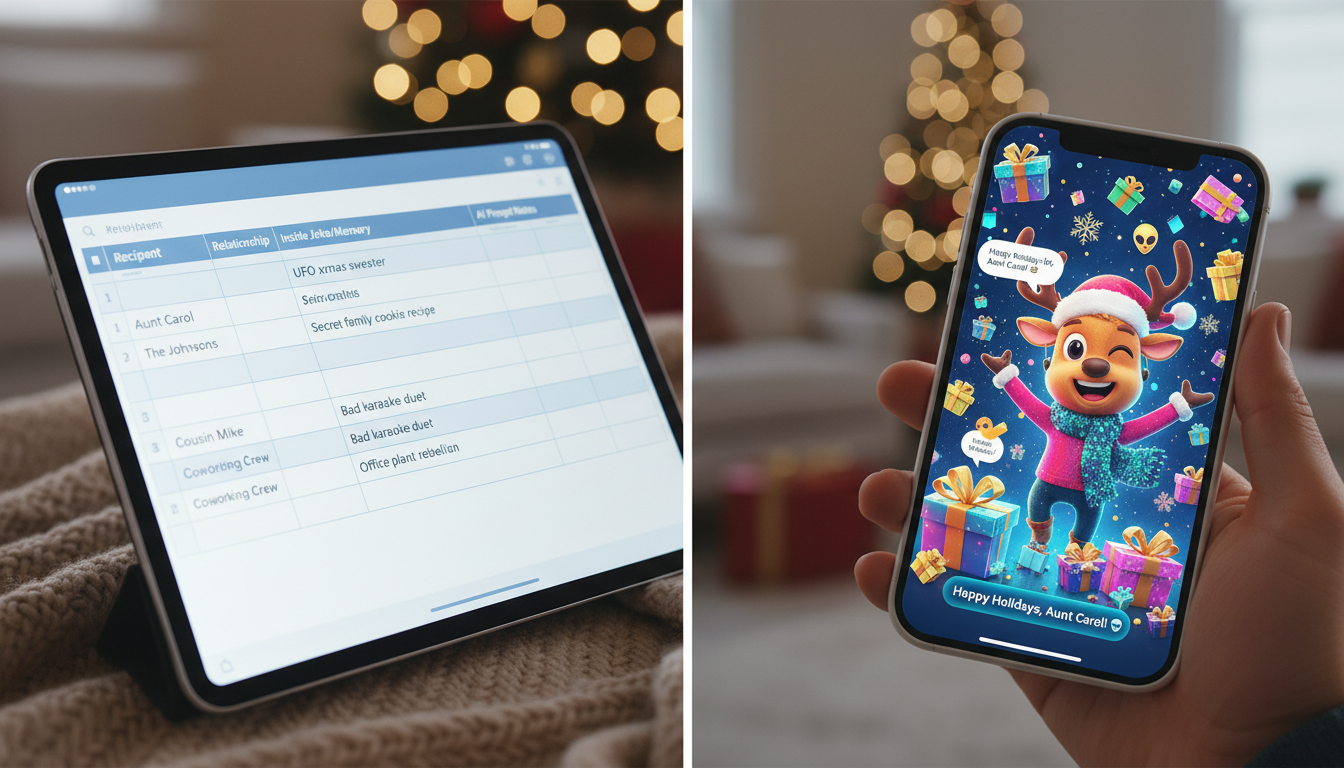
To send personalized holiday video greetings to a group without spending dozens of hours recording individual messages, you can use a structured planning workflow: categorize your contact list, write custom scripts for each recipient, and manually generate the videos using Fanfun. By choosing an AI character persona to deliver each message, you can keep the content highly specific and entertaining. Because Fanfun generates custom videos in just minutes based on the text you enter, you can easily create a series of distinct, memorable greetings without any complex video editing skills.
The Holiday Greeting Bottleneck: Why Generic Messages Fail
Generic, AI-written holiday poems feel impersonal and are quickly forgotten. When someone receives a copy-and-paste text block that sounds like a standard greeting card, they immediately tune out. True personalization relies on specific, shared memories and inside jokes.
Instead of sending generic text, you can use AI video generation to bring specific character personas to life, making recipients feel uniquely seen. By using Fanfun, you can select a distinct character, enter a custom script, and receive a personalized video. This is the key to directing custom AI video greetings that people won't immediately delete. Because the process is manual, keeping your scripts organized in a central document before you begin generating is essential for a smooth workflow.
The Organization Blueprint: Categorizing Your Recipient List
Since you will be generating these videos individually, keeping your list organized prevents creative burnout. Divide your contact list into three core groups to help streamline your scriptwriting and choose the right AI persona for each recipient.
Here is a simple decision framework to categorize your list:
| Recipient Group | Target Audience | AI Persona Style | Script Focus |
|---|---|---|---|
| Inner Circle | Close friends, siblings, family members | Nostalgic cartoon characters, dramatic icons | Hyper-specific inside jokes, shared memories, lighthearted roasts |
| Professional | Co-workers, clients, professional network | Polished, cheerful, or mildly humorous personas | Expressing gratitude, celebrating year-end wins, clean humor |
| Communities & Groups | Group chats, gaming guilds, local clubs | High-energy, meme-focused, or heroic personas | Shared group milestones, community memes, high-energy wishes |
Create a simple spreadsheet with columns for Recipient Name, Group, Chosen Character Persona, and Script. For your siblings or close family, you can use tailored character pairings to make the message stand out, as detailed in our guide on scripting personalized Santa videos for siblings. For your professional network, focusing on shared achievements ensures you are creating funny video greetings for coworkers without the cringe.
Writing Scripts for AI Voice Synthesis: Pacing and Simplicity
Writing for an AI voice generator requires a slightly different approach than writing for a human reader. Because AI voice synthesis reads text literally, you must optimize your scripts for natural pacing and clear pronunciation.
Use these three rules when writing your scripts:
- Use common, clear language: Avoid overly complex slang or highly unusual spellings that might confuse the voice generator. Stick to standard vocabulary to ensure the character voice sounds natural.
- Keep sentences short: Short, punchy sentences naturally introduce brief pauses, preventing the message from sounding rushed or robotic.
- Keep it under 150 words: Short scripts maintain high viewer retention and ensure your punchlines land effectively without dragging on.
An Example Script for a Close Friend
Here is an illustrative example of a script you can manually customize for a close friend:
"Hey Sarah! Just wanted to wish you a happy holiday. I heard that this year you finally finished that massive puzzle... yeah, we all saw that coming. Seriously though, hope you have an amazing holiday season and don't burn the cookies this time. Let's catch up soon!"
Delivery Tactics: How to Send Your Videos for Maximum Impact
Once you have generated your custom videos on Fanfun, the final step is delivery. How you package and distribute these videos determines whether they feel like premium digital gifts or generic spam.
First, avoid sending raw video files directly over standard SMS. Cell carriers often compress video files heavily, which can ruin the visual and audio quality. Instead, upload your videos to a clean cloud sharing link or send them directly via high-resolution messaging apps like WhatsApp, Discord, or Telegram.
Second, context is key. When sending a personalized greeting to a close friend living far away, pair the video with a brief, warm text message explaining why you chose that specific character for them. This is an excellent way of designing hyper-personalized digital gifts for long-distance friends.
Finally, consider a rolling delivery schedule. Instead of sending every video at the exact same moment on Christmas Eve, send them out over the course of the holiday week. This builds anticipation and gives your recipients time to react, share, and enjoy their custom video messages.
How do I make sure the AI pronounces a unique name correctly?
To help the voice synthesis engine, you can try spelling the name in a simplified, phonetic way in your script text (for example, writing "Ah-lee-sha" instead of "Alicia") to see if it improves the natural flow of the character's speech.
Can I use these AI holiday videos for commercial or business holiday cards?
While AI holiday videos are excellent for internal team building and lighthearted coworker messages, you must check the licensing terms of the specific AI platform and character persona before using them for public-facing commercial campaigns, advertising, or brand endorsements.
What is the ideal video length for a holiday greeting sent over group chat?
The ideal length for a group chat video greeting is between 30 and 60 seconds. This is long enough to deliver a personalized punchline and holiday wishes, but short enough to keep group members engaged without cluttering their chat feeds.



