The Nostalgia Dial: How to Direct Retro Cartoon Voice Text to Speech for Vintage Animation Styles
Standard AI voice generators sound too clean for vintage animation. Learn the script-level hacks, era-specific vocal direction, and post-processing tricks to make modern text-to-speech sound like a classic cartoon.
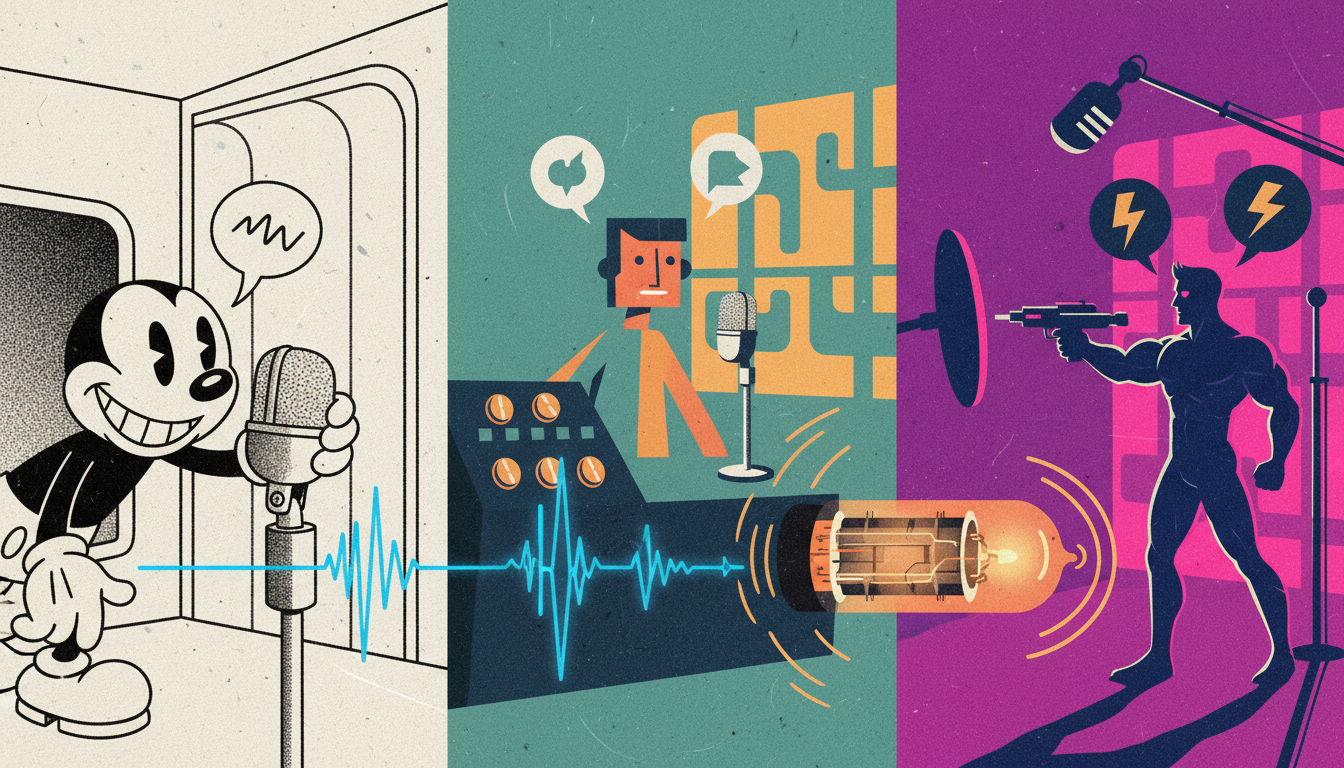
Modern AI voice generators are designed to sound pristine, crisp, and studio-clean. While this is perfect for corporate narrations or slick commercial voiceovers, it creates a massive creative mismatch when you are trying to produce vintage animation, parody memes, or retro-styled social media content. A voice that sounds like a high-end corporate spokesperson completely breaks the illusion of a hand-drawn 1930s rubber-hose cartoon or a dusty 1980s Saturday morning action figure commercial.
To capture the authentic, crackly warmth of classic animation, you have to stop treating text-to-speech engines as hands-off text readers. Instead, you need to act as an audio director—intentionally feeding the AI stylized scripts, adjusting phonetic spellings, and treating the raw output with era-specific acoustic imperfections. For a foundational look at this mindset, check out our masterclass on how to direct an AI voice generator beyond the standard text-to-speech trap. By mastering these vocal directing techniques, you can transform flat digital outputs into high-retention, character-rich performances that sound like they were pulled directly from a vintage film reel.
The Acoustic DNA of Retro Cartoons: Why Standard TTS Sounds Too Clean
To understand why standard text-to-speech sounds wrong for retro content, we have to look at the physical history of animation audio. Modern digital recording captures a massive frequency range (typically 20 Hz to 20,000 Hz) with zero background noise. Vintage cartoon audio, however, was defined entirely by its physical limitations. Microphones from the mid-20th century, optical sound-on-film tracks, magnetic tape saturation, and low-fidelity television speakers naturally stripped away the extreme highs and lows, leaving a dense, mid-range-heavy sound.
Furthermore, early voice actors came from vaudeville, radio drama, and classical theater. They did not speak in the casual, conversational tones favored by modern AI models. Their delivery was theatrical, highly projected, and rhythmically distinct. When creators try to generate cartoon characters using default digital settings, they often run into what we call the "monotone trap"—clean, robotic, and devoid of theatrical punch. Overcoming this requires learning how to move beyond flat text-to-speech by directing fictional character voices with AI.
To successfully replicate a vintage cartoon aesthetic, your production workflow must focus on two distinct phases:
- Vocal Performance Direction: Structuring the script, spelling, and pacing to force the AI engine to mimic the theatrical cadences of a specific era.
- Acoustic Styling: Applying targeted audio filters, saturation, and background textures to strip away the clinical digital sheen and replace it with historical warmth.
Era-by-Era Direction: Tuning the AI Voice Generator for Vintage Decades
Every era of animation possesses a unique acoustic profile and performance style. To get the best results from your AI voice generator, you must tune your scripts and voice selections to match these historical archetypes.
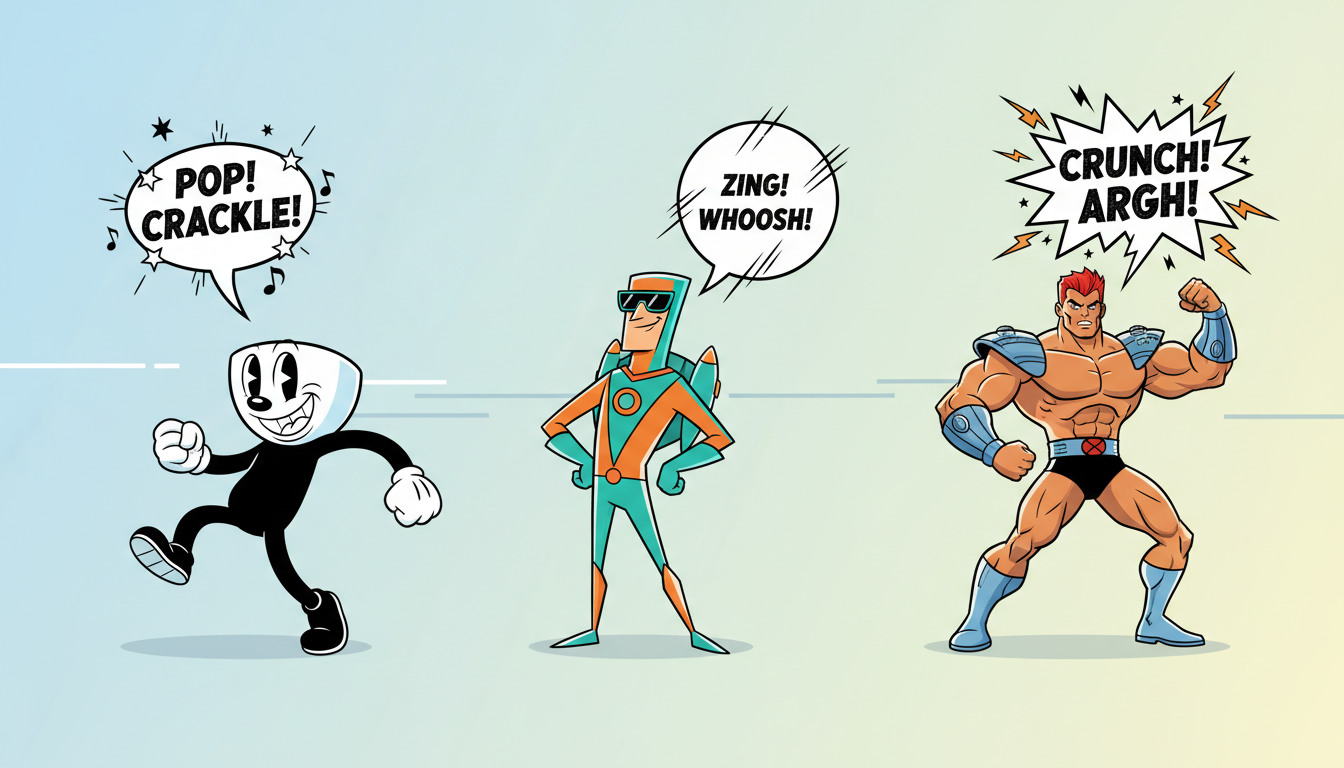
The 1930s: The Rubber-Hose Vaudeville Barker
The early sound era was dominated by fast-talking, high-pitched characters inspired by vaudeville theater and early jazz. Think of rapid-fire delivery, rolled "R" sounds, and a highly nasal Transatlantic accent. To guide an AI voice generator toward this style, select highly expressive, mid-to-high-pitched character voices and write with a fast, staccato rhythm. Keep sentences short, use plenty of exclamation points, and sprinkle in period-accurate slang like "swell," "fella," "now see here," and "gee-willikers."
The 1960s: The Mid-Century Deadpan and Cool
By the 1960s, television animation had arrived. Studios like Hanna-Barbera prioritized dialogue-heavy, sitcom-style scripts to save on animation budgets. The vocal style shifted toward dry, theatrical radio announcers, slick con-artists, and charming, slightly dramatic sidekicks. The pacing is more deliberate, featuring theatrical pauses, dry wit, and a smooth, baritone or mid-range delivery. When directing this style, use commas and ellipses to force the AI to take breathy, dramatic pauses, mimicking the laid-back, jazzy confidence of mid-century television hosts.
The 1980s: The Toy-Commercial Shouter
The 1980s Saturday morning cartoon block was defined by high-octane action, heroic monologues, and booming, larger-than-life villains. Characters spoke with intense projection, heavy vibrato, and dramatic emphasis on action verbs. To capture this energy, your script must be written in bold, declarative statements.
Directing the 1980s Action Hero Voice
To coax dramatic, chest-beating emotion out of your AI generator for an 80s-style hero or villain, you cannot rely on standard text formatting. You need to use capitalized emphasis, exclamation marks, and elongated vowels to simulate shouting. If you are aiming for a classic fantasy warrior or a robotic space commander, consult our playbook on directing text-to-speech with emotion to capture high-impact theatrical energy. For example, instead of writing "Prepare to face your doom, heroes," write "PREPARE... to face your DOOM, heroes!" The ellipsis forces a tense pause, while the capitalization cues the engine to deliver the word "DOOM" with heightened vocal weight.
The Retro Director’s Scriptbook: Punctuation and Phonetic Hacks
Standard spelling is the enemy of vintage character acting. If you type "What are you doing, fellow?" into an AI voice generator, it will read it with the flat, polite cadence of a modern GPS assistant. To get a theatrical, retro-cartoon delivery, you must write phonetically—spelling the words exactly how they should sound when performed by a colorful character.
By using phonetic spelling, creative punctuation, and deliberate pauses, you bypass the flat text-to-speech trap. For deeper strategic advice on how to structure these scripts for animation, try referencing our comprehensive guide on directing cartoon AI voice generators for high-retention storytelling. Additionally, you can master character-driven pacing by exploring how to direct text-to-speech tools for narrative storytelling.
Use the following comparison table as a quick-reference guide when writing your next vintage-style script:
| Standard Text (Too Clean) | Phonetic Retro Script (Character-Rich) | Target Era / Style |
|---|---|---|
| "What are you doing over there, fellow?" | "Whaddya doin' over dere, fella? See?" | 1930s Brooklyn/Vaudeville |
| "I have a highly sophisticated plan for us." | "I have a... highly... sophis-ti-cated plan, my dear boy." | 1960s Mid-Century Sophisticate |
| "No, it cannot be true!" | "Nooo! It... caaaan-not... be true!" | 1980s Dramatic Sci-Fi/Fantasy |
| "Listen to me right now." | "Lissen to me... right... NOWWW!" | High-Energy Cartoon Villain |
A Quick Checklist for Formatting Retro Scripts:
- The Hyphenated Drawl: Use hyphens to break up syllables in words you want the character to drawl or emphasize (e.g., "ter-ri-fic" instead of "terrific").
- The Ellipsis Pause: Place an ellipsis (...) before nouns or punchlines to build comedic or dramatic tension. This forces the AI engine to take a breath and reset its tone.
- Slang and Contractions: Drop the "g" in "ing" words ("runnin'", "schemin'") and combine words ("gimme", "outta", "gonna") to instantly break the AI out of its formal reading style.
Recreating the 'Warmth': Post-Processing Your AI Cartoon Voices
Once you have generated a highly expressive voice performance using phonetic spelling and smart punctuation, the raw file will still sound too pristine. To fully transport your audience back in time, you need to apply a simple three-step post-processing chain in your audio editor or video editing software.
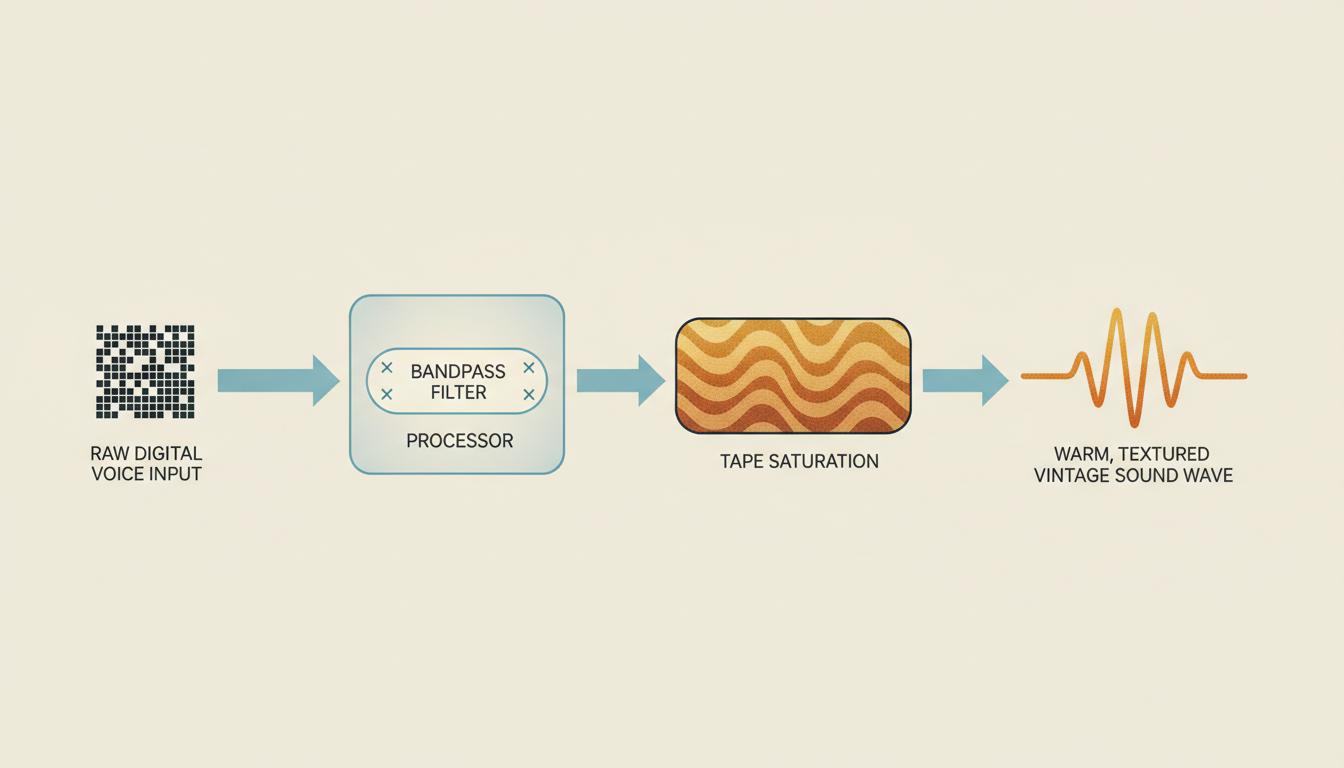
Step 1: The Bandpass Filter (The Speaker Illusion)
Vintage speakers could not reproduce extreme bass or high-end sparkle. To simulate this limitation, apply an equalizer (EQ) to your generated audio track. Create a high-pass filter to cut out all frequencies below 300 Hz (removing modern sub-bass room rumble). Next, create a low-pass filter to roll off all frequencies above 4,000 Hz or 5,000 Hz (removing modern digital high-end clarity). What remains is a dense, punchy mid-range that sounds like it is emanating from a physical paper-cone speaker cabinet.
Step 2: Saturation and Mild Distortion (The Tape Warmth)
Classic cartoons were recorded onto magnetic tape or directly onto optical film tracks, both of which introduce natural warmth, compression, and subtle distortion when the audio levels peak. Add a tape saturation or tube preamp emulator plugin to your track. Push the input gain slightly until you hear a gentle, warm growl on the louder syllables. This glues the vocal performance together and removes the clinical, cold feeling of digital text-to-speech.
Step 3: Ambient Texture Layering (The Final Polish)
A vintage voice should never exist in a silent vacuum. To instantly ground the voice in a specific decade, download a royalty-free loop of vintage audio textures. For a 1930s style, layer a quiet background track of vinyl crackle and optical projector hum. For a 1980s style, use a faint, warm magnetic tape hiss. Keep the volume of this texture layer very low—just enough to sit beneath the voice track and fill the silent gaps between words.
Where Vintage Voices Shine: High-Retention Content Formats
Directing retro cartoon voices isn't just an artistic exercise; it is an incredibly effective strategy for modern content creators, brands, and animators looking to stand out in crowded social feeds. The familiar, nostalgic tones of classic animation eras evoke immediate emotional connections, driving higher watch times and engagement rates across platforms like TikTok, YouTube Shorts, and Instagram Reels.
These stylized voices are perfect for several high-impact formats:
- Stop-Motion Social Ads: Use a warm, mid-century announcer voice to give your product showcase the charm of a classic 1960s television commercial.
- Parody and Meme Animations: Bring classic cartoon aesthetics into modern contexts by having vintage-style characters react to contemporary pop culture, tech trends, or gaming news.
- Personalized Gifts and Roasts: Deliver highly entertaining, custom messages to friends, family, or clients using the dramatic, over-the-top delivery of an 80s cartoon villain or a fast-talking 30s hero.
This is where Fanfun becomes an invaluable tool in your creative toolkit. Instead of spending thousands of dollars hiring a voice cast, booking a specialized recording studio, and waiting days for revisions, Fanfun's AI platform allows you to instantly experiment with a growing library of character archetypes. You can test different phonetic scripts, adjust your pacing, and hear the results in minutes. By using Fanfun to handle the generation heavy-lifting, you can focus entirely on the creative direction—turning raw, instant text-to-speech into memorable, vintage-inspired masterpieces at scale.
How do I make an AI voice sound like it's coming from a 1930s radio or movie reel?
To achieve the authentic 1930s "lo-fi" sound, you must apply a bandpass filter in your audio editing software. Cut all low frequencies below 300 Hz to remove modern bass, and roll off all high frequencies above 4,000 Hz to eliminate modern digital clarity. Finally, layer a very quiet background track of vinyl crackle or optical film projector hum beneath the voice. Using Fanfun's highly expressive character voices as your base ensures the performance has the theatrical, high-energy delivery required for this era before you even apply the filters.
What phonetic spelling hacks work best for classic cartoon characters?
Standard spelling forces the AI to read words too formally. To get a classic cartoon feel, write phonetically: turn "What are you" into "Whaddya," "going to" into "gonna," and drop the "g" in words ending in "ing" (e.g., "runnin'"). To create dramatic, theatrical pauses typical of vintage villains or heroes, use ellipses (...) and hyphens to break up syllables (e.g., "un-be-LIEV-able!").
Why do standard text-to-speech generators sound too flat for retro animation?
Standard text-to-speech tools are optimized for clean, modern, conversational speech (like virtual assistants or audiobooks). Vintage cartoon voices, however, rely on theatrical projection, exaggerated pitch shifts, and physical recording limitations (like tape saturation and narrow frequency ranges). Without direct script manipulation and post-processing, modern AI outputs will sound too sterile and out-of-place in a retro setting.
How does Fanfun help creators produce retro cartoon voices at scale?
Fanfun bypasses the traditional bottlenecks of voice acting by providing instant access to a diverse library of character archetypes. Instead of hiring voice actors and waiting days for retakes, creators can use Fanfun to instantly test different phonetic scripts, adjust punctuation, and generate high-quality voice performances in minutes. This makes it easy to iterate rapidly and find the perfect vintage tone for social media clips, parody animations, or personalized gifts.