
The Animator’s Cheat Code: How to Direct a Cartoon AI Voice Generator for High-Retention Storytelling
Most creators treat cartoon AI voice generators like basic text-to-speech toys, resulting in flat, lifeless audio. Discover the directorial techniques, scriptwriting frameworks, and post-production secrets needed to transform synthetic character voices into high-retention animated masterpieces.
The internet is flooded with flat, robotic character voices. You have likely scrolled past dozens of them: creator accounts using default text-to-speech engines to read internet creepypastas or dry movie summaries. Because these creators treat the technology as a passive utility rather than an instrument, the resulting audio lacks the warmth, erratic energy, and comedic timing that define classic animation. The audience senses the lack of effort within two seconds and swipes away.
To capture and hold attention on highly competitive visual platforms, you must transition from a passive generator to an active director. This means understanding how synthetic voices interpret text and using specific pacing hacks, phonetic spelling, and targeted scriptwriting to force the AI into delivering a dynamic, high-retention performance. Whether you are building fan animations, meme-driven social content, or narrative parodies, mastering the nuances of digital voice direction is your ultimate creative advantage.
The Directorial Shift: Why Cartoon AI Voices Require More Than Text-to-Speech
Classic cartoon voices do not sound like human beings reading a script at a desk. They rely on extreme dynamic ranges, rapid pitch shifts, and sudden bursts of air. A standard text-to-speech engine is optimized for flat clarity—perfect for reading an audiobook or a GPS route, but disastrous for animated storytelling. When you feed a standard script into an AI generator without specific direction, the algorithm attempts to smooth out the delivery, stripping away the very eccentricities that make cartoon characters beloved.
At Fanfun, we view AI voices not as static soundboards, but as dynamic, highly customizable tools for rapid, high-substance content creation. High-retention social content on TikTok, YouTube Shorts, and Instagram Reels relies on rapid emotional shifts to reset the viewer's attention span every few seconds. If your character's voice maintains a monotonous drone, your visual edits cannot save the video. To break through the noise, you must actively manipulate the AI's output by treating your text prompt as a musical score, embedding performance cues directly into the spelling and punctuation.
The Anatomy of Animated Performance: Pacing, Pitch, and Personality
To direct a synthetic character effectively, you must first deconstruct the physical mechanics of their voice. Every iconic animated performance relies on a unique combination of vocal traits, including rasp, nasality, breathiness, and atypical cadence. Understanding what professional voice actors teach us about character performance allows you to identify what is missing from a raw AI generation and correct it systematically.
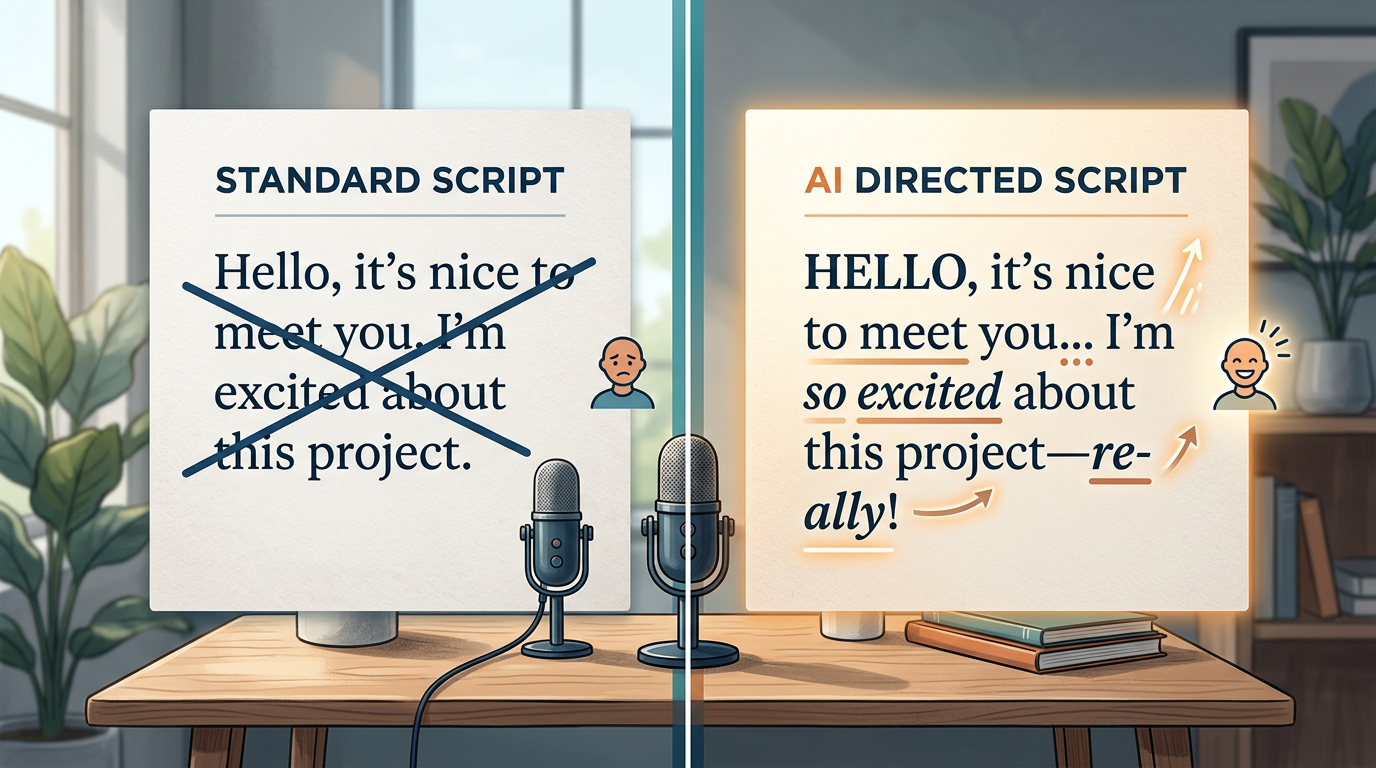
Standard punctuation marks like commas and periods tell an AI model to make standard, conversational pauses. To get an exaggerated cartoon performance, you must use non-standard punctuation and phonetic manipulation. Here is how to translate physical vocal direction into text commands:
- Forced Gasps and Pauses: Instead of writing "I can't believe you did that," try writing "I... can't... *believe*... you did that!!" Ellipses force the model to calculate a dramatic pause, while asterisks can sometimes trigger a shift in emphasis or pitch depending on the underlying model.
- Phonetic Elongation: If a character needs to sound whiny or terrified, stretch the vowels phonetically. Writing "Noooo way!" yields a completely different pitch curve than writing "No way!"
- Stuttering and False Starts: To simulate panic, break words into fragments. Writing "W-w-what do you mean by that?" forces the AI to mimic the rapid-fire glottal stops of a nervous sidekick.
The Punctuation Cheat Sheet for AI Voice Direction
| Desired Vocal Effect | Standard Script Text | AI-Directed Script Text |
|---|---|---|
| Comedic Deadpan Pause | Why did you buy that? | Why did you... ...buy that? |
| Hysterical Panic | We are out of time! | We're-out-of-time! WE ARE OUT OF TIME! |
| Sarcastic Drawl | That is great news. | Thaaat is... greeeat... news. |
Choosing Your Instrument: Selecting the Right Character Voice Generator
Not all voice platforms are built equal. Using a generic corporate voiceover engine to produce an animated short is like trying to play a heavy metal guitar solo on an acoustic harp. When planning your workflow, it is crucial to understand how to choose the right celebrity voice generator for your specific content style.
When evaluating platforms for cartoon and character work, prioritize the following three criteria:
- Dynamic Range: Does the model support high-pitched, raspy, or highly textured voices, or does it compress everything into a clean, corporate mid-range?
- Control Parameters: Does the platform allow you to adjust speed, stability, and style exaggeration on the fly? High stability results in a more consistent but flatter voice; lower stability introduces chaotic, expressive variations perfect for cartoons.
- Latent Variety: Does generating the same line of text three times produce identical results, or does it offer varied performances? You want a tool that gives you multiple "takes" to choose from.
The Scriptwriting Playbook for Synthetic Characters
The secret to high-retention content lies in writing scripts that play directly to the strengths of synthetic voices while masking their limitations. AI voices excel at extreme caricatures, but they can struggle with subtle, subtext-heavy dramatic acting. Therefore, your writing should lean heavily into high-concept situations and sharp comedic contrasts.
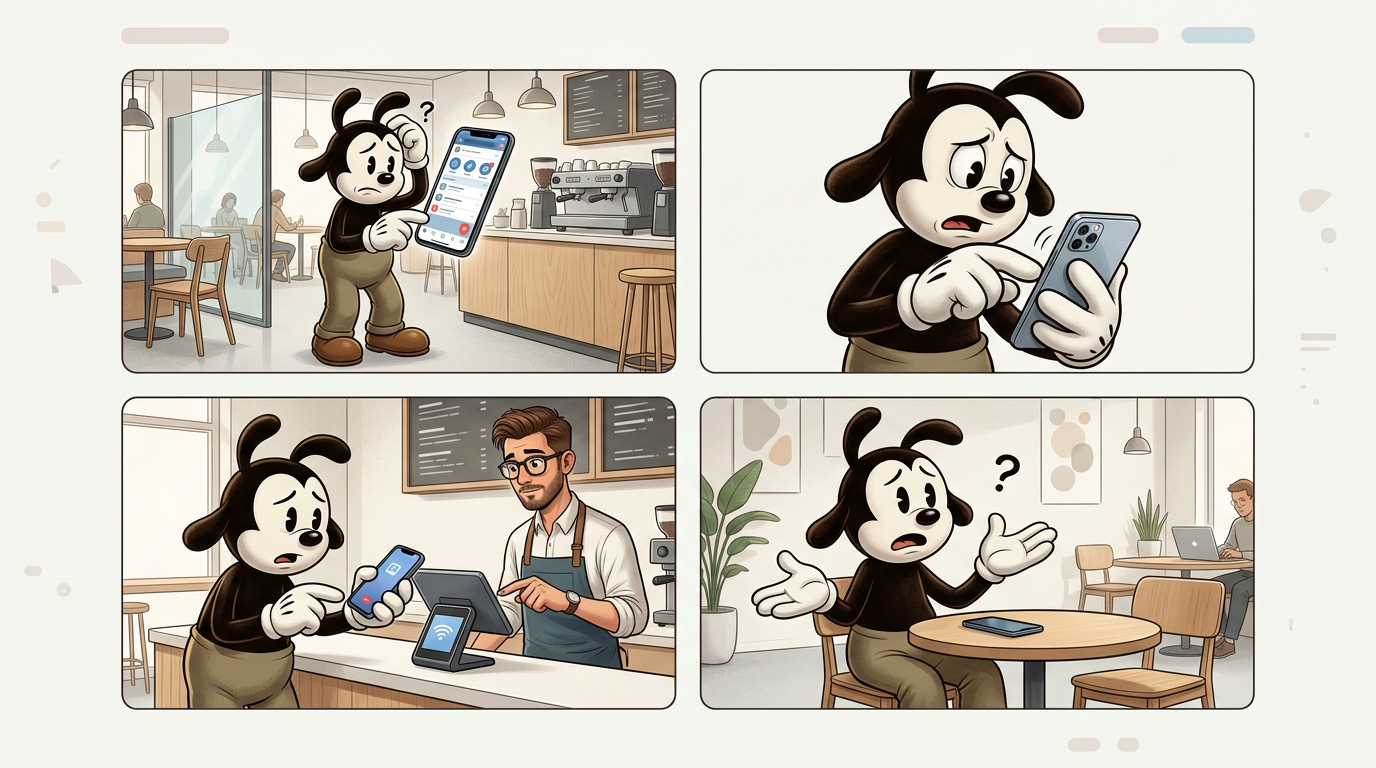
One of the most effective creative frameworks is the Contrast Rule: pairing an iconic, nostalgic character voice with an incredibly mundane, modern scenario. For example, using a Spongebob voice generator for creative storytelling works best when the character is dealing with real-world, adult frustrations like filing taxes, waiting in line at the DMV, or navigating corporate office politics. The friction between the bright, optimistic cartoon voice and the crushing reality of the situation creates instant comedic tension, keeping viewers hooked through the sheer absurdity of the premise.
Additionally, embrace self-referential writing. If your AI voice struggles with a specific word or sounds slightly robotic on a transition, write a joke about it. Having another character call out the robotic cadence immediately disarms the audience, turning a technical limitation into a meta-joke that boosts engagement.
Advanced Direction: From Raw Audio to Retentive Masterpiece
Your work is not finished when you click "download" on your raw audio files. Raw AI voice generation is dry and lacks spatial context. To make your animated content feel alive and professional, you must guide the audio through a dedicated post-production workflow.
1. Establish the Environment (Room Tone and SFX)
In real life, voices reflect off walls, absorb into furniture, and compete with background noise. To mask the digital crispness of AI audio, always layer a subtle track of environmental room tone underneath your dialogue. If your characters are outside, add a faint wind or city traffic track. Furthermore, punctuate physical actions with classic cartoon sound effects—slide whistles, heavy thuds, and dramatic swooshes. These sounds distract the listener's brain from minor synthetic artifacts in the voice track.
2. Multi-Track Layering
If your script features two characters arguing, never generate their dialogue in a single block of text. Generate each character's lines separately, exporting multiple takes for each line. When assembling the dialogue in your editing software, overlap the audio tracks slightly. In natural, high-energy conversations, people constantly cut each other off or gasp while the other person is finishing a sentence. Layering your tracks creates a natural conversational flow that standard single-track generators cannot replicate.
3. Equalization and Warmth
AI-generated voices often suffer from a harsh high-end frequency boost, making them sound metallic. Open your audio editor and apply a subtle parametric EQ. Roll off the extreme high frequencies (above 12kHz) to remove digital hiss, and gently boost the low-mid frequencies (around 200Hz to 400Hz) to add warmth and chest resonance. This simple adjustment makes your synthetic characters sound like they were recorded in a professional studio booth, significantly increasing the perceived production value of your content.
How do I make a cartoon AI voice sound more natural and less robotic?
To reduce the robotic quality, avoid standard punctuation. Use ellipses (...) to force dramatic pauses, capitalize words to prompt the AI to add emphasis, and spell words phonetically (e.g., "Noooo" instead of "No") to stretch out vowels. Additionally, lowering the voice stability settings in your generator can introduce natural human micro-imperfections.
Can I use cartoon AI voice generators for commercial YouTube videos?
This depends entirely on the platform you use and the specific voice model. Always check the terms of service of your chosen AI voice generator. Many platforms require a commercial subscription tier to use their generated voices in monetized content, and using copyrighted character voices for direct commercial gain may carry intellectual property risks.
What is the best way to control the emotion of an AI cartoon voice?
The most effective way is through descriptive prompting and script context. Write your script using highly expressive language and punctuation that naturally leads the AI's algorithm to shift its tone. In post-production, you can also manually adjust the pitch, speed, and equalization of specific words to emphasize anger, excitement, or sadness.
How does phonetic spelling help when generating character voices?
AI voice generators translate text to speech based on phonetic rules. When you spell a word phonetically (such as writing "gonna" instead of "going to" or "whaaat" instead of "what"), you bypass the standard dictionary pronunciation, forcing the AI to mimic realistic conversational shortcuts, regional accents, or dramatic cartoon elongation.



