Beyond the Monotone: How to Direct a Text-to-Speech with Emotion Generator for High-Impact Content
Most creators treat text-to-speech like a typewriter, expecting the machine to guess the subtext. To get real emotion, you have to treat the generator like an actor in a recording booth. Learn how to direct synthetic voices for maximum audience retention.

Most creators treat text-to-speech engines like high-tech typewriters. You paste a script, hit generate, and hope the machine miraculously guesses the subtext, the comedic timing, or the underlying dramatic tension. What you usually get back is a polished, perfectly pronounced, yet completely lifeless read that sounds like a smart fridge explaining the weather.
To break past this monotone barrier, you have to stop thinking like a copywriter and start acting like an audio director. By mastering the art of emotional direction—using punctuation hacks, phonetic manipulation, and strategic pacing adjustments—you can transform flat synthetic audio into high-retention content that hooks listeners instantly.
The Death of the Robotic Read: Why Emotional Range is the New Standard for AI Audio
Audiences have developed an incredibly sensitive radar for low-effort content. The moment they hear a flat, synthetic drone at the start of a video, they swipe away. In the attention economy, a robotic voiceover is a silent killer of audience retention. If your audio lacks human-like inflection, your message is discarded before it even gets to the core value proposition.
Modern AI voice generation is no longer just about getting the pronunciation right. It is about breath control, micro-inflections, and situational context. When a human speaks, their pitch fluctuates based on excitement, their tempo slows down to emphasize a critical point, and they pause to take a breath before delivering a punchline. Capturing these nuances is why directing an AI voice generator beyond simple text inputs has become a vital skill for modern digital storytellers.
Mastering an emotional voice generator provides an undeniable competitive advantage. Instead of booking expensive recording studios, waiting days for voice actors to return revisions, and blowing through production budgets, you can produce highly expressive, character-rich audio in minutes. The key is knowing how to translate human performance cues into a language that the AI generator can actually understand.
The Emotional Director’s Framework: How to Coerce Feeling Out of an AI Voice
To get a stellar performance out of an AI voice generator, you must treat the input box as an active script with stage directions, not just a block of plain text. AI voice engines analyze the syntax, punctuation, and surrounding words of your input to predict how a human would read it. If your text is structured like a formal essay, it will sound like a textbook narration. If you structure it like a dramatic script, the AI will respond in kind.

By applying a few deliberate formatting rules, you can guide the emotional engine of the AI to deliver the exact performance your project demands. This is the foundation of directing text-to-speech tools for character-driven narratives.
Punctuation as Performance Cues
Punctuation marks are the direct controls for an AI’s pacing, pitch, and breathing. By manipulating these symbols, you can force the generator to pause, gasp, or change its tone mid-sentence:
- The Double Dash (--) for Sharp Pivots: Use a double dash to simulate a sudden shift in thought or a dramatic interruption. It tells the AI to cut off the previous word quickly and transition into the next thought with a slight spike in energy.
- The Ellipsis (...) for Hesitation: An ellipsis forces a natural, unhurried pause. It is perfect for building suspense, showing uncertainty, or letting a heavy emotional point settle with the audience.
- Deliberate Capitalization: While some engines will simply yell capitalized words, many modern emotional models interpret selective capitalization as a cue to increase vocal emphasis, raising the pitch and volume of that specific word to make it stand out.
Phonetic Sculpting: Spelling for Subtext
Sometimes, standard English spelling fails to convey the physical reality of an emotion. Phonetic spelling allows you to force the AI to stretch vowels or mimic breathiness to match the tone of your scene:
- Elongated Vowels: Writing "Nooooo" instead of "No" forces the AI model to draw out the syllable, instantly conveying exasperation, disbelief, or dramatic despair.
- Breath Markers: Inserting a soft "h" sound at the beginning of words (such as writing "h-here" or adding an "ah" or "oh" before a sentence) can trick the engine into adding a gasp or a breathy, intimate quality to the delivery.
- Syllabic Separation: If an AI is rushing through a critical phrase, breaking the word up with hyphens (e.g., "un-be-liev-able") forces the engine to enunciate each syllable deliberately, creating a sense of awe or frustration.
The Emotional Spectrum Matrix: Matching Use Cases to Vocal Tones
Before you begin tweaking your script, you need to establish the baseline emotional profile of your voice. Different content styles require entirely different vocal energies. For instance, the high-octane delivery needed for a social media hook will completely ruin a cinematic story or a personalized birthday greeting.
Understanding these distinctions is essential for executing creative text-to-speech use cases that break through production bottlenecks. Use the matrix below to map your target emotion to the correct scripting techniques:
| Target Emotion | Best Use Case | Raw Input Example | Optimized Script Input | Key Directorial Tweak |
|---|---|---|---|---|
| Hype / Excitement | Promo videos, sports intros, high-energy ads | Get ready for the biggest event of the summer. | Get ready... because this is the BIGGEST... event... of the summer! | Use ellipses to build tension, then capitalize the climax word for maximum vocal energy. |
| Sarcasm / Irony | Comedic roasts, meme voiceovers, commentary | Oh great, another meeting that could have been an email. | Oh... great. Another meeting... that could have been... an email. Yay. | Isolate sarcastic words with punctuation to force flat, deadpan pauses. Add a short, flat word like "Yay" or "Sure" at the end. |
| Whispering / Intimacy | ASMR, late-night narrations, dramatic monologues | Listen closely, I have a secret to tell you. | Listen... closely. h-I have... a secret... to tell you. | Insert soft breath cues ("h-") and frequent ellipses to slow down the engine's tempo drastically. |
| Melancholy / Drama | Cinematic storytelling, audiobooks, historical documentaries | We thought we had more time, but we were wrong. | We thought... we had more time. But... we-- we were wrong. | Use a double dash to simulate a slight verbal stumble, mimicking genuine human distress or regret. |
How Fanfun Leverages Emotional TTS to Power Instant Fan Connections
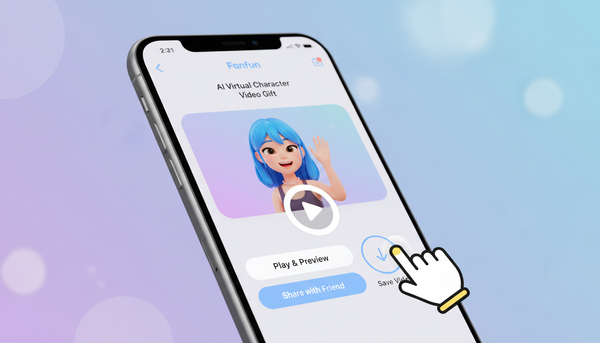
At Fanfun, we understand that a voice is only as good as the emotion behind it. Fanfun is the premier platform for personalized celebrity videos, allowing creators, fans, and marketers to generate custom messages featuring their favorite stars and characters instantly. But a personalized birthday wish, a comedic roast, or a brand promo only works if the delivery lands with absolute precision.

That is why Fanfun’s emotional AI voice engine is designed to interpret subtext, timing, and character-specific inflections. If you are crafting a savage birthday roast from an iconic athlete or a cultural icon, the punchline needs to hit with the perfect blend of playful mockery and warmth. If you are generating an energetic promo, the voice needs to build anticipation naturally, rather than maintaining a flat, robotic pitch throughout the message.
By putting the tools of an audio director directly into the hands of users, Fanfun bypasses the traditional, slow, and incredibly expensive bottleneck of hiring voice talent or waiting weeks for a celebrity to record a one-way video clip. Whether you are a YouTuber needing a dynamic character voiceover or a gift buyer looking to surprise a friend with an unforgettable, highly realistic message, the ability to direct emotional nuances instantly changes the game of digital connection.
Troubleshooting Flat Delivery: A Quick Diagnostics Checklist for Creators
Even with advanced generators, your initial audio render might still sound slightly stiff. If your AI voiceover feels more like a robot than a living character, run through this quick diagnostics checklist to fix the delivery:
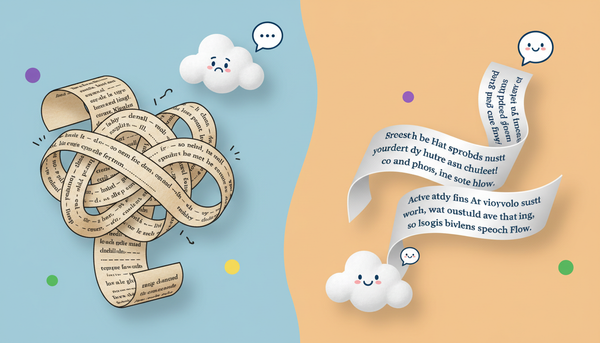
- Are your sentences too long? Humans naturally run out of breath. If your script features long, uninterrupted blocks of text, the AI will try to read them in a single, unnatural breath, leading to a rushed and flat delivery. Break long sentences into smaller, punchier phrases using periods, commas, or ellipses.
- Do your words contradict the intended emotion? AI models look at context clues. If you select an "excited" baseline voice but write highly formal, clinical sentences, the engine will struggle to reconcile the two. Match your vocabulary to the emotional tone—use casual phrasing, slang, or exclamation points to help the AI understand the vibe.
- Did you rely too heavily on default spelling? Brand names, fictional characters, and unique slang often cause the AI to stumble or sound overly clinical as it tries to figure out the pronunciation. Use phonetic spelling (e.g., writing "fan-fun" instead of relying on the engine to guess a stylized brand name) to keep the flow seamless.
- Is the pacing too uniform? If every sentence is the exact same length, the audio will quickly become monotonous. Vary your sentence structures. Follow up a long, descriptive sentence with a short, sharp, one-word statement to reset the listener’s attention span.
How do I make an AI voice sound angry or intense?
To generate anger or intensity, shorten your sentences dramatically to create a rapid, aggressive tempo. Use hard punctuation like exclamation marks, and use double dashes (--) to simulate sudden, frustrated interruptions. Additionally, choose words with harsh consonants (like T, K, and P) to force the emotional engine to deliver a sharper, more punchy read.
Can text-to-speech generators whisper or cry?
While most standard generators cannot literally cry, advanced emotional voice models can simulate whispering and deep distress. You can achieve this by slowing down the pacing with frequent ellipses (...), using phonetic spelling like "h-hello" to add breathiness, and choosing a baseline voice model that is specifically tuned for intimate or dramatic delivery.
Why does my emotional text-to-speech sound sarcastic instead of happy?
This usually happens when there is a mismatch between the baseline voice tone and the punctuation. If a voice model is naturally dry or low-pitched, adding overly enthusiastic words without punctuation cues can make the delivery sound deadpan or sarcastic. To fix this, use exclamation points, keep the sentence structures short, and ensure the vocabulary matches a genuinely upbeat tone.
What is the best way to add natural pauses in AI voice generation?
The most effective way to insert natural pauses is by using ellipses (...) for soft, reflective pauses, or em-dashes (—) and double hyphens (--) for abrupt, conversational pauses. Breaking your script into shorter paragraphs also signals the AI engine to insert a natural breath transition between thoughts.