
How to Co-Write Stories with AI Chat Characters: A Practical Guide for Creators
Move past basic chat prompts. Discover how to use AI characters as active narrative partners to brainstorm, write dialogue, and map out complex fictional worlds.

Co-writing stories with AI chat characters allows writers and creators to brainstorm dialogue, map out narrative arcs, and break writer's block by treating the AI as an active, improvisational scene partner. To succeed, you must move past passive Q&A prompts and establish strict narrative boundaries, define clear character roles, and actively manage scene constraints. However, because AI models tend to resolve conflicts quickly or drift off-character, the writer must remain the active director of the scene's pacing and stakes to prevent the narrative from collapsing into repetitive loops.
Beyond the Q&A: Shifting from Chatting to Co-Writing
Most creators struggle with AI storytelling because they fall into the "Interview Loop." In this trap, the writer asks a question, and the AI character simply answers it. The conversation feels like a press conference rather than a dynamic story. The narrative momentum stalls because one party is doing all the heavy lifting while the other merely reacts.
To break this cycle, you must learn how to chat with virtual movie characters as active scene partners. In an active scene partnership, both you and the AI character contribute actions, internal thoughts, dialogue, and environmental changes. You are not just asking what the character would do; you are placing them in a specific moment and forcing them to react to immediate pressure. This is highly effective when exploring complex lore or trying to chat with virtual anime characters online without breaking character.
While interactive text chat platforms are excellent for drafting raw dialogue, creators often use Fanfun to bring those written scripts to life. Fanfun allows you to select a character, enter your custom script, and generate a fully voiced AI video in minutes. It bridges the gap between text roleplay and high-impact visual content, making it easy to test how your co-written dialogue actually sounds when performed by an AI persona.
Setting the Scene: The Three-Part Setup Framework
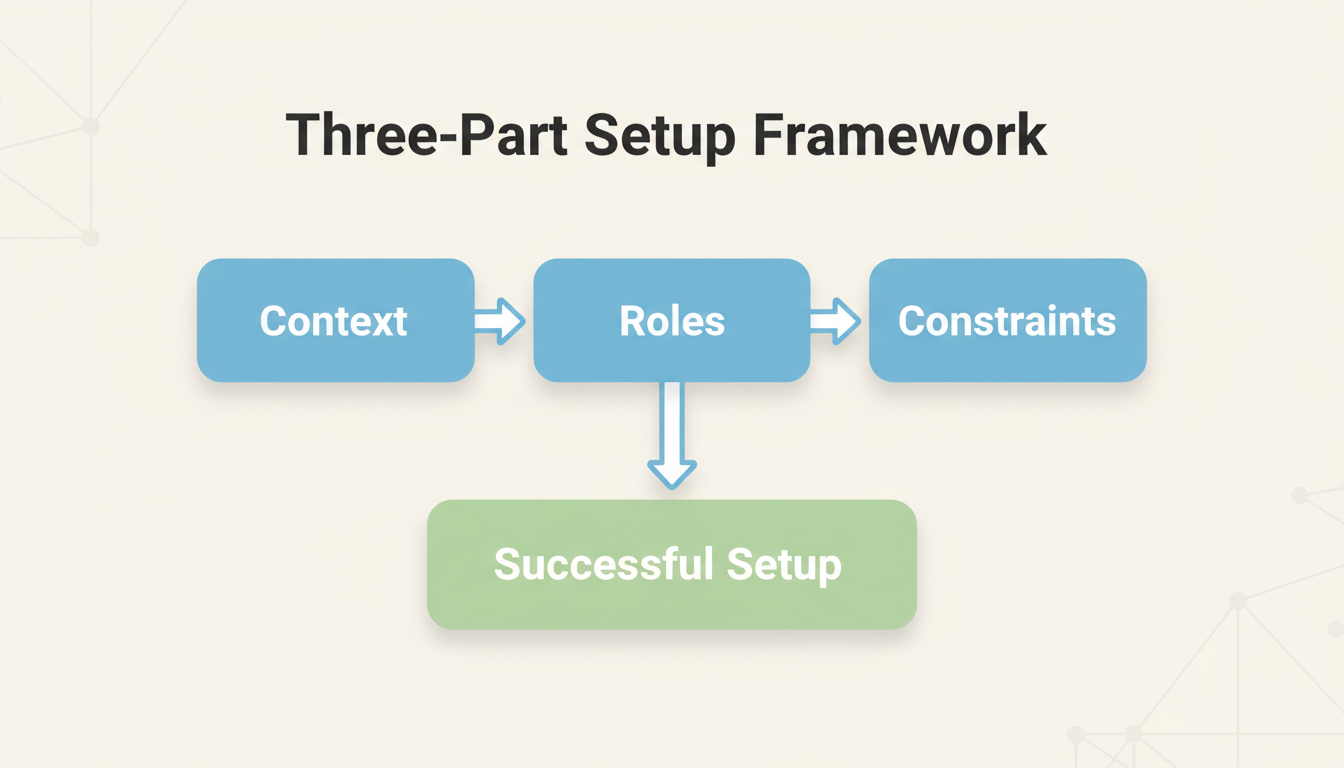
Before you type a single line of dialogue, you must establish the rules of the scene. Without boundaries, the AI will default to generic, overly polite, or rapid-resolution behaviors. Use this three-part setup framework in your opening prompt to establish a robust narrative foundation.
1. The Context
Define the immediate setting, the time period, and the stakes. Avoid vague descriptions. Instead of writing "We are on a spaceship," write "We are in the cramped, dimly lit engine room of the cargo hauler The Rustbucket, 10 minutes before the reactor core overheats." This gives the AI immediate environmental elements to play with.
2. The Roles
Explicitly define who the AI is playing and who you are playing. Assign motivations and hidden agendas to both parties. For example: "You are playing Jax, an untrustworthy space merchant trying to sell a counterfeit warp drive. I am playing Lyra, a desperate buyer who needs to escape the system but only has half the credits required."
3. The Constraints
Set hard boundaries on the AI's writing style and pacing. Tell the AI to keep its responses concise (under 100 words), avoid wrapping up the scene automatically, and refrain from writing your character's actions or dialogue. This keeps the back-and-forth flow natural and collaborative.
| Prompt Element | Passive Q&A Style (Avoid) | Active Co-Writing Style (Use) |
|---|---|---|
| Context | "Tell me a story about a detective." | "We are in a rain-slicked alleyway in 1940s Chicago. A body was just found." |
| Roles | "You are Sherlock Holmes." | "You are a cynical detective; I am the nervous rookie who found the evidence." |
| Constraints | None (AI writes the whole page). | "Keep responses under 3 sentences. Do not solve the mystery yet." |
Advanced Techniques for Directing Narrative Flow
Even with a solid setup, AI characters can occasionally drift off-course, break character, or try to resolve the plot too quickly. To keep your story on track, use these directional tactics during your session.
Using Out-of-Character (OOC) Brackets
You do not need to restart the chat if the AI makes a mistake. Use Out-of-Character (OOC) brackets to give direct editorial notes without breaking the flow of the story. Think of yourself as the director shouting instructions from behind the camera.
- Example: "[OOC: Keep the tension high. Do not agree to my deal yet. Make an excuse about why the price is non-negotiable.]"
- Example: "[OOC: Describe your character's physical hesitation before you speak.]"
Exploring Alternate Timelines
One of the greatest benefits of co-writing with AI is the ability to test different narrative branches. If a scene goes in an unexpected direction, you can backtrack or prompt the AI to explore a "what-if" scenario. This is an excellent way to co-write alternate timelines with virtual movie characters, allowing you to map out multiple plot paths for a novel, screenplay, or campaign.
Maintaining Character Consistency
If the AI character begins speaking in a voice that is too modern, too formal, or out-of-character, correct it immediately. AI models rely on recent context. If you let three or four turns of bad characterization pass, the AI will accept that as the new standard. A quick OOC correction like "[OOC: Remember, your character speaks with a rough, informal slang. Please rewrite your last response with that tone.]" will course-correct the session instantly. For a deeper dive into managing these dynamics, check out our director's guide to interactive AI chat with fictional characters.
From Text to Media: Bringing Your Co-Written Scenes to Life
Once you have polished a compelling dialogue exchange or a dramatic scene, the creative process does not have to stop at the text level. For modern creators, interactive chat is often just the first step in a larger multimedia workflow.
You can extract your favorite lines from your chat history and use them as the foundation for voiceovers, storyboards, or social media content. You can even use these polished scripts to create a surprise announcement video with AI characters using Fanfun's custom video generation tools.
When planning your next project, consider your ultimate creative goal. If you are looking to build deep, sprawling lore, focus on learning how to choose and master interactive AI roleplay chat platforms designed for deep creative work. Once your scripts are locked in, you can transition those assets into Fanfun to bring them to life with dynamic voice and video outputs in just minutes.
How do I prevent an AI character from constantly summarizing the scene or ending the conversation too quickly?
To stop the AI from wrapping up the story prematurely, set strict constraints in your very first prompt. Explicitly tell the AI: "Do not write the ending, do not summarize our progress, and do not make decisions for my character." If it still attempts to close the scene, use an Out-of-Character prompt, such as "[OOC: Stop summarizing the scene. Only reply with your character's direct action and dialogue.]"
Can I use co-written AI chat dialogues in commercial writing projects?
Generally, the text you generate through standard AI chat platforms is yours to use as a creative reference, but ownership and commercial rights depend entirely on the terms of service of the specific platform you are using. Always review the platform's licensing agreements before publishing co-written text commercially, especially if you are using pre-existing, copyrighted fictional characters as your scene partners.



