
How to Create a Surprise Announcement Video with AI Characters
Transform your next major life update, trip reveal, or milestone celebration into an unforgettable moment. This guide shows you how to script and generate a suspenseful, character-driven AI video that captures genuine reactions.

To create a surprise announcement video with AI characters, you must select an archetype that matches the emotional tone of your news, write a structured script that builds suspense, and generate the clip using an instant AI video tool. Unlike static text or generic cards, using a dynamic character voice captures immediate attention and transforms a simple status update into a memorable event. By entering a custom script into a platform like Fanfun, you can produce an engaging, reaction-worthy reveal video in minutes without requiring complex editing software.
The Anatomy of a Character-Driven Reveal
Standard text messages, emails, or static digital graphics often fail to convey the excitement of a major life milestone. They lack tone, pacing, and the element of performance. Introducing a recognizable or highly stylized character voice immediately disrupts expectations. When a family member or friend receives a video of a legendary cartoon figure or a dramatic hero speaking directly to them, their curiosity peaks.
The key to a successful reveal is matching the character's persona to the nature of your news. Different milestones demand different energy levels. For instance, lighthearted events like holiday gift exchanges pair well with chaotic or highly expressive characters, while grand life updates benefit from a more heroic or dramatic tone. If you are planning a formal milestone celebration, you can also explore how to script an AI wedding entrance announcement video to set a high-energy tone for your guests.
Matching Archetypes to Announcements
| Announcement Type | Recommended Character Archetype | Emotional Goal |
|---|---|---|
| Trip Reveal (e.g., Disney, Japan) | High-energy anime hero or cartoon favorite | Pure excitement and childlike wonder |
| Gender Reveal or Baby News | Whimsical, friendly narrator or fantasy wizard | Warmth, curiosity, and magic |
| Milestone Birthday / Trip | Sarcastic, roasting anti-hero or bold icon | Humor, laughter, and lighthearted shock |
| Secret Santa / Gift Reveal | Mysterious detective or festive persona (see our Secret Santa guide) | Suspense, playfulness, and intrigue |
Scripting the Plot Twist: A 3-Part Announcement Framework
A great surprise announcement follows a classic narrative arc. Rather than delivering the news immediately, structure your script to build anticipation. This three-stage framework keeps your audience guessing until the final seconds.
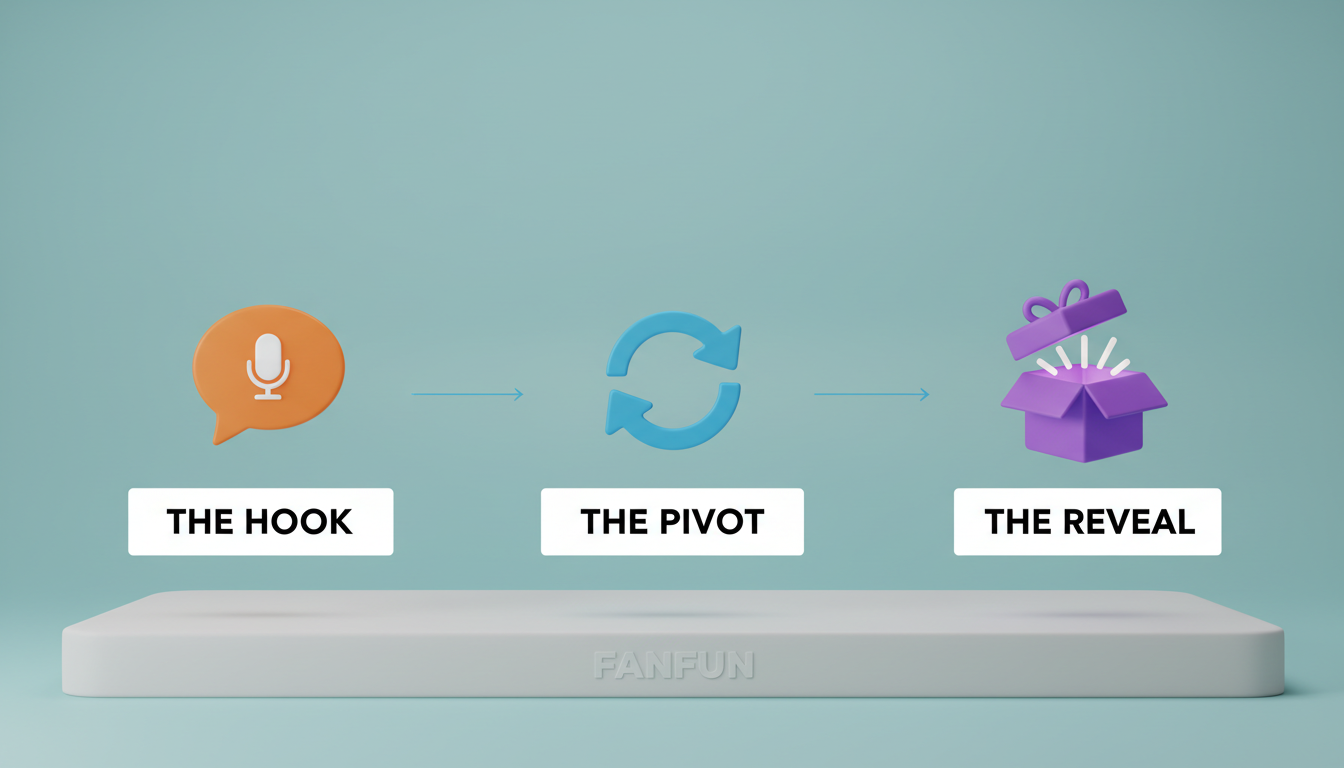
1. The Hook (0–5 Seconds)
Start with a distraction. Have the character introduce themselves or address the recipient with a generic, slightly confusing greeting. The goal is to make the audience wonder, "Why is this character talking to me right now?"
2. The Pivot (5–15 Seconds)
Shift the tone. The character should drop subtle clues or suggest that they have been hired or sent on a highly specific mission. This signals that a major piece of information is coming, building anticipation in real time.
3. The Reveal (15–30 Seconds)
Deliver the core news clearly and with maximum energy. Leave a few seconds of silence or background music at the very end of the video so the real-life reactions of your audience don't drown out the final words of the script.
For deeper insights on how to shape the emotional performance and pacing of synthetic voices, see our guide on directing AI voice generators for character roles.
Example Script: The Surprise Trip to Japan
This illustrative script template is designed for an energetic, anime-style hero character. You can adapt the bracketed details for your own milestone.
[The Hook]
"Hey! Yes, you, looking at the screen. Drop what you're doing right now. I traveled across dimensions because we have a serious situation on our hands."[The Pivot]
"I was looking at your schedule, and honestly? It looks incredibly boring. You've been working way too hard, and the council has decided you need an emergency intervention. Pack your bags immediately."[The Reveal]
"Because on April 12th... we are boarding a flight straight to Tokyo, Japan! Get ready for the ultimate adventure—we're actually going!"
Writing Tips for AI Voice Synthesis
- Use phonetic spelling: If the AI voice struggles with a specific name or location, try spelling it out phonetically (e.g., "Toe-kee-oh" instead of "Tokyo" or "Suh-ra" instead of "Sarah") to guide the pronunciation.
- Keep sentences short: Long, rambling sentences can make any voiceover sound rushed. Short, punchy declarations help maintain a natural-sounding flow.
- Write how people speak: Avoid overly formal language. Write the script exactly as the chosen character archetype would naturally speak to make the performance feel authentic.
How to Generate Your Video on Fanfun
Once your script is ready, bringing it to life takes only a few minutes. Fanfun simplifies the production process, allowing you to create custom character videos without any technical expertise.
- Pick your favorite character: Browse the character options on Fanfun to find a persona that fits the mood of your announcement, whether you want a lighthearted roast or an enthusiastic celebration.
- Tell them what to say: Enter your custom script into the generator. Keep your text focused on the big reveal, using clear phrasing and phonetic spellings for tricky names.
- Get your custom AI video: Submit your script to generate the video. In just a few minutes, you will receive your custom AI character video, ready to share with your friends, family, or group chats.
Delivery Strategies: Maximizing the Reaction
The medium is only half the battle; how you deliver the surprise determines the quality of the reaction. Plan your reveal based on how your audience typically consumes media.
The Live Watch Party
If you are gathered for a family dinner, holiday, or casual hangout, cast the video directly to a living room television. Pretend you are just showing a funny meme or a quick clip. Keep a smartphone ready to record the room's reaction as they realize the character is speaking directly to them and delivering life-changing news.
The Group Chat Drop
For long-distance friends or family, drop the video directly into your shared messaging thread. Pairing it with a curious, low-key caption like, "Can someone explain why I just received this video?" is a great way to spark immediate interest and encourage everyone to hit play.
If your announcement is part of a larger collaborative gift or milestone celebration, check out our virtual group birthday card blueprint for tips on coordinating group video projects with friends and family.
Formatting and Setup Checklist
- Check the Volume: Ensure the audio levels are clear and audible, especially if you plan to play the video in a noisy room or group setting.
- Test the Playback: Play the video on your target device beforehand to make sure the sound and visuals load smoothly.
- Save a Local Copy: Download the video file directly to your phone or computer so you do not have to rely on a spotty internet connection during the live reveal.
How long should a surprise announcement video be?
Keep your surprise video between 20 and 45 seconds. This is long enough to build suspense and deliver the core message without losing the audience's attention or dragging out the punchline.
Can I use these videos for commercial announcements or business promotions?
Fanfun videos are designed primarily for personal creative uses, gifts, and entertainment. For business promotions or commercial campaigns, you must verify the specific platform terms and licensing rights associated with the chosen character persona before publishing.
What should I do if the AI character mispronounces a specific name in my script?
If a name or unique word sounds incorrect, try spelling it phonetically in your script. For example, write "My-kel" instead of "Michael" or "Fee-nix" instead of "Phoenix." Small adjustments to spelling can significantly improve the AI's pronunciation.



