
The Group Card Blueprint: How to Orchestrate a Virtual Birthday Card with Custom Video That Lands
Most virtual group cards are digital chores—awkward, uncoordinated, and quickly forgotten. Discover how to treat your next group card like a mini-production, combining heartfelt friend clips with high-impact custom AI video elements for a cinematic, memorable gift.
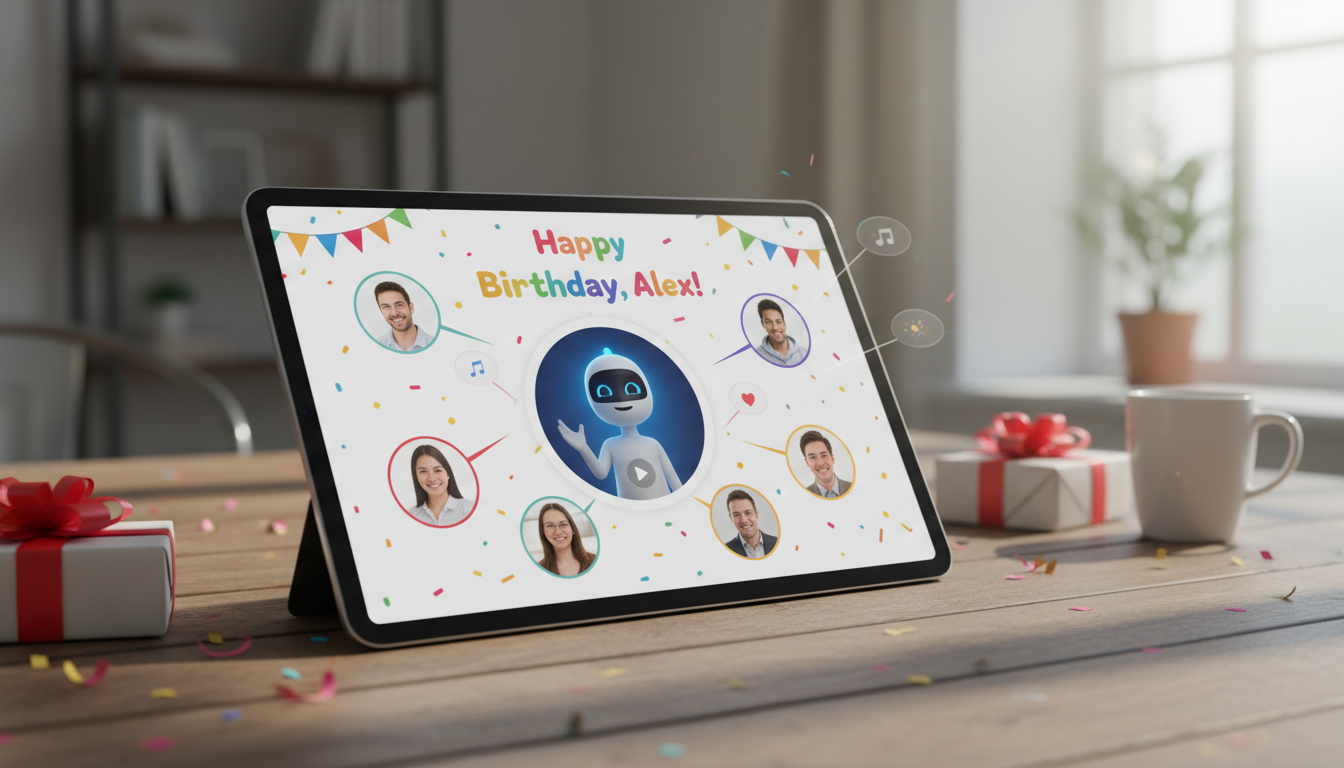
Organizing a group birthday card is usually a chore disguised as a celebration. You set up a digital board, send out a frantic group text, and hope people contribute more than a generic "Happy Birthday, [Name]!" with a stock cupcake GIF. The result is almost always a digital guestbook that the recipient scrolls through once, smiles politely, and never opens again.
It does not have to be this way. By treating your virtual card like a mini-production—anchoring it with a high-energy custom video and orchestrating your friends' contributions—you can transform a passive scroll into a memorable, laugh-out-loud event. Here is the blueprint for creating a collaborative virtual birthday card that actually lands.
The Group Card Problem: Why Traditional Virtual Cards Fall Flat
Traditional virtual cards often feel like digital guestbooks filled with generic text and static clip art. They lack the warmth of a physical card passed around the office or a living room, yet they fail to leverage the interactive potential of digital media. When we rely on basic templates, we reduce a meaningful milestone to a series of disjointed, low-effort comments that feel more like a LinkedIn feed than a birthday celebration.
When groups try to elevate their game with video cards, they often run into a different set of problems. Without coordination, you usually end up with a disjointed, 10-minute compilation of awkward webcam clips that the recipient only watches once out of politeness. One person records in a dark closet with wind howling in the background; another rambles on for three minutes about an inside joke nobody else understands; a third simply waves and says "happy birthday" in a monotone voice. It is chaotic, exhausting to watch, and completely kills the celebratory momentum.
To make a virtual card memorable, you need a balance of personal sentiment, professional-feeling structure, and unexpected entertainment value. It should feel like a cohesive, curated experience rather than a digital junk drawer. To learn how to elevate your digital greeting beyond basic text, check out our guide on designing an interactive virtual birthday card with pop-culture punch.
The Anatomy of a High-Impact Custom Video Card
A great virtual card needs a clear narrative flow: a strong hook, a sentimental core, and a memorable punchline. Think of it like a short-form video production. You want to grab the recipient's attention immediately, transition into the heartfelt messages from their favorite people, and close with something that leaves them laughing or smiling for the rest of the day.
Instead of relying solely on friends' shaky phone videos, use a high-concept "anchor" video to set the tone immediately. This is where you can inject high-production value without needing a Hollywood budget or weeks of editing. By opening with a custom AI-generated message from a beloved cultural icon, anime character, or sports legend, you instantly elevate the entire experience. Fanfun makes this incredibly easy, allowing you to generate personalized celebrity-style video messages instantly, so you can kick off the card with an unexpected, high-energy performance tailored specifically to your friend.
The Three-Part Structure of a Virtual Card
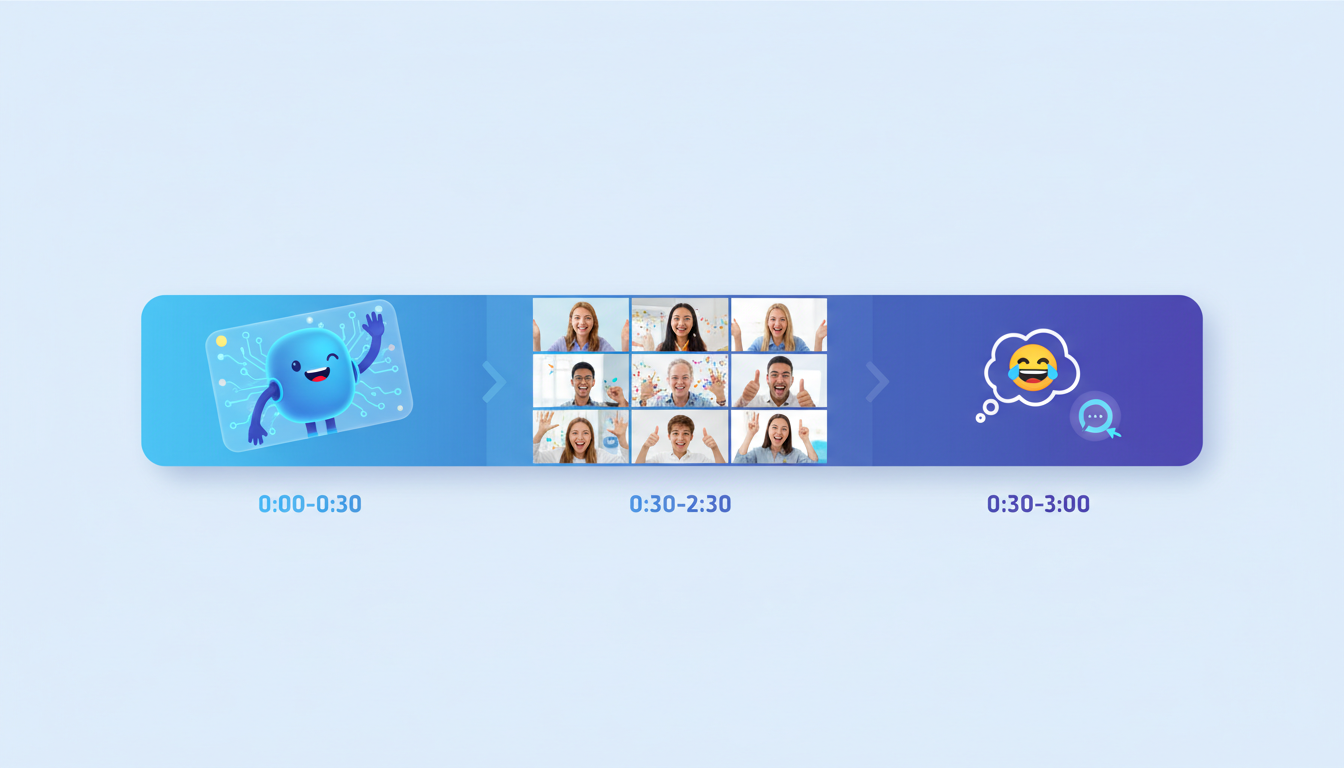
To keep your video card engaging, you should organize the content into three distinct phases:
- The Hook (0:00 - 0:30): The custom anchor video. This sets the theme and surprises the recipient. Whether it is an AI interpretation of a favorite anime hero giving them a motivational speech or a legendary athlete roasting their fantasy football record, this is the high-impact spark that makes them sit up and pay attention.
- The Heart (0:30 - 2:30): The core group video compilation. This is the sweet spot where close friends and family deliver short, prompt-driven messages. Keep the total runtime of this segment under three minutes to maintain high engagement and avoid viewer fatigue.
- The Punchline (2:30 - 3:00): A hilarious closing meme, an inside joke, or an interactive element that leaves them on a high note.
For a deeper dive into directing individual video segments, read our complete guide on upgrading your virtual birthday card with custom video greetings.
The Contributor Playbook: How to Direct Your Friends
The biggest bottleneck in creating a collaborative virtual card is managing the contributors. If you simply ask people to "send a quick video," you will get a chaotic mix of formats, lengths, and energy levels. You need to act as the director. Give contributors specific prompts rather than letting them wing it. Prompts keep the energy high and the content focused.
Try asking your contributors to answer one of these specific questions in 20 seconds or less:
- "What is the single weirdest habit the birthday person has?"
- "If the birthday person were arrested, what would it most likely be for?"
- "Describe the birthday person in exactly three words, and explain only one of them."
- "Share a 15-second story of the exact moment you realized you were going to be friends."
By giving your friends a creative constraint, you remove their performance anxiety and ensure the resulting clips are punchy, funny, and highly watchable.
The Contributor Guide: What to Ask For vs. What to Avoid
To ensure the final product looks cohesive and polished, send your contributors a quick set of technical rules. Most people want their videos to look good, but they simply do not know the basics of framing, lighting, and audio. Use this simple comparison framework to show your contributors exactly what to do and what to avoid:
| Aspect | What to Avoid | What to Do Instead |
|---|---|---|
| Orientation | Vertical, shaky portrait mode that cuts off half your face. | Horizontal (landscape) framing, with your phone propped up on a stable surface. |
| Lighting | Sitting in front of a bright window (backlighting), turning you into a dark silhouette. | Facing a window or lamp (front-lighting) so your face is clearly illuminated. |
| Audio | Recording in a noisy coffee shop, a windy backyard, or an echoing bathroom. | A quiet indoor room, speaking clearly and standing close to the phone's microphone. |
| Length | Rambling for two minutes about how you "need to catch up soon." | Keeping it under 20-30 seconds, getting straight to your prompt response. |
| Content | Generic "Happy birthday, hope it's a good one!" platitudes. | A specific, funny memory, an inside joke, or a playful roast. |
Sequencing the Perfect Virtual Birthday Card Layout
Once you have collected all the pieces, the final step is sequencing them for maximum emotional payoff. The layout of your virtual card should guide the recipient on a journey. Do not just dump everything onto a single page without hierarchy.
First, lead with your high-impact custom AI video. This acts as the grand opening. If you are using Fanfun to create a custom video, place this video player right at the top of the digital card with a bold header. It immediately hooks the recipient and signals that this is not a standard, boring e-card.
Next, follow with the core group video compilation or individual text and photo cards from close friends and family. Because you directed them using the contributor playbook, this section will be a fast-paced, entertaining montage of sincere wishes and hilarious memories. If you want to inject more humor into the core of your card, explore our tips on directing a custom video roast or meme reel.
Finally, end with an interactive element. Instead of ending with a flat signature, close the card with a call-to-action, such as an AI chat link where the recipient can actually have a two-way, interactive conversation with the very character who introduced their card. This turns a passive viewing experience into an active, engaging memory they will talk about for weeks.
How do I make a group virtual birthday card with video?
To make a high-quality group virtual card, choose a digital platform that supports video embeds. Start by creating a strong "anchor" video, like a custom AI celebrity greeting from Fanfun, to open the card. Then, collect short video clips from friends using specific prompts, compile them into a single video under three minutes, and embed both onto the card layout.
What is the best way to collect video messages from a large group of people?
The best way is to send contributors a clear, prompt-driven request with strict technical guidelines (horizontal framing, good lighting, under 30 seconds). Use a shared cloud folder (like Google Drive or Dropbox) or a dedicated group video collection tool so contributors can easily upload their files without losing video quality.
How long should a virtual birthday video card be?
Keep the total runtime of the video elements under three minutes. A 30-second custom intro followed by a 2-minute compilation of fast-paced, edited friend clips is the sweet spot for keeping the recipient engaged without causing viewer fatigue.
How can I add a celebrity or character video to a virtual card without spending hundreds of dollars?
Instead of paying hundreds of dollars and waiting days for real celebrity availability on traditional platforms, you can use Fanfun. Fanfun allows you to instantly generate highly personalized, affordable custom video messages and voiceovers featuring AI versions of favorite characters, athletes, and cultural icons.



