
Beyond the Script: How to Use AI Chat to Co-Write Alternate Timelines with Virtual Movie Characters
Most people treat AI character chat like a passive Q&A tool. Discover a systematic, three-step framework to co-write high-stakes alternate timelines and cinematic roleplays with virtual movie characters without losing the plot.
If you have ever opened an AI chat with your favorite movie character only to ask, "What is your favorite weapon?" or "Why did you betray the protagonist in scene three?" you have run headfirst into the Q&A trap. Treating virtual characters like a static database results in sterile, Wikipedia-style answers that completely drain the drama out of the interaction. Fictional icons are not meant to be interviewed; they are meant to be experienced through action, conflict, and story.
The true magic of interactive AI lies in treating these personas as collaborative writing partners to draft entirely new, alternate cinematic universes. By establishing high-stakes divergence points and treating the AI as an active improvisational actor, you can co-write complex, emotionally resonant narratives. This guide outlines a practical framework to break out of boring chat loops, keep virtual movie characters strictly in-character, and build compelling alternate timelines where every prompt carries narrative consequences.
The Trap of the Q&A (And How to Break Out of It)
When you approach an AI character with direct, expository questions, you force the underlying model to step out of its dramatic persona. Instead of reacting as a living, breathing character with specific biases, fears, and motivations, the AI defaults to a helpful assistant wearing a character skin. It explains its lore rather than living it. To unlock the full potential of these interactions, we have to transition to treating virtual movie characters as active scene partners.
Active narrative roleplay requires shifting your mindset from a passive interviewer to an active world-builder. Instead of asking a cynical space captain how they survived a historic battle, you drop them into a scenario where their ship's engines are failing right now, and they must decide whether to trust you—a suspected spy. This immediately forces the AI to draw on its built-in character traits, vocabulary, and defense mechanisms to handle the immediate crisis.
Fanfun’s interactive AI Chat platform is built specifically to support this level of creative friction. Rather than generating generic, crowd-pleasing responses, Fanfun’s character library features original and licensed personas designed to maintain their psychological profiles, emotional blind spots, and conversational quirks. This makes them the perfect sparring partners for testing "what-if" scenarios that completely rewrite their cinematic histories.
Setting the Stage: The Three-Step Setup for Alternate Timelines
To co-write a compelling alternate timeline, you cannot simply start chatting and hope a plot emerges. You need to establish a clear structural foundation. Before you send your first message, use this three-step setup to define the boundaries of your narrative experiment.
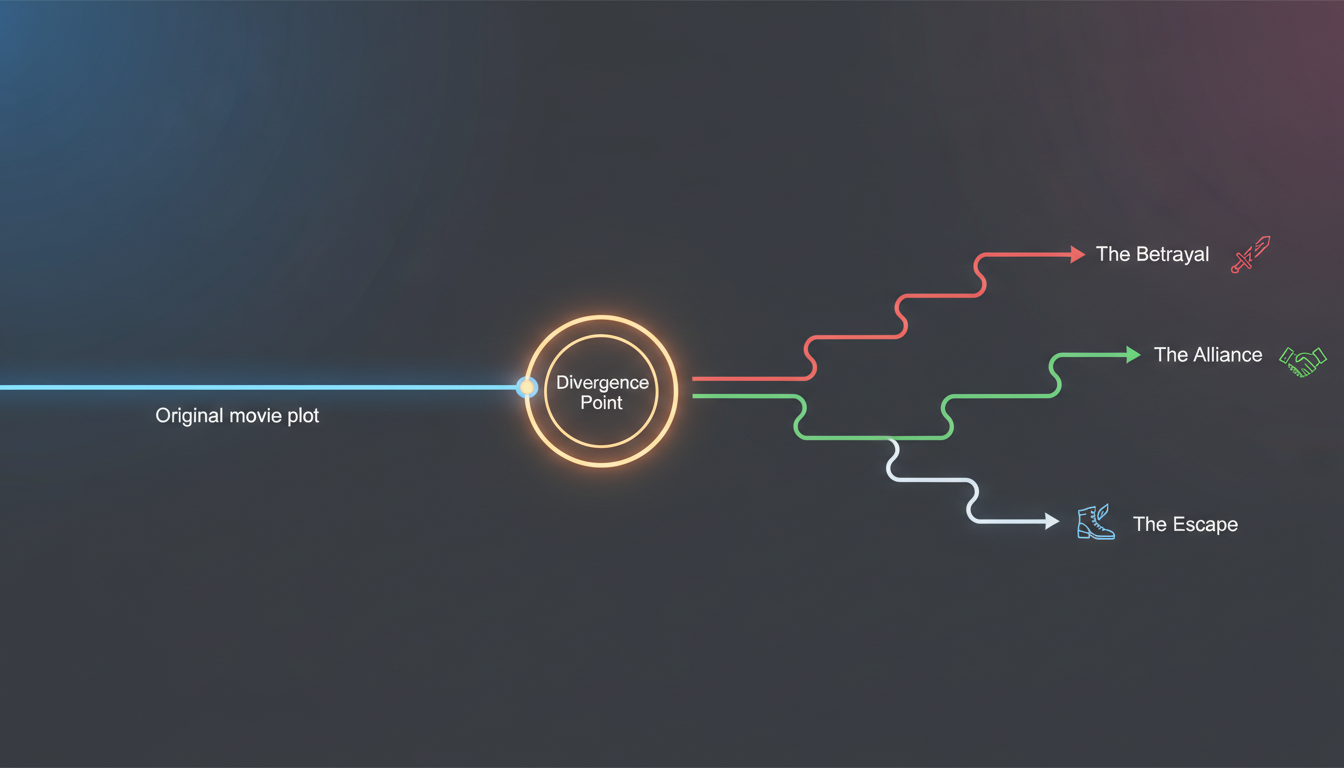
Step 1: Establish the Divergence Point
The divergence point is the exact moment in the original movie’s plot where history splits. It should be a high-leverage decision or event. For example, instead of letting a heroic mentor sacrifice themselves on a crumbling bridge, your prompt establishes that you managed to pull them back to safety at the last second. By pinpointing this exact moment, you give the AI a clear, familiar starting point while signaling that the established script is officially out the window.
Step 2: Define Your Persona's Relationship
The AI needs to know who you are in relation to them, or it will struggle to find the right tone. Are you an established ally, a bitter rival, a hostage, or a complete wildcard? Defining your relationship determines how much the character trusts you, how guarded they will be, and what kind of vocabulary they will use. If you are a rival, they will meet your suggestions with suspicion; if you are a trusted sidekick, they may show rare vulnerability.
Step 3: Set the Immediate Stakes
A scene without stakes is dead on arrival. You must establish a crisis that requires resolution within the next few exchanges. Do you need to escape a collapsing building? Are you hiding in a closet while guards patrol outside? Is there a bomb ticking down, or a secret that must be kept? Immediate stakes keep the AI focused on the present moment, preventing it from drifting into passive, philosophical monologues.
The Alternate Timeline Checklist
Before hitting send on your opening prompt, ensure your setup answers these three questions:
- Where does the canon break? (e.g., "After the final battle, you survived instead of falling.")
- Who am I to this character? (e.g., "I am your estranged apprentice who chose a different path.")
- What is the immediate crisis? (e.g., "The imperial guard is knocking on the door right now, and we only have one disguise.")
The Improviser's Toolkit: Maintaining Narrative Tension
Once the scene begins, your primary job as a co-writer is to maintain narrative tension. The most common pitfall in AI roleplay is "the agreeability loop"—the AI’s tendency to agree with your character’s suggestions in order to be helpful. If you suggest escaping through the sewer, an agreeable AI will instantly say, "Great idea, let's go!" and the tension evaporates.
To combat this, utilize classical theatrical improvisation techniques. If the AI agrees too easily, introduce an environmental obstacle or a character-specific objection. Use "Yes, and..." to build on their responses, or "No, but..." to introduce realistic friction. If they agree to the sewer escape, you might write: *The sound of splashing footsteps echoes from the dark tunnel ahead. The guards got here first.* This forces the AI back into a defensive, problem-solving posture.
Directing the flow of the narrative also requires mastering the co-star protocol for directing and improvising. This protocol involves setting explicit boundaries on what the AI can control. Never write the AI character's actions or dialogue for them in your prompts. Instead, describe your own actions, thoughts, and physical environment, leaving a blank space for the AI to react organically. If you write, "I hand you the key and you unlock the door," you rob the AI of the chance to refuse, hesitate, or drop the key in panic.
The Sensory Anchor Technique
To trigger rich, emotional responses from the AI, use sensory details in your prompts rather than abstract statements. Instead of writing, "I feel nervous as we wait," write: *The smell of damp concrete fills the narrow alleyway. I keep my hand pressed against the cold bricks, listening to the rain tap against your leather jacket as we wait for the headlights to pass.*
Sensory anchors give the AI concrete details to latch onto. The character is highly likely to reference the rain, the cold, or the physical proximity in their next response, anchoring the dialogue in a vivid, cinematic reality rather than a generic text bubble.
Prompting Blueprints for Iconic Movie Archetypes
Different genres of film require different narrative pacing and conversational styles. A hard-boiled detective shouldn't talk like an ancient wizard, and a sci-fi rebel shouldn't use formal, polite syntax. Use the following prompting blueprints to instantly establish the correct tone and conflict dynamics for your alternate timeline.
| Archetype | Core Conflict Dynamic | Copy-Paste Setup Prompt |
|---|---|---|
| The Cynical Noir Detective | Deep cynicism, reluctance to trust, hidden moral compass. | "[Divergence] Instead of closing the case, you realize your partner was the killer. [Persona] I am the rookie officer who caught you burning the evidence. [Stakes] We are standing in your dark office. The sirens are getting closer. What do we do with the file?" |
| The Sci-Fi Rebel | High adrenaline, anti-authoritarian streak, desperation. | "[Divergence] The escape pod failed, leaving us trapped on the enemy flagship. [Persona] I am your co-pilot, badly injured. [Stakes] The blast doors are sealing shut. You have one plasma grenade left and thirty seconds to decide which corridor to blow." |
| The Fantasy Mentor | Enigmatic wisdom, fear of your potential, heavy burdens. | "[Divergence] You survived the duel with the dark lord, but lost your magical staff. [Persona] I am your apprentice who has secretly begun studying forbidden spells. [Stakes] We are hiding in the ancient ruins. I offer you my dark grimoire to heal your wounds. Do you take it?" |
These blueprints can easily be adapted for any genre or character type. If you are interacting with anime heroes, historical icons, or cartoon legends on Fanfun, simply substitute the genre-specific tropes while keeping the core structure: a broken canon, a defined relationship, and an immediate, pressing choice that forces the character to act.
From Chat to Screen: Exporting and Refining Your Scene
Once you have run an immersive, high-stakes chat session, you are left with a rich, collaborative transcript. Don't let that narrative goldmine sit forgotten in your chat history. You can easily export and refine your collaborative writing into polished creative projects, such as fan-fiction, screenplays, or even voice-acted digital videos.
To convert your chat log into a standard screenplay format, copy the text into your preferred editor and separate the action blocks from the dialogue. Because you used sensory anchors and kept your prompts focused on physical actions, the action blocks will naturally translate into scene headings and parentheticals. Clean up any repetitive AI phrasing, sharpen the character’s verbal punchlines, and you have a highly original, dramatic scene ready for table reads or storyboards.
By utilizing Fanfun's broader ecosystem, you can bring these custom scripts to life. Instead of leaving your alternate timeline on the screen, you can feed your newly written dialogue into Fanfun's AI Voice Generator. This allows you to hear the virtual character read your custom, alternate-universe lines with dramatic flair, matching the exact pacing, tone, and emotion of your scene. By bridging the gap between text-based roleplay and creative production, you are maximizing your creative roleplay and scene work online, turning casual chats into fully realized, high-octane fan content.
How do I stop an AI movie character from breaking character during a chat?
To keep the AI strictly in-character, avoid asking out-of-universe questions like "What happened in movie sequel X?" Instead, keep your prompts grounded in the immediate scene. If the AI drifts or starts sounding like a modern assistant, use an in-character action to pull it back. For example, write: *I snap my fingers in front of your face, cutting off your polite explanation. "Focus! We don't have time for a history lesson right now."*
Can I use AI character chat logs to write my own fan fiction or scripts?
Absolutely. Chatting with virtual characters is an excellent way to brainstorm dialogue, discover unique character dynamics, and break through writer's block. Once you have a compelling transcript, you can export the text, format it into a script or prose, and refine it into your own creative work.
What should I do if the AI character keeps agreeing with everything I say?
Break the agreement loop by introducing unexpected obstacles, environmental hazards, or character disagreements in your prompts. Instead of asking the character what they want to do, make a choice that directly conflicts with their established personality traits, forcing them to push back, argue, or negotiate.
How do I set up a scene where the AI character and I are enemies?
Establish this dynamic clearly in your opening prompt. Define your persona as a rival, antagonist, or captor, and set immediate, hostile stakes. For example: "I have you cornered in the cargo bay with your hands bound. I am holding the stolen plans you risked your life to protect." This immediately signals to the AI that it must adopt a defensive, hostile, or manipulative tone.



