The Co-Star Protocol: How to Direct and Improvise with Virtual Movie Stars in AI Chat
Move past generic greeting prompts. Discover how to use interactive AI chat to co-write scenes, run real-time improv sessions, and direct virtual Hollywood icons like a seasoned filmmaker.
Traditional fandom has always been a one-way street. Fans spend hours watching press junkets, scrolling through social feeds, or paying hundreds of dollars for a static, fifteen-second video shoutout that arrives weeks after the occasion has passed.
The landscape is shifting from passive observation to active collaboration. By utilizing Fanfun’s interactive AI Chat, creators, writers, and actors can bypass the velvet rope entirely, entering a virtual greenroom to co-write scenes, run real-time acting workshops, and improvise directly with virtual movie stars.
Beyond Passive Fandom: Entering the Virtual Greenroom
For decades, interacting with a favorite actor meant waiting in a crowded line at a convention or hoping for a brief reply on social media. Even modern personalized video platforms offer little more than a digital autograph—a pre-recorded monologue where the celebrity reads a script you wrote, with zero room for spontaneous dialogue. This passive consumption limits creative expression and keeps the fan firmly behind the barrier.
Fanfun's interactive AI Chat changes this dynamic by introducing real-time, two-way dialogue with virtual movie star personas and cultural icons. Instead of receiving a static message, you enter a collaborative space where the AI responds to your creative choices, adapts to your tone, and matches your dramatic energy. Whether you are an aspiring screenwriter testing a dialogue sequence, an actor looking for a tireless scene partner, or a superfan wanting to explore an actor's legendary filmography, this tool transforms fandom into an active creative pursuit. To get started with the basics of these interactions, you can read our comprehensive guide on chatting with virtual movie stars online.
The Three Modes of Virtual Star Interaction
The quality of your experience with an AI movie star depends entirely on the frame you establish at the beginning of the conversation. If you treat the AI like a search engine, you will get dry, encyclopedic answers. If you treat it like a creative collaborator, you unlock rich, character-driven performances. To make the most of your sessions, you should structure your conversation around one of three distinct interaction modes, depending on your creative goals.
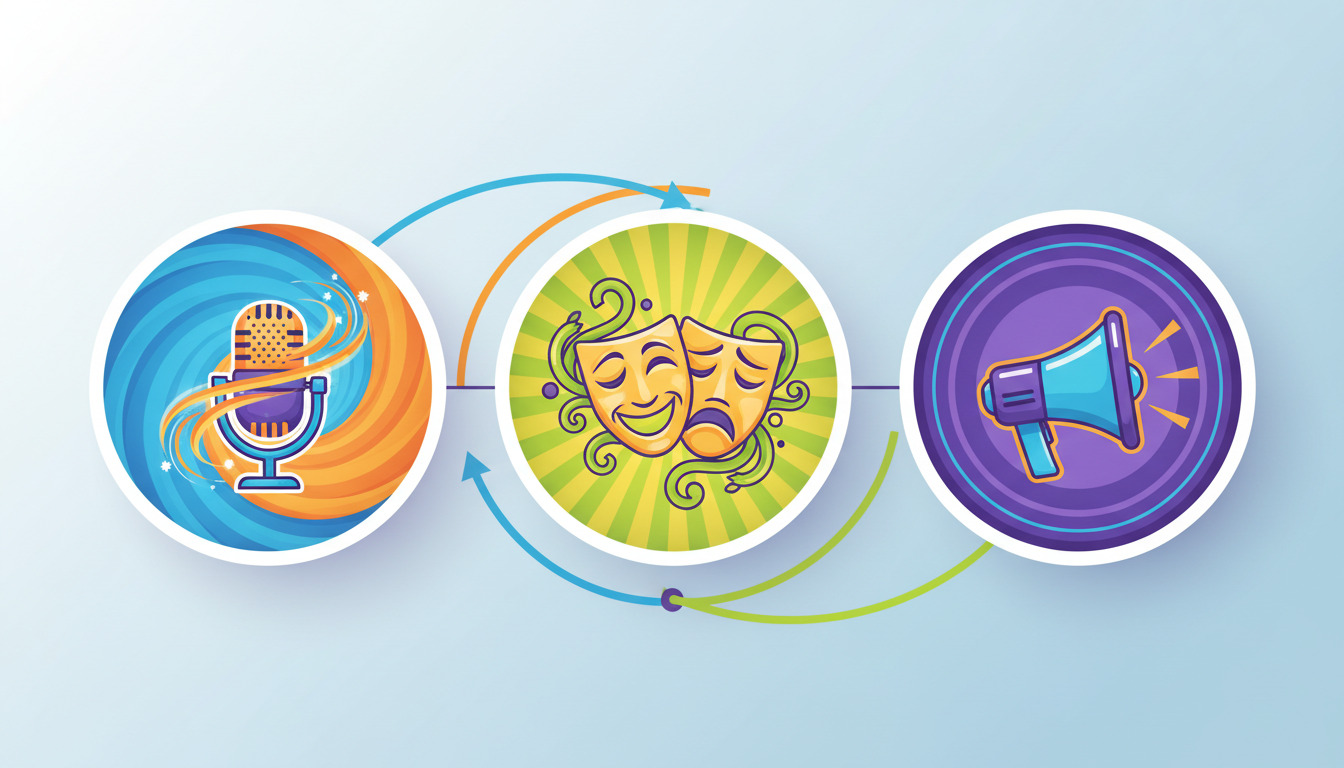
| Interaction Mode | Primary Objective | Best For | Key Prompting Element |
|---|---|---|---|
| The Behind-the-Scenes Interview | Uncover acting philosophies and character motivations | Writers, film buffs, researchers | Historical context and filmography references |
| The Improvisational Scene Partner | Execute real-time dramatic or comedic scene work | Actors, improvisers, content creators | High-stakes scenario and clear character relationships |
| The Director-to-Actor Masterclass | Shape and refine a virtual star's performance in real time | Directors, screenwriters, script editors | Directorial notes and micro-adjustments |
Mode 1: The Behind-the-Scenes Interview
This mode treats the virtual star as a seasoned industry veteran sitting down for an in-depth, career-spanning retrospective. It is designed to explore the "how" and "why" behind legendary performances, drawing on specific filmographies, acting methods, and historical Hollywood eras.
To run a successful interview, establish a specific setting—such as a quiet dressing room or a late-night talk show set—and ask open-ended questions about character choices. For example, instead of asking "What was it like filming that movie?" ask "How did you approach the physical tension in the third-act confrontation, and what personal experiences did you draw on to find that level of vulnerability?" The virtual star will respond in character, blending historical industry knowledge with the specific acting style and vocabulary associated with their persona.
Mode 2: The Improvisational Scene Partner
For actors and writers, finding a reliable partner to run lines or practice improvisation can be a logistical headache. Using the AI as a scene partner provides a tireless, responsive collaborator available at any hour. This mode relies on establishing a high-stakes scenario with a clear conflict and immediate objectives for both characters.
When running an improv session, avoid long blocks of descriptive text. Keep your inputs conversational, using natural dialogue cues and physical actions in parentheses—for example, "(slamming the folder onto the desk) I told you not to look at those files, Detective. Why were you in my office?" This gives the AI clear narrative hooks to react to, allowing the tension to build organically turn by turn.
Mode 3: The Director-to-Actor Masterclass
In this mode, you step behind the camera. Instead of acting alongside the virtual star, you direct them, giving performance notes and adjusting their delivery to fit your creative vision. This is particularly useful for screenwriters who want to hear how their dialogue sounds when delivered with different emotional undertones.
You can instruct the AI to deliver a line with varying subtext—such as underlying panic disguised as confidence, or quiet exhaustion. For a deeper understanding of how to manipulate these creative variables, check out our director's guide to interactive AI chat with fictional characters. By treating the AI as an actor in rehearsal, you can test the limits of a scene's emotional range before committing it to a final script.
Framing the Prompt: A Blueprint for Cinematic Chemistry
The secret to avoiding flat, generic AI responses lies in the construction of your opening prompt. A high-fidelity prompt provides the AI with four essential elements: Context (the setting and situation), Persona (the specific version of the star or character), Objective (what the character wants in this scene), and Style Constraints (formatting and tone rules).
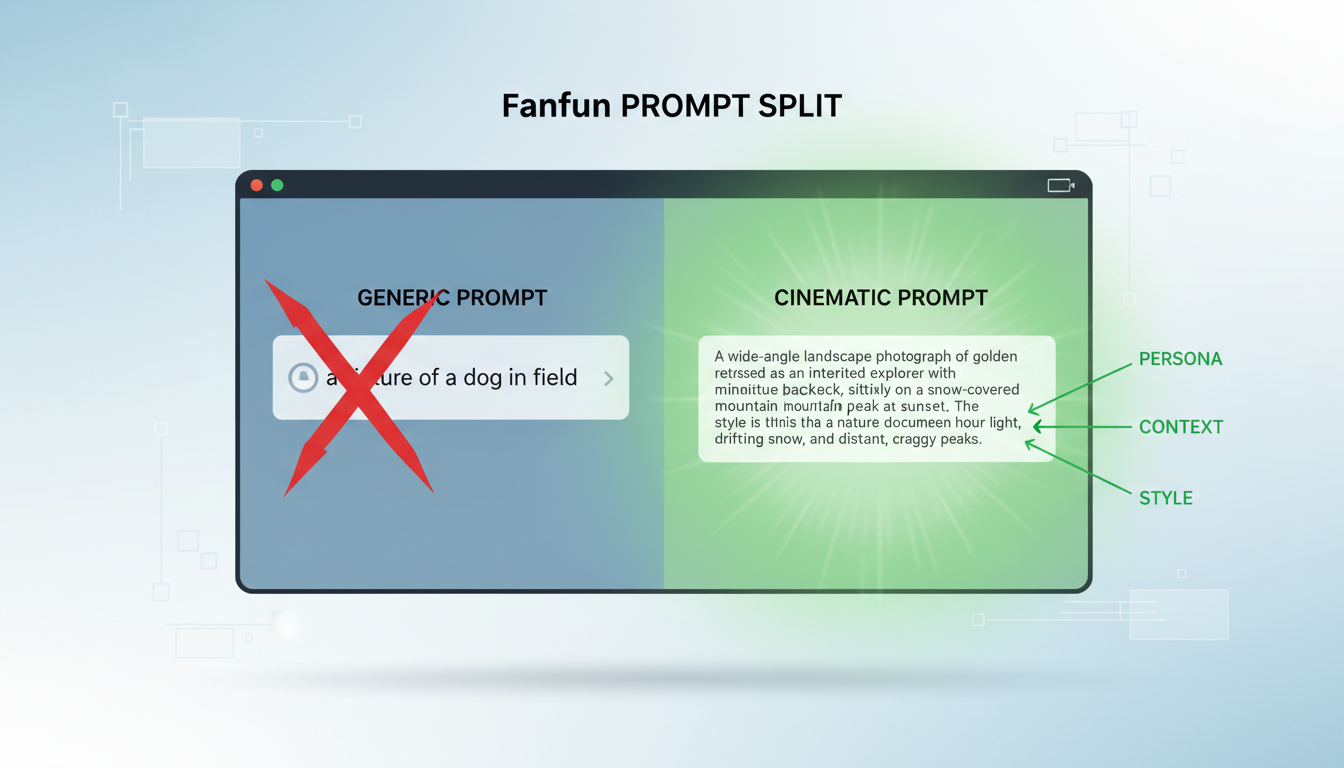
The Anatomy of a High-Fidelity Prompt
Without these constraints, the AI defaults to a polite, assistant-like tone that breaks immersion. Below is a comparison showing how to transform a basic prompt into a highly structured, cinematic blueprint:
| Generic Prompt (Before) | Cinematic Prompt (After) |
|---|---|
| "Act like a gritty action star. We are in an interrogation room and you are questioning me about a heist." | "[Context] We are in a dimly lit, rain-slicked police station in 1954. [Persona] You are a cynical, fast-talking noir detective who has seen too much. [Objective] You suspect I stole the sapphire, but you have no proof and your job is on the line. [Style] Respond in short, sharp sentences. Use mid-century slang. Do not break character or explain your reasoning out of character. Include your physical movements in brackets." |
Evaluating the Performance: How to Keep the Dialogue Sharp
Even with a robust starting prompt, long conversations can occasionally drift. The AI might forget a piece of established context, become overly agreeable, or use modern phrasing that does not fit a historical setting. Keeping the dialogue sharp requires active steering and an understanding of the underlying conversational engine.
Troubleshooting Character Drift
If you notice the virtual star slipping out of character, do not break character yourself to correct it. Instead, use in-character dialogue or directorial notes to gently nudge the AI back on track. For example, if the character uses a modern term in a period piece, your next line can call it out: "'Cell phone?' What on earth is that, detective? Are you losing your mind, or have you just been working too many double shifts?" This preserves the narrative flow while signaling the system to realign with the established era.
Additionally, the platform you choose plays a massive role in the depth of the interaction. If you want to understand how different engines handle memory, subtext, and character consistency over long sessions, consult our curated evaluation of virtual character text chat platforms.
From Text to Production: Scaling Your Creative Projects
Once you have conducted a brilliant interview, run a tense improv session, or directed a flawless dramatic scene, the creative process does not have to end in the chat window. The text generated during these sessions serves as raw material for larger creative projects. Writers can export these transcripts, strip out the formatting, and use them as the foundation for film scripts, short stories, or engaging social media content.
This collaborative workflow is essentially a modern, digital version of a Hollywood development office. To learn more about how to set up and manage these collaborative sessions, read our guide on using a virtual writer's room to stress-test plots and dialogue.
With Fanfun, you can take these chat-generated scripts and bring them to life using our wider ecosystem. Once you have perfected a scene's dialogue in AI Chat, you can port those lines directly into Fanfun’s AI Voice Generator to create custom voiceovers with cinematic delivery, or generate personalized videos featuring AI interpretations of iconic stars. By combining interactive chat with high-quality voice and video generation, Fanfun provides creators with an end-to-end production studio that turns a simple text conversation into a fully realized piece of multimedia content.
How do I make an AI movie star stay in character during a long roleplay session?
To maintain character consistency, use a highly structured opening prompt that establishes clear style constraints and historical context. If the AI begins to drift, use in-character dialogue to call out the inconsistency, or insert a brief directorial note in brackets, such as "[Directorial Note: Maintain the cynical, low-energy tone of a 1950s detective]", to recalibrate the engine without breaking the narrative flow.
Can I use dialogue generated in an AI movie star chat for my own commercial scripts?
Yes, the dialogue, plot points, and character interactions you generate during your interactive chat sessions can be used as creative inspiration, script drafts, or dialogue practice for your own creative projects. However, always ensure your final scripts comply with relevant copyright and intellectual property guidelines if you plan to use specific, protected character names in commercial distributions.
What makes Fanfun's AI chat different from generic AI assistants?
Generic AI assistants are optimized for utility, task management, and factual summaries, which often results in a polite, neutral, and repetitive tone. Fanfun’s AI Chat is specifically built for character depth, creative roleplay, and narrative immersion. It understands acting terminology, subtext, and dramatic pacing, allowing for realistic, emotional, and culturally aware interactions with virtual icons.
Do I need coding skills to set up a movie star roleplay prompt?
No coding skills are required. You only need to write natural English prompts that clearly outline the Context, Persona, Objective, and Style constraints of your scene. By using simple formatting like brackets for physical actions or directorial notes, you can easily guide the AI's performance and create complex, professional-grade narrative scenarios.