
How to Format Scripts for Better AI Character Video Outputs
AI character engines translate text literally, which can lead to flat or rushed delivery. Discover how to use non-standard punctuation, phonetic spelling, and strategic line breaks to direct your AI character's performance like a pro.
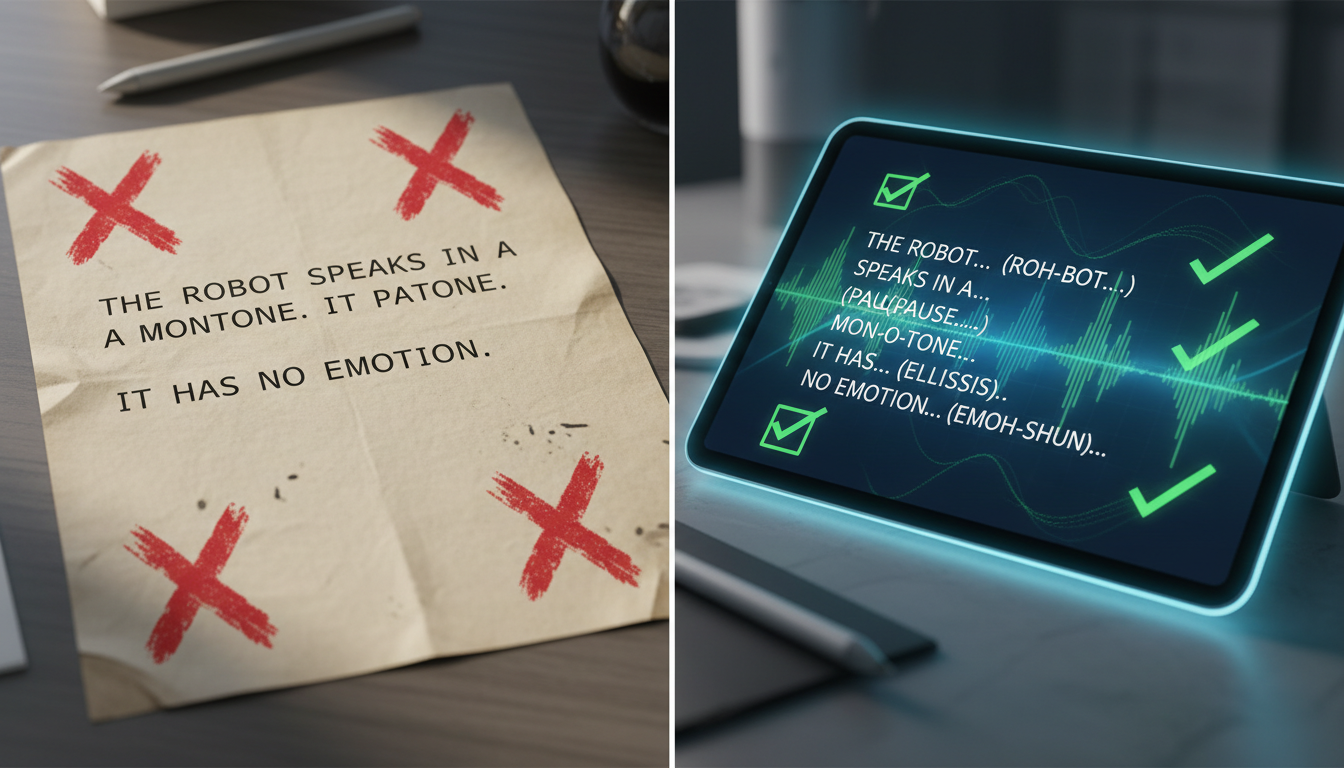
To improve the pacing, emphasis, and pronunciation of an AI character video, you must adapt your script formatting to work with phonetic patterns rather than strict grammatical rules. Because AI voice engines process text literally, standard writing can sometimes result in flat, rushed, or robotic speech. While there are no guaranteed universal controls, experimenting with non-standard punctuation, phonetic spellings, and strategic line breaks can help guide the AI's cadence and minimize the need for multiple generation retries.
The Text-to-Performance Gap in AI Character Video
The fundamental challenge of AI video generation is that the engine reads text based on linguistic tokens rather than emotional subtext. When you use standard grammatical structures, the AI voice engine often processes the text as a continuous stream, leading to a performance that might feel rushed or lack natural human inflection.
On Fanfun, choosing an AI character and entering a script takes only minutes. However, taking a moment to format your text before hitting generate is a useful practice to help you achieve a more natural-sounding delivery. This is especially important when using these clips in broader workflows, such as selecting the best production tools for faceless video creators. The goal of script formatting is to mimic natural human speech patterns, including physical breathing space, regional emphasis, and comedic pauses that make character-driven content highly engaging.
Punctuation Experiments: Influencing Pacing and Emphasis
Standard punctuation marks serve grammatical functions in writing, but in AI script generation, they are often used experimentally to influence pacing and emphasis. Because different voice models interpret symbols in unique ways, these techniques should be treated as conditional guidelines rather than strict rules:
- Ellipses (...): Some creators use ellipses to encourage a natural pause or transition. While the exact duration of the pause is not fixed by the engine, it can help break up a sentence to prevent a rushed delivery during key setups or comedic beats.
- ALL CAPS: Writing words in ALL CAPS is a common method to try and trigger vocal emphasis or a change in pitch on specific words. However, results vary across different character voices, and capitalizing too many words may lead to inconsistent tone.
- Dashes (—): Em-dashes are often used to visually structure sudden shifts in thought, which can sometimes influence the engine to transition abruptly between phrases. This technique is worth testing when scripting custom voice text-to-speech for multi-character edits.
Below is a quick-reference guide on how different punctuation inputs are commonly used to influence AI voice generation behaviors:
| Punctuation Input | Intended Experimental Effect | Best Use Case |
|---|---|---|
... (Ellipsis) | Encourages a conversational pause | Comedic timing, suspense, or transitions |
CAPITAL LETTERS | Prompts potential vocal stress or pitch change | Emphasizing key adjectives or punchlines |
— (Em-dash) | Signals a rapid or abrupt transition | Interrupted speech, rapid conversational shifts |
, (Comma) | Signals a brief micro-pause | Separating items in a list or clause |
Phonetic Spelling: Guiding Slang and Proper Nouns
AI character engines rely on pre-trained pronunciation dictionaries. When confronted with unusual names, brand names, regional slang, or internet acronyms, the engine may attempt to pronounce them literally, which can break the flow of the performance.
To bypass this limitation, write complex or non-standard words phonetically. For example, if the engine struggles to pronounce the brand name "Fanfun" naturally, writing it as "Fan-fun" can guide the engine to split the syllables correctly. Similarly, a comedic sigh or sound effect like "bwah" should be spelled out exactly as it sounds rather than relying on descriptive text in brackets.
Acronyms also require specific formatting. If you write "AI," the engine might read it as a single word ("ay"). To force the AI to spell it out letter-by-letter, write it with hyphens: "A-I." It is highly recommended to test these phonetic variations in short draft segments before layering custom character voiceovers into your final timeline. This prevents you from rendering a full-length video only to find a crucial name was mispronounced.
Structuring Layouts for Natural Breath and Beats
The physical layout of your text in the generation box may also influence the rhythm of the output. Large, unbroken blocks of text are sometimes processed as continuous monologues, which can cause the delivery to speed up. Breaking your script into smaller paragraphs or using hard returns can help organize the pacing and encourage the engine to pause naturally.
This structural pacing is particularly critical when designing character-driven voiceovers for high-retention video intros, where the first few seconds dictate viewer engagement. It is also highly useful when structuring your content using established video shoutout frameworks for birthdays, roasts, or memes.
The Pre-Generation Script Checklist
While AI generation is inherently iterative, reviewing your script structure before generating can help you refine the pacing and reduce the need for multiple attempts. Consider this pre-generation checklist:
- Phonetic Check: Are unique names, slang, or brand names spelled phonetically to guide pronunciation?
- Acronym Check: Are letter-by-letter abbreviations hyphenated (e.g., "U-S-A" instead of "USA")?
- Pause Verification: Have you experimented with ellipses (...) where a natural breath or beat is desired?
- Emphasis Check: Have you selectively capitalized key terms to test for vocal stress?
- Layout Structure: Is the text split into short paragraphs to help prevent rushed delivery?
Example: Standard vs. AI-Optimized Script
This illustrative comparison shows how a standard, grammatically correct script can be transformed into an experimental performance script designed to guide AI character engines:
| Standard Grammatical Script (Flat Delivery) | AI-Optimized Script (Experimental Formatting) |
|---|---|
| "Hey Sarah, happy 30th birthday! I can't believe you are actually thirty now. I hope you have an amazing day in NYC with the crew. Let's get some drinks soon." |
"Hey... Sare-uh... happy THIRTIETH birthday! I seriously cannot believe you are actually thirty now... I hope you have an AMAZING day in N-Y-C with the crew. Let's get some drinks... soon!" |
Once you have generated your voice track, you can further enhance the overall production value by designing custom character audio tracks with background sound effects and music to match the character's performance.
Why does the AI voice ignore my exclamation points?
Many AI voice engines interpret exclamation points simply as sentence endings rather than emotional cues, resulting in a standard drop in pitch. To test for actual excitement or vocal stress, try using ALL CAPS on the specific words you want the character to emphasize.
How do I prevent the AI character from pronouncing abbreviations literally?
If the AI is reading abbreviations as single words, break them up using hyphens. For example, write "L-O-L" instead of "LOL," or "T-G-I-F" instead of "TGIF." This encourages the engine to pronounce each letter individually.
Can I use emojis in my script to trigger emotional changes?
Generally, no. Most AI character voice generators will either ignore emojis completely or attempt to read their literal text names aloud (e.g., saying "smiling face" instead of changing tone). Stick to punctuation like ellipses and capitalized text to guide the performance instead.



