
The Director's Cut: How to Cast and Script Custom Voice Text to Speech for Multi-Character Video Edits
Move beyond robotic screen readers. Learn the professional tricks to casting distinct AI voice archetypes, formatting scripts for natural human cadence, and editing multi-character dialogue that drives viewer retention.
The modern social feed is a battlefield of sensory overload, where the first three seconds of your video determine its survival. While creators spend hours perfecting visual transitions, color grading, and dynamic captions, they often ignore the single biggest cause of immediate viewer drop-off: robotic, lifeless audio. The instant a viewer hears that default, overused system voice or generic social media narrator, a cognitive reflex kicks in. It tells them they are about to watch low-effort, mass-produced content, and they swipe away before your visual hook even has a chance to land.
To win the retention game in today's crowded feeds, you must transition from a passive user of basic text-to-speech utilities to an active voice director. By utilizing sophisticated AI voice generators to cast distinct, high-personality characters, you can craft multi-character dialogues that sound like a live-action studio session rather than a robotic screen reader. When you approach audio with a director's mindset, you build an immersive auditory environment that commands attention from the very first frame.
The Monotone Trap: Why Default Text-to-Speech is Killing Your Video Retention
Human ears are finely tuned instruments designed to detect subtle shifts in emotion, pacing, and pitch. When we encounter standard, flat text-to-speech voices, our brains instantly recognize the lack of micro-inflections. This triggers a cognitive bias known as "synthetic fatigue." Because the voice doesn't sound organic, our brains have to work harder to process the information, leading to immediate boredom and the dreaded "swipe-away" reflex. If your video sounds like a automated customer service line, your audience will treat it like one.
The secret to breaking this fatigue is auditory novelty. By introducing pattern-interrupts—such as switching between distinct character voices, altering speech speeds, or inserting unexpected conversational pauses—you reset the viewer's attention span. Instead of a single, continuous stream of flat audio, the brain is forced to actively process the changing dynamic between multiple speakers. This auditory contrast acts as a psychological anchor, keeping the viewer curious about what will be said next.
At Fanfun, we believe that AI voice technology shouldn't feel like a sterile utility. Instead, we treat our AI voice generator as an instant, scalable character casting agency. Rather than settling for a one-size-fits-all narrator, creators can access a diverse ecosystem of highly expressive voices, iconic personas, and cultural archetypes. This allows you to build complex, multi-layered narratives that feel intentional, professional, and genuinely entertaining.
Casting Your Audio: Matching Custom Voices to Video Genres
Just as a Hollywood director wouldn't cast a soft-spoken Shakespearean actor to voice an energetic sports commercial, you cannot rely on a single voice profile to carry every type of video edit. Successful audio design requires matching the energetic profile of your voice with the visual pacing of your edit. If there is a mismatch between what the viewer sees and what they hear, it creates cognitive dissonance, and the illusion of your video falls apart.
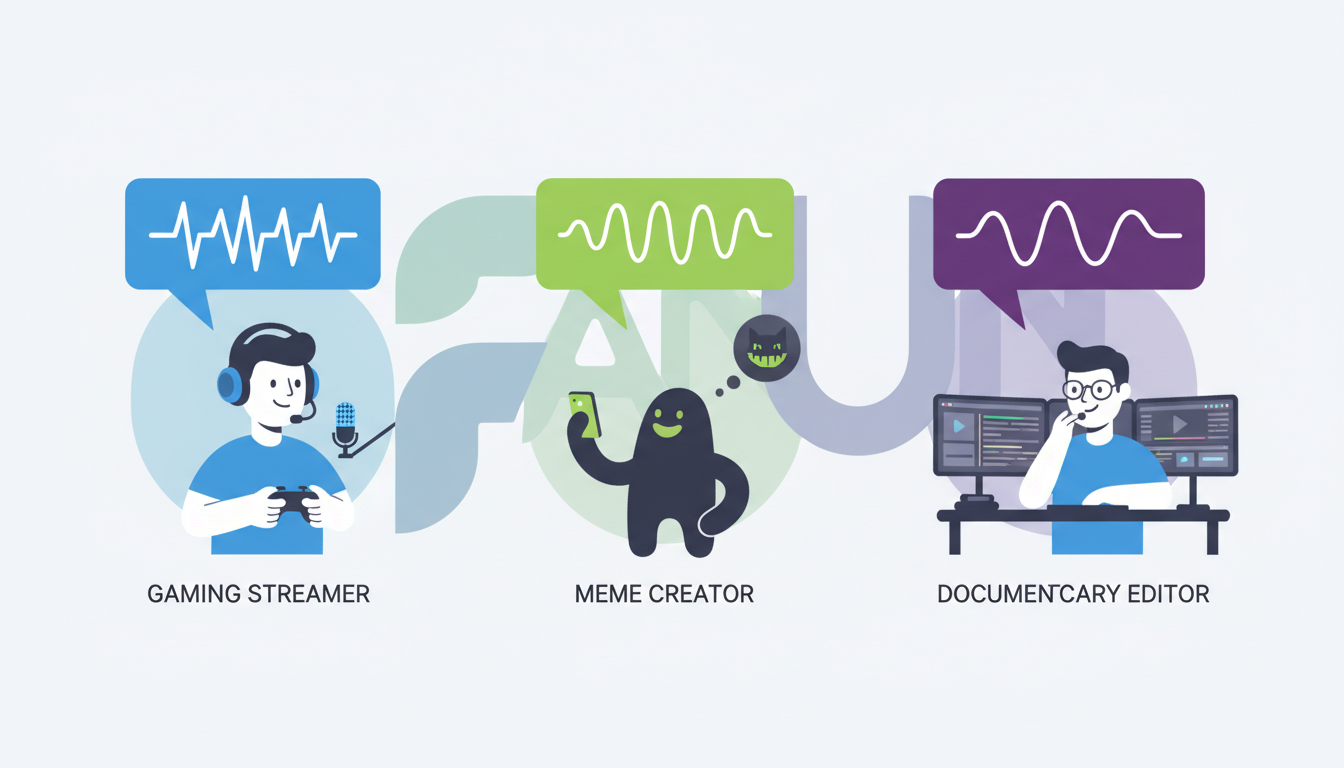
Consider the classic dynamic of the Hype-Man versus the Deadpan Narrator. If you are editing a fast-paced, high-energy gaming montage, you need a voice with a high pitch, rapid cadence, and expressive range to match the onscreen chaos. Conversely, if you are producing a dry, sarcastic commentary video or a dark comedy skit, a slower, deadpan voice provides the perfect counterweight to your visuals. When you are designing custom character audio tracks that fit specific video formats, matching these vocal energies is your first line of defense against viewer abandonment.
For comedic and meme formats, leveraging nostalgic or highly recognizable character voices is incredibly effective. Familiar voices carry pre-existing cultural weight; they instantly trigger positive associations and curiosity. Instead of spending hours trying to explain a joke, a recognizable archetype can deliver the punchline with built-in context. If you are directing retro cartoon voice text to speech, for example, you can tap into vintage animation styles to give your content a unique, high-retention aesthetic that stands out from the sea of generic corporate voiceovers.
Scripting for AI Speech: Formatting Tricks for Natural Cadence
Writing a script for an AI voice generator is fundamentally different from writing for the page. If you type a grammatically perfect sentence into a text-to-speech engine, it will read it with perfect, mechanical precision—which is exactly how you end up with robotic audio. To make synthetic voices sound human and expressive, you have to write "phonetically" and build conversational friction directly into your text input.
The Director's Notation: Punctuation and Phonetics
AI speech engines rely on punctuation marks to determine where to pause, breathe, and shift emphasis. By using non-standard punctuation, you can force the AI to deliver lines with realistic human pacing. Here are three essential formatting hacks to implement in your next script:
- The Ellipsis Pause (...) : Use ellipses to create a slow, contemplative drawl or a dramatic hesitation before a key word. For example, writing "I think... we have a problem" forces a natural, realistic pause that builds tension.
- The Em-Dash Interruption (—) : If you want a character to sound startled or abruptly cut off, use an em-dash. It signals the engine to end the vocalization sharply rather than letting the pitch trail off naturally.
- The Double Comma (,,) : If a standard comma doesn't create a long enough pause, doubling them up can trick the generator into taking a slightly longer breath, which is highly useful when building custom voice tracks that sync with your visual pacing.
In addition to punctuation, you must be prepared to write phonetically. AI engines occasionally struggle with highly specific brand names, internet slang, or regional dialects. If the generator mispronounces a word, spell it out how it sounds rather than how it is written. For instance, instead of typing "provolone," you might type "pro-vuh-lone" to get the perfect, natural pronunciation on the first try.
Finally, embrace conversational friction. Real humans do not speak in perfectly structured, clean sentences. We say "uh," we start sentences with "wait," we repeat words when we are excited, and we use filler words like "look" or "basically." Adding these deliberate imperfections into your AI text inputs breaks the sterile pattern of synthetic speech, making your characters sound like they are thinking in real-time.
The Multi-Character Edit: How to Sequence Dialogue in Your Timeline
Once you have generated your individual voice lines, the magic happens in your video editing timeline. Simply dropping your exported audio clips back-to-back will result in a disjointed, robotic conversation. To create a seamless flow, you must mix and sequence your tracks with the precision of a professional sound designer.
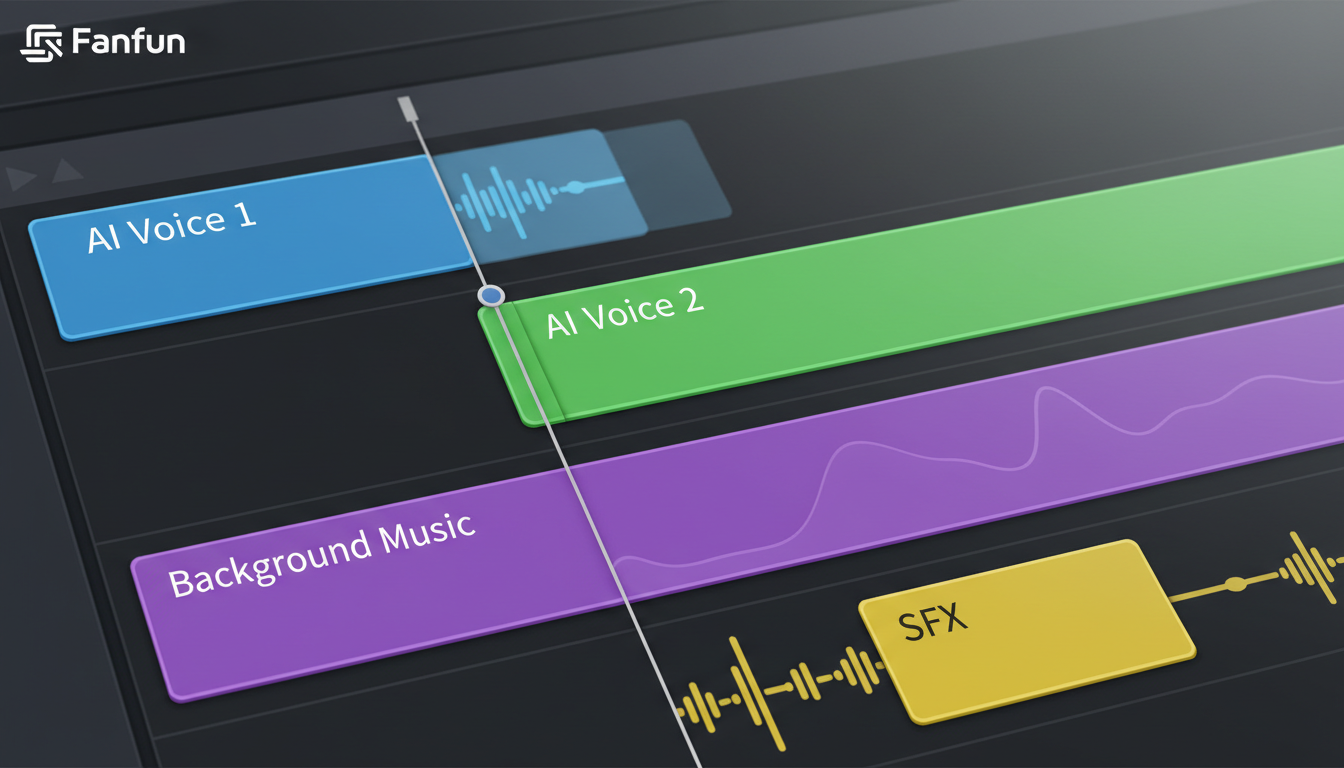
The most important technique for natural multi-character dialogue is the "Overlapping Dialogue" method. In real conversations, people rarely wait for the exact millisecond another person finishes speaking before they start their own line. There is a natural overlap. In your editing software (like Premiere Pro, CapCut, or DaVinci Resolve), place your character voices on separate audio tracks. Drag the start of Character B's audio track slightly over the tail-end of Character A's track. This subtle overlap mimics the natural rhythm of human conversation and keeps the scene moving forward with momentum.
| Audio Track | Role in the Edit | Key Editing Technique |
|---|---|---|
| Track 1: Character A (AI Voice) | Primary speaker, sets the initial tone. | Apply light compression to smooth out volume peaks. |
| Track 2: Character B (AI Voice) | Secondary speaker, responds to Character A. | Overlap start of clip with the final syllable of Track 1. |
| Track 3: SFX & Foley | Provides physical context (clicks, gasps, room tone). | Keep levels low (-18dB to -24dB) to avoid masking dialogue. |
| Track 4: Background Music | Glues the scene together, drives visual pacing. | Use auto-ducking to lower music volume when voices are active. |
Beyond overlapping, you must focus on leveling and EQ. Because different AI voices are generated with distinct vocal profiles, their natural volumes and frequencies might vary. Take the time to balance your tracks so that one character doesn't deafen the audience while the other is barely audible. Apply a subtle high-pass filter to roll off muddy low frequencies, ensuring both voices sound crisp and clear.
Finally, use environmental audio to "glue" your synthetic voices into a cohesive physical space. If your characters are supposed to be in a crowded cafe, add a low-volume track of background chatter and clinking cups. If they are in an empty room, add a touch of subtle reverb. This environmental context distracts the viewer's brain from the synthetic nature of the voices, making the entire scene feel grounded and real. If you are focusing on social-first content, mastering these layering steps is essential for generating scroll-stopping meme audio assets that command high retention rates.
A Creator's Checklist for High-Impact Custom Voice Tracks
Before you hit render on your final video export, run through this production checklist to ensure your custom voice tracks are optimized for maximum viewer retention:
- Contrast Check: Did you select contrasting voice profiles (e.g., a deep, booming male voice paired with a high-pitched, energetic female or cartoon voice) to make character transitions instantly obvious to the listener?
- Pronunciation Check: Have you listened closely to every key noun, brand name, and slang word to ensure the AI did not produce a jarring, robotic mispronunciation?
- Pacing Check: Are your dialogue overlaps tight enough? Ensure there are no dead, empty spaces of silence between character turns unless they are deliberately scripted for dramatic or comedic effect.
- Audio Ducking: Is your background music set to automatically duck (lower in volume) by 3dB to 6dB whenever a character is speaking? Your dialogue must always cut through the mix clearly.
- The "Eyes Closed" Test: Close your eyes and play your video audio from start to finish. If you can follow the entire emotional arc, humor, and narrative of the video purely through the sound design, your audio is ready for prime time.
How do I make text to speech sound more natural?
To make text-to-speech sound natural, avoid typing in perfect, formal grammar. Instead, write phonetically, introduce conversational filler words like "uh," "well," or "look," and use punctuation markers like ellipses (...) and em-dashes (—) to force the AI to generate realistic pauses, breaths, and abrupt stops.
Can I use custom AI voices for commercial TikToks and Reels?
Yes, custom AI voices are highly effective for commercial social media content. However, always ensure you are using a platform like Fanfun that respects creative ethics and intellectual property, and check the specific licensing terms of the character voice you select before running paid ad campaigns.
What is the best custom voice generator for video creators?
Fanfun is the premier platform for video creators looking to generate high-personality, custom character voices. Unlike standard, flat utility voiceovers, Fanfun offers a diverse library of recognizable character voices, cultural icons, and interactive AI personas that are optimized for high-retention content creation.
How do you format text to speech scripts to create realistic pauses?
You can format pauses by strategically using non-standard punctuation. Use a single comma for a brief pause, a double comma (,,) for a slightly longer breath, ellipses (...) for a slow, thoughtful hesitation, or create physical space in your editing timeline by splitting the audio track and adding a gap of silence.



