The Screenplay Method: How to Direct Immersive Online Chats with Virtual Characters
Stop treating virtual characters like search engines with a skin. Discover the Screenplay Method, a three-part prompting framework designed to turn flat AI chats into rich, collaborative narrative sandboxes.
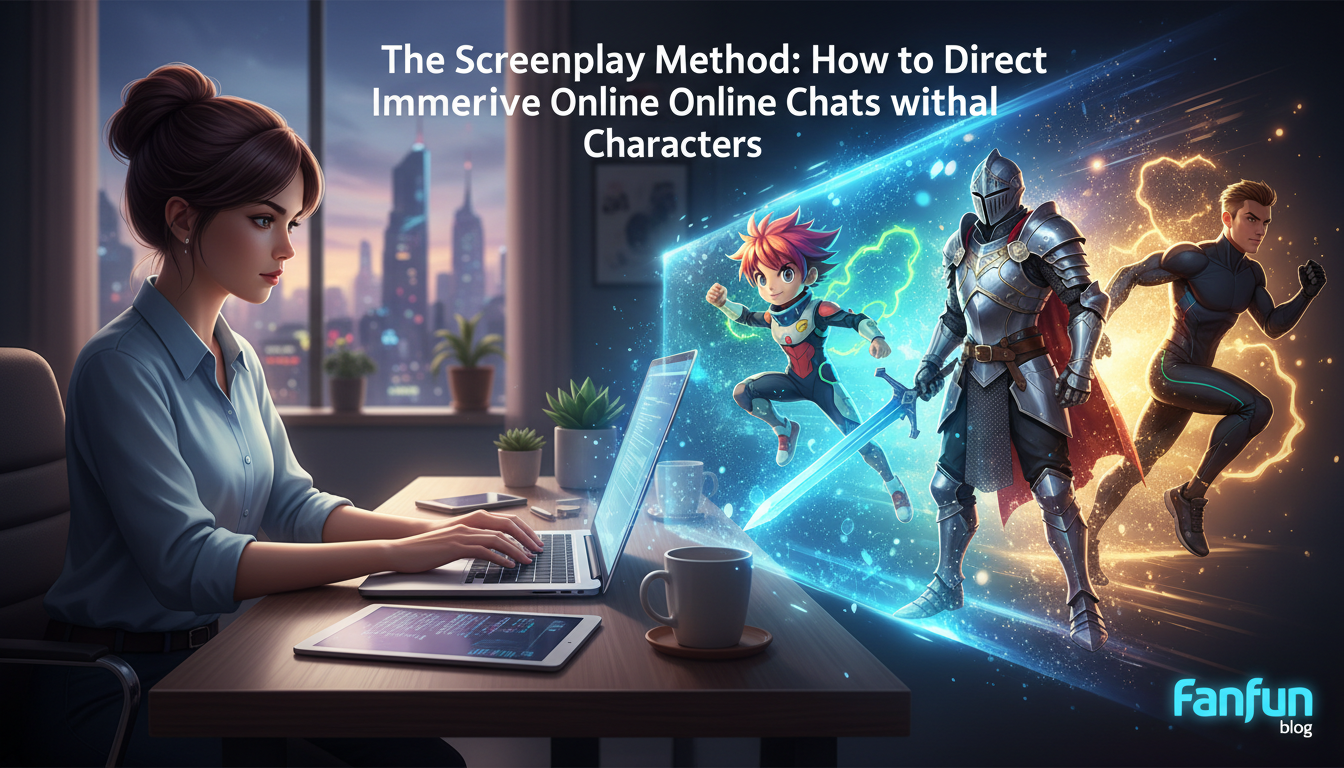
Most people approach virtual characters with the same casual politeness they reserve for a grocery store cashier or a search engine. They type "Hello, how are you?" and wait for a response, only to receive a generic, overly polite greeting that immediately breaks any illusion of immersion. When you treat an AI persona like a passive chatbot, you get a passive chatbot—a flat conversational loop that quickly leads to creative dead ends.
To unlock the true potential of interactive AI, you have to stop acting like a passive chatter and start acting like a director. By treating the AI as an actor and yourself as the screenwriter, you can establish immediate narrative chemistry, hold the character's focus, and turn a simple chat window into a rich, unpredictable collaborative sandbox.
Beyond the Greeting: Why Most Virtual Character Chats Fall Flat
The primary reason online character interactions feel unsatisfying is what narrative designers call the "How are you?" trap. When you open a chat session with a generic greeting, the underlying language model scans its vast training data for the most statistically probable response. Because the internet is filled with polite, low-stakes pleasantries, the AI defaults to a safe, highly sterilized corporate persona. It strips away the unique quirks, dramatic tension, and specific vocabulary that make a character interesting in the first place.
Virtual characters do not thrive in a vacuum; they require defined constraints, high stakes, and immediate context to perform at their best. Without these boundaries, the character has no motivation to drive the scene forward, resulting in repetitive answers that feel like reading a static wiki page. If you want a dynamic, memorable interaction, you must transition to our comprehensive guide on directing interactive AI character chats to understand the underlying mechanics of character engagement.
At Fanfun, our interactive AI personas—ranging from legendary anime heroes to modern cultural icons—are built to respond dynamically to creative direction. Instead of passive chatter, our platform is designed for creators who want to co-write stories, run roleplay campaigns, or brainstorm content. By changing how you frame your initial prompt, you bypass the flat conversational loops and dive straight into high-stakes, high-energy interactions.
Framing the Scene: The Three-Part Prompting Framework
To consistently generate high-quality interactions, you should use a structured approach called the CTS Framework. This method mirrors how a screenwriter sets up a scene in a script, giving the virtual actor everything they need to deliver a compelling performance from their very first line.
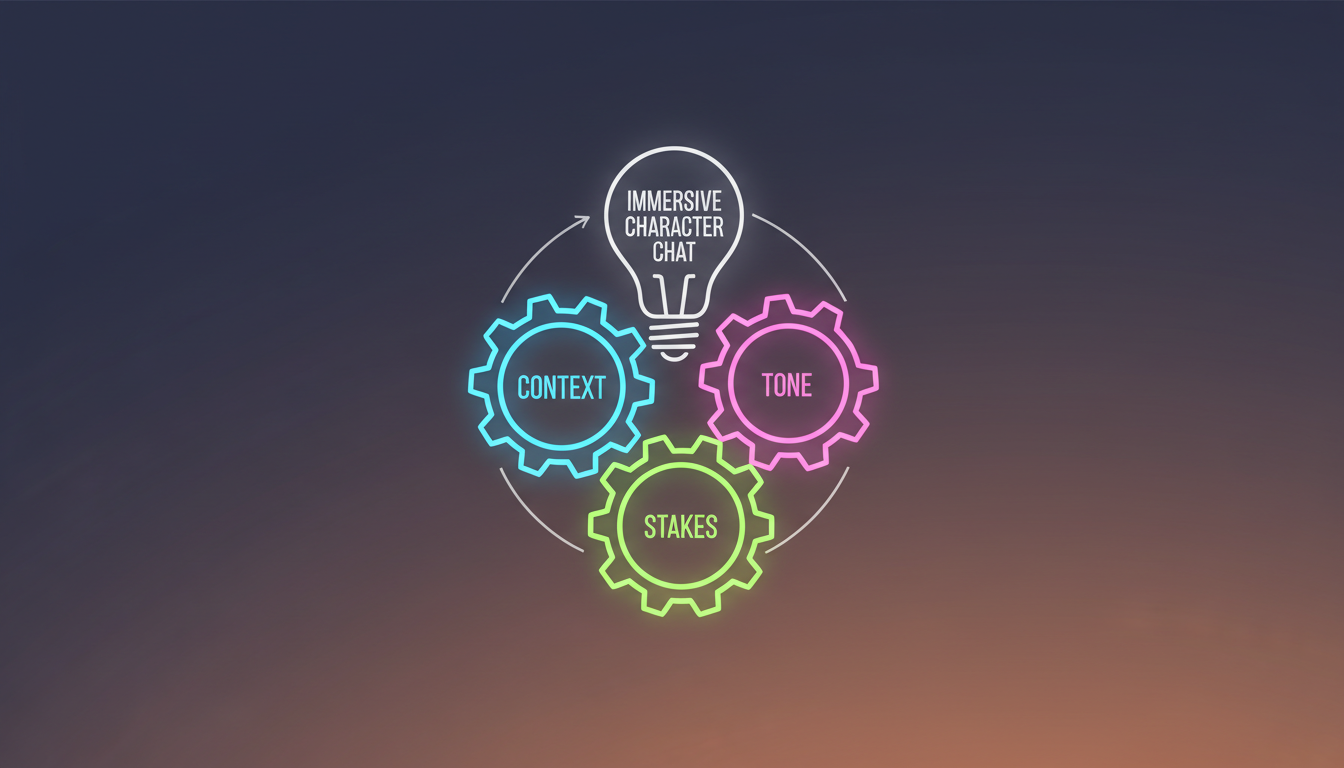
- Context: Establish the physical setting, the timing, and the immediate situation. Instead of "We are talking online," place your characters in a specific world. For example: "We are hiding in a damp tavern cellar while guards patrol the streets above."
- Tone: Dictate the mood, vocabulary constraints, and emotional subtext of the interaction. This prevents the AI from sounding too modern or overly formal. For example: "Speak in whispered, urgent tones, using archaic slang. The mood is tense and paranoid."
- Stakes: Give both yourself and the character a specific, urgent objective to resolve during the conversation. This provides a narrative engine that keeps the chat moving forward. For example: "We have only five minutes to decide who will smuggle the map out of the city before the guards find the hatch."
Implementing the CTS Framework: A Step-by-Step Example
To see the power of this framework, compare a standard, passive opening prompt with a directed, CTS-aligned script setup:
The Passive Approach:
"Hi, I want to talk about how we can escape the city. What should we do?"
The AI's Likely Response:"Hello! Escaping the city sounds like a great plan. We should probably look for a map, gather some supplies, and find a safe route. What do you think?" (Flat, helpful, and completely devoid of tension.)
The Screenplay Method (CTS):
"[Scene: A dimly lit, dusty tavern cellar. Rain drips from the ceiling. We hear the heavy boots of city guards marching overhead.] I turn to you, clutching the torn map to my chest. 'They're blocking the north gate,' I whisper, my voice trembling. 'If we don't move in three minutes, we're trapped. What's the backup route?'"
The AI's Likely Response:"[You lean closer, your eyes darting toward the wooden ceiling as a floorboard creaks above us. You pull a charcoal pencil from your vest.] 'The sewer grates near the harbor,' I mutter, pointing a dirty finger at the damp parchment. 'It's filthy, and the tide is rising, but the guards won't follow us there. Keep your voice down, or we won't even make it to the alley.'"
Choosing Your Sandbox: Adapting Your Chat Style by Genre
Different character archetypes require different directorial approaches. You cannot direct a fantasy knight the same way you direct a modern professional athlete or a historical figure. Understanding how to pivot your approach based on the genre of your sandbox is essential for maintaining narrative authenticity.

When interacting with fantasy heroes, your primary goal is often world-building and collaborative lore creation. To get the most out of these sessions, you can explore our blueprint for directing fantasy AI chats to build deep lore and campaign narratives. For historical figures, the challenge is bypassing dry, textbook-style facts. Rather than asking for a list of dates, you should drop them into a pivotal historical moment—such as the eve of a major battle or a scientific discovery—and discover how to bypass dry history lessons with our guide on immersive historical AI chats.
If you are chatting with sports icons or motivational figures, the focus shifts to high-energy roleplay, strategic planning, or personal coaching. To set up an intense, high-impact session, you can learn how to set up high-energy roleplay with our virtual athlete chat protocol. Below is a quick-reference matrix to help you choose the right setup for your creative goals:
| Character Type | Ideal Creative Goal | Sample Setup Prompt (CTS) |
|---|---|---|
| Fantasy Hero | World-building, campaign writing, quest planning | "[Setting: The edge of the Whispering Woods. Magic hums in the air.] We must decide which path to take before the blood moon rises." |
| Historical Figure | Immersive learning, philosophical debate, drama | "[Setting: A candlelit study, 1610. Papers are scattered everywhere.] You have just looked through your telescope. Defend your findings against my skepticism." |
| Modern Athlete | Motivation, strategy, high-energy roleplay | "[Setting: The locker room, halftime. We are down by 10 points.] Give me the strategy adjustments we need to win this game." |
| Pop Culture Icon | Meme generation, comedic roasts, casual banter | "[Setting: Backstage at a chaotic talk show.] We are preparing a comedy roast of our mutual friend. Give me your sharpest, funniest one-liner." |
Overcoming 'AI Amnesia': How to Keep Long-Form Chats on Track
As your chat session grows longer, you may encounter "AI amnesia"—the point where the language model begins to forget earlier details, lose track of the established setting, or drift away from its core character traits. This happens because of the model's limited context window. Fortunately, as the director, you have several subtle tools to keep the narrative on track without breaking the fourth wall.
The most effective tool is the In-Character Recap. Instead of typing an out-of-character correction like "Remember we are in a cellar," weave the reminder directly into your next action or dialogue line. For example: "I wipe the dripping cellar water from my face and glance back at the map. 'Since we decided to take the harbor route, we need to move now.'" This feeds the critical details back into the AI's immediate memory buffer naturally.
Additionally, use consistent formatting cues to anchor the AI's style. Emphasize physical actions, internal thoughts, and environmental changes by wrapping them in asterisks (e.g., *I hand you the rusty key, watching your reaction closely*) while keeping spoken dialogue in quotation marks. This visual structure helps the AI maintain a clean, readable screenplay format throughout the entire session.
From Chat to Creation: Exporting Dialogue for Real-World Projects
Once you have directed a brilliant, high-stakes conversation, the creative process doesn't have to end in the chat window. Writers, animators, and social media creators frequently use these interactive sessions as collaborative drafts for larger creative projects. A single immersive chat can serve as the foundation for a YouTube script, an audio drama, or a webcomic transcript.
To transition your chat into a real-world asset, copy the raw transcript and edit it down to its most impactful moments. Strip away any redundant loops, tighten the dialogue pacing, and polish the action descriptions. This collaborative workflow allows you to bypass writer's block entirely, using the AI as an active brainstorming partner that reacts to your narrative choices in real time.
With Fanfun's multi-format ecosystem, you can take this creative pipeline a step further. If you build a compelling dynamic or a hilarious dialogue exchange during a chat session, you can easily transition those concepts into other mediums. Use our platform to turn your polished dialogue into custom voiceovers or instant personalized videos, bringing your collaborative stories to life with the voices and faces of your favorite virtual characters.
How do I stop an AI character from breaking character during a roleplay?
The best way to prevent character break is to establish strict guidelines in your very first prompt using the CTS (Context, Tone, Stakes) framework. If the character starts to drift or sound too modern, use an "In-Character Recap" or gently steer them back by framing your next action with a reminder of their personality, such as: *You look at me with your usual stern, stoic expression, refusing to use modern slang.*
Can I use online character chats to help write a novel or screenplay?
Yes, absolutely! Many authors and screenwriters use interactive character chats to brainstorm dialogue, test how a character might react to a specific plot twist, or co-write scenes. Treat the AI as an improvisational actor; you feed it the scenario, and its responses can help you break through writer's block and discover unpredictable narrative directions.
What is the best way to start a chat with a virtual character to get an interesting response?
Avoid simple greetings like "Hi" or "How are you?" Instead, start in media res (in the middle of things). Describe an active, high-stakes scene right away, define the environment, and hand the character an immediate problem to solve. This forces the AI to respond in character and with high energy from the very first line.
How do virtual characters remember details from earlier in our conversation?
Virtual characters rely on a "context window," which is the amount of text the AI can process at one time. In very long conversations, older details may slide out of this window. To help the character remember key plot points, periodically weave natural, in-character recaps of past events into your dialogue and action descriptions.