
How to Spell Portuguese Surnames Phonetically for AI Voice Generators
Don't let AI voice generators mispronounce Portuguese surnames. Learn how to translate complex double-barrel names and nasal vowels into phonetic English scripts for more natural digital speech delivery.
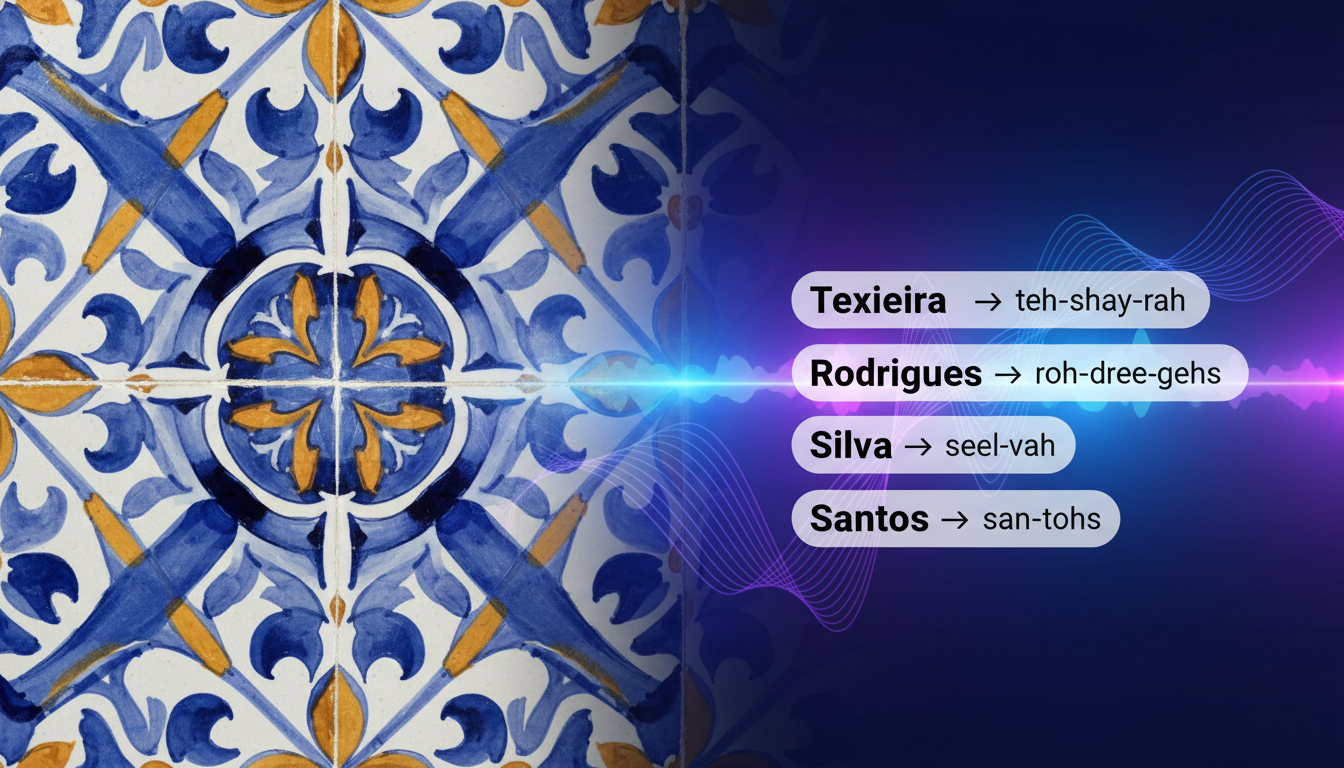
To spell Portuguese surnames phonetically for English-trained AI voice generators, you must translate native Portuguese letter combinations and nasal vowels into phonetic English equivalents. For example, spell "Teixeira" as "teh-SHAY-rah", "Araújo" as "ah-rah-OO-zhoo", and "Conceição" as "con-say-SOWNG". Because most AI speech tools read text literally using English phonics rules, substituting these phonetic spellings directly into your voice generator script is a highly effective way to avoid robotic mispronunciations. This technique is especially useful when creating personalized character messages on Fanfun, where a correctly pronounced name makes the greeting feel genuinely personal.
Why Portuguese Surnames Trip Up AI Voice Generators
Portuguese is a phonetic language, but its rules differ wildly from English. When an English-trained AI voice generator encounters a Portuguese surname, it applies English phonics, resulting in awkward mispronunciations. For instance, the Portuguese letter "x" often sounds like "sh", and "j" sounds like the soft "zh" in "measure"—sounds that English models do not naturally assign to those letters without help.
While some Romance languages share similar vowel sounds, as explored in our guide on how to write phonetic spellings for Italian names in digital speech, Portuguese introduces nasalization and soft sibilants that require a completely different phonetic approach. To bypass these default pronunciation rules, you can rewrite the names using phonetic spelling. If you are new to this process, you can refer to our foundational guide on writing phonetic spellings for unique names to understand the basics of phonetic scriptwriting.
The Portuguese-to-English Phonetic Cheat Sheet
Portuguese pronunciation relies on soft consonants and nasalized vowels that do not exist in English. To make these sounds accessible to an AI voice generator, we must map them to familiar English letter combinations. Use this quick cheat sheet to translate difficult Portuguese sounds:
- The "LH" Sound: This behaves like the "lli" in "billion". For a surname like Coelho, write it as "co-EH-lyoo" or "co-EH-yoo".
- The "NH" Sound: This sounds like the "ny" in "canyon". For Caminha, write "ca-MEE-nyah".
- Nasal Vowels ("ão" and "ões"): English models struggle with nasalization. The best workaround is to use "SOWNG" or "SOW". For Conceição, use "con-say-SOWNG".
- Soft "G" and "J": These make a "zh" sound, like the "s" in "measure". For Jorge, write "ZHOR-zheh".
Below is a reference table matching common Portuguese surnames with their phonetic spellings for quick copy-pasting into your next script:
| Traditional Spelling | Phonetic Spelling for AI | Pronunciation Tip |
|---|---|---|
| Silva | SEEL-vah | Keep the "L" soft and vocalized. |
| Teixeira | teh-SHAY-rah | The "x" sounds like "sh". |
| Araújo | ah-rah-OO-zhoo | Vocalize the "j" as a soft "zh". |
| Coelho | co-EH-lyoo | Blend the "L" and "Y" sounds quickly. |
| Rodrigues | rrod-REE-gess | Use a strong starting "R" and keep the ending soft. |
| Conceição | con-say-SOWNG | The "SOWNG" imitates the nasal "ão" sound. |
Step-by-Step Guide to Formatting Double-Barrel Portuguese Names
Portuguese naming customs often combine maternal and paternal surnames, resulting in beautiful compound names like Silva-Santos or Castro-Mendes. While these names look elegant on paper, AI voice models can rush through hyphens or pause awkwardly as if encountering a punctuation error.
To maintain natural speech pacing, break the compound name into distinct phonetic blocks using spaces, commas, or em-dashes. For example, instead of writing "Castro-Mendes" literally, format it as "CASS-troh ... MEN-deesh". The three dots tell the AI engine to take a micro-breath, preventing it from blending the two names into an unintelligible rush. This challenge isn't unique to Portuguese; you can see similar pacing strategies in our guide on how to write phonetic spellings for Polish names in AI voice generators where complex consonant clusters require strategic breathing room. For broader advice on pacing and script structure, check out the anatomy of a Trump prompt, which details how to structure scripts for optimal delivery.
Testing and Refining Your Phonetic Script on Fanfun
Before you finalize your script and generate your custom video gift, it is essential to test how the phonetic spelling sounds. You can use a short voice note or a brief test script to hear how your chosen AI character delivers the lines before committing to a full video generation.
If the phonetic spelling sounds slightly too sharp or robotic, you can tweak the spelling to adjust the delivery. For instance, if the voice model over-pronounces a syllable, try changing a hard vowel to a softer one (e.g., changing "SOWNG" to "SOW") to help take any harsh edge off the synthetic speech. Whether you are crafting a birthday greeting or learning how to write an encouraging motivational script for a digital character video, getting the name right is the foundation of a great message. Keep in mind that while phonetic spelling drastically improves accuracy, minor speech variations are natural for AI personas and add a unique charm to the final message.
Should I keep the actual Portuguese spelling in the final video script?
No, you should replace the actual spelling with the phonetic spelling in the text box where the AI reads your script. The AI voice generator reads exactly what is written, so if you type the traditional spelling, it will likely mispronounce it.
How do I handle Portuguese accent marks like the tilde (~) or acute accent (´) in AI voice generators?
Most English-centric AI voice generators ignore accent marks or treat them as errors, which can cause glitches in the speech. It is best to strip all accent marks and write the name using standard English characters and phonetic spacing.
Will phonetic spelling affect the subtitles or text overlay on my Fanfun video?
Yes, if the video template automatically generates subtitles from the script text, the subtitles will display your phonetic spellings. For the best of both worlds, you can generate the audio using phonetics and manually edit the video subtitles later if your video editor supports custom text overlays.



