
How to Write Phonetic Spellings for Italian Names in Digital Speech
Getting an AI voice generator to pronounce Italian names correctly can be a challenge when standard models read spelling patterns differently. Here is how to translate Italian letters into phonetic English text for natural, clear digital speech.

To help digital speech engines pronounce Italian names more accurately, you can replace native Italian spelling patterns with phonetic English equivalents. Because standard text-to-speech engines can sometimes misinterpret Italian letter combinations—such as reading "ch" as a soft "ch" (like church) instead of a hard "k" sound—breaking down names into phonetic syllables (like writing Marchetti as "mar-KEHT-tee" or Giovanni as "joh-VAHN-nee") can guide the engine to produce a more natural pronunciation in your digital voice messages.
How Digital Speech Engines Process Italian Names
Digital speech engines can sometimes produce unexpected pronunciations when reading Italian names. Italian spelling is highly consistent, but it uses characters differently than English. For example, the Italian letter combination "ch" represents a hard "k" sound, whereas a standard text-to-speech engine might read it as a soft "ch" like in "church." To achieve a more accurate pronunciation in digital speech, you can write the name phonetically based on how it sounds to an English speaker, bypassing standard spelling.
Understanding how to write phonetic spelling for synthetic AI voices is a critical step when creating custom voice notes or character video messages on platforms like Fanfun. When you want a virtual character to deliver a personalized birthday greeting or a friendly shout-out, a mispronounced name ruins the magic. Since AI personas are distinct from real-person recordings, they rely entirely on your text input to get the delivery right.
The Italian-to-English AI Phonetic Cheat Sheet
To help you navigate these linguistic differences, we have compiled a translation guide for the most common Italian letter combinations that AI models mispronounce. This framework is highly useful for translating both first names and phonetic spellings for complex last names.
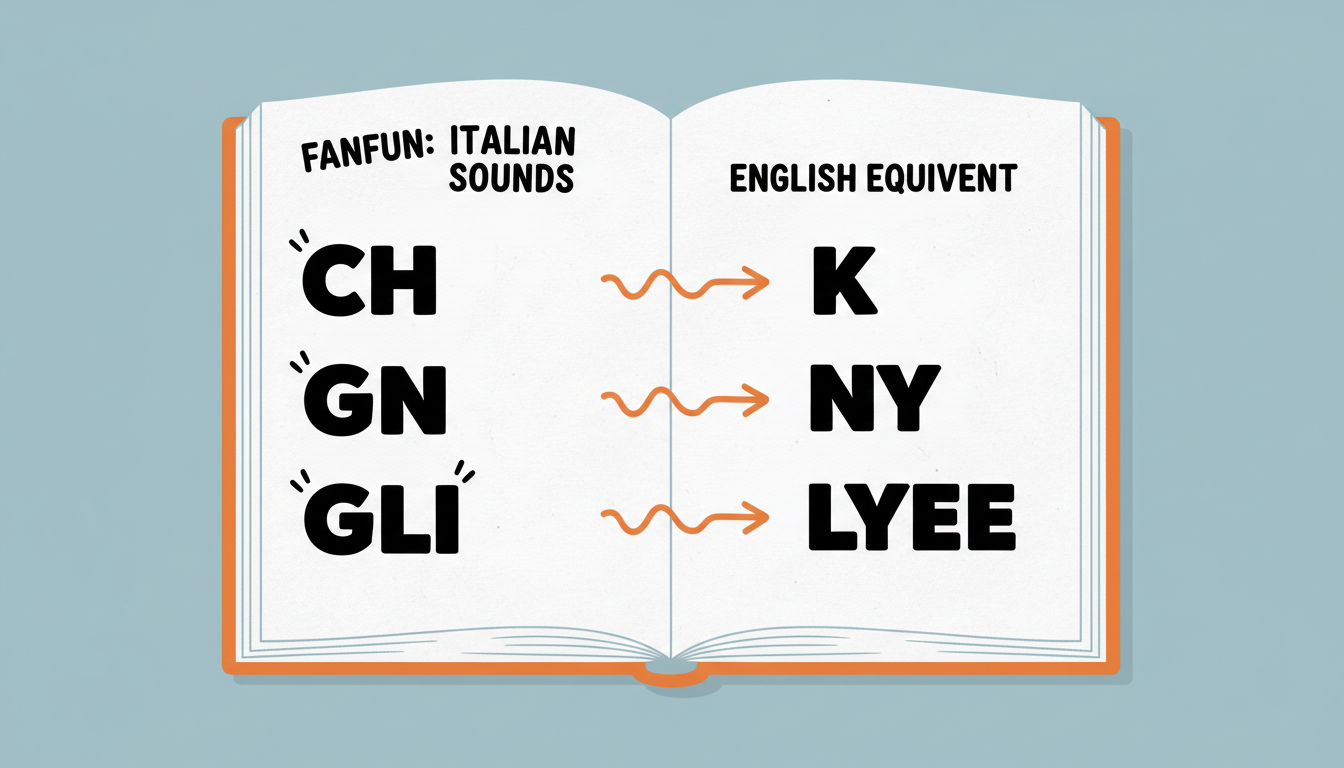
| Italian Pattern | English Phonetic Swap | Example Name | Phonetic Script Spelling |
|---|---|---|---|
| CH (Hard "K" sound) | K / Keh / Kee | Chianti, Marchetti | kee-AHN-tee, mar-KEHT-tee |
| C / G + E or I (Soft "Ch" / "J") | Ch / J | Giovanni, Beatrice | joh-VAHN-nee, beh-ah-TREE-cheh |
| GN (Nasal "Ny" sound) | Ny | Bologna, Vignola | boh-LOHN-yah, veen-YOH-lah |
| GLI (Liquid "Ly" sound) | Lyee / Lee | Gigli, Tagliaferro | JEEL-yee, tahl-yah-FEHR-oh |
When spelling these names phonetically, using capitalization can help you visually map out the vowel emphasis on the stressed syllable. For instance, in "joh-VAHN-nee," capitalizing "VAHN" serves as a helpful guide for structuring the syllables. Additionally, double consonants in Italian are pronounced with a tiny, almost imperceptible pause before the consonant is released. You can mimic this by slightly stretching the preceding vowel or using hyphens to clearly separate the phonetic syllables.
Step-by-Step Workflow for Testing and Polishing Italian Names
To ensure your script sounds exactly right before generating your final video greeting, follow this practical workflow:
- Break the Italian name down: Divide the name into individual syllables based on its native Italian pronunciation. For example, Giuseppe splits into Giu-sep-pe.
- Swap the tricky blocks: Use our phonetic cheat sheet rules to convert the syllables into English-friendly equivalents. Giuseppe becomes joo-ZEHP-peh.
- Run a short test generation: Because synthetic voices can vary in their delivery, consider testing a short phrase or voice note first to check how the model handles the phonetic spelling.
- Adjust vowel lengths and spelling: If the AI's pronunciation is off, adjust vowel lengths (using "ah", "ee", or "oh") or modify the phonetic spelling to guide the model toward the correct syllable emphasis.
This systematic approach is similar to our guide to phonetic spellings for Spanish names, where vowel clarity and syllable pacing are equally vital to achieving an authentic, natural-sounding digital voice.
Why does the AI voice sound robotic when I spell an Italian name phonetically?
If the phonetic spelling is too fragmented (e.g., using too many hyphens or unusual letter combinations), the AI voice generator may struggle to blend the syllables naturally. Try removing some hyphens or simplifying the phonetics to let the model's natural cadence flow smoothly.
How do I handle the Italian rolled 'R' in a digital voice?
Many digital speech models cannot naturally roll the letter "R." Trying to force it with phonetic spelling often sounds unnatural. It is usually best to let the model pronounce a standard soft "R" to maintain overall vocal clarity and consistency.
Should I use hyphens between every syllable when writing phonetic Italian names?
Not necessarily. Hyphens are primarily useful for keeping your phonetic spelling organized and readable. While they help you break down the syllables visually, overusing them can sometimes affect how the AI voice generator processes the word. Start with hyphens to separate the main syllables (e.g., "joh-VAHN-nee") and simplify the spelling if the output sounds disjointed.



