
How to Write Phonetic Spellings for Complex Last Names in Synthetic Speech
Guide synthetic speech engines to pronounce difficult or foreign-origin last names more naturally. Learn how to break down complex surnames, use hyphens and capitalization for emphasis, and refine your script using Fanfun.

To get synthetic speech generators to pronounce complex last names more accurately, you can bypass their default spelling rules and write them phonetically using simple, everyday English syllables. By breaking down surnames into familiar sounds, separating them with hyphens, and capitalizing stressed syllables, you can help guide the AI voice engine toward a more natural pronunciation. While modern AI models are excellent at processing standard language patterns, they lack the historical and cultural context needed to guess the pronunciation of non-phonetic, rare, or foreign-origin family names.
Why AI Voice Generators Struggle with Complex Surnames
Synthetic voices rely on grapheme-to-phoneme algorithms that prioritize common spelling patterns in standard English. When these algorithms encounter a surname, they attempt to apply standard phonetic rules. However, surnames are notoriously irregular. Surnames with silent letters, non-English origins, or counter-intuitive vowel combinations easily confuse the AI's default pronunciation rules.
For example, a name like "Featherstonhaugh" (historically pronounced "Fanshaw") or "Krzyzewski" (pronounced "shuh-SHEF-skee") relies on linguistic history that software engines simply do not possess. While AI voices do not have natural intuition for every regional accent, phonetic spelling helps bridge the gap. By rewriting the name exactly as it sounds rather than how it is spelled, you can bypass the algorithm's confusion. To understand how synthetic engines process text on a fundamental level, you can start by writing phonetic spelling for synthetic AI voices to master the basic principles of voice-engine guidance.
The Syllable-by-Syllable Breakdown Framework
Translating a complex last name into phonetic text is a straightforward process when you use a structured framework. Instead of trying to spell the name as a single block, you should break it down into its core spoken components.
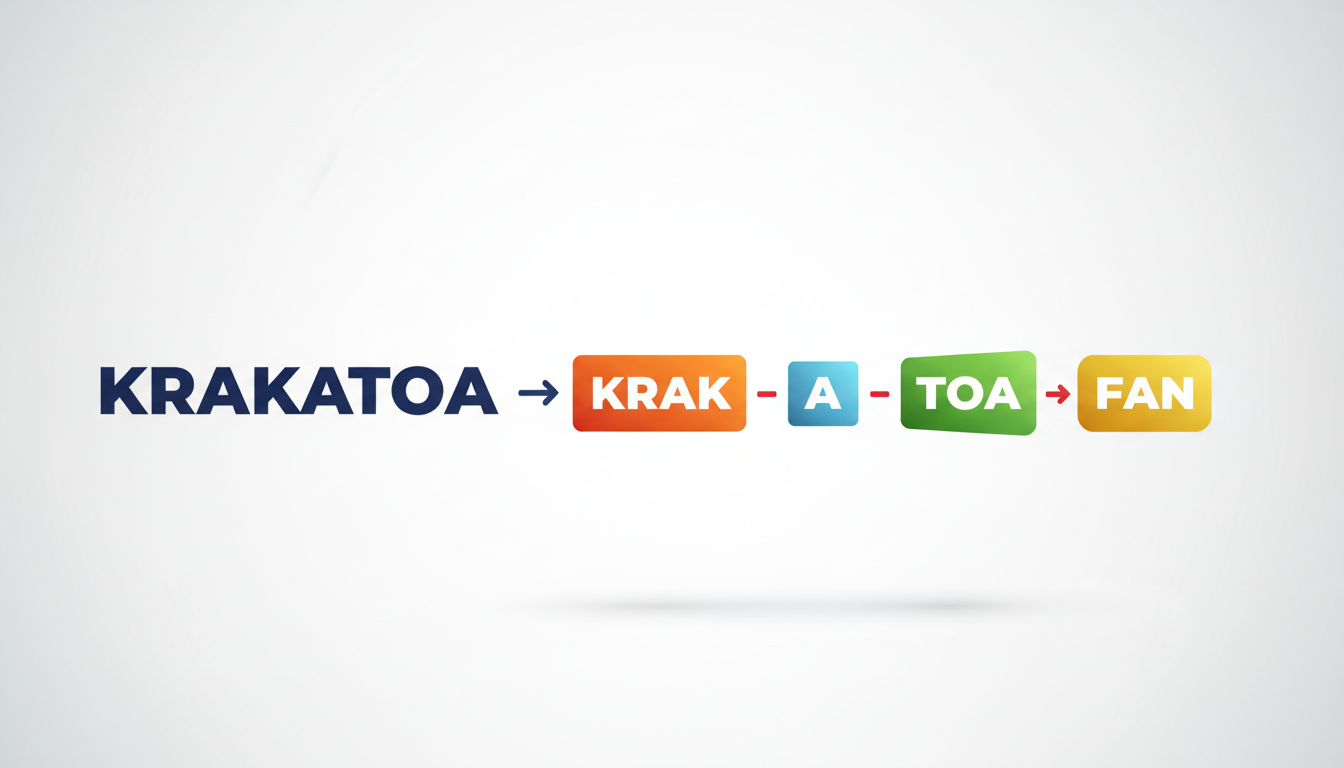
Step 1: Identify the true spoken syllables. Say the surname out loud. Ignore how it is written on paper and focus entirely on the physical sounds your mouth makes. Count the syllables and note where the natural emphasis falls.
Step 2: Replace complex letter combinations. Swap out difficult consonant clusters or unusual vowel pairings with simple, unambiguous English words or phonetic equivalents. For example, if you are writing the Vietnamese surname "Nguyen," the AI will often stumble over the initial "Ng" sound. You can guide the engine to a highly natural pronunciation by spelling it as "Win" or "Nwen."
Step 3: Apply language-specific rules. Surnames from different linguistic backgrounds require different phonetic approaches. For instance, if you are working with Gaelic names, you may want to look at phonetic spellings for Irish names to handle combinations like "bha" or "mha" which typically sound like a "v" or "w" sound in English.
Use the comparison table below as a quick-reference guide for translating common complex surnames into phonetic text:
| Actual Surname | Phonetic Spelling | Why It Works |
|---|---|---|
| Nguyen | win | Replaces the silent "g" and complex vowel cluster with a simple, familiar English word sound. |
| Krzyzewski | shuh-SHEF-skee | Breaks down the Polish consonant cluster into soft, easily readable phonetic syllables. |
| Featherstonhaugh | FAN-shaw | Bypasses the highly non-phonetic traditional British spelling entirely. |
| O'Shaughnessy | oh-SHAW-nuh-see | Simplifies the "augh" vowel sound and keeps the rhythm natural. |
| Colquhoun | ko-HOON | Removes the silent "l" and "qu" to help the AI process the middle of the name clearly. |
How to Control Stress, Pacing, and Accentuation
Once you have the basic syllables written down, you need to tell the synthetic voice engine how to perform them. AI voices read punctuation and text formatting as cues for rhythm, pauses, and emphasis.
First, use capitalization to signal emphasis on a specific syllable. If a surname has a strong stress in the middle, capitalize that entire block (e.g., "krzy-ZHEF-skee" or "oh-SHAW-nuh-see"). This formatting can help guide the engine's emphasis toward that specific syllable, making the name sound more natural.
Second, insert hyphens between syllables. Hyphens can help the AI process the syllables as distinct units rather than a single continuous word. For example, writing "ko hoon" as "ko-HOON" can encourage a cleaner transition between the two parts of the name.
Lastly, pay attention to pacing. If a synthetic voice rushes through a multi-syllable name, it can sound mumbled. Giving the engine more time to articulate complex phonemes clearly is essential. You can learn more about managing this by adjust speech rate in synthetic voice generators for better timing which helps create natural pauses around difficult words.
Testing and Refining Your Script in Fanfun
Because every AI character voice has its own unique vocal range and accent profile, a phonetic spelling that works perfectly for one voice might sound slightly different on another. This is why testing is a crucial step in your creative workflow.
When using Fanfun to create custom voice notes or personal video gifts, you can use the voice-note feature to test your phonetic spelling. Instead of committing your full script to a video right away, you can generate a short voice note with just the phonetic name. This allows you to listen to how your chosen character pronounces the name, adjust the letters, and refine the spelling before finalizing your video script.
As a best practice, keep a simple notepad document with successful phonetic spellings for your friends, family members, and colleagues. Once you find the perfect phonetic formula for a tricky surname, saving it ensures you can easily reuse it in future Fanfun video templates or voice messages without having to start the trial-and-error process over again.
Should I spell the name correctly in the video's on-screen subtitles if I use a phonetic spelling for the voice script?
Yes. If your video gift or message has on-screen subtitles, you should keep the spelling correct in the text overlay while using the phonetic spelling in the spoken voice track. When editing or adding captions in post-production, you can manually edit the subtitle text so the recipient sees their name spelled correctly while hearing the AI voice pronounce it as intended.
Does the gender or character archetype of the AI voice change how I should write the phonetic spelling?
It can. Different AI character voices are trained on different speech patterns and regional accents. A character with a strong regional accent might interpret certain vowel sounds differently than a standard neutral voice. Always use the voice preview to test your phonetic spelling with the specific character you plan to use.
What should I do if a surname has a sound that doesn't exist in standard English spelling?
If a name contains a sound not found in English (such as a rolling 'r' or a guttural 'ch'), try to find the closest English equivalent that sounds natural in context. Often, breaking the sound down into a combination of soft consonants (like 'h' or 'sh') or slightly modifying the spelling to a familiar English word sound is the best way to get a clean, recognizable pronunciation from standard synthetic voice engines.



