
How to Write Phonetic Spelling for Synthetic AI Voices
Struggling with how synthetic AI voices pronounce unusual names or slang? Learn simple phonetic spelling tricks to help improve your text-to-speech results.
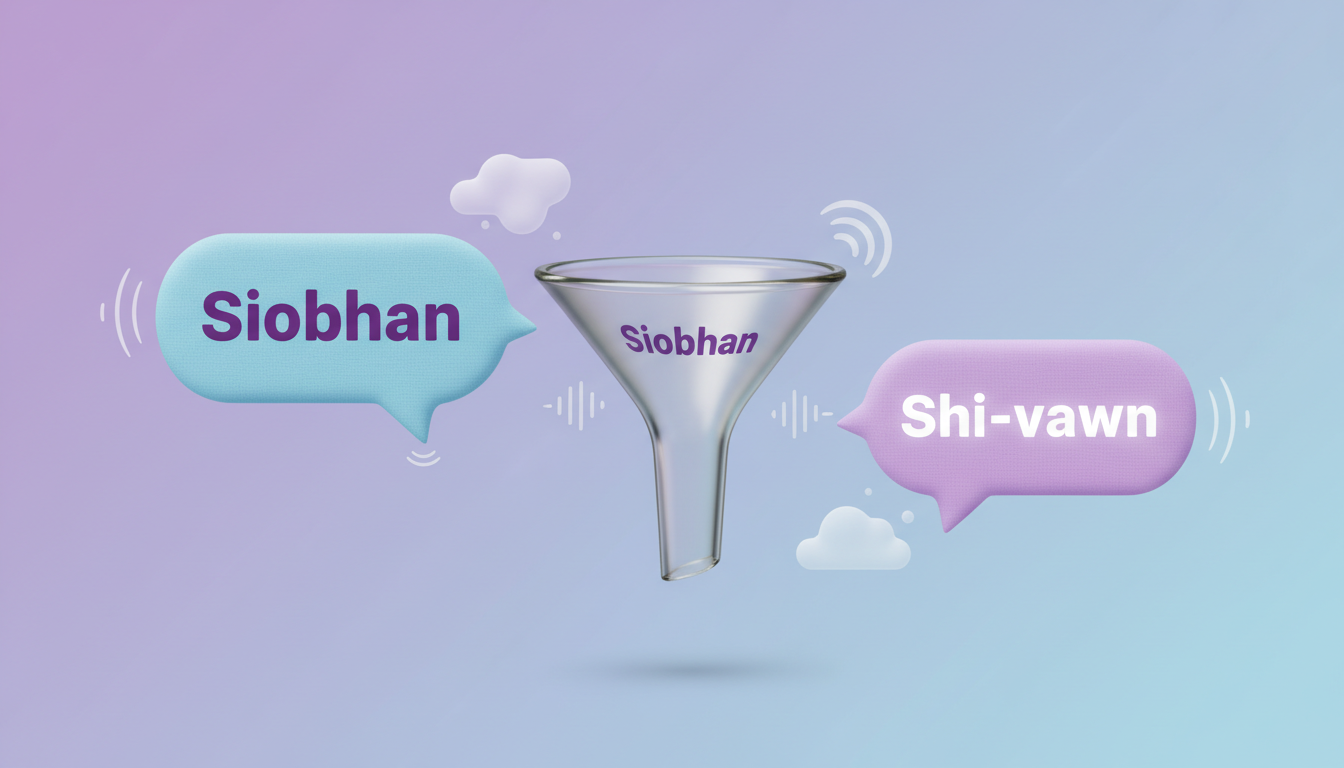
To make synthetic AI voices pronounce tricky names, slang, or brand words more accurately, you can write them phonetically based on how they sound rather than how they are officially spelled. By breaking words into simple syllables separated by hyphens (like writing "Siobhan" as "Shi-vawn"), you can help guide the AI's pronunciation. While modern synthetic voices are highly sophisticated, they lack human cultural context and often benefit from these phonetic hints to avoid mispronouncing regional names.
Why Synthetic Voices Stumble on Names and Slang
Synthetic voice generators read text literally. While this works well for everyday vocabulary, it can fall short when encountering non-traditional spellings, regional names, or modern internet slang. When you are using a platform like Fanfun to create a custom character video message, writing words closer to how they sound rather than how they are officially spelled can help you get a more natural performance.
Because AI models do not automatically know that "Sean" is pronounced "Shawn" unless they have been trained on that specific name in that exact context, unique spellings can easily trip them up. To help guide the voice output, you can act as the director, providing the synthetic voice with intuitive phonetic cues.
The 'Sounds-Like' Framework for Phonetic Spelling
You do not need to learn the complex International Phonetic Alphabet (IPA) to get great results. Instead, you can use a simple "sounds-like" framework that relies on basic spelling tweaks and hyphenation.
Start by breaking the tricky word down into its individual syllables, separating each with a hyphen. From there, map the vowels and consonants to their most basic, unambiguous spellings:
- Long A: Use "ay" (as in play)
- Long E: Use "ee" (as in meet)
- Long I: Use "eye" or "y" (as in sky)
- Long O: Use "oh" (as in boat)
- Soft C: Replace with "s" (e.g., "cell" to "sell")
- Hard CH: Replace with "k" if it sounds like a K (e.g., "character" to "ka-rak-ter")
For specific tips on handling elegant European pronunciations, see our guide on how to use phonetic spelling for French names in text to speech.
Here is a quick-reference table for common names and terms that often confuse synthetic voices:
| Standard Spelling | Phonetic Translation | Why It Works |
|---|---|---|
| Joaquin | Wah-keen | Bypasses the silent 'J' and 'o' |
| Xavier | Zay-vee-er | Clarifies the starting 'Z' sound |
| Penelope | Peh-neh-loh-pee | Prevents the voice from saying "Pene-lope" |
| Nguyen | Win | Simplifies the complex Vietnamese pronunciation |
How to Handle Syllable Stress and Pacing
Pronunciation is only half the battle; rhythm and emphasis are key to a natural-sounding voiceover. Without clear phrasing, an AI voice might rush through a name or place the stress on an unexpected syllable, turning a heartfelt greeting into a robotic statement.
To help guide syllable stress, try experimenting with different phonetic spellings or breaking the word into distinct parts. For example, if a name is being mispronounced, writing it out in smaller, recognizable word chunks can sometimes guide the voice to place the emphasis where you want it.
Pacing is equally important. Synthetic voices often respond to standard punctuation marks. If your phonetic spelling looks like a jumbled string of letters, the AI might slur them together. Try using commas or periods to encourage natural pauses, giving the voice generator a moment of silence between phrases. Learn more about managing natural pauses and rhythm in our guide on how to write scripts for AI voiceover pacing.
A Step-by-Step Workflow for Testing Your Scripts
Before you generate your final custom video on Fanfun, follow this practical checklist to ensure your phonetic script sounds exactly right:
- Read it out loud yourself: Read your phonetic spelling exactly as it is written on the page. If your own mouth stumbles over the hyphens and letter combinations, the AI voice likely will too.
- Generate a short test snippet: Instead of committing a long script to the generator, test tricky names or slang in a short, five-word sentence first. This saves time and ensures your phonetic spelling is on point.
- Iterate on vowel sounds: If the voice sounds too flat or overly robotic on a specific name, try swapping the vowels. For instance, if "ay" sounds too sharp, try "eh" or "ae" until you find the perfect match.
If you are writing a script for a promotional message, check out our tips on how to write promo scripts for fictional character voices to make sure your overall pacing and structure keep your audience engaged.
Does phonetic spelling work the same way for different character accents?
While the general framework of breaking words into syllables works across all voices, different character accents may interpret vowel sounds slightly differently. For example, a British synthetic voice may pronounce "ah" with a broader sound than an American voice. It is always best to run a short test snippet to check how your chosen character accent handles your spelling.
How do I spell out numbers and dates to ensure the synthetic voice says them correctly?
To avoid any ambiguity, write out numbers and dates exactly as you want them spoken. Instead of writing "2026," write "twenty twenty-six" or "two thousand twenty-six" depending on the desired delivery. For dates, write "October twenty-eighth" instead of "10/28."
Can I use standard IPA (International Phonetic Alphabet) symbols in my AI script?
Most consumer synthetic voice generators and text-to-speech platforms do not support raw IPA symbols. Using standard Latin letters and hyphens is much more reliable and easier for the AI engine to parse correctly.



