
How to Use Phonetic Spelling for French Names in Text to Speech
English-configured AI voice models can struggle with French names. Here is a simple phonetic cheat sheet and three rules to guide the AI toward natural pronunciation.

To make an English-trained text-to-speech engine pronounce French names correctly, you must bypass standard French spelling and write the names phonetically using English phonics rules. For example, typing "Gee-ohm" instead of "Guillaume" forces the AI to output the correct sounds. While AI voice models are highly capable, English-configured voices typically default to English pronunciation rules. By using phonetic spelling, you can ensure your custom video messages sound natural and intentional rather than robotic.
Why English AI Voices Struggle with French Names
Many English-configured AI voice models default to English phonics rules when reading text. This means when they encounter a French name, they may try to apply English pronunciation patterns. An English AI engine might read "Guillaume" as "Gwill-owm" instead of "Gee-ohm", altering the flow of your script. It is not a flaw in the AI itself; it is simply a linguistic gap between how French words are written and how English voices are programmed to interpret letters.
On Fanfun, where you can create custom AI character video messages to roast your friends or send birthday wishes, getting a name right is the difference between a hilarious, highly personalized message and a confusing, robotic miss. Since these virtual characters are designed to sound expressive, a butchered name can break the illusion instantly. Trick the AI by spelling the name exactly how it sounds to an English ear.
The French-to-English Phonetic Cheat Sheet
Before diving into the rules, here is a quick-reference guide for some of the most common French names that English text-to-speech engines struggle with. Copy these phonetic spellings directly into your script generator to get clean, natural results.
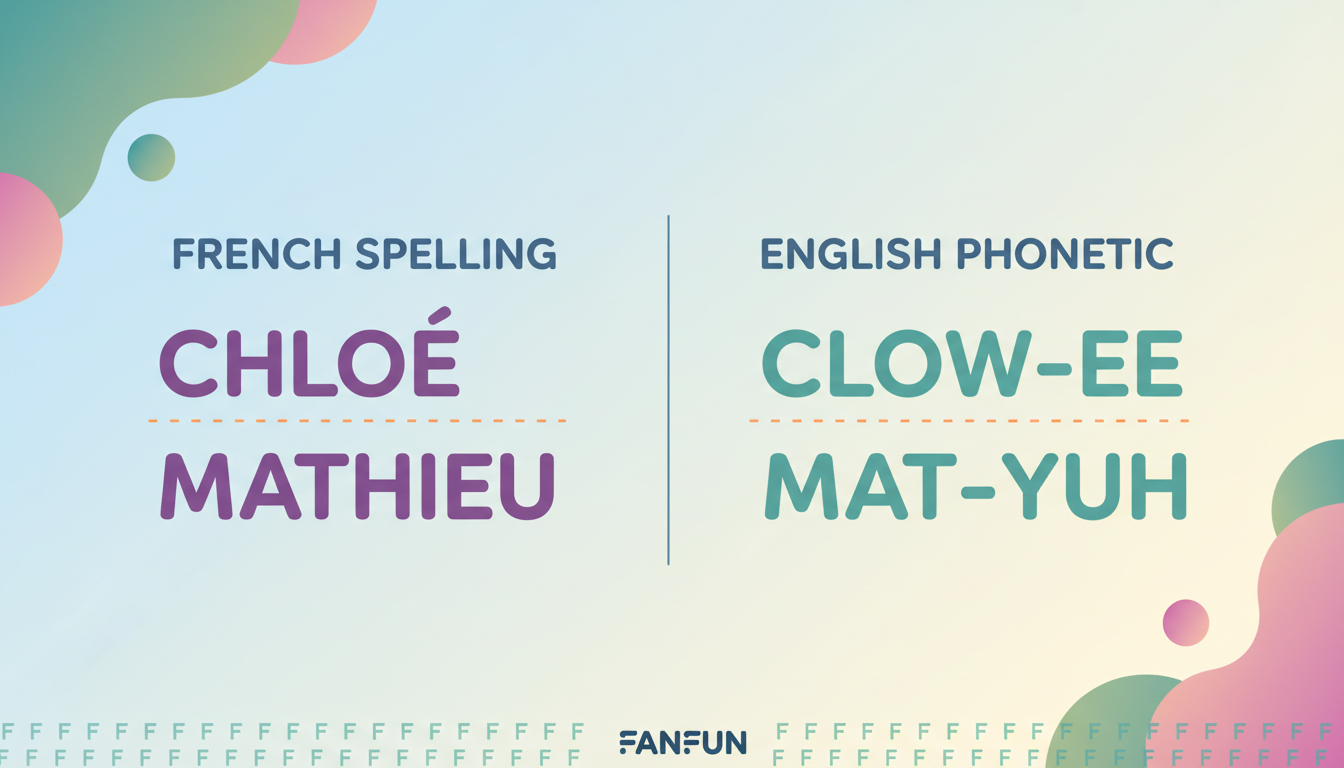
| French Name | Phonetic Spelling to Type | Why It Works |
|---|---|---|
| Chléo / Chloé | Clow-ee | Bypasses the hard English "ch" sound (like in "chair"). |
| Jean-Pierre | Zhon Pee-air | Creates the soft French "J" and places emphasis on the second syllable. |
| Mathieu | Mat-yuh | Prevents the AI from pronouncing the English "th" sound. |
| Guillaume | Gee-ohm | Bypasses the silent "u" and "ll" trap. |
| Amélie | Ah-may-lee | Ensures the initial "A" is soft and the "é" has the correct "ay" sound. |
Three Golden Rules for Phonetic French in Text to Speech
If the French name you want to use is not on the cheat sheet, you can easily create your own phonetic spelling by applying these three golden rules.
Rule 1: Kill the Silent Endings
French is famous for silent ending consonants and vowels that modify preceding sounds. An English AI model will try to pronounce every single letter. If a name ends in a silent "e", "es", or "t", drop those letters and spell the ending phonetically. For example, spell "Laurent" as "Lo-rahn" to prevent the AI from pronouncing a hard "t" sound at the end.
Rule 2: Swap the "J" and "Ch"
English AI engines default to a hard "J" (like in "judge") and a hard "Ch" (like in "chair"). French uses a much softer "J" and "Ch". To get the correct sound, swap "J" for "Zh" (which mimics the soft "s" in "measure") and swap "Ch" for "Sh" (like in "shoe"). For example, write "Jacques" as "Zhahk" and "Charlotte" as "Shar-lot". Keep in mind that understanding how expressive cartoon voices interpret custom spellings differently than standard models is key here, as highly stylized voices might require even more exaggeration to hit the right consonant sounds.
Rule 3: Account for the Nasal "An" and "On"
Nasal vowels do not really exist in standard English phonics, so English AI models will pronounce the "n" very clearly. To get a closer approximation of the French nasal sound, use "ohn" or "ahn", but keep the "n" soft. For instance, spell "Antoine" as "An-twan" and "Jean" as "Zhon" to guide the voice model toward the correct resonance.
Testing and Refining Your Phonetic Scripts
Phonetic spelling is an art, not a perfect science. Because different AI models have unique training profiles, a phonetic spelling that works for one voice might sound slightly off on another. Here is a quick workflow to test and refine your script before finalizing your video message:
- Test with short drafts: If your text-to-speech tool allows for quick testing, try generating just the phonetic name first to see if the pronunciation lands correctly before finalizing your full script.
- Adjust vowel length: You can control the pacing of the name by adding or removing letters. For example, if "Pee-air" sounds too rushed, try "Peee-air" or "Pe-air" to change how long the AI voice lingers on a syllable. This is a highly effective trick when directing a text-to-speech generator with emotional range and natural pacing.
- Watch the punctuation: Placing a comma immediately after a phonetically spelled name can give the AI a moment to breathe, making the transition back to standard English text sound much smoother.
If you are creating a complex message with multiple characters speaking to each other, planning your phonetic spellings in advance is crucial. For more advanced tips on structuring your dialogue, check out our guide on how to script custom voice text-to-speech for multi-character video edits. With a little phonetic tweaking, you can make your Fanfun custom messages sound incredibly natural, ensuring your favorite characters deliver your roasts and wishes exactly the way you intended.
Do I need to include French accents like é or ç in my AI text-to-speech input?
It depends on the specific voice model, but when using an English-configured voice, accents may not produce the intended sound. You can try writing out the sound using standard English letters if the generator struggles with accented characters.
Why does the AI voice sound robotic when I spell a French name phonetically?
If the AI sounds robotic, the phonetic spelling might be too complex or disjointed. Try simplifying the spelling. Use common English word fragments that the AI already knows how to pronounce, rather than a long string of random letters.
How do I handle French last names in text-to-speech?
Apply the same three golden rules to last names. Break the last name down syllable by syllable, write out each syllable using English phonics, and join them with simple hyphens to help the AI understand where to place the emphasis.



