
How to Get Synthetic Voices to Emphasize Specific Words in Your Scripts
AI voice engines don't read minds, but formatting can influence their delivery. Learn how creators use punctuation, capitalization, and phonetic spelling tweaks to guide a synthetic character's performance.

To guide how a synthetic voice emphasizes specific words, creators often experiment with strategic text formatting—such as selective capitalization, elongated vowels, hyphens, and deliberate punctuation—to influence the default text-to-speech rendering. At Fanfun, we help creators design personalized AI character video messages, where getting the right vocal tone makes all the difference. While professional developers use complex Speech Synthesis Markup Language (SSML) tags, many creator-friendly platforms allow you to guide vocal stress using standard keyboard characters. However, keep in mind that synthetic voice models process these cues as suggestions rather than strict rules, meaning results will vary depending on the chosen character persona and the overall flow of your script.
The Mechanics: How Synthetic Voices Interpret Text Styling
Synthetic voice generators do not read minds, but they do read formatting. Modern AI voice engines analyze your text input to predict the pitch, volume, and pacing of the spoken output. When you type a standard sentence, the AI applies a generalized linguistic model to determine which words should naturally carry weight. However, these default models often default to a flatter, more conversational tone than you might want for a personalized video message or a dramatic greeting.
By introducing specific formatting markers, you can attempt to signal the AI to adjust its vocal parameters. Punctuation sometimes acts like stage instructions. For instance, depending on the model, a comma might prompt a brief pause, while an exclamation point might influence the tone or energy of the sentence. When using synthetic voice platforms, it is often helpful to test your script in short drafts or voice notes before committing your credits to a final video render.
The Formatting Cheat Sheet for AI Voice Emphasis
Directing an AI voice doesn't require coding skills. By using standard characters on your keyboard, you can guide the pacing and emotional weight of your script. Here is a breakdown of the most reliable formatting techniques you can use today.
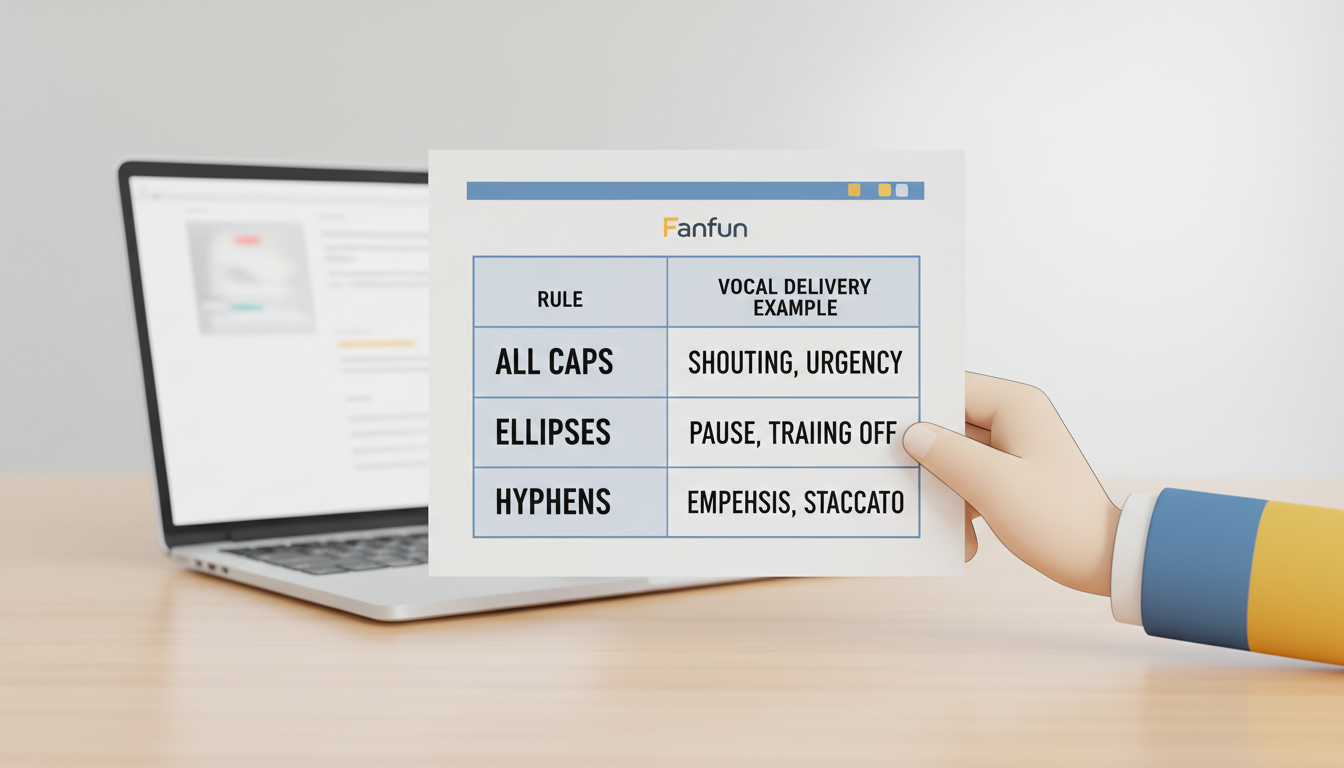
| Formatting Technique | Vocal Effect | Example Script |
|---|---|---|
| ALL CAPS | May prompt the engine to apply stronger emphasis or alter delivery style. | "This is a HUGE success!" |
| Elongated Vowels | Can sometimes encourage the engine to extend the pronunciation of the word. | "I am soooo excited to see you!" |
| Hyphenation | May introduce a slight break or alter the rhythm within a word. | "That is un-believable." |
| Ellipses (...) | Often prompts the engine to insert a pause in the speech flow. | "And the winner is... Sarah!" |
Applying the Techniques Safely
When using ALL CAPS, use them sparingly. If you capitalize an entire sentence, the AI might get confused and start pronouncing individual letters. If you want to dive deeper into avoiding this common issue, check out our guide on how to stop synthetic voices from spelling out words in your script.
Elongating vowels is often tried for casual, friendly, or energetic character personas. However, adding too many letters can sometimes break the AI's pronunciation engine entirely. If you want to master the art of phonetic tweaking, you can learn how to write phonetic spelling for synthetic AI voices to get the exact pronunciation you want.
Finally, strategic punctuation is a common tool for pacing. Commas and ellipses are frequently used to help break up monotonous blocks of text. For a deeper look at managing the timing of your script, read our guide to fixing unnatural pauses in synthetic character speech.
Before and After: Script Examples for AI Characters
To see how these formatting rules translate to actual speech, let's look at two common scenarios you might write for a personalized video message. Notice how the emphasized versions use simple keyboard tricks to help transform flat phrasing into a more lively performance.
Scenario 1: The Birthday Hype Message
- Flat Script: "Happy birthday Alex. I hope you have a great day and eat a lot of cake."
- Emphasized Script: "Happy birthday, Alex! I hope you have a... GREAT day, and eat a whole bunch of caaaake."
Scenario 2: The Dramatic Reveal
- Flat Script: "I have a big secret to tell you. I am actually your biggest fan."
- Emphasized Script: "I have a... big... secret to tell you. I am actually... your... BIGGEST fan!"
By breaking up the sentence with ellipses, we aim to prompt the AI character to slow down, mimicking the suspense of a real-person recording. The capitalized "BIGGEST" is intended to encourage the engine to finish the sentence with more impact.
If you are working with animated or cartoon personalities, these tweaks can be helpful to keep their high-energy delivery from sounding flat; check out our tips on getting expressive cartoon voices for text-to-speech without the robotic flatness to learn more.
Troubleshooting Emphasis Pitfalls
While formatting tricks are incredibly powerful, overusing them can lead to unexpected audio glitches. To ensure your final video message renders beautifully, keep these three golden rules in mind:
- Avoid Over-Capitalization: Limit ALL CAPS to one or two key words per sentence. Capitalizing too many words in a row destroys the contrast needed for emphasis and can cause spelling glitches.
- Watch Out for Extreme Punctuation: Stacking multiple exclamation points or question marks (like "!!!???") can confuse the rendering engine, causing the audio to clip or cut off. If you run into clipping or missing words, read our walkthrough on how to fix cut-off words in automated speech generation.
- Balance Phonetics with Readability: If you alter a word's spelling too drastically (such as writing "congraaaaaats" with twenty 'a's), the AI might fail to recognize the word entirely and output gibberish. Keep your phonetic adjustments subtle.
By starting with small tweaks and previewing your script using available voice tools, you can work to dial in the delivery for your custom video message.
Can I use SSML tags in synthetic voice scripts?
Many creator-focused platforms do not support raw SSML tags. Instead, they may interpret standard punctuation, capitalization, and phonetic spelling adjustments to help shape the voice delivery.
Why does the AI voice spell out my emphasized words instead of saying them?
This usually happens when a word is fully capitalized and the AI engine mistakes it for an acronym. To fix this, try capitalizing only the first letter, or use ellipses and hyphens to add emphasis instead of ALL CAPS.
Does changing the punctuation affect the video timing?
Punctuation marks like commas, periods, and ellipses can influence the pacing of the speech, which may affect the overall duration of your script depending on how the engine interprets them.



