Beyond the Generic Wizard: How to Direct a Fantasy Character Voice Generator for Immersive Worldbuilding
Default AI voices can ruin the immersion of a great fantasy setting. Learn how to act as an audio director, utilizing specific formatting hacks and archetype matching to draw cinematic performances out of your character voice generator.
Standard text-to-speech engines are built for utility, not high drama. When they read epic fantasy lore, they often sound like GPS units navigating a standard highway rather than an ancient wizard warning of an impending apocalypse. To truly pull your audience into a fantasy setting—whether for an indie game, a tabletop campaign, or a viral lore video—you cannot rely on default, uncalibrated AI voices that lack emotional depth.
To build an immersive world, you must step into the role of an audio director. By understanding vocal textures, leveraging specific punctuation hacks, and utilizing Fanfun's instant character generation tools, you can transform flat text into cinematic, emotionally resonant performances. Here is how to command a fantasy character voice generator to breathe authentic life into your world's denizens.
The High-Fantasy Voice Problem: Why Default Text-to-Speech Breaks the Illusion
The core issue with standard text-to-speech engines is their lack of dramatic cadence, ancient weight, and ethereal quality. High-fantasy worldbuilding relies heavily on atmospheric tension. A legendary elf should speak with a timeless, airy resonance, while a battle-weary dwarf needs a gravelly, chest-heavy rumble. Standard AI voice engines read text sequentially, aiming for clarity and efficiency rather than theatrical delivery. This results in flat, modern inflections that instantly break a listener's suspension of disbelief.
Dramatic voice acting requires an understanding of subtext, pacing, and emotional gravity. A line like, "The gates have fallen," should not be read with the same cheerful rising intonation used to announce a weather update. This is where Fanfun serves as the instant, character-first alternative. Instead of wrestling with sterile, corporate voice models designed for customer service bots, creators can access highly specialized, expressive fantasy voices in minutes. By bypassing generic narration, you can choose voices that carry built-in dramatic weight and cultural flavor tailored specifically to fantasy archetypes.
The Vocal Archetype Matrix: Matching Textures to Fantasy Races
Before typing a single line of dialogue into a generator, you must define the vocal profile of the speaker. A character's origin, age, and magical nature dictate their vocal weight, resonance, and tempo. For example, creatures tied to the earth or physical labor naturally command lower registers with high physical friction (rasps, growls), while magical or long-lived beings lean toward high-resonance, slow-tempo delivery.
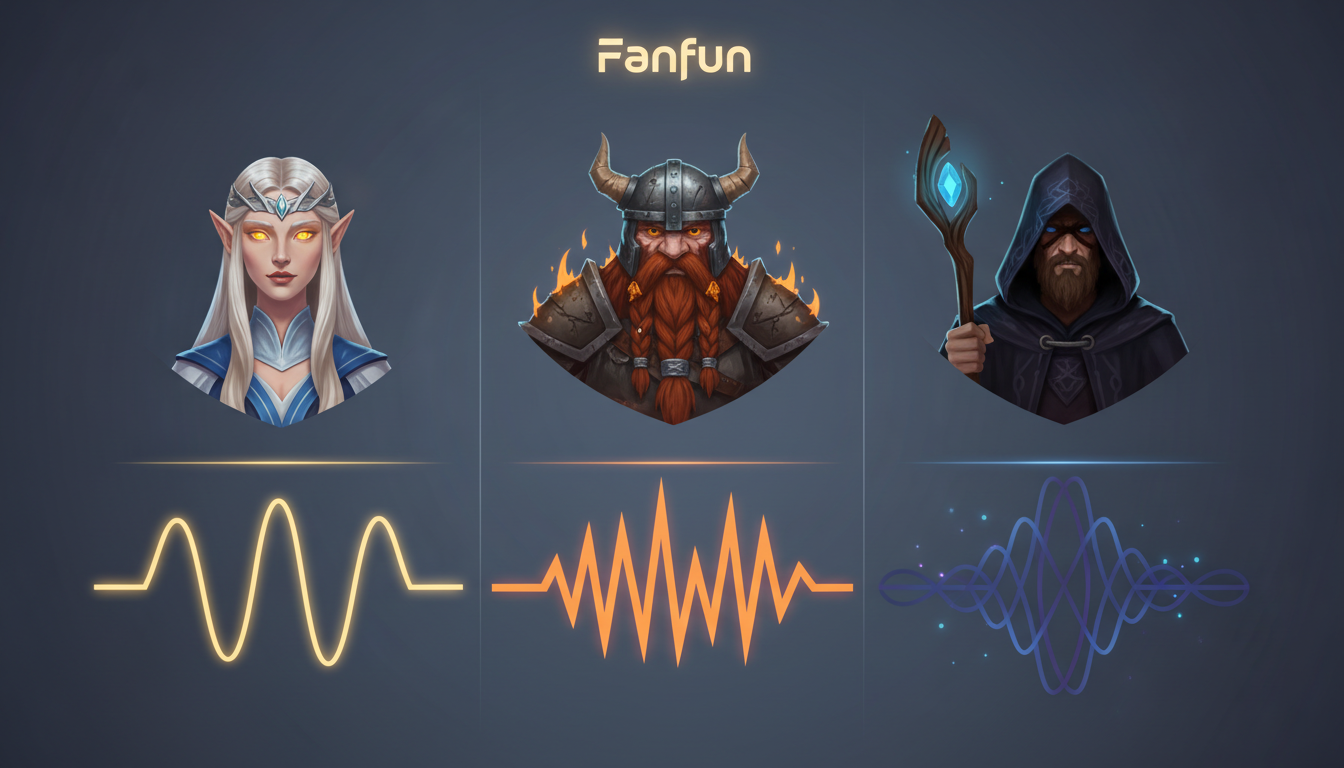
To help you map your world's inhabitants to the correct vocal settings, use the Vocal Archetype Matrix below to guide your casting and direction decisions.
| Vocal Profile | Primary Races | Key Characteristics | Emotional Baseline | Delivery Style |
|---|---|---|---|---|
| Ethereal | Elves, Spirits, Deities | High-resonance, head voice, soft sibilance, elongated vowels | Serene, detached, ancient | Slow, flowing tempo with soft, breathy pauses |
| Gritty | Dwarves, Orcs, Warriors | Low register, chest voice, heavy gravel, hard consonants | Stoic, aggressive, weary | Rhythmic, staccato pacing with abrupt endings |
| Arcane | Wizards, Warlocks, Liches | Mid-to-low register, dry texture, dynamic pitch shifts | Calculated, eccentric, intense | Unpredictable tempo, dramatic whispering, sudden rises |
Archetype Deep Dive: Directing Specific Fantasy Roles
The Ancient & Ethereal (Elves, Spirits, Deities)
When directing an ethereal voice, your primary goal is to strip away modern urgency. Elves and immortal spirits do not rush their speech; they have lived for millennia and speak as if they have all the time in the world. To achieve this, structure your scripts with longer, flowing sentences. Avoid sharp contractions like "don't" or "can't"—use "do not" and "cannot" to force a more formal, majestic cadence. Encourage a soft, breathy delivery by inserting descriptive cues that prompt the AI to whisper or soften its tone, ensuring the head-voice resonance remains dominant.
The Earthy & Gritty (Dwarves, Orcs, Warriors)
For gritty characters, the voice must feel heavy, as if it was forged in a mine or shaped by decades of battlefield shouting. This archetype relies heavily on chest resonance and hard, plosive consonants (P, T, K, B, D, G). Keep their sentences short, punchy, and direct. To get a gravelly or raspy voice, select models that feature a lower pitch baseline and a slightly dry vocal fry. If your generator allows for style adjustments, dial up the physical tension to simulate the vocal strain of a seasoned warrior or an ancient stone-carver.
The Cryptic & Arcane (Wizards, Warlocks, Seers)
Wizards and spellcasters should sound unpredictable, carrying the mental burden of forbidden knowledge. Their voices need to shift dynamically between quiet, intense whispers and booming, authoritative declarations. To direct this archetype, construct scripts that feature sudden shifts in sentence structure. Use short, cryptic fragments followed by long, winding explanations. This variation prevents the AI generator from settling into a predictable, monotonous rhythm, keeping the listener on edge and emphasizing the character's eccentric nature.
Directing the Script: Punctuation Hacks for Spellcasting and Epic Lore
To get the best performance out of a character voice generator, you cannot write scripts the way you would write a standard novel. You must write phonetically and use punctuation as a set of direct instructions for the AI's pacing and breathing engine. Punctuation marks are the dials and switches that control the dramatic pauses and tension in your audio.
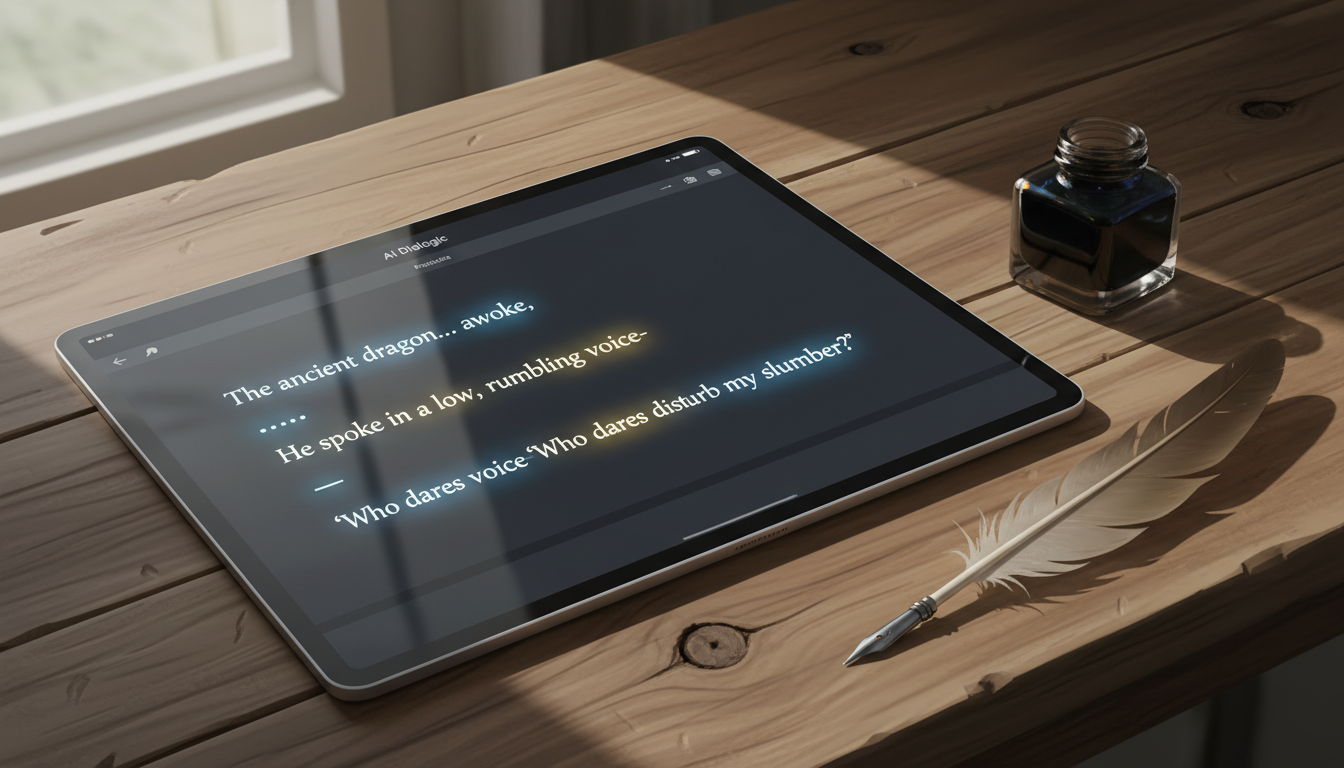
Use ellipses (...) to force the AI to pause and take a breath, simulating weariness, suspense, or the slow gathering of magical energy. Em-dashes (—) are excellent for creating sudden, abrupt stops or sharp transitions in thought. For example, instead of writing: "The spell is dangerous and it might destroy us all," try formatting it as: "The spell... it is dangerous—it might destroy us... all of us." The latter forces a labored, dramatic delivery that feels alive.
Phonetic spelling is equally crucial when dealing with fantasy nouns and magical incantations. AI models will stumble over complex fantasy names or read them with modern, flat pronunciations. To prevent this, spell words out phonetically in your generation script. For example:
- Change "Mage" to "Mayj"
- Change "Aether" to "Ee-ther"
- Change "Mithril" to "Mith-ril"
- Change "Xanthar" to "Zan-thar"
When writing epic speeches, you must carefully balance high-energy heroic delivery with quiet, intimate lore-drops. You can contrast fantasy pacing with the high-energy delivery covered in our guide on directing an anime protagonist voice generator for maximum Shonen energy, or lean into the calculated menace detailed in our villain voice generator directing guide to make your dark wizards and necromancers sound genuinely terrifying.
Scaling Your World: Using Fanfun for Interactive Lore and Campaigns
For indie game developers, tabletop game masters (GMs), and fantasy content creators, voicing an entire world of characters is historically expensive and logistically difficult. Hiring voice actors for dozens of minor NPCs, tavern keepers, and quest-givers can quickly drain a budget. By using Fanfun, creators can scale their worldbuilding instantly. You can generate custom dialogue for an entire village of unique characters in minutes, maintaining distinct vocal identities for each resident.
If you are creating lore videos for TikTok, YouTube Shorts, or Instagram Reels, high-production audio is the key to viewer retention. A video featuring a beautifully voiced ancient dragon explaining world history will perform significantly better than one using a basic, robotic text-to-speech voice. When structuring dialogues between multiple fantasy characters, ensure you maintain distinct vocal contrast. You can do this by applying the casting principles found in our character AI voice generator narrative guide, which helps you balance high-pitch and low-pitch voices so your heroes, villains, and sidekicks never bleed into one another during a scene.
Evaluating Fantasy Voice Output: A Quality Assurance Checklist
Once you have generated your fantasy audio, you must audit the output to ensure it preserves the immersion of your fictional setting. A voice that sounds technically clear can still feel creatively flat or out of place in a medieval tavern.
Run your generated audio through the following quality assurance checklist before publishing or integrating it into your project:
- The Immersion Test: Does the voice sound like it belongs in a damp stone castle, a bustling tavern, or a sterile modern recording studio? If it sounds too crisp and dry, consider adding subtle environmental reverb or background atmospheric noise (crackling fire, wind, crowd murmur) in post-production.
- Pronunciation Check: Did the generator stumble over fantasy nouns, titles, or spell names? If a word sounds unnatural, adjust the phonetic spelling in your script and regenerate that specific line.
- Pacing and Breathing: Are there natural pauses between sentences? If the AI is rushing through the lore, add ellipses (...) or commas to force dramatic breathing space.
- Emotional Consistency: Does the emotional tone match the stakes of the scene? Ensure a character discussing a tragic curse doesn't sound overly cheerful or indifferent.
By constantly refining your scripts and using professional standards to evaluate your final audio, similar to the process outlined in our celebrity voice generator evaluation guide, you can ensure your fantasy world sounds broadcast-ready, highly professional, and deeply immersive for your audience.
How do I make an AI fantasy voice sound less robotic?
To make an AI fantasy voice sound natural, avoid standard punctuation. Use ellipses (...) to create realistic pauses and breathing room, and em-dashes (—) to simulate sudden interruptions or shifts in thought. Additionally, write fantasy nouns phonetically (e.g., "Ee-ther" instead of "Aether") to prevent the AI from mispronouncing them with a flat, modern cadence.
Can I use AI voice generators to voice NPCs in my indie game or TTRPG?
Yes! Platforms like Fanfun are ideal for tabletop GMs and indie developers who need to voice dozens of unique NPCs on a budget. By utilizing different vocal profiles (Ethereal, Gritty, Arcane) and adjusting pacing, you can quickly build a diverse cast of characters for your campaign or game build.
What is the best way to write magical spells and incantations for AI voices?
Break the spell down into phonetic syllables separated by hyphens (e.g., "Ig-nis... Mor-ti-fer-um"). Use ellipses between words to force the voice generator to deliver the incantation with slow, dramatic intensity, rather than rushing through the words as if reading a standard sentence.
How do I get a gravelly or raspy voice for an Orc or Dwarf character?
Select a voice model with a naturally low, chest-heavy register and a dry vocal fry. Keep your script sentences short, staccato, and filled with hard, plosive consonants (like K, T, G, and P) to force the generator to produce a rugged, aggressive delivery.