
How to Choose the Right Virtual Character Video Message Style for Kids
Selecting the perfect virtual character message for your child means matching their age with the right visual style and script length. Discover how to create safe, engaging digital greetings that kids of all ages will love.
Choosing the right virtual character video message style for your child depends on matching their developmental stage with the appropriate visual complexity, script length, and tone. While toddlers respond best to simple, bright animated personas in short clips, older kids enjoy humorous, gaming-inspired avatars. By selecting an age-appropriate format and keeping scripts concise, you can create a memorable digital greeting using tools like Fanfun, keeping in mind that AI-generated voices are playful creative tools rather than exact human replicas.
Match the Character Style to Your Child's Developmental Stage
Children of different ages interact with digital media in vastly different ways. To make your video greeting feel magical rather than confusing, it helps to select a virtual character style that aligns with where they are developmentally.
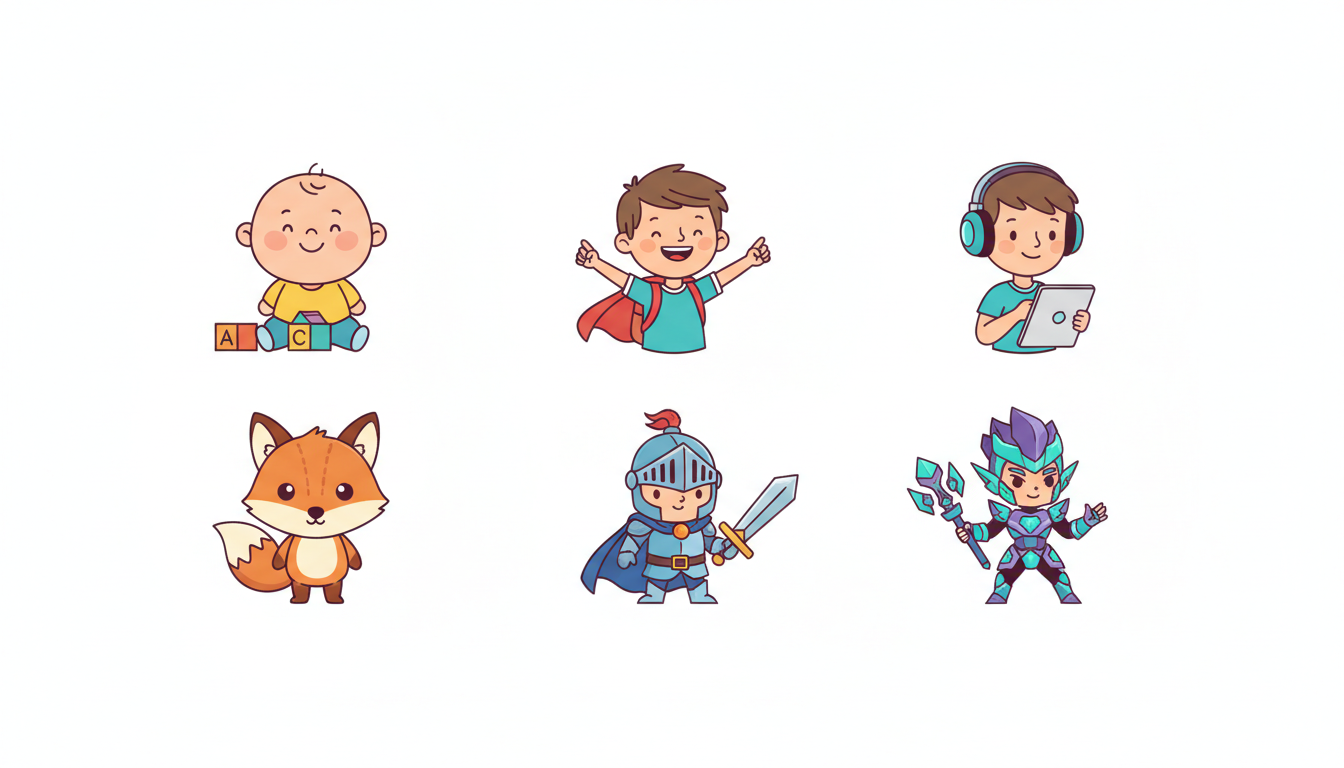
- Toddlers (Ages 1-3): Opt for bright, simple, and highly recognizable animated personas. Keep the tone gentle, welcoming, and slow-paced, avoiding complex storylines or sudden transitions. If you are planning a surprise for this youngest group, consider pointing to our practical guide on introducing these digital messages to very young children to keep the experience calm and enjoyable.
- Young Children (Ages 4-7): This group loves interactive-feeling fantasy heroes, friendly animals, and magical figures. They respond wonderfully to direct encouragement, simple milestone celebrations, and playful call-and-response prompts.
- Pre-Teens (Ages 8-12): Older kids appreciate humor, pop-culture references, or gaming-inspired digital personas. Because they can easily distinguish AI avatars from real people, they enjoy the novelty of the technology itself and love seeing their favorite gaming or animated aesthetics customized just for them.
To help you decide, here is a quick visual and style framework for matching characters to age groups:
| Age Group | Ideal Character Style | Recommended Tone | Key Focus |
|---|---|---|---|
| 1–3 Years | Simple, bright cartoon animals or familiar faces | Gentle, repetitive, and warm | Visual recognition and basic greetings |
| 4–7 Years | Fantasy heroes, magical creatures, friendly guides | Enthusiastic, encouraging, and interactive | Milestones, birthdays, and achievements |
| 8–12 Years | Gaming avatars, pop-culture personas, humorous characters | Witty, playful, and culturally relevant | Novelty, inside jokes, and custom humor |
Select the Best Presentation Format and Script Length
When creating a digital greeting, less is often more. A child's attention span can be brief, and keeping your message concise helps keep them engaged.
- Keep it concise: A 30-second script (roughly 60 to 70 words) is the sweet spot. It provides just enough time for a warm greeting, a personalized mention, and a cheerful sign-off without losing their focus.
- Choose the right format: To find the right fit for your family, consider directing readers to our comparison of various custom video presentation styles. Whether you want a full-scene video template or a simple, downloadable voice note, picking the format that matches your delivery method makes all the difference.
- Optimize your credits: Remember that Fanfun's video credits cover up to 30 seconds of speech per credit. Keeping your script focused is not only highly engaging for your child, but it is also the most cost-effective way to create your custom greeting.
Drafting the Script: Personalization and Pronunciation Tips
The magic of a virtual character message lies in the details. When a character mentions a child's real-life achievements, the message instantly becomes a treasured keepsake.
To make the script feel uniquely theirs, focus on specific, positive milestones like learning to ride a bike, sharing toys with a sibling, or an upcoming birthday. If you are writing a script for a big milestone celebration, you can get inspired by linking to our creative prompt templates for writing congratulatory messages.
Because AI voice generators interpret text literally, names and unusual words can sometimes sound unexpected. To help the voice read your script more naturally, you can use phonetic spelling for unique names or uncommon words in your prompt. For example, write "A-lee-sha" instead of "Alicia," or "Kai-lo" instead of "Kylo."
Example 30-Second Script Template
Here is an illustrative script template you can customize for a young child's birthday:
"Hey there, [Phonetic Name]! I heard a rumor that you are turning five years old today! That is so exciting. I also heard you did an amazing job learning to ride your bike this week. Keep up the great work, have an awesome birthday party, and remember to share your cake! Bye for now!"
Setting Realistic Expectations and Planning Your Delivery
AI-generated voices are wonderful, playful creative tools designed for lighthearted entertainment. While they are highly customizable and incredibly fun, they are distinct from real-person recordings. Embracing this novelty as a fun digital greeting is key to enjoying the creative process.
To help get the best result, review your written script carefully before finalizing your video generation. This lets you catch any typos or phrasing issues before you use your video credits.
Finally, think about how you will present the completed video. If you are planning a birthday party, you can learn the technical setup by guiding parents on how to set up a continuous video loop for birthday gatherings. This allows the guest of honor and their friends to enjoy the digital surprise on a TV or tablet screen throughout the celebration.
How long does it take to generate a custom virtual character video for kids?
Once your video is generated, Fanfun sends the finished video to the email address you provide, and it also appears in your creation history. Because generation times can vary, it is always a good idea to create your video well before you plan to share it.
Can I download the video file to keep forever?
Yes! Once your video is generated, Fanfun sends a link to your email, and the video appears in your creation history. You can download the completed video file to your device to keep, share, or loop as often as you like.
What should I do if the AI mispronounces my child's name in the video?
To help prevent mispronunciations, you can write the name phonetically in your script (e.g., "Mah-kai" for Makai) before finalizing the video creation.



