
Choosing the Right Presentation Style for Your Custom Virtual Character Video Message
Creating a virtual character video message is a fun way to celebrate, but choosing the right template style is key. Here is how to match your video's visual presentation to your script and occasion.
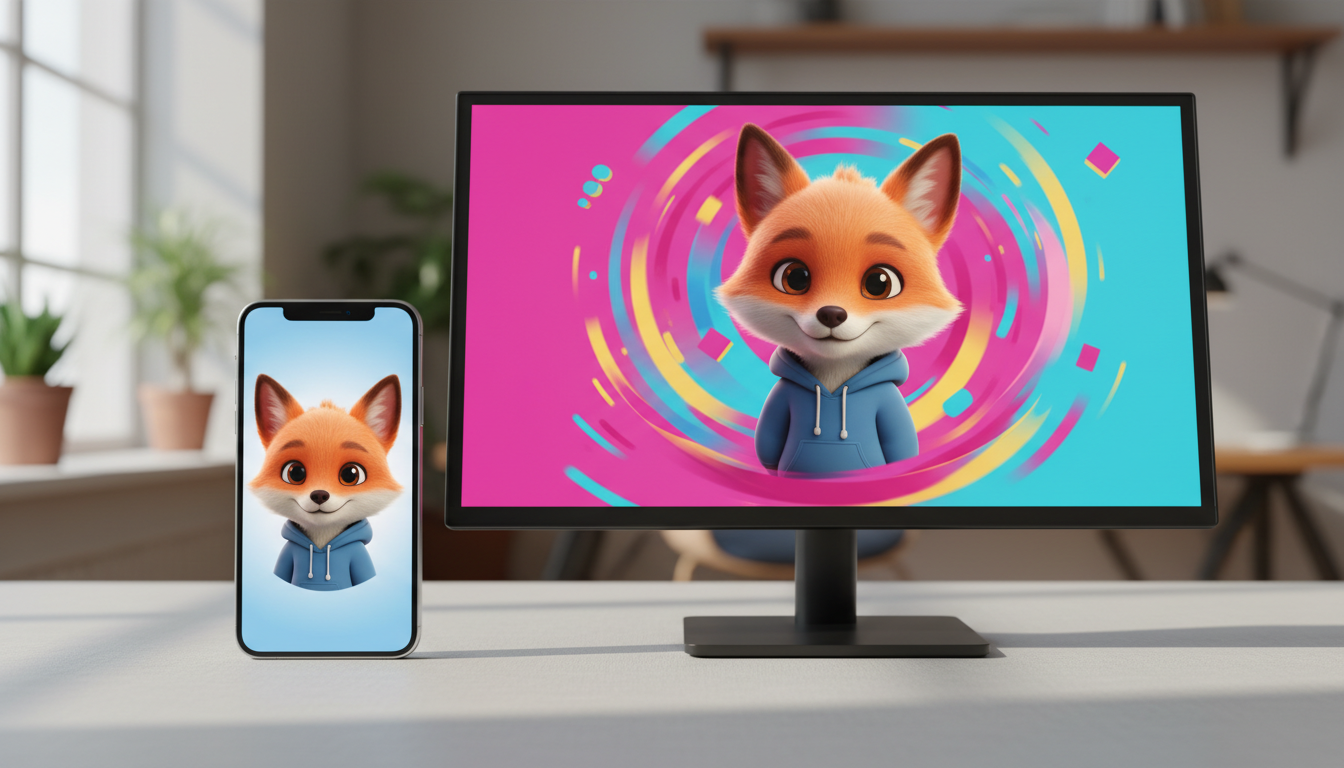
To get the best results from a custom virtual character video message, it helps to choose a template style that matches how the recipient will view it and the tone of your script. For casual, direct-to-camera messages like friendly check-ins or quick pep talks, a close-up character focus can work well on smartphones. For milestone occasions, detailed backdrops, or group viewing on larger screens, a wider template view is often preferred. If you are sharing in digital spaces, you might also consider how the video integrates into collaborative greeting pages.
Visual Presentation Styles for Virtual Character Videos
When you create a digital greeting, the visual style sets the stage. It tells the recipient whether they are receiving a casual, spontaneous video or a more polished production. Selecting the right template before you generate your video helps ensure the character's performance aligns with your creative intent.
- Direct Character Focus: Some templates focus closely on the character. This style mimics a direct, face-to-face video call. Because the character takes up most of the frame, it can feel highly personal and direct. It is a great choice when you want the recipient to feel like the character is speaking directly to them on a mobile device.
- Environmental Backdrops: Other templates feature richer, themed backdrops. If a template places a character in a specific setting, the background details can add context to your message. This is well-suited for group viewings or when sending a video that will be opened on a tablet or desktop computer.
- Digital Card Integration: If you are combining your video with other digital elements, consider how the template fits the final page. This approach is highly effective for collaborative projects, such as creating a virtual group card with a custom video message, where the video lives alongside written notes and signatures from multiple friends or colleagues.
How to Match Your Video Style to the Occasion
Choosing a template is more than a technical decision; it is about matching the visual style to the emotional tone of the event. While virtual characters offer a fun and playful alternative to traditional cards, they work best when the visual scale matches the message. For example, a quick, high-energy boost works beautifully in a direct, character-focused layout that mimics a spontaneous social share. You can learn more about this in our guide on sending a virtual character pep talk video message.
For larger milestone events, a template with a detailed background can provide the polish and space required for a grander presentation. If you are designing custom video greetings for kids' birthdays, choosing a template with a vibrant, animated background can make the scene feel like a clip from a favorite show.
Use this decision framework to select the right format for your next message:
| Occasion | Recommended Focus | Ideal Script Length | General Template Style |
|---|---|---|---|
| Quick Motivation / Inside Joke | Character-Focused | 10–15 seconds | Simple background, direct framing |
| Kids' Birthdays & Family Holidays | Environment-Focused | 15–30 seconds | Vibrant, animated, or themed scenes |
| Milestone Birthdays & Graduations | Environment-Focused | 30+ seconds | Theatrical or cinematic backdrop |
| Collaborative Group Cards | Clean/Simple | 20–30 seconds | Minimal background to fit the card layout |
How Script Length and Pacing Shape Your Template Choice
Your script and your visual style should work in tandem. On Fanfun, a single video credit covers up to 30 seconds of speech. Because you want to make a strong impact within this timeframe, how you pace your words and choose your template matters.
Short scripts of 10 to 15 seconds thrive in simple, character-focused formats. Because the video is brief, you do not need complex background elements to keep the viewer's attention; the character's expressions and quick delivery are the sole focus. However, if you are writing a longer, more detailed script—such as when you are writing a milestone birthday script for a virtual character video—a template with a more detailed background can be highly effective. The extra visual detail in the background prevents a longer monologue from feeling static or visually repetitive.
Template Selection Checklist
Before hitting generate on your next Fanfun video, run through this quick checklist to ensure your layout matches your creative goals:
- Device Check: Will the recipient most likely open this on a mobile phone (where direct character focus shines) or a computer/TV screen (where detailed backgrounds look great)?
- Background Relevance: Does the background scene add to the humor or story? If yes, choose a template that highlights the environment.
- Script Length: Is your script longer than 20 seconds? If so, consider a template with a more dynamic scene to maintain visual interest.
- Delivery Method: Are you sending the video directly via text, or embedding it into a digital group card? Match the template style to the destination platform.
Can I change the template after the virtual character video is generated?
No, once a video is generated, the selected template and backdrop are baked into the final file. If you want to use a different scene or style, you will need to select a new template and generate a new video using your credits.
Which template style works best for viewing on mobile devices versus desktop screens?
Templates that focus closely on the character are highly effective for mobile devices, as they keep attention directly on the character's expressions. Templates with detailed backgrounds are well-suited for desktop monitors, tablets, and TV screens, where the extra environmental detail can be fully appreciated.
Do different templates require more video credits on Fanfun?
No, video credits are determined by the length of the script, not the template style. On Fanfun, one video credit covers up to 30 seconds of speech, regardless of which template you choose.



