Beyond the Default Voice: How to Build a High-Retention Audio Toolkit for TikTok Edits
Ditch the generic, overused native TikTok voices. Learn how to structure a professional three-tier audio stack, leverage character AI voice generators, and master the editing techniques that keep viewers hooked from the first frame.
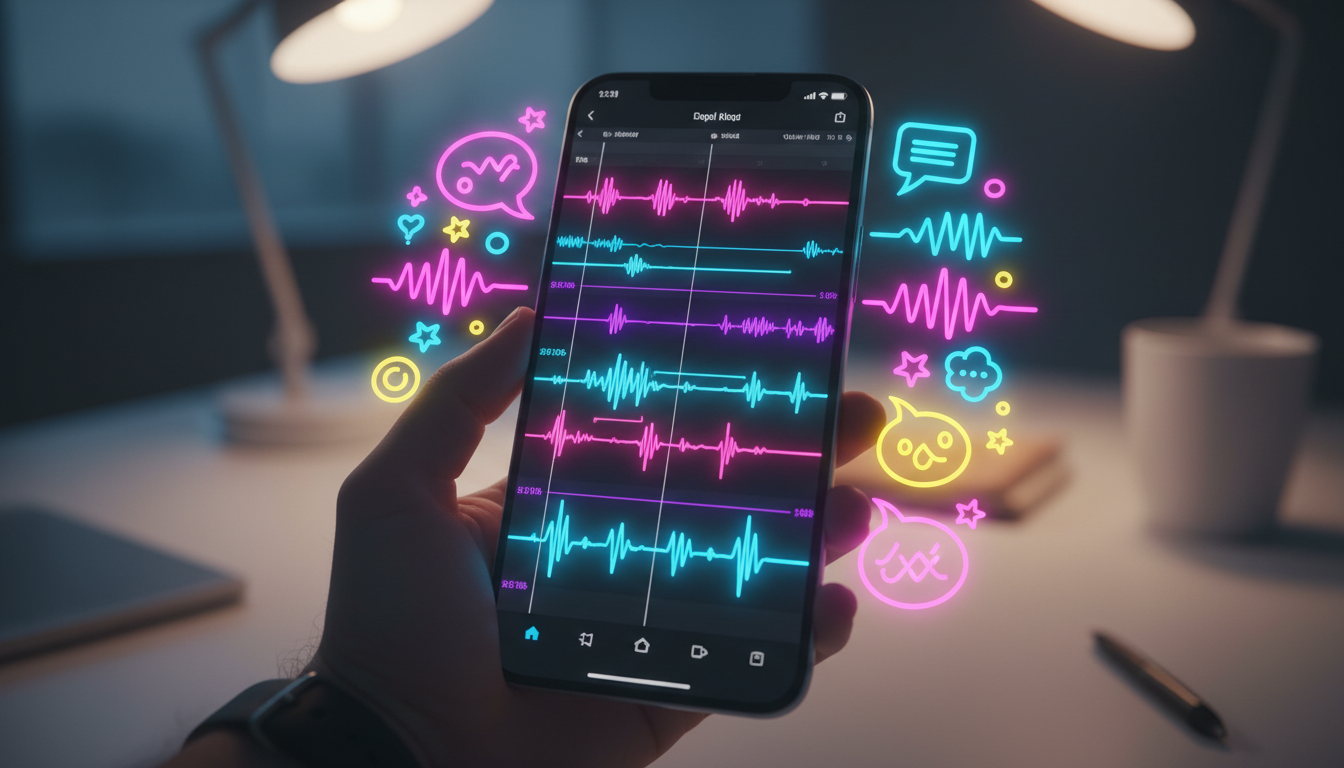
TikTok is a visual-first platform, but it is entirely governed by sound. If you are still relying on the default in-app text-to-speech voices to narrate your edits, you are actively driving away potential followers. The human brain is incredibly efficient at filtering out repetitive stimuli, and that overly cheerful, robotic native voice has officially crossed the threshold into digital background noise.
To break through the algorithm and boost your video completion rates, you need a deliberate, multi-layered audio strategy. By building a high-retention audio toolkit that leverages custom character voices, strategic sound design, and precise editing techniques, you can transform your edits from generic scroll-past content into high-impact, thumb-stopping experiences.
The Death of the Default: Why Generic TikTok Text-to-Speech is Ruining Your Retention
Every day, millions of videos use the exact same four or five native text-to-speech voices to read captions. Because viewers have heard these exact vocal profiles thousands of times, their brains register the sound within the first 0.2 seconds and immediately categorize the video as low-effort or templated content. This cognitive habituation triggers an almost automatic swipe-away gesture, killing your average watch time before your video even gets started.
To hook a modern audience, you must establish a distinct "sonic brand." Sonic branding is the deliberate use of unique audio cues, specific vocal tones, and consistent sound design to make your content instantly recognizable. Instead of blending into the background noise of the For You Page, your audio should startle, intrigue, or comfort the viewer within the first frame.
This is where Fanfun completely changes the game for creators. Instead of forcing you to rely on sterile, corporate-sounding voice generators, Fanfun allows you to generate custom video and voice messages from iconic characters instantly. By injecting recognizable, high-personality voices into your edits, you give your content an immediate, thumb-stopping edge that native platform tools simply cannot replicate.
The 3-Tier Audio Stack for Viral TikTok Edits
Great audio is not a single, flat track tossed onto a timeline; it is a dynamic, three-layered ecosystem designed to guide the viewer's subconscious focus. When you open your video editor—whether you use CapCut, Premiere Pro, or DaVinci Resolve—your timeline should always reflect this structured stack.
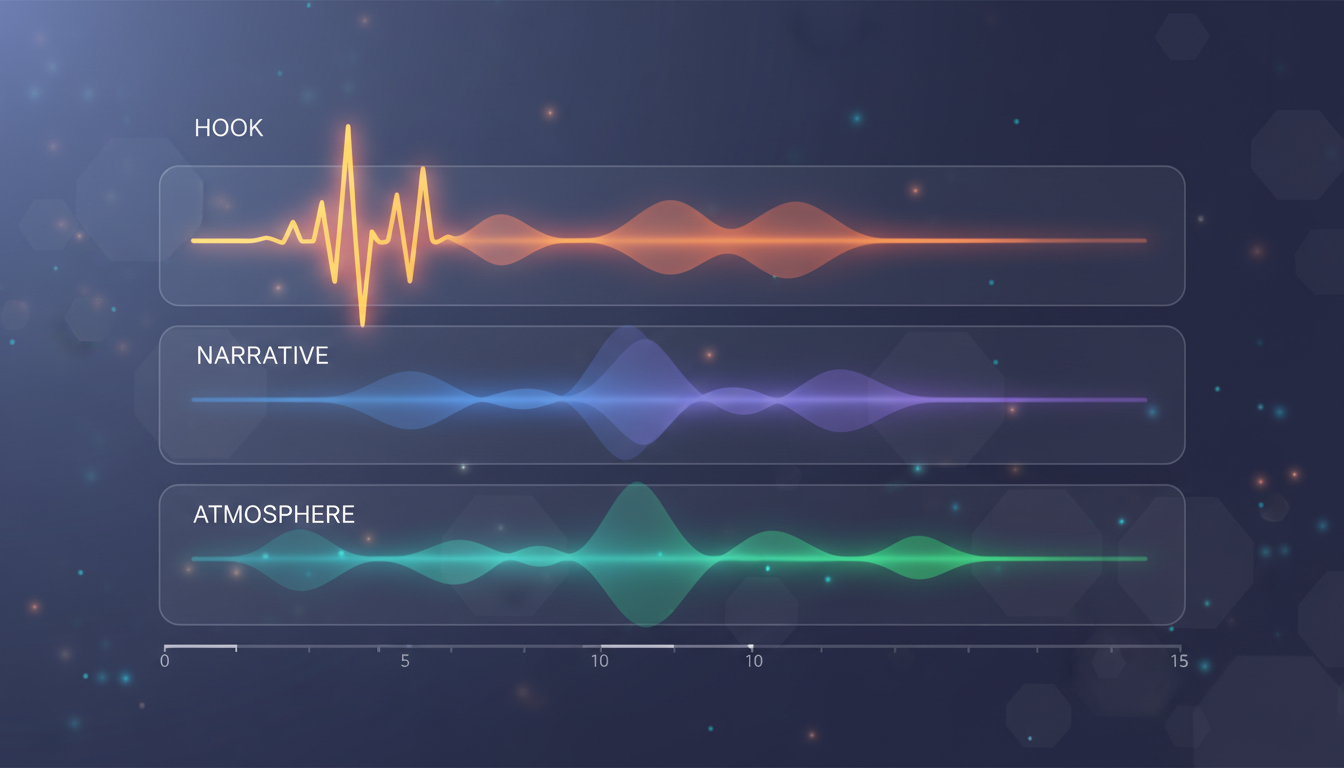
Breaking Down the Audio Stack
By splitting your audio into three distinct layers, you maintain total control over how information and emotion are delivered to your audience. The table below outlines how to balance these elements for maximum impact:
| Audio Layer | Target Volume Level | Core Purpose | Typical Elements |
|---|---|---|---|
| Tier 1: The Hook | -6dB to -1dB | Halt the scroll instantly; create a sensory jolt in the first 3 seconds. | Risers, impacts, cinematic swooshes, or an unexpected character voice line. |
| Tier 2: The Narrative Engine | -10dB to -6dB | Deliver the core story, joke, or information clearly and with high personality. | Character AI voiceovers, dialogue clips, or direct-to-camera speech. |
| Tier 3: The Atmosphere | -25dB to -18dB | Maintain pacing, glue transitions together, and evoke subtextual emotion. | Lofi beats, cinematic ambient pads, low-frequency drones, or subtle Foley. |
Without this tiering, your audio will quickly become a muddy wall of sound where the background music competes with your voiceover, forcing the viewer to strain to understand your message. When viewers have to work to consume your content, they swipe away.
Character AI Voice Generators: Injecting Personality into Static Edits
One of the fastest ways to build an emotional connection with a viewer is to leverage pre-existing cultural capital. When an edit features a voice that sounds like a beloved anime legend, a classic cartoon character, or a cultural icon, it instantly bypasses the viewer's natural skepticism. It triggers nostalgia, curiosity, or humor, making them much more likely to watch the video to completion.
Using character AI voice generators allows you to write custom scripts that sound natural, funny, or highly dramatic depending on the vibe of your edit. For example, instead of using a standard narrator to explain a complex gaming strategy, you can have an AI interpretation of a famous tactical character deliver the breakdown. This elevates a standard tutorial into a piece of entertaining, character-driven storytelling.
As you build out your content strategy, you can explore alternative text-to-speech use cases that break the mold of standard voiceovers. From creating fictional dialogues between unexpected historical figures to parodying popular media formats, the key is to use voice generation as a creative tool rather than a lazy shortcut. The more specific and tailored the voice is to your visual edit, the higher your retention will be.
The Director's Guide to Pacing and Sound Design in Short-Form Video
Even the best voiceover will fail to perform if it is poorly synced with your visuals. To maintain a high completion rate, you must edit your video tracks to the rhythm of your audio tracks, treating sound as the master conductor of your timeline.
First, always cut on the beat. When importing your background track, zoom into your timeline and look for the transients—the vertical peaks in the audio waveform that represent drum hits or sudden volume shifts. Align your visual transitions, text pop-ups, and camera cuts exactly with these peaks. This creates a satisfying, snappy flow that feels cohesive and professionally produced.
Second, master the use of J-Cuts and L-Cuts. A J-Cut occurs when the audio of the next scene starts playing before the visual cut happens. An L-Cut is the opposite: the visual cuts to the next scene, but the audio from the previous scene lingers for a second. Using these cuts prevents your video from feeling like a series of disjointed, blocky segments, keeping the viewer's brain actively engaged across transitions.
When working within tight time limits, structuring and pacing short-form audio specifically for retention is the difference between a 10% and a 70% completion rate. You cannot afford dead air, but you also cannot overwhelm the listener with a continuous, breathless wall of text.
To solve this, focus on directing text-to-speech tools for narrative depth. When generating your audio, do not just copy and paste a block of text. Use strategic punctuation to force natural pauses. Commas, ellipses (...), and dashes (—) tell the AI engine when to take a breath, slow down, or shift emphasis. A slightly slower, highly dynamic voiceover with intentional pauses will always hold attention longer than a fast, monotone robot trying to squeeze forty words into five seconds.
The Ultimate Pre-Publish Audio Checklist for TikTok Creators
Before you export your project and upload it to TikTok, run through this quick, actionable checklist to ensure your audio is optimized for mobile playback:
- Check the Volume Balance: Ensure your voiceover sits comfortably above your background music. If you can't clearly understand every word at 30% phone volume, lower your music track by another 3dB.
- Verify Caption Alignment: Many users watch short-form videos completely muted. Double-check that your auto-captions match your generated voiceover word-for-word. Any delay or spelling error breaks the immersion.
- Remove Harsh Frequencies: Use a simple Equalizer (EQ) tool in your editor to roll off the low-end rumble (anything below 80Hz) on your voiceover track. This removes muddiness and makes the vocal pop on small mobile speakers.
- Perform the "Kitchen Speaker" Test: Export your video, send it to your phone, and play it at 50% volume while placing the phone on a counter across the room. If the core message, hook, and narrative are still clear over ambient household noise, your audio mix is ready for the algorithm.
How do I make my TikTok edits sound professional without a studio microphone?
You don't need expensive hardware to get clean audio. If you are recording your own voice, use your smartphone's built-in microphone in a small, carpeted room with plenty of soft furnishings (like a closet filled with clothes) to eliminate echo. Alternatively, using a high-quality character AI voice generator like Fanfun bypasses the need for recording altogether, giving you clean, studio-grade vocal tracks instantly.
Why does my audio sound muffled or low quality once I upload it to TikTok?
TikTok applies heavy compression to video and audio files during the upload process to save bandwidth. To prevent your audio from sounding muffled, export your final edit with high-quality audio settings (AAC codec, 320kbps bitrate, and a 48kHz sample rate). Additionally, make sure your raw tracks aren't "clipping" (going above 0dB) in your editing software before you export.
What is the best way to sync audio transitions with video cuts in CapCut?
In CapCut, zoom in closely on your audio timeline to locate the visual "peaks" (transients) in the waveform of your music or sound effects. Use the "Beats" tool to automatically add yellow markers to the beats of your track, and then snap your video clips and text elements directly to those markers for a perfectly timed edit.
Can I use AI character voices in my TikTok edits without getting copyright strikes?
Yes, especially when used for parody, commentary, and transformative fan edits. Platforms like Fanfun provide licensed and original AI interpretations designed specifically for creative expression, giving you a safe and highly engaging way to incorporate iconic personality into your short-form content without running into platform penalties.