
How to Simulate Authentic Character Interactions for Fan Content
Creating believable character-to-fan interactions requires more than just voice synthesis. Discover how to use targeted scripting frameworks, natural pacing, and smart post-production to make AI-generated character messages feel genuinely authentic.

Simulating authentic character interactions for fan content requires a careful blend of precise dialogue writing and modern AI synthesis. To make a simulated interaction feel genuine, you must capture a character's specific linguistic patterns—their signature slang, typical sentence lengths, and emotional delivery—while utilizing platforms like Fanfun to generate the actual video or voiceover. While technology handles the vocal mimicry, the illusion of authenticity ultimately depends on how well you structure the script, manage pacing, and integrate personal details that resonate with your audience.
The Core Mechanics of Believable Character Interactions
Generic scripts are the primary reason simulated character messages fall flat. Fans have an incredibly sharp ear for detail; they will instantly notice if a beloved character sounds too formal, lacks their signature catchphrases, or speaks with an unnatural cadence. For example, a sports icon or cartoon legend using corporate jargon feels immediately artificial and breaks the immersion.
Modern AI tools close this gap by transforming static text into dynamic, personalized video messages in minutes. On Fanfun, creators can select an AI persona, input a custom script, and generate a video that mimics the voice and presence of popular cultural figures. However, achieving true authenticity requires balancing entertainment value with creative ethics. Simulated interactions should always be framed as playful AI interpretations rather than actual celebrity endorsements, keeping the experience lighthearted, respectful, and clearly designated for entertainment. For creators working on complex projects, mastering how to cast and script custom voice text-to-speech for multi-character edits is crucial to keeping the dialogue grounded in the character's established universe.
Scripting for Voice: A Framework for Character Vernacular
To write a script that sounds like it was penned by the character's original creators, you can utilize the Three-Pillars Scripting Framework. This framework breaks down a character's voice into three distinct, manageable components:
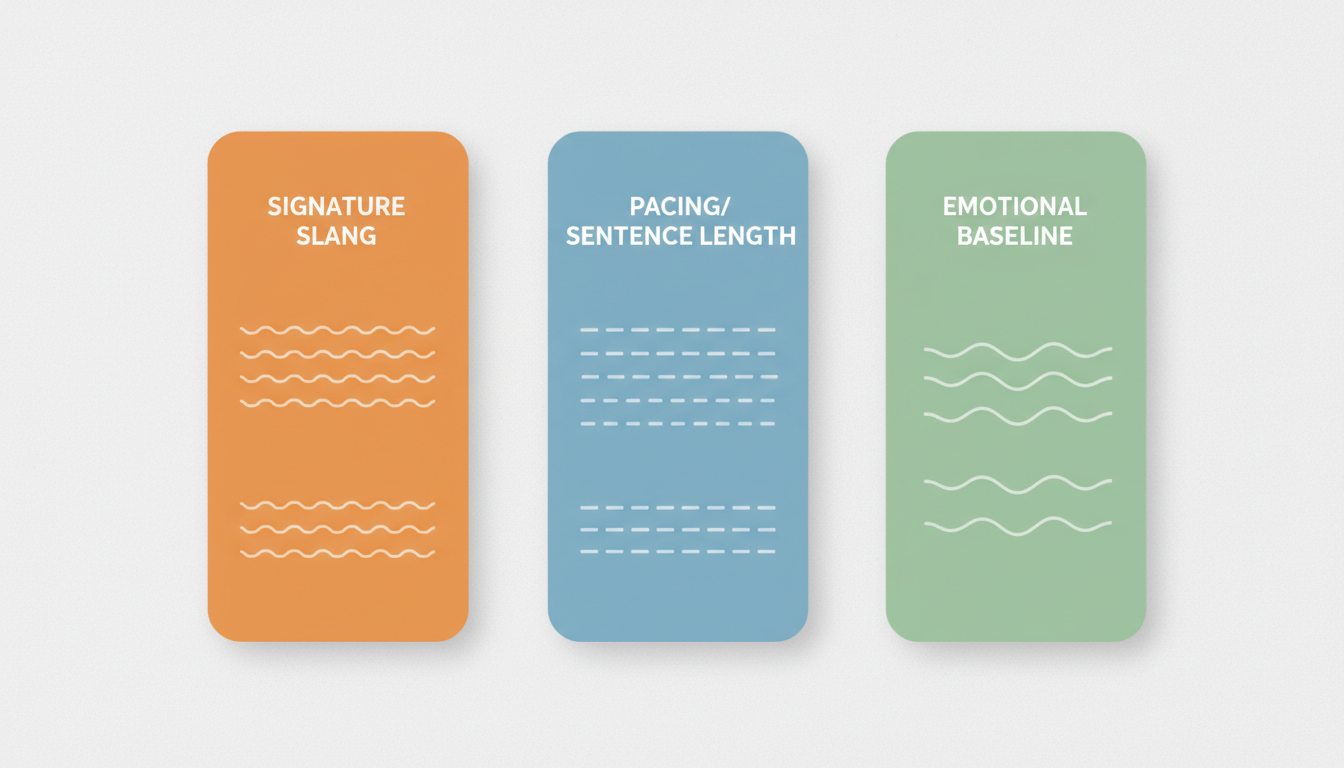
- Signature Slang & Vocabulary: Identify the specific words, pet names, or catchphrases the character uses repeatedly (e.g., "kid," "pal," or a specific exclamation).
- Sentence Length & Pacing: Determine if the character speaks in short, punchy fragments or long, rambling sentences.
- Emotional Baseline: Establish their default mood. Are they perpetually energetic, deadpan and sarcastic, or warm and encouraging?
Contrasting Character Archetypes
The table below illustrates how to apply the Three-Pillars framework to write distinct scripts for two very different character styles:
| Pillar | The High-Energy Sidekick | The Deadpan Anti-Hero |
|---|---|---|
| Signature Slang | "Oh boy!", "Wowza!", "Holy smokes!" | "Whatever," "Fine," "Don't hold your breath." |
| Sentence Length | Short, rapid-fire, punctuated with exclamation points. | Longer, slow-paced, often trailing off. |
| Emotional Baseline | Unwaveringly optimistic and eager to help. | Slightly annoyed, sarcastic, and easily bored. |
When drafting your script, focusing on natural sentence structure is key. While AI generators interpret text dynamically, you can preview your script and experiment with line breaks or phonetic spelling to see how they influence the rhythm. Taking the time to test these variations is a helpful step when preparing to generate and layer custom character voiceovers for high-impact clips, helping you align the vocal delivery with your visual timeline.
Simulating Multi-Character and Two-Way Dialogues
True interaction feels reactive, not like a pre-recorded monologue. When simulating a conversation between two characters or a character and a fan, you must structure conversational "turns" that acknowledge what the other party just said.
To successfully execute a back-and-forth scenario—such as a playful birthday roast or a fictional Q&A—keep these guidelines in mind:
- Acknowledge and React: Begin a character's response with a direct reaction to the previous statement (e.g., "Wait, you actually did that?" or "Classic move.").
- Insert Specific Fan Details: Use the fan's name, hometown, or a shared inside joke early in the script to establish an immediate personal connection.
- Vary Response Lengths: Avoid giving every character the same amount of speaking time. Let one character dominate the conversation while the other responds with short, comedic interjections.
For creators looking to experiment with interactive formats, utilizing interactive AI character chat for immersive entertainment can serve as an excellent testing ground. It allows you to observe how a character naturally handles spontaneous questions and conversational prompts before you commit to rendering a full video script.
Refining the Output: Post-Production and Audio Polish
Raw AI-generated audio is often clean to a fault, which can make the character sound isolated from their environment. To make the interaction feel authentic, you must ground the voiceover in a physical space during post-production.
First, layer subtle background elements beneath the vocal track. Adding low-volume room tone, ambient crowd chatter, or a thematic music track instantly makes the recording sound like it was captured in a real environment. Second, use basic video or audio editing software to trim any awkward, robotic pauses. Tightening the space between a setup and a punchline can drastically improve the comedic timing of a roast or greeting.
By spending a few minutes designing custom character audio tracks for video edits, you elevate the production value of your content. Once polished, your custom video is ready to be shared on TikTok, YouTube Shorts, or directly in your community group chats, delivering a memorable, highly personalized moment that fans will love to share.
How can I improve the flow of an AI-generated character voice?
Focus on writing short, conversational sentences that match the character's typical speech patterns. During the generation process, you can preview the output and try minor adjustments—such as breaking up long paragraphs into smaller sentences or adjusting spelling phonetically—to see if it improves the natural rhythm of the voiceover.
Are simulated character videos intended for commercial use?
Simulated character videos are typically designed for personal entertainment, creative fan projects, gifts, and memes. Because AI interpretations of public figures or fictional characters are meant for lighthearted entertainment, they should not be used to imply official endorsements or sponsorships. For commercial campaigns, brands generally require explicit licensing and agreements with the respective rights holders.
What can I do if a character name is mispronounced?
If a specific name or niche slang term doesn't sound right during a preview, you can try writing it phonetically in your script. For example, experimenting with alternative spellings can sometimes help the generator find a closer approximation of the correct sound.



