
How to Script and Refine Regional Accents in Synthetic Voice Generators
AI voices can sometimes drift during complex sentences. Discover how to use phonetic scripting and rhythmic pacing to help keep your character’s dialect consistent.

To script and refine regional accents in synthetic voice generators, you can combine phonetic spelling tweaks, dialect-specific vocabulary ("anchor words"), and strategic punctuation to control speech rhythm. Because synthetic voice models can sometimes drift back to standard speech patterns during longer sentences, structuring your script to match the natural cadence of the target dialect helps maintain a consistent regional flavor, even if synthetic voices cannot perfectly replicate every local nuance.
At Fanfun, we love helping creators craft playful, high-personality video messages using virtual characters. Whether you are generating a custom roast, a birthday greeting, or a fictional scene, getting the regional accent right is key to making the character feel authentic. Here is how to keep your synthetic voices from losing their local charm.
Why Synthetic Voices Struggle with Regional Accents
Synthetic voice models can sometimes struggle to maintain a specific regional flair—like a thick Bostonian drawl or a clipped Scottish cadence—throughout longer or more complex sentences. When a model encounters a word it does not recognize or a sentence structure that feels too formal, it may drift back to a more standard, flat pronunciation.
Understanding that the AI is not ignoring your instructions, but rather reverting to a more common pronunciation path, is the first step toward better control.
Preventing the 'Standard' Drift with Anchor Words
If your character starts with a strong accent but ends up sounding more neutral, you are experiencing accent drift. To help keep the accent consistent, you can provide the model with frequent reminders of the character's voice.
Break up long, complex sentences into shorter, punchy segments. If you find your voice model is rushing through phrases, you can learn why your AI voice generator ignores punctuation to force the AI to pause and reset its vocal parameters. Be careful when adding dramatic punctuation marks to force these pauses, as you want to avoid literal glitches where your AI voice generator reads punctuation aloud instead of pausing.
Additionally, sprinkle in dialect-specific vocabulary—words like "y'all," "wee," or "reckon"—early and often. These words act as anchors, signaling to the model which linguistic "neighborhood" it should be operating in.
The Phonetic Scripting Cheat Sheet for Dialects
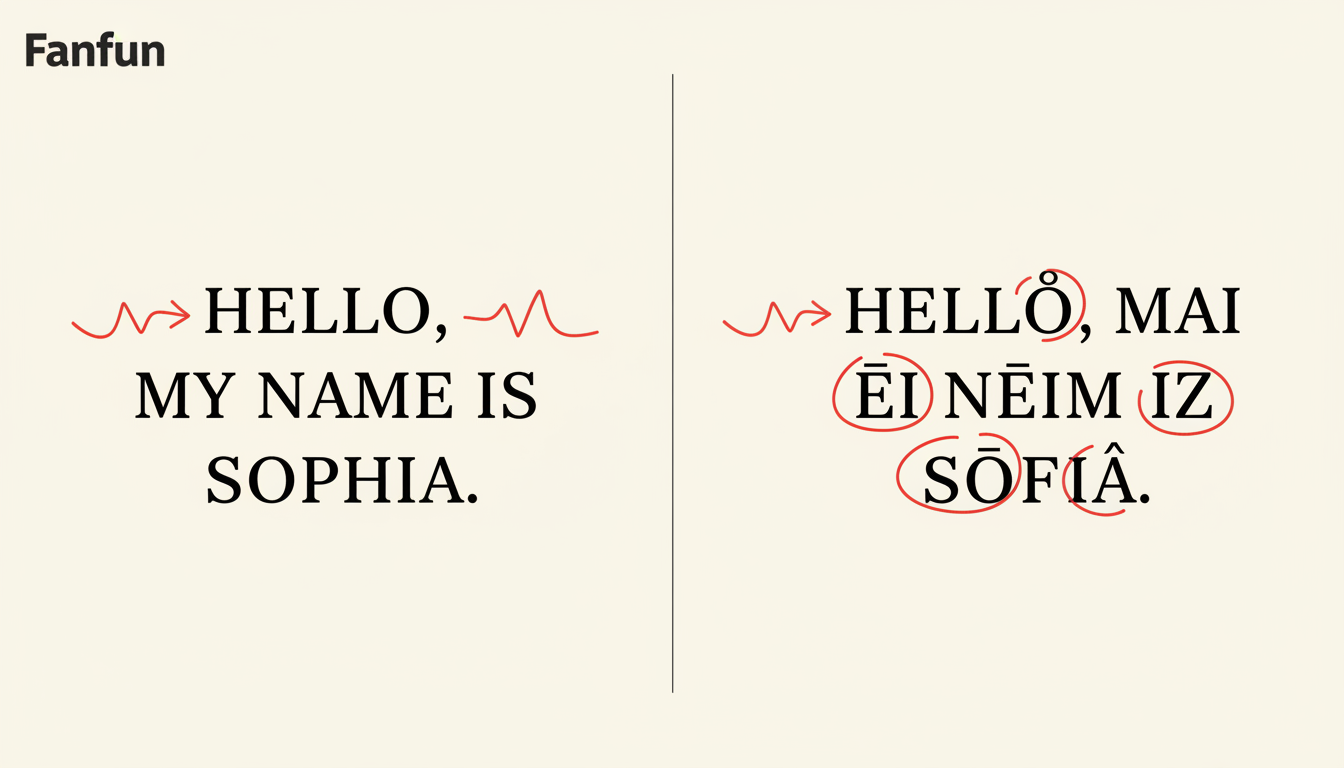
When the AI refuses to pronounce a word with the correct regional flair, you can guide it using phonetic spelling. However, you must strike a balance; over-phoneticizing can confuse the model, causing it to stumble or pronounce letters individually rather than as a word. For deeper insights on this, refer to our guide on how to hack punctuation and spelling to fix unnatural AI voice emphasis.
| Standard Spelling | Phonetic Suggestion | Regional Target |
|---|---|---|
| Running | Runnin' | General Southern/Rural |
| Going to | Gonna | Casual/Colloquial |
| Little | Liddle | Midwestern/Soft Consonant |
| Right | Righto | British/Australian |
Use these tweaks sparingly. If you change every word, the AI will sound like it is reading a transcript rather than speaking naturally. Aim for a few key "anchor" words per sentence to suggest the accent, letting the model's natural cadence fill in the rest.
Matching the Script to the Persona's Natural Cadence
A true dialect is as much about the rhythm of speech as it is about pronunciation. If you are creating content for a specific character, the script needs to match their known personality type. This is especially true when you script and direct an AI voice generator for comedic parody videos, where the humor relies on the audience recognizing the character's specific speech patterns.
Instead of just writing a generic sentence, write in the character's voice. Use the sentence structure they would naturally use. If your character is high-energy and chaotic, use short sentences and exclamation points. If they are reserved or sophisticated, use longer, more flowing syntax. When your script aligns with the persona's established rhythm, the AI voice generator is much more likely to deliver a performance that feels authentic rather than forced.
Why does my AI voice sound like it is switching between two different accents in the same sentence?
This is often due to 'accent drift.' The AI may revert to a more standard pronunciation when it encounters words it doesn't easily associate with your chosen accent. Try breaking the sentence into smaller chunks or adding a dialect-specific filler word to help guide the tone.
Can I upload a custom audio clip to train a synthetic voice in a highly specific local dialect?
While custom training options vary by platform, you can often achieve a desired regional effect on Fanfun by using scripting techniques to mimic the cadence and vocabulary of that specific dialect.



