
Why Your AI Voice Generator Ignores Punctuation (and How to Fix It)
Ever wonder why your AI voice generator breezes right past a comma or flatlines on an exclamation point? Here is why some synthetic voice models skip punctuation and how to format your scripts to encourage better pacing.

If your AI voice generator is skipping commas, exclamation points, or question marks, it may be because many synthetic voice systems do not treat punctuation as a strict, hard-coded rule. Instead, they often analyze the surrounding words to estimate pitch, tone, and pauses. When the system prioritizes the overall flow of the text over the individual symbol, it can gloss over the punctuation entirely. You can try to guide this by using phonetic spellings, swapping weak punctuation for ellipses or double hyphens, adding natural line breaks, and using emotionally charged words to help shape the voice's intonation.
The Short Answer: Why AI Voices Ignore Your Punctuation
Traditional text-to-speech (TTS) engines often operated on rigid, pre-programmed rules where specific punctuation marks triggered set pauses or pitch changes. While consistent, this mechanical approach often resulted in the robotic, lifeless voices associated with legacy systems. When discussing how modern expressive voices differ from static text-to-speech engines, we look at how newer systems interpret context.
Many synthetic speech generators are designed to mimic natural human speech flow. Instead of reading punctuation literally, these systems often treat symbols as context clues. If the system determines that the flow of the sentence does not naturally require a pause, it may skip the punctuation mark entirely. This is a trade-off: you can get highly expressive, lifelike character voices, but you may lose literal control over every single dot and dash. Occasionally, the opposite glitch happens where the AI reads the symbol literally—such as saying the word 'comma' out loud. If you are experiencing that issue, check out our guide on troubleshooting when an AI voice reads punctuation aloud instead of ignoring it.
The Common Culprits: Which Marks Get Skipped and Why
Not all punctuation marks are ignored equally. Depending on how your script is written, certain symbols are far more likely to be bypassed by synthetic voice models:
- Exclamation Points: A synthetic voice model does not automatically shout or sound excited just because you typed an exclamation mark. It often looks at the vocabulary. If you write 'I am going to the store!', the flat vocabulary may override the exclamation point, and the AI will likely deliver a neutral reading.
- Question Marks: English speakers raise their pitch at the end of a question, but they also structure questions differently than statements. If you write, 'You are coming with us?', the grammatical structure is a statement. The AI may focus on the word order and fail to apply the rising intonation at the end.
- Colons and Semicolons: These intermediate marks are frequently ignored. Many synthetic voice systems tend to simplify sentence structures, sometimes skipping the nuanced, mid-length pause a semicolon is supposed to represent.
Four Practical Workarounds to Guide the Right Intonation
You do not have to settle for flat delivery. By formatting your script with the AI's interpretation in mind, you can help guide the voice to pause, emote, and inflect. Here is a comparison cheat sheet of common punctuation issues and their AI-friendly workarounds:
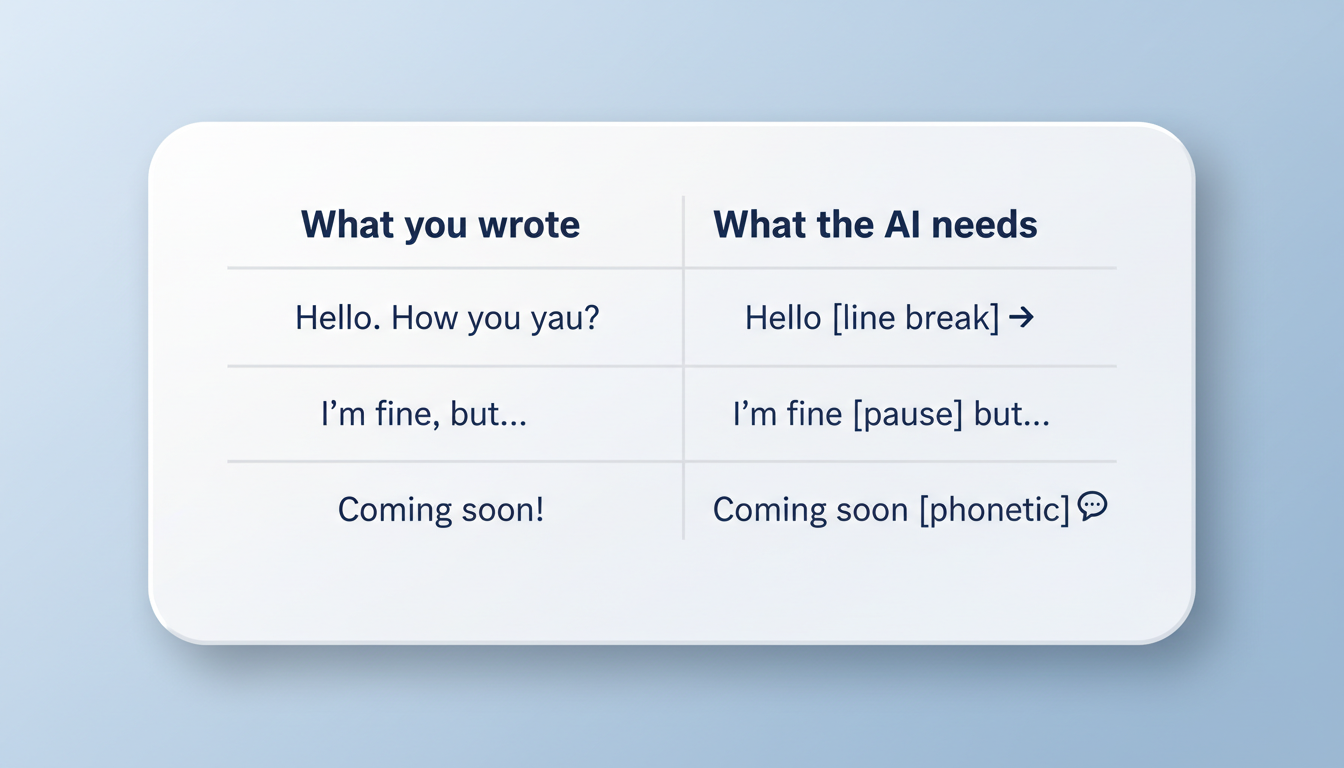
| What You Wrote | The Issue | Suggested Workaround |
|---|---|---|
| "We won the game!" | Flat delivery, ignores exclamation. | "Oh my god, we actually won the game!" (Add emotional cue words) |
| "Please bring bread, milk, and eggs." | Breezes through the list without pausing. | "Please bring bread... milk... and eggs." (Swap commas for ellipses) |
| "He arrived; she left." | Ignores the semicolon pause. | "He arrived -- she left." (Swap semicolon for double hyphen) |
| "You are coming?" | No rising question inflection. | "Wait, are you coming with us?" (Rephrase to grammatically force a question) |
To implement these workarounds effectively, use these four tactical approaches:
- Use Phonetic Cues and Emotional Words: Help the AI understand the mood by adding words like 'Oh,' 'Wow,' 'Listen,' or 'Wait.' These words naturally encourage the system to shift its emotional baseline.
- Swap Commas for Ellipses or Hyphens: If a comma is ignored, replace it with three dots (...) or a double hyphen (--). These symbols are often stronger triggers for pauses in synthetic voice systems.
- Leverage Strategic Line Breaks: Sometimes, a practical way to encourage a pause is to physically separate the text. For a deep dive on how this works, read our guide on using line breaks to control speech rhythm.
- Rephrase the Sentence: If the model does not rise in pitch at a question mark, restructure the sentence so it begins with a helper verb (like 'Is,' 'Are,' 'Do,' or 'Can'). The natural flow of English grammar will help guide the AI to apply the correct inflection.
Testing and Troubleshooting Your Script on Fanfun
When you are crafting a custom character video message on Fanfun, you want the delivery to be just right—whether it is a playful roast, a birthday wish, or a custom greeting. Because highly stylized or wild character voices on Fanfun have unique training baselines, a formatting trick that works for a standard narrator might need a bit of tweaking for an iconic personality voice.
To get the best results without wasting generations, follow this simple troubleshooting workflow:
- Test in Small Batches: Do not generate a massive script all at once. Try generating a single short sentence or phrase first to see how the character handles your punctuation before committing to a longer script.
- Apply the Three-Strike Rule: If you try to format a specific line and it still ignores your punctuation after three attempts, stop regenerating the exact same text. The system's interpretation is likely set for that specific phrasing. Rephrase the line entirely to break the pattern.
- Check Your Capitalization: Capitalizing entire words can sometimes encourage emphasis, but it can also cause the AI to spell out letters individually. Use it sparingly.
Does capitalization affect how an AI voice generator emphasize words?
Yes, but it is a double-edged sword. Writing a word in ALL CAPS can sometimes signal the system to apply extra emphasis or volume. However, it can also confuse the model, causing it to read the word as an acronym and spell it out letter-by-letter (e.g., reading "STOP" as "S-T-O-P"). Use capitalization carefully and test with a short word or phrase first.
Why does my AI character voice sound excited even when I do not use an exclamation point?
Many synthetic voices are trained on real human speech patterns. If the vocabulary of your sentence is highly energetic (using words like "amazing," "incredible," or "thrilled"), the system may generate an excited tone based on those words alone, regardless of whether you end the sentence with a period or an exclamation point.



