
Literal Glitches: Why Your AI Voice Generator Reads Punctuation Aloud (and How to Stop It)
When an AI voice generator literally says 'comma' or 'exclamation point' aloud, it is not broken—it is experiencing a text-normalization failure. Discover the NLP mechanics behind this frustrating glitch and learn the formatting hacks to ensure your voiceovers remain perfectly natural.
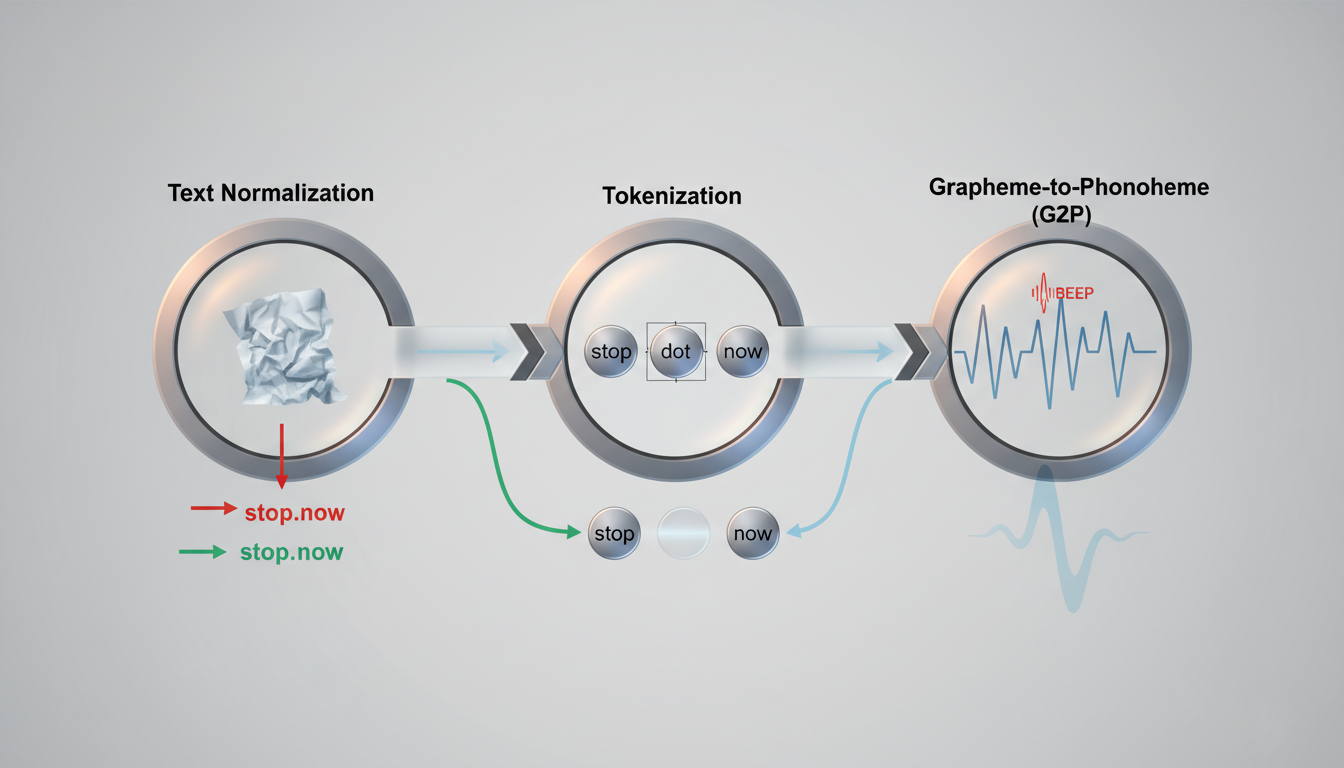
Imagine spending twenty minutes crafting the perfect script for a custom celebrity birthday message or a high-energy promo. You queue up your favorite character voice, hit generate, and listen back, only to hear: "Happy birthday, John exclamation point Let's make this year legendary slash epic." Instead of delivering a high-impact, natural performance, the AI voice engine has literally spoken the punctuation marks aloud. It is a jarring, immersion-breaking moment that turns what should have been a premium voiceover into an accidental comedy routine.
When this happens, it is easy to assume the AI voice generator is simply broken. In reality, this glitch is a systematic breakdown in how natural language processing (NLP) pipelines translate written text into spoken phonemes. By understanding how AI engines tokenize, normalize, and interpret your scripts, you can bypass these literal-reading bugs entirely. This guide will unpack the science behind the "literalism bug" and provide a concrete script-formatting protocol to keep your AI voiceovers clean, expressive, and completely error-free.
The Literalism Bug: Why AI Voices Say 'Comma' and 'Period' Aloud
The primary goal of any advanced text-to-speech (TTS) engine is to replicate human speech patterns, including the natural pauses, rises, and falls in pitch dictated by punctuation. A period should signal a drop in pitch and a full pause; a comma should create a brief, suspended pause. However, when the underlying model fails to recognize a punctuation mark as a structural cue, it treats the symbol as a lexical word. Instead of pausing, it pronounces the word "period," "comma," "hyphen," or "slash."
For creators using Fanfun to generate highly expressive character voices or celebrity-style promos, this bug completely ruins the illusion of realism. A legendary voice delivering a roast loses all its comedic teeth if it literally pronounces the punctuation. The issue stems from a fundamental conflict in the engine: it must constantly decide whether a symbol is structural (meant to guide pacing and inflection) or lexical (meant to be spoken as a word, such as "plus" in a math equation or "slash" in a URL). When the formatting is ambiguous, the AI defaults to literalism.
Inside the AI Brain: Tokenization, Normalization, and the G2P Pipeline
To understand why this error occurs, we have to look at the three-step pipeline that every modern AI voice generator uses to process your text: text normalization, tokenization, and Grapheme-to-Phoneme (G2P) conversion.
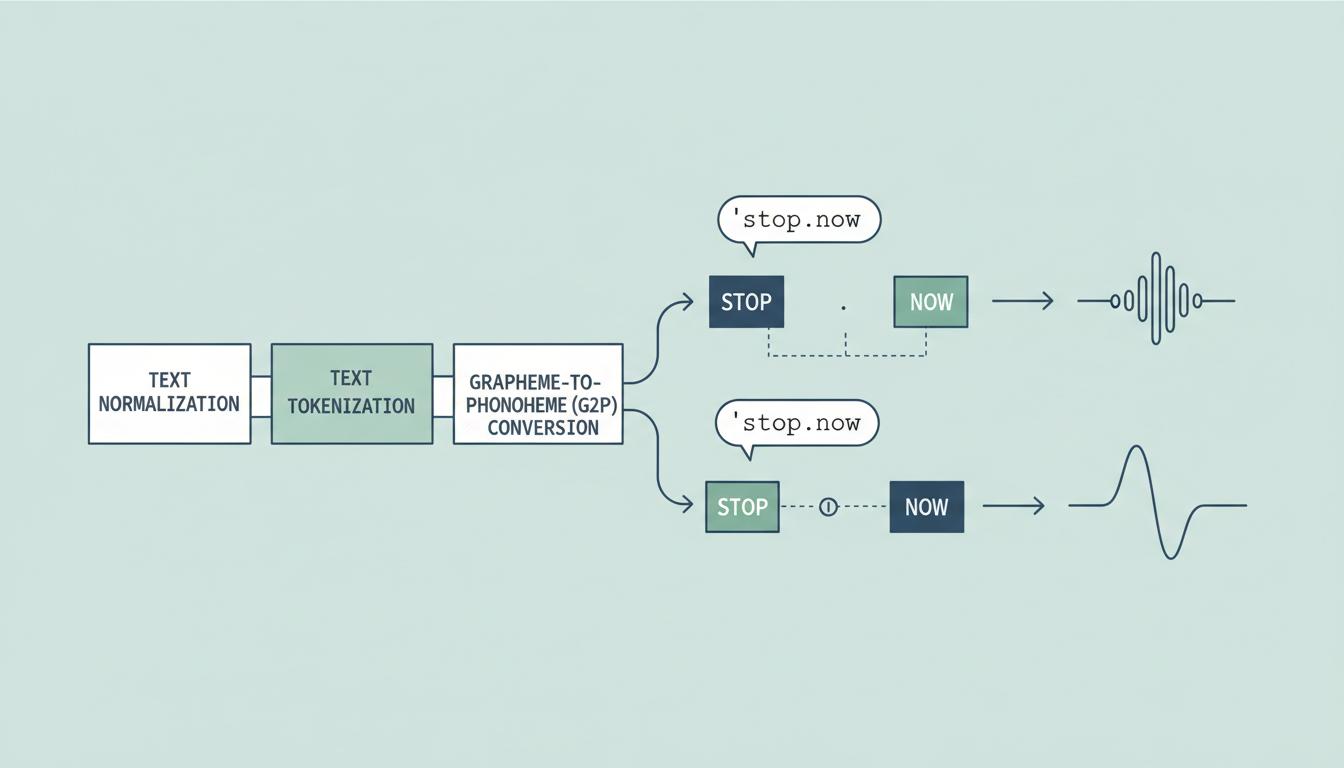
First, the text normalization engine cleans up raw input. It looks at numbers, abbreviations, and symbols, deciding how they should be expanded. For example, it decides if "Dr." should be read as "Doctor" or "Drive" based on the surrounding words. If the normalizer encounters a symbol it doesn't expect in a standard sentence structure, it can fail to categorize it properly.
Next comes tokenization. The system breaks your script down into smaller units called tokens (which can be whole words, syllables, or single characters). If you forget to put a space after a period—writing "hello.world" instead of "hello. world"—the tokenizer treats the entire string as a single, complex token. Because "hello.world" is not a recognized word, the system breaks it down into individual characters, prompting the engine to read the dot literally as "dot" or "period."
Finally, the G2P (Grapheme-to-Phoneme) pipeline translates the normalized tokens into phonetic sounds (phonemes) that the voice model can synthesize. If a symbol slips through the tokenizer as a standalone lexical item, the G2P pipeline translates "/" directly to the phonemes for "slash," resulting in a highly unnatural voiceover.
The Normalizer's Dilemma: Context Clues
AI voice engines are incredibly smart, but they lack human intuition. They rely entirely on surrounding context clues to determine whether a symbol should remain silent or be spoken aloud.
How Context Dictates Character Reading
Consider the forward slash symbol (/). In standard prose, a slash might mean "or" (e.g., "actor/director"), or it might represent a division sign, or it might be part of a web address. If you feed the AI "actor/director" without spaces, the normalizer must guess the context. Depending on how the model was trained, it might decide to pronounce it as "actor slash director," "actor or director," or simply glitch and say "actor forward slash director."
Mathematical operators, currency symbols, and brackets present the same dilemma. If you write "$50," the normalizer successfully rearranges the order so the voice says "fifty dollars" rather than "dollar sign fifty." But if you write "$50+tax," the addition of the plus sign without spaces can confuse the parser, causing it to read "fifty dollars plus sign tax" or "fifty dollars positive tax." The modern digital lexicon is filled with symbols that serve dual purposes, and without pristine formatting, the AI's contextual guessing game will occasionally fail.
The Troubleshooting Checklist: 5 Common Triggers for Punctuation Reading
To keep your scripts running smoothly, you must avoid the specific formatting traps that trigger literal readings. Use this troubleshooting checklist to audit your scripts before generating your next voiceover.
| Trigger Issue | Why the AI Glitches | The Safe Fix | Example (Before vs. After) |
|---|---|---|---|
| Missing Spaces | The tokenizer views the punctuation and adjacent words as a single, unreadable token. | Always place a space after periods, commas, colons, and semicolons. | Glitch: "Wait.What?" Fix: "Wait. What?" |
| Hidden PDF/Rich-Text Formatting | Copy-pasting from PDFs or rich-text editors introduces hidden non-breaking spaces or non-standard smart quotes. | Paste your script into a plain-text editor (like Notepad or TextEdit) first to strip formatting. | Glitch: Copying directly from Google Docs. Fix: Paste as plain text. |
| Double Punctuation | Using "??" or "!!" confuses the parser's grammatical rules, causing it to read the second mark. | Stick to a single, clean punctuation mark to define the sentence's emotional ending. | Glitch: "No way!!" Fix: "No way!" |
| Raw Mathematical Symbols | Symbols like "+", "-", "=", and "%" are frequently read literally as operators rather than conversational words. | Spell out mathematical and shorthand symbols in full conversational English. | Glitch: "A 10% discount." Fix: "A ten percent discount." |
| Action Brackets or Asterisks | Using asterisks or brackets to write stage directions (like *sighs* or [laughs]) often forces the AI to read the words. | Avoid stage directions in standard models, or use phonetic spelling to gently guide the voice. | Glitch: "*whispers* Come here." Fix: "Come here." (with adjusted spacing) |
Scripting Secrets: How to Format Text for Flawless Character Voices
When you are directing highly expressive, customized content—whether it is a personalized celebrity roast, a meme, or a fan dub—manual text cleaning is your secret weapon. If you are using Fanfun's AI voice generator, taking thirty seconds to scrub your script of formatting hazards ensures the resulting audio matches the legendary charisma of the character you have selected.
First, think about pacing rather than strict grammar. Traditional punctuation rules do not always align with natural speech patterns. If you want to control the flow, you can actually hack punctuation and spelling to fix unnatural voice emphasis. For example, spelling a word phonetically (like "ya'll" instead of "you all") or breaking up a long run-on sentence into shorter, punchier fragments can completely change how the AI paces the delivery.
Second, remember that different voice models have unique sensitivities. A model trained on rapid-fire comedic delivery might handle double punctuation differently than a model optimized for dramatic narration. When you want to direct virtual characters to deliver text with genuine emotion, keep the formatting as simple as possible. If the model does not have to guess what a stray bracket or slash means, it can dedicate all of its processing power to generating natural pitch variation, realistic breath pauses, and spot-on comedic timing.
Advanced Workarounds for Stubborn Text-to-Speech Engines
For creators managing complex, long-form scripts—such as those producing multi-voice audiobooks, intricate fanfiction, or highly detailed promotional content—stubborn punctuation glitches can quickly compound. If standard spacing does not solve your issue, there are a few advanced formatting workarounds you can deploy.
Instead of relying on commas or semicolons to create pauses, try substituting them with ellipses (...) or em-dashes (—). Most modern AI voice generators interpret an ellipsis as a soft, trailing pause and an em-dash as a sudden, dramatic pause, and they rarely read either symbol literally. However, be sure to leave a space on either side of the em-dash (e.g., "The truth — if you can handle it") to prevent the tokenizer from merging the adjacent words into a single, unreadable block.
When directing multi-voice AI audiobooks or long-form scripts, never generate the entire script at once. Always test short, single-sentence snippets that contain your chosen punctuation first. This allows you to identify model-specific quirks before committing to a full voice generation. If you notice a specific character voice has a habit of pronouncing a colon as "colon," you can immediately swap it out for a simple period or em-dash across your entire master script, saving hours of regeneration time and ensuring a flawless, professional finish.
Why does my AI voice generator literally say the word 'period' out loud?
This usually happens because of a missing space immediately after the period (e.g., "stop.now" instead of "stop. Now"). The AI's tokenizer treats the entire string as a single, unrecognized word token. To read it, the engine breaks it down into individual characters and pronounces the period as a literal word.
How do I stop text-to-speech from reading commas and slashes?
Ensure there is always a space after every comma. For slashes (/), avoid using them in standard prose. Instead of writing "and/or," write out "and or" or just "or." If you must use a slash, place a space on both sides of the symbol to help the text normalizer understand it is a separator, not a unified word.
Why does copying text from a PDF make the AI voice read punctuation?
PDFs and rich-text editors (like Google Docs or Microsoft Word) often contain hidden formatting, non-breaking spaces, or stylized "smart" quotes and hyphens. AI voice generators may fail to recognize these non-standard characters as normal punctuation, causing them to read them literally. Paste your script into a plain-text editor (like Notepad) first to strip out this hidden code.
Can I use ellipses and dashes to create pauses in AI voiceovers without the AI speaking them?
Yes. Most modern AI voice engines interpret ellipses (...) as a natural, trailing pause and em-dashes (—) as a sudden, dramatic break in speech. They are rarely spoken aloud, making them excellent, safe alternatives to commas, colons, or semicolons for controlling your voiceover's pacing.



