How to Mix Background Music and AI Character Voiceovers for Clear Audio
Ensure your AI character messages shine by balancing your soundtrack and voiceover. Use these mixing techniques to keep every word clear and impactful.
To keep your AI-generated character messages audible, you must treat your audio mix as a conversation rather than a competition. The most effective way to ensure clarity is through audio ducking, which lowers the music volume automatically whenever your character speaks. If you are downloading a Fanfun voice note to mix with your own background music in an external editor, aim to keep your voice track as the consistent anchor while applying a gentle reduction to the music track by -10dB to -15dB during dialogue segments. Mastering these technical balancing techniques ensures the mood of your music supports the message rather than masking it.
The Golden Rule of Audio Ducking
Audio ducking is the essential process of dynamically lowering the volume of your background track the moment speech is detected. Because AI-generated voices can sometimes lack the natural inflection or volume variation of a live recording, they require a bit more help to stand out against high-energy soundtracks. Without ducking, a busy music track will inevitably fight for the same frequency space as your character, leading to a muddy, unintelligible result.
Think of your audio mix as a physical space. If the music occupies the entire room, the voice has nowhere to sit. By implementing a ducking ratio of -10dB to -15dB, you create a dedicated "pocket" for the voice, allowing the listener to focus on the content while still enjoying the atmospheric benefits of your soundtrack.
A Practical Framework for Mixing Your Tracks
Following a consistent workflow prevents the common frustration of having to re-render your video multiple times. Use this three-step process to structure your audio edit:
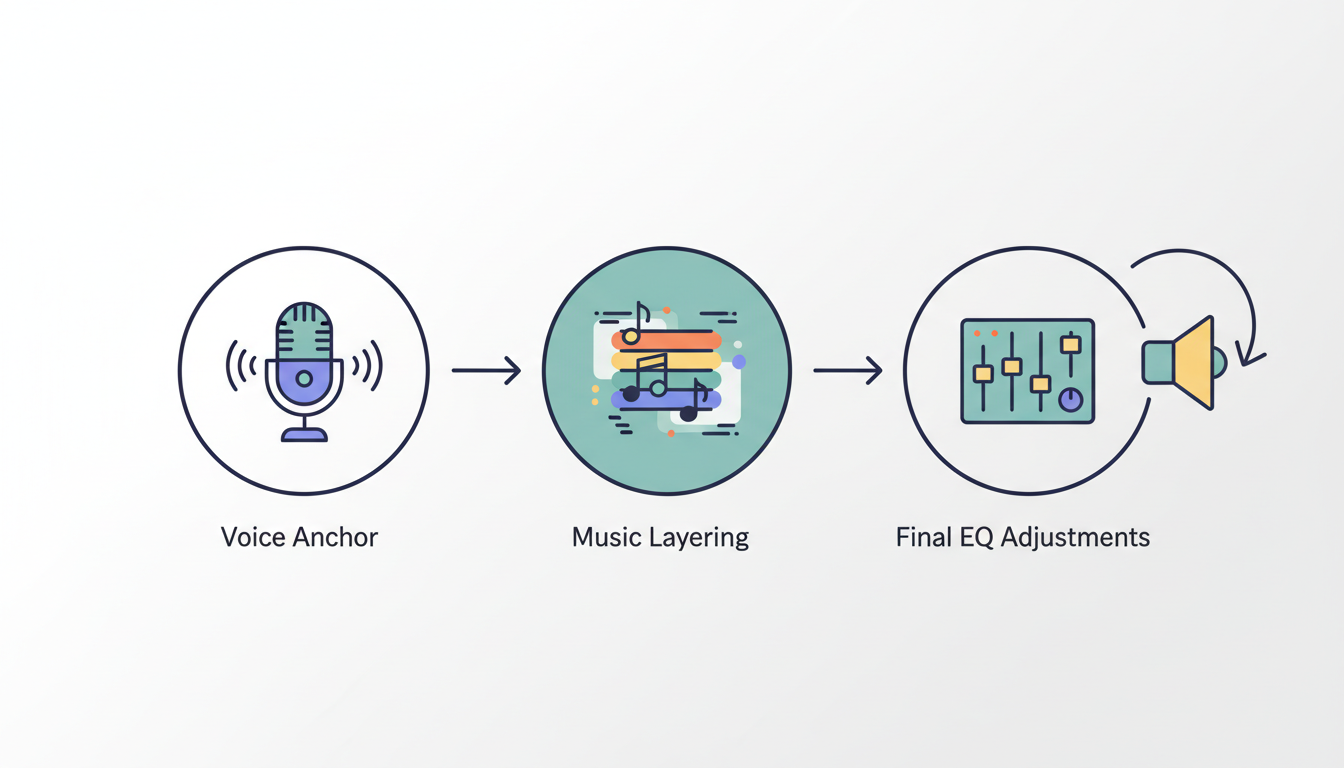
- Step 1: Anchor your dialogue. Set your AI voice volume to a consistent level, ideally peaking between -3dB and -6dB. This is your baseline.
- Step 2: Layer and compress. Add your music track underneath. Apply a compressor to the music track to smooth out sudden volume spikes, ensuring the track remains steady.
- Step 3: Carve out frequencies. Use an equalizer (EQ) to slightly reduce the volume in the 1kHz to 3kHz range of your music track. This is the frequency band where human speech is most prominent; clearing this space allows the voice to cut through without needing to turn the music volume down to near-silence.
The Voice Clarity Checklist
- Is the voice intelligible? If you have to strain to hear the words, increase the voice track gain or increase the ducking depth.
- Is the music distracting? If the rhythm or melody prevents you from concentrating on the script, choose a more ambient track or lower its overall volume.
- Do the transitions sound natural? Use subtle fade-ins and fade-outs at the start and end of speech segments to avoid jarring audio jumps.
Common Pitfalls in Character Video Audio
One of the most frequent mistakes is choosing a high-energy, percussive track for a soft-spoken or sentimental message. If you are struggling with clarity, you may need to reconsider your script approach or the intensity of your background audio. Avoid abrupt cuts in your music; even a short 0.5-second fade can make the difference between a professional edit and a choppy one. If your audio still feels muddy despite your best efforts, consult our guide on how to troubleshoot and fix unclear audio to ensure your final export is as crisp as possible.
Should I use a mono or stereo track for background music?
For most character videos, a stereo track provides a better sense of depth, but ensure your voiceover is panned to the center (mono) so it remains anchored directly in front of the listener.
How can I test if my audio mix is balanced for mobile speakers?
Export a short test clip and listen on your phone's built-in speaker. Mobile devices often struggle with bass; if your music sounds distorted or overwhelms the voice, try cutting the low-end frequencies in your music track using an EQ.
Does the AI character's voice tone affect how much I need to duck the music?
Yes. A higher-pitched, thinner voice may need less music ducking than a deeper, bass-heavy voice, as the higher frequencies are naturally easier to distinguish from the percussive elements in a music track.