The 3-Second Hook: How to Build a Signature Brand Voice for Instagram Reels Using Character-Driven Narration
Standard robotic text-to-speech voices are active engagement killers on Instagram Reels. Learn how to deploy distinct, character-driven AI voice archetypes to capture attention in under three seconds, craft high-retention scripts, and build an unforgettable audio brand.
The first three seconds of an Instagram Reel are a high-stakes battleground. If you rely on the default, robotic text-to-speech voices built into native social media apps, you are giving your audience an immediate excuse to swipe away. Viewers have developed a subconscious mental filter for these overused, synthesized voices, instantly associating them with low-effort content, generic product ads, and recycled clips.
To break through this scroll-trance, creators must leverage auditory pattern disruption. By using highly stylized, character-driven narration through Fanfun’s AI Voice Generator, you can transform your voiceover from a generic audio track into a core brand asset. Whether you want the high-octane energy of a Shonen anime hero or the dry sarcasm of a retro cartoon character, custom voiceovers give your Reels an unmistakable sonic identity that stops thumbs in their tracks.
The Death of the Robotic Voiceover: Why Generic Text-to-Speech Kills Reels Engagement
The human brain is incredibly efficient at filtering out predictable stimuli. When a user scrolls through their Instagram Reels feed, their brain is on autopilot, processing hundreds of visual and auditory cues per minute. The moment they hear the standard, monotone native text-to-speech voice, a subconscious reflex triggers: I have heard this exact voice a thousand times; this is spam. They swipe past before your visual hook even has a chance to register.
This phenomenon is known as voice fatigue. When a voice lacks emotional resonance, dynamic range, or personality, it fails to establish a human connection. To combat this, smart creators rely on auditory pattern disruption. An unexpected, highly stylized, or nostalgic voice immediately breaks the user's scrolling trance. It forces the brain to pay attention because it is hearing something novel, high-quality, and rich with character.
By moving beyond default platform options, you instantly elevate your production value. You transition from looking and sounding like an amateur creator to operating like a polished, intentional media brand. Sound design is fifty percent of the viewing experience; treating your voiceover as a primary creative tool rather than an afterthought is what separates viral channels from those struggling to break past the 200-view jail.
Finding Your Reel Persona: Choosing the Right Character Voice Archetype
Your visual aesthetic and your auditory brand must exist in perfect harmony. If you post moody, cinematic travel footage paired with a high-pitched, hyperactive voice, the cognitive dissonance will confuse your audience and drive them away. Conversely, pairing high-energy fitness transitions with a dull, monotone narrator drains the life out of your footage.

Using Fanfun's extensive library of character voices, you can experiment with different personas to find the exact match for your content niche without the massive expense and turnaround times of hiring professional voice actors. This flexibility allows you to run A/B tests on your Reels, finding which vocal style drives the highest average watch time and engagement rates.
Once you find a voice archetype that resonates, consistency is key. Using the same distinct voice across a specific content series trains your audience to recognize your brand by sound alone, building deep-seated familiarity and trust over time.
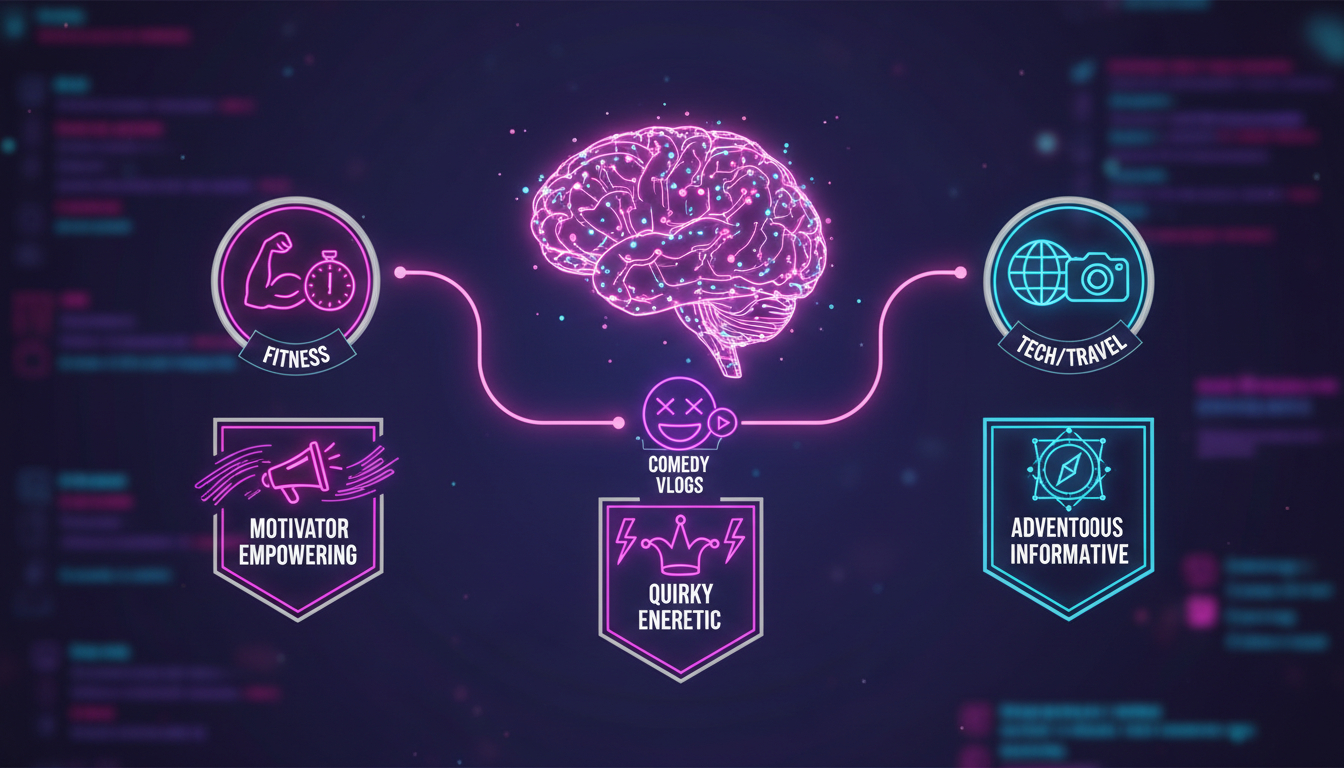
Content Niche to Voice Archetype Matrix
To help you align your visual style with the perfect auditory identity, use this decision framework before scripting your next campaign:
| Content Niche | Visual Style | Ideal Voice Archetype | Audience Emotional Goal |
|---|---|---|---|
| Fitness, Motivation, Tutorials | High-contrast, fast-paced cuts, dynamic text overlays | The Hype Beast / Shonen Hero | Adrenaline, inspiration, immediate action |
| Comedy Skits, Daily Vlogs, Roasts | Raw, casual, handheld, self-deprecating framing | The Deadpan Realist / Retro Cartoon | Amusement, relatability, inside-joke comfort |
| Tech Reviews, Deep Dives, Travel | Cinematic, slow panning, rich color grading, crisp details | The Cinematic Storyteller / Fantasy Mentor | Awe, curiosity, intellectual authority |
Three High-Performing Voice Archetypes for Instagram
1. The Hype Beast / Shonen Hero
This archetype is defined by infectious enthusiasm, high vocal energy, and an unyielding sense of urgency. It is the ultimate tool for overcoming short attention spans. If your brand revolves around self-improvement, sports, high-energy cooking, or fast-paced design tutorials, this voice commands the viewer's focus. To capture that authentic, high-octane energy for your fitness or motivational videos, read our blueprint on directing an anime protagonist voice generator online.
2. The Deadpan Realist / Retro Cartoon
Sarcastic, dry, and slightly nostalgic, this archetype works incredibly well for humor-driven content. It plays on the contrast between high-quality visuals and a completely unimpressed or whimsical voiceover. If you are focusing specifically on comedic timing and viral trends, check out our guide on generating funny AI voiceovers for Instagram Reels. This style is perfect for showing behind-the-scenes realities, calling out industry clichés, or narrating relatable daily struggles.
3. The Cinematic Storyteller / Fantasy Mentor
This voice is slow, resonant, warm, and authoritative. It is designed to evoke a sense of mystery, wisdom, and cinematic scale. Use this archetype to tell deep-dive stories, explain complex historical events, or narrate breathtaking travel footage. It invites the viewer to slow down, listen closely, and immerse themselves in the world you are building on screen.
The Scripting Framework for High-Retention Voiceovers
Writing a script for an AI voiceover is fundamentally different from writing copy for a blog post or an email. You are writing for the ear, not the eye. If your script contains long, grammatically complex sentences with multiple clauses, the AI voice will struggle with pacing, and your audience will lose interest.
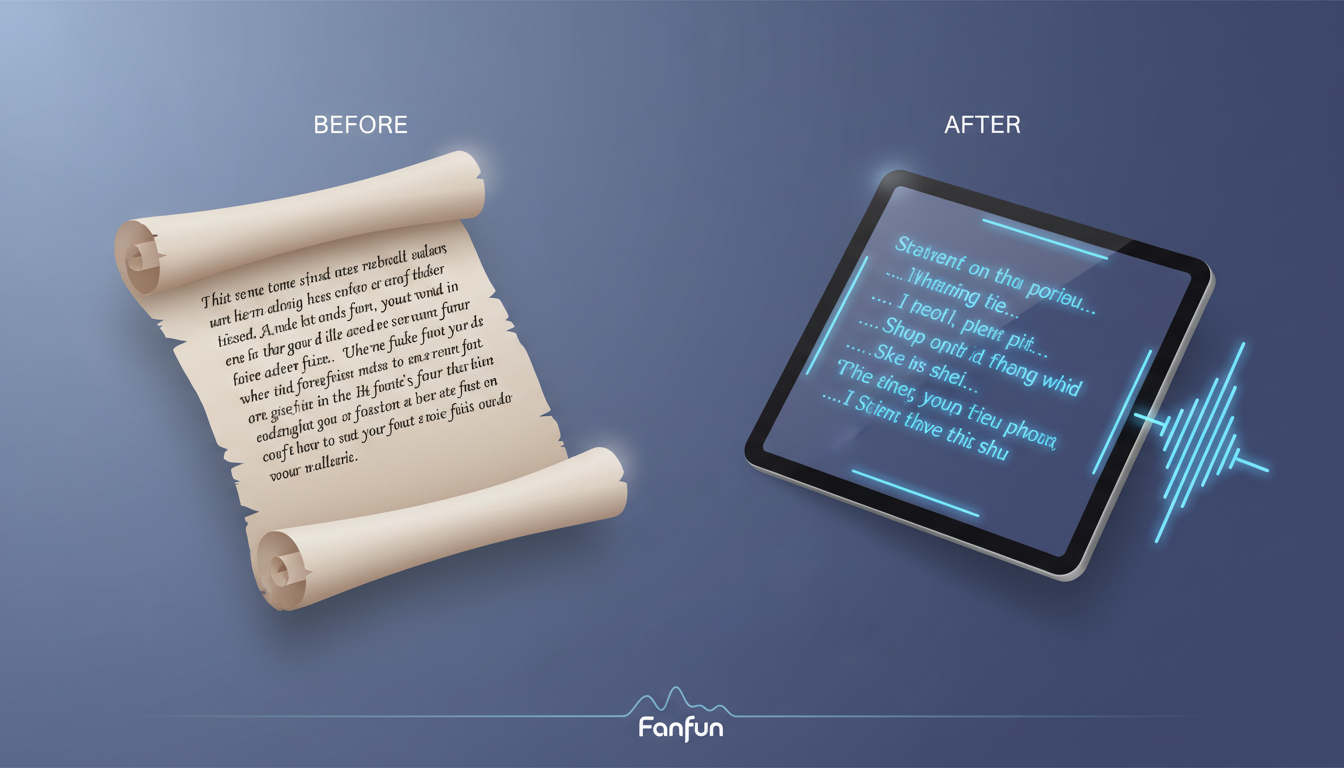
The most effective short-form video scripts follow a strict Hook-Context-Payoff structure:
- The Hook (0-3 seconds): A bold statement, an intriguing question, or an unexpected claim that disrupts the scroll.
- The Context (3-15 seconds): The core value, story, or demonstration. Keep sentences short, punchy, and highly rhythmic.
- The Payoff (15-30 seconds): The resolution, key takeaway, or a clear, singular call to action.
To ensure your AI voiceover sounds natural and engaging, you must optimize your written text for spoken delivery. The table below illustrates how to rewrite standard, formal copy into punchy, AI-friendly dialogue:
| Standard Written Text (Avoid This) | Phonetic, AI-Optimized Script (Do This) |
|---|---|
| "Do you want to build a successful personal brand in 2024? Here are three steps you need to take right now to get started." | "Wanna build a brand that actually makes money? ... Do these three things. Right. Now." |
| "This is the most incredible, high-quality camera strap that I have ever purchased, and it only costs twenty-five dollars." | "This twenty-five dollar strap... literally saved my camera. Here's why." |
| "In this video, I am going to show you my complete morning routine, which helps me stay productive throughout the workday." | "My mornings are chaotic... but this one habit? It keeps me sane." |
Directing Your AI Voice: Punctuation and Pacing Hacks
Getting a world-class voiceover from an AI voice generator requires a bit of creative direction. You cannot simply dump a block of text into the generator and expect flawless emotional delivery. You must use punctuation and phonetic spelling as staging directions to control the speed, rhythm, and emphasis of the output.
To master these advanced techniques, keep these three direct-control strategies in mind:
- Control the Pauses: Standard commas create short pauses. Ellipses (...) create longer, dramatic pauses that build anticipation before a punchline or a hook. Em-dashes (—) work brilliantly for sudden, conversational shifts in tone.
- Use Phonetic Spelling: Standard AI models sometimes struggle with modern slang, brand names, or complex terminology. If a word sounds awkward, spell it out phonetically. For example, write "colleague" as "cah-leeg" or "ROI" as "R-O-I" to force the correct pronunciation.
- Capitalization for Emphasis: Some advanced voice generators interpret capitalized words as cues to increase volume or emotional intensity. Use this sparingly to highlight key power words in your hook or call to action.
For a deeper dive into pacing, emotional range, and cinematic storytelling, explore our comprehensive audio drama blueprint for directing AI voices. Once you have generated your perfect voiceover track, import it into your editing software (like CapCut or Premiere Pro) and balance it carefully with trending background music. A good rule of thumb is to keep your voiceover track at -3dB to -6dB, while ducking your background music down to -18dB to -22dB whenever the voice is active. This ensures your signature brand voice remains razor-sharp, crystal clear, and completely irresistible to the scrolling viewer.
How do I change the default text-to-speech voice on Instagram Reels?
To change the default voice within the Instagram app, tap on your text box while editing a Reel, select the three dots, tap 'Text-to-Speech,' and choose from the native voice options. However, because these native options are highly overused and easily ignored by viewers, many professional creators prefer to generate custom, character-driven voiceover files using Fanfun and import them directly into their video editing software for a unique brand voice.
Can I use custom AI character voices for sponsored or branded Reels?
Yes, custom AI character voices are highly effective for sponsored and branded Reels because they instantly elevate the production value and make promotional content feel more creative and entertaining. Always ensure you are using a platform like Fanfun that provides clear guidelines and licensing options for commercial use, especially when creating promotional campaigns or brand partnerships.
How do you make AI-generated voiceovers sound more natural and less robotic?
To make AI voiceovers sound natural, write your scripts in casual, spoken English rather than formal written English. Use punctuation hacks like ellipses (...) for dramatic pauses, dashes for conversational shifts, and phonetic spelling for brand names or slang. Additionally, choosing a high-quality character library like Fanfun's ensures your voiceover has natural-sounding inflections and emotional depth.
Where can I find unique character voices for my video editing workflow?
You can access a massive library of highly engaging, unique character and celebrity-inspired voices on Fanfun. You can generate custom voiceovers, adjust the script for perfect pacing, and download the high-quality audio files instantly to drop directly into CapCut, Premiere Pro, or any other video editing software of your choice.