How to Choose the Best Video Aspect Ratio for Mobile Virtual Character Messages
Find the perfect aspect ratio for your virtual character video messages. Learn how 9:16, 1:1, and 16:9 render on mobile screens to help keep your character well-framed.
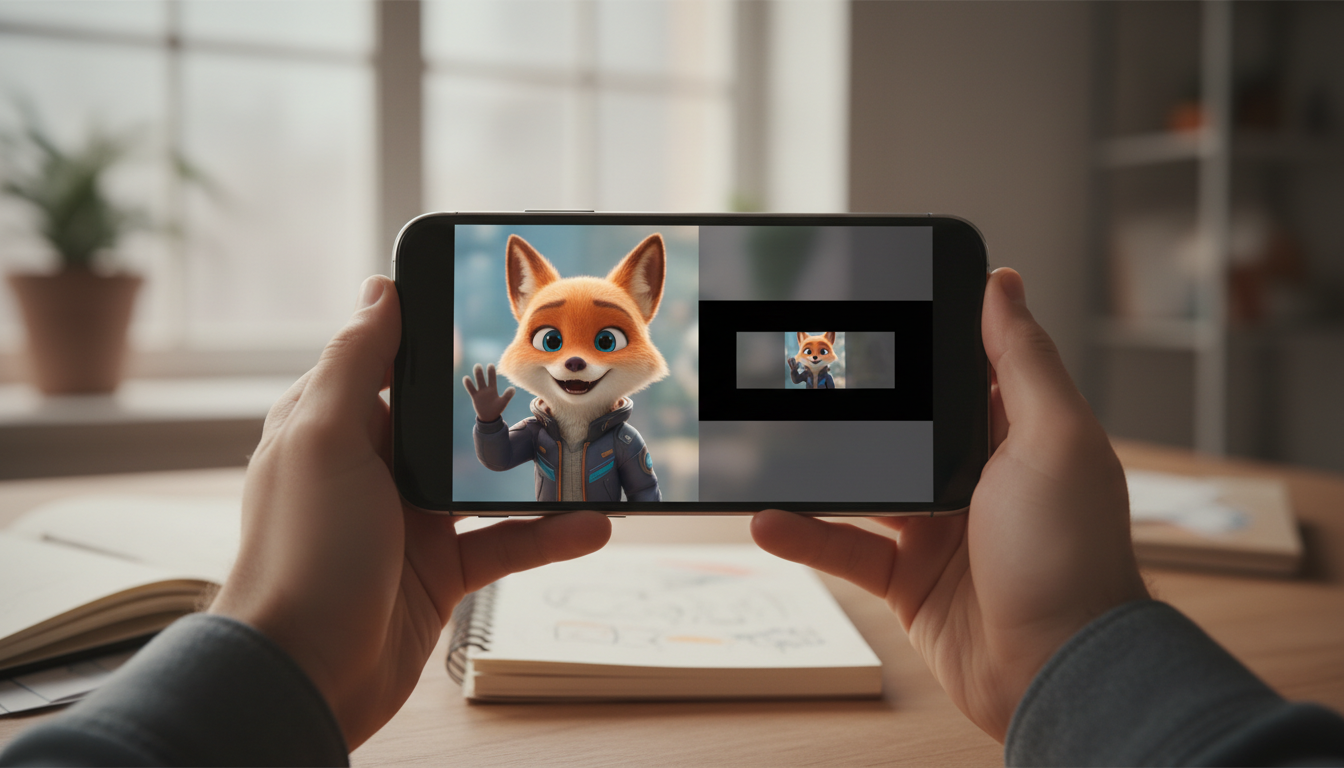
The absolute best aspect ratio for sharing a virtual character message on a smartphone is 9:16 (vertical) for full-screen immersion, or 1:1 (square) if you want to prevent messaging apps from awkwardly cropping the character's face in chat previews. While traditional 16:9 (horizontal) video is excellent for desktop monitors or TV screens, it forces mobile recipients to either rotate their devices or squint at a tiny, letterboxed window. Choosing a template with the right layout before you hit generate helps ensure your AI persona or animated character is framed well from the very first frame.
The Quick Verdict: Which Aspect Ratio Wins on Mobile?
For most personal mobile greetings, 9:16 is the gold standard. It mimics the natural way we hold our phones and feels exactly like a FaceTime call or a native social media story. This vertical layout creates an immediate, personal connection, making the virtual character feel like they are addressing the viewer directly. If you want to compare group video greeting platforms with individual virtual character messages, you will find that personal, one-on-one messages thrive on this portrait format.
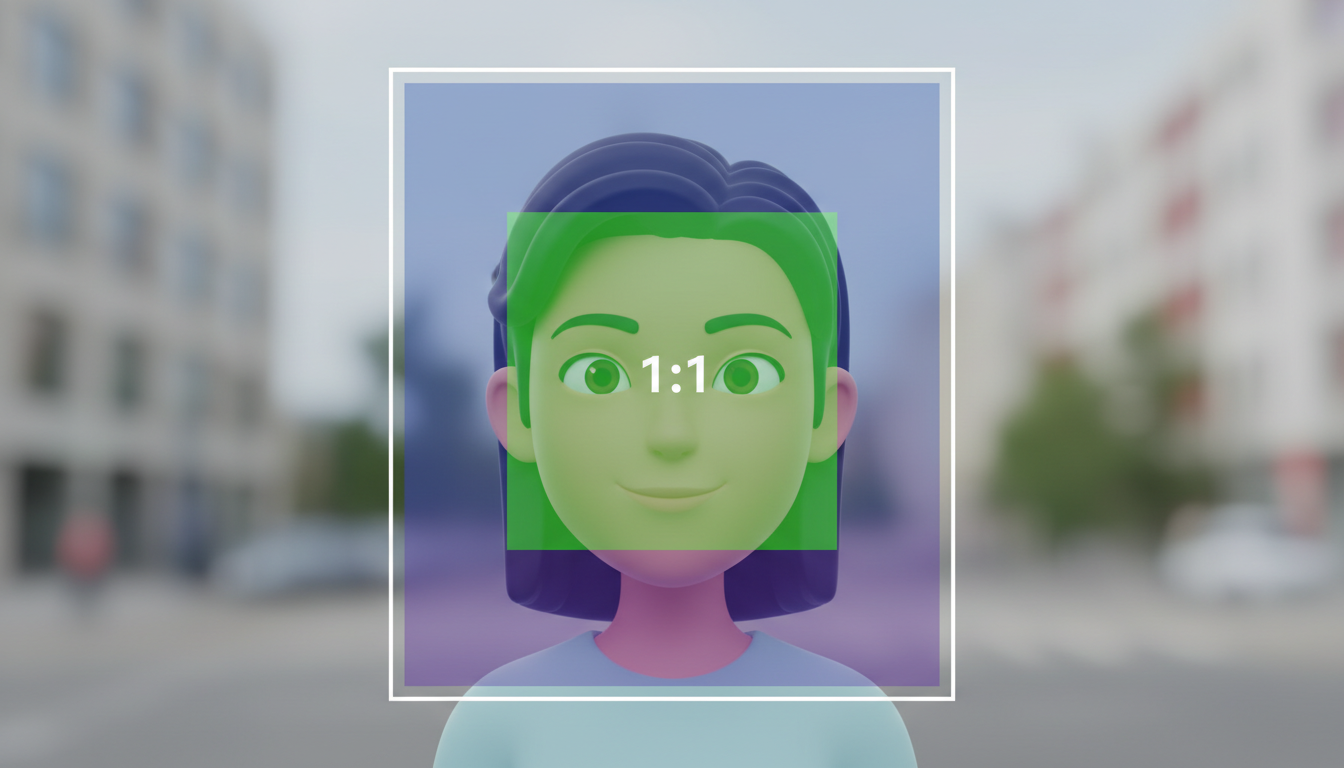
However, the messaging app you use to deliver the video plays a massive role in how the file is received. If you send a raw 9:16 video file via standard text message or certain chat apps, the system might auto-crop the preview thumbnail into a square, potentially cutting off the character's forehead or chin. That is why 1:1 (square) serves as a practical fallback. It displays consistently across almost every chat bubble in existence without losing critical visual details.
When using Fanfun to turn your custom scripts into personal video gifts, you choose from pre-made video templates. Because these are generated AI character-style video messages rather than real-person recordings, the framing is determined by the template you select. Understanding how different templates and their inherent aspect ratios display on mobile screens can help you choose the right style for your recipient.
Comparing the Big Three: 9:16 vs. 1:1 vs. 16:9 on Mobile Screens
To help you decide which layout fits your specific greeting, here is a breakdown of how the three primary aspect ratios perform on mobile devices:
| Aspect Ratio | Best Used For | Pros on Mobile | Cons on Mobile |
|---|---|---|---|
| 9:16 (Vertical) | Direct messaging apps, social media DMs, and full-screen mobile viewing. | Fills the entire screen; feels intimate and conversational, like a direct video call. | Can get awkwardly cropped in standard SMS preview bubbles. |
| 1:1 (Square) | iMessage, WhatsApp chat bubbles, and multi-platform sharing. | Displays perfectly inline without requiring the user to tap to expand; highly compressed-friendly. | Does not offer a full-screen immersive experience; has black bars on the top and bottom when expanded. |
| 16:9 (Horizontal) | Desktop viewing, email newsletters, or casting to a smart TV. | Great for wide background scenes or multiple characters in one frame. | Forces the user to rotate their phone; otherwise, the video appears tiny with heavy letterboxing. |
While 16:9 is the cinematic standard, mobile-first design has shifted the balance. Unless you know your recipient will open their gift on a laptop or cast it to a television, vertical or square formats will almost always deliver a more engaging opening experience.
Platform-by-Platform Delivery Guide
How you plan to send the final video file should dictate the aspect ratio you choose. Different apps handle incoming media files in unique ways:
SMS and iMessage
If you are texting the video file directly, 1:1 (square) is highly recommended. MMS protocols on standard cellular networks heavily compress vertical videos, which can result in a pixelated or poorly cropped thumbnail in the message thread. A square video maintains its shape and clarity much better in standard text bubbles.
WhatsApp and Signal
For modern data-based messaging apps, 9:16 (vertical) works beautifully. Both WhatsApp and Signal have robust built-in media players that open vertical videos seamlessly into a gorgeous, edge-to-edge view the moment the recipient taps play.
Social Media DMs (Instagram, TikTok, Snapchat)
Stick strictly to 9:16. These platforms are built ground-up for vertical content. A square or horizontal video in a DM thread feels out of place and fails to utilize the premium screen real estate these apps offer.
Email and Hosted Links
If you prefer not to send a heavy video file directly, you can host the video online and share a link instead. You can explore the best video hosting options for sharing custom virtual greetings to see how different platforms handle player wrappers. If the hosting page is clean and responsive, both 9:16 and 16:9 layouts will scale nicely to fit the viewer's device.
Framing Tips: Keep Your Character in the Safe Zone
When you generate a virtual character video, you want to make sure the visual composition matches your delivery method. Keep these practical tips in mind to avoid awkward framing issues:
- Keep the face centered: When choosing templates or editing video, keeping the character's face and main action centered helps prevent important details from being cut off if a platform crops your vertical 9:16 video into a square thumbnail.
- Account for UI overlays: Keep in mind that messaging apps and video players often overlay play buttons, progress bars, or volume icons on the top and bottom edges of the screen. Avoid placing critical visual elements or text captions in these outer zones.
- Match the script to the visual pace: A fast-paced, highly personal script works best with close-up vertical framing. If you are writing a more theatrical message, you can learn how to write virtual character congratulations prompts that pace the dialogue perfectly with the visual framing you select.
Will choosing a vertical 9:16 aspect ratio lower the video quality when sent over SMS?
Yes, standard SMS/MMS networks compress video files heavily to fit strict size limits, which can make high-resolution vertical videos look pixelated. If you must send the file via standard text message, a 1:1 square format or sharing a high-quality hosted link is usually a better option to preserve visual clarity.
Can I change the aspect ratio of my virtual character video after it has been generated?
No, virtual character videos are generated with fixed dimensions based on the template. Cropping a video after generation can cut off the character's face or ruin the framing, so it is best to select a template that matches your preferred layout before starting the generation process.
Which aspect ratio is best if I plan to play the video greeting on a tablet or desktop computer?
If you know your recipient will view the greeting on a larger desktop screen, laptop, or tablet, the traditional 16:9 (horizontal) format is the best choice. It utilizes the wider screen space perfectly without leaving large black bars on the sides.