The Art of the Fan-Dub: How to Direct and Mix High-Impact Anime Scenes with Custom AI Voices
Ready to elevate your anime fan-dubs, parodies, or translations? Discover how to direct custom AI voices, match Japanese lip flaps, and mix studio-grade audio tracks without expensive gear.
The vibrant world of anime fan-dubbing has entered a new era. What once required an expensive condenser microphone, a custom-built soundproof closet, and hours of vocal strain can now be initiated from a simple browser tab, opening up massive creative opportunities for parodists, translators, and content creators.
However, creating a truly high-impact fan-dub involves much more than simply running text through a basic text-to-speech engine. To capture the raw emotional peaks of a shonen battle or the rapid-fire comedic timing of a slice-of-life comedy, you must think like a voice director, adapting your writing, timing, and audio engineering to match the unique visual language of Japanese animation.
Beyond the Subtitle: Why Directing AI Voices Requires an Artistic Eye
Anime is an incredibly expressive medium, characterized by exaggerated facial expressions, dramatic pauses, and highly stylized vocal performances. When we watch a subbed show, our brains naturally bridge the gap between the Japanese voice actor's intense delivery and the English text on screen. But when you transition to a dub, that bridge must be built entirely out of your audio track. If the voice sounds flat, clinical, or detached from the visual drama, the illusion is instantly shattered.
The most common pitfall of early AI-generated dubs is a complete lack of emotional range. A robotic, perfectly metered reading of a line like "I will never forgive you!" completely kills the tension of a climax. Great dubbing is an act of translation, adaptation, and active direction. You aren't just generating audio; you are tailoring the performance to match the soul of the animation.
This is where platforms like Fanfun change the game. By utilizing Fanfun’s AI Voice Generator, creators can instantly access character-rich voice profiles that capture the specific grit, energy, and nuance of classic anime archetypes. Instead of spending hours trying to force a generic corporate voiceover to sound like a legendary hero, you can start with a voice designed for high-stakes drama. But to make it truly legendary, you need to know how to direct it, especially when exploring the creative nuances of using an anime AI voice generator for high-impact parodies to see how you can elevate your project.
Step 1: Casting and Scripting for the Mic
Matching Voice Archetypes to the Scene
Before you generate a single line of dialogue, you must map your voices to your characters' visual designs and personalities. A hulking, battle-scarred antagonist needs a deep, gravelly register with slower pacing to convey menace. Conversely, an energetic sidekick or comedic foil requires a higher pitch, rapid-fire delivery, and sudden shifts in tone. When using Fanfun, take time to explore different character profiles to find the voice that fits your character's visual weight. If you're adapting existing properties, think about how to maintain lore-accurate character personalities and speaking styles so that the final product feels authentic to the fandom.
Writing for the Mic
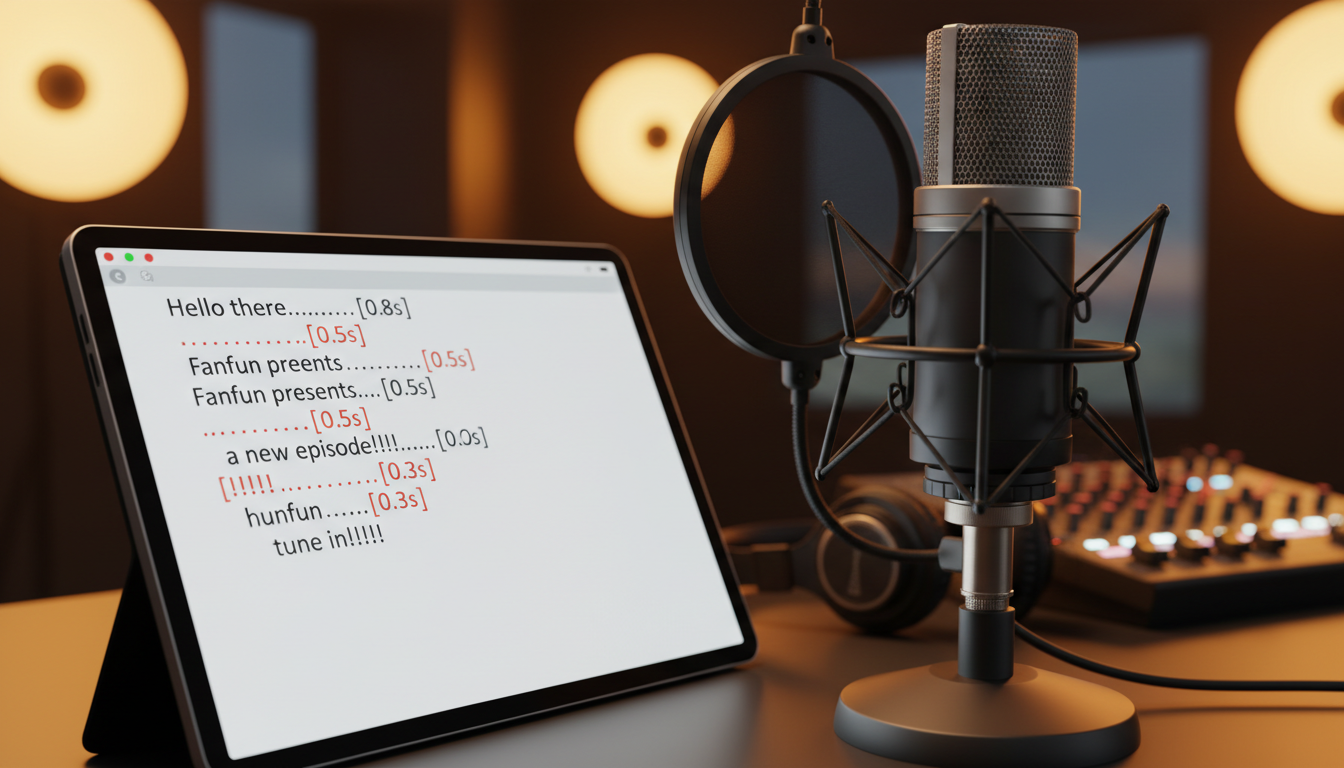
AI voice generators respond heavily to the way text is structured. If you write a script exactly as it would appear in a book, the AI will read it with the steady cadence of an audiobook narrator. To get a dynamic, human-sounding performance, you must "write for the mic" using punctuation, phonetic spelling, and deliberate line breaks.
For example, instead of writing:
"What are you doing here? I thought you were defeated."
Try writing:
"What... what are you doing here?! I... I thought you were... defeated!"
By adding ellipses, you force the generator to insert natural, dramatic pauses. Using multiple exclamation points or question marks signals the engine to apply upward inflection. You can even use phonetic spelling to stretch out vowel sounds for dramatic effect—writing "Noooo!" instead of "No!" to mimic the desperate cry of a hero losing their mentor.
Step 2: Mastering the Lip-Sync and Timing Matrix
One of the hardest parts of anime dubbing is matching the English dialogue to the original Japanese "lip flaps" (the opening and closing of characters' mouths). Japanese and English have completely different sentence structures and syllable counts, meaning a direct translation will almost never fit the animation.
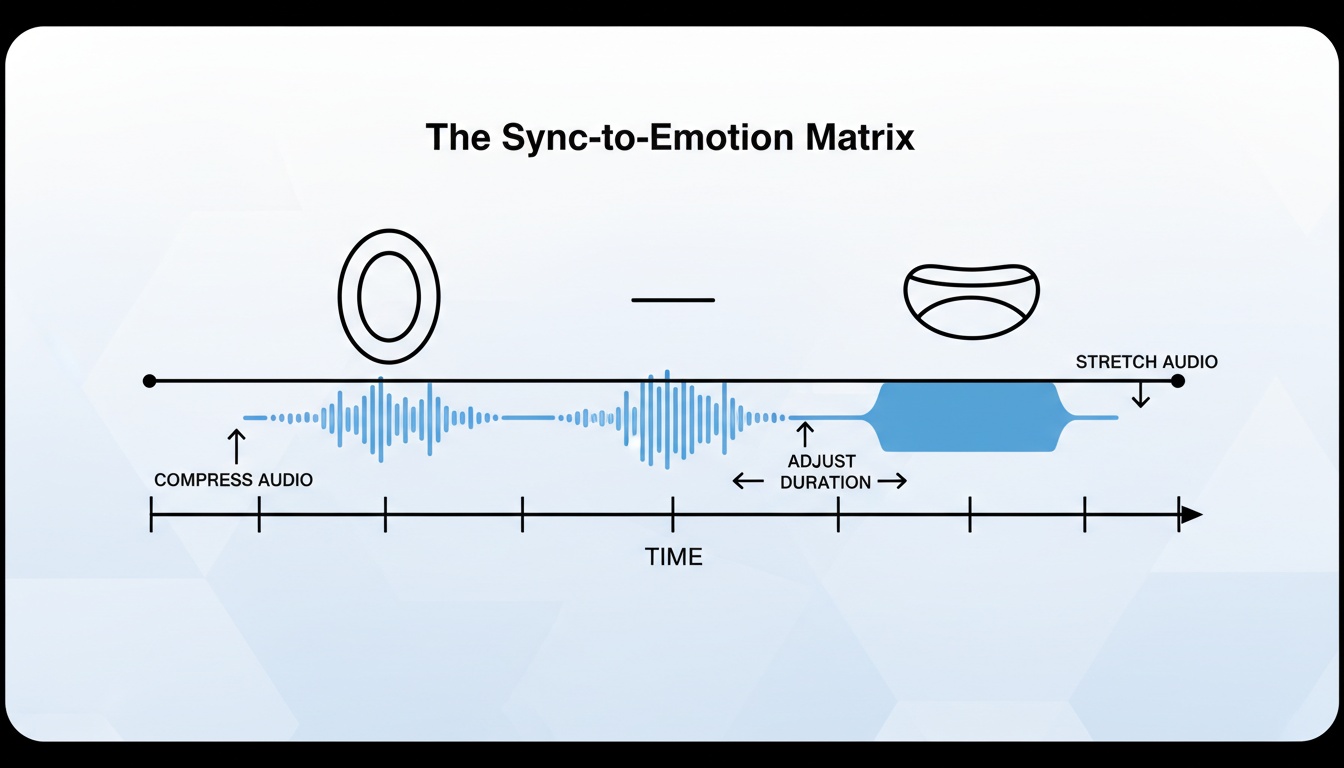
To solve this, professional dub writers look for "labials"—consonants like B, M, and P that require the lips to close completely. If the character's mouth closes on screen, you should try to place a word containing a labial sound at that exact moment in the English script.
Once you've generated your dialogue on Fanfun, you'll need to bring the audio tracks into your video editor (such as Premiere Pro, CapCut, or DaVinci Resolve) to perform surgical timing adjustments. Don't expect a single, long audio generation to align perfectly. Instead, split your audio clip into individual phrases or even single words. You can then stretch, compress, or shift these clips to match the visual cues perfectly.
To help you navigate this process, use the following Sync-to-Emotion Matrix to guide your timing edits:
| Emotional Beat | Visual Cue | Dialogue/Scripting Strategy | Audio Timing Adjustment |
|---|---|---|---|
| Dramatic Reveal | Slow zoom on wide-open eyes, slow lip flaps. | Use ellipses (e.g., "It... can't be.") to trigger deep pauses. | Slightly stretch the vocal track (90-95% speed) to match the drawing-out of the moment. |
| High-Energy Shout | Mouth wide open, shaking screen, speed lines. | Phonetic spelling (e.g., "Hyaaaah!") and double exclamation points. | Align the start of the audio spike precisely with the first frame of the open mouth. |
| Comedic Panic | Flapping "chibi" mouth, rapid-fire frames. | Short, clipped words with minimal punctuation. | Compress the audio track (110-120% speed) to mimic breathless, panicked speed. |
Step 3: Studio-Grade Mixing and Sound Design
Even the most perfectly acted and timed voice track will sound amateurish if it's simply slapped on top of a muted video. To make your fan-dub feel like an official release, you must blend the voice into the scene's acoustic environment.
Your first step is to isolate the background track. Since most anime clips have the original voice, music, and sound effects mixed together, you may need to use an AI vocal remover tool to split the dialogue from the background music (BGM) and sound effects (SFX). Alternatively, you can completely mute the original clip and rebuild the soundscape from scratch using royalty-free SFX libraries and epic cinematic music.
Once you have your clean background track and your AI-generated voice track, follow this mixing workflow to ensure your project sounds professional:
- Apply Room Tone and Reverb: Anime characters rarely speak in perfectly dead, silent spaces. If a scene takes place in a cavernous castle, add a subtle hall reverb to the voice track. If they are outdoors, a tiny amount of short delay can make the voice feel like it's projecting in an open field.
- Equalization (EQ): Cut the extreme low-end frequencies (below 80Hz) on your voice track to remove any muddy rumble. Add a gentle boost around 3kHz to 5kHz to enhance clarity and make the dialogue pop.
- Sidechain Compression (Ducking): This is the secret weapon of professional audio engineers. Set up a compressor on your music track that is triggered by the vocal track. Whenever the character speaks, the background music will automatically "duck" down by 2-3 decibels, making the dialogue clear and easy to understand. When they stop speaking, the music swells back up to fill the silence.
By setting up a streamlined, budget-friendly audio pipeline for animation projects, you can achieve cinematic results without spending thousands of dollars on physical studio space.
The Creator's Checklist: From Raw Generation to Final Render
Before you hit "Export" on your masterpiece, run through this quick checklist to ensure your fan-dub meets professional standards:
- Script Adaptation: Have you checked for labials (B, M, P) and adjusted the English phrasing to fit the visual mouth movements?
- Punctuation Tuning: Did you use ellipses, double punctuation, and phonetic spelling in Fanfun to get the most expressive delivery possible?
- Surgical Timing: Have you sliced your audio track and aligned individual words with the character's lip flaps in your video editor?
- Acoustic Matching: Does the reverb and EQ on the voice track match the physical environment shown on screen?
- The Mobile Check: Have you tested your audio mix on mobile phone speakers? Many viewers watch content on their phones; if your dialogue gets drowned out by the music on a small speaker, you need to adjust your sidechain compression or lower the BGM volume.
How do I make an AI voice sound angry or excited for an anime battle scene?
To inject raw emotion into your AI voice tracks, you must "direct" the AI generator using custom punctuation and phonetic spelling. Use multiple exclamation points, capital letters, and stretched vowels (e.g., "Nooooo!" or "Yaaah!"). Splitting your lines into shorter, punchier fragments also helps the AI understand that the scene requires a fast-paced, high-energy delivery.
What is the best way to line up AI voices with Japanese anime lip flaps?
First, rewrite your script so the syllable count and mouth shapes match. Look for "labials" (words requiring closed lips like B, M, and P) and place them where the character's mouth closes on screen. Once generated, bring the audio into a video editor, cut the track into individual words, and manually stretch or shift them to match the animation frame-by-frame.
Can I remove the original Japanese voice from an anime clip while keeping the sound effects?
Yes. You can use free web-based AI vocal splitters (like LALAL.AI or Vocal Remover) to separate the dialogue from the music and sound effects (SFX). If the separation isn't perfect, many creators choose to mute the clip entirely and rebuild the SFX using free online sound libraries, which often yields a cleaner, more professional result.
Is it legal to use AI voices to create anime fan-dubs and parodies on YouTube?
Generally, fan-dubs and parodies fall under "fair use" for educational, transformative, or comedic purposes, provided you are not commercializing copyrighted visual assets directly. However, platforms like YouTube have strict policies regarding copyright claims on visual footage and music. It is always best to use short clips, add original commentary or editing, and use royalty-free music where possible to avoid automatic content ID claims.