
The Zero-Hour Video Message: How to Generate Hyper-Personalized Character and Celebrity Videos in Minutes
Stop waiting days for overpriced celebrity videos. Learn how to use Fanfun to script, customize, and render high-impact character and celebrity video messages in under five minutes.
Great comedy and heartfelt celebrations have one thing in common: timing. When a coworker lands a massive client, a friend experiences a hyper-specific inside joke, or a sudden internet meme takes over the group chat, you need to react immediately. Waiting seven days for a traditional celebrity video booking completely kills the momentum, turning a potentially legendary moment into an awkward afterthought.
The modern solution is instant, highly customizable, and completely bypasses the scheduling conflicts of busy stars. By leveraging Fanfun’s advanced AI video platform, creators, gift-givers, and brands can generate hyper-personalized video messages featuring iconic characters and celebrity voices the exact moment inspiration strikes. Here is how to take control of the creative process and go from a blank page to a rendered video in under five minutes.
The Speed Problem: Why Waiting Days for a Custom Video Kills the Moment
Traditional celebrity video platforms often require a 7-day waiting period, which ruins the spontaneity of internet trends, workplace jokes, and last-minute birthday gifts. If your best friend passes their driving test on Tuesday morning, sending them a congratulatory video next Wednesday feels stale. The internet moves at a breakneck pace; a meme that is hilarious at 9:00 AM might be completely forgotten by the time the weekend rolls around.
Beyond the timing issue, traditional platforms present significant financial and creative barriers. Booking a recognizable figure can cost hundreds of dollars for a rigid, 30-second clip where the creator might mispronounce your friend’s name or rush through the script. These platforms also enforce strict guidelines that limit creative freedom, making it nearly impossible to experiment with highly specific inside jokes, niche cultural references, or playful roasts.
Fanfun solves this speed and creative bottleneck by offering an instant, affordable alternative. Instead of waiting on a human schedule, you can generate custom videos featuring AI interpretations of iconic characters and sports legends in minutes. This shift from passive waiting to instant creation unlocks a brand-new way to communicate, allowing you to react to life’s milestones in real time without blowing your budget.
The 5-Minute Blueprint: From Blank Page to Rendered Video
Creating a high-impact video message does not require technical expertise or hours of editing. By breaking the process down into a structured, three-step workflow, you can eliminate friction and focus entirely on the fun part: crafting a message that will leave your audience laughing, crying, or scrambling to share it on social media.
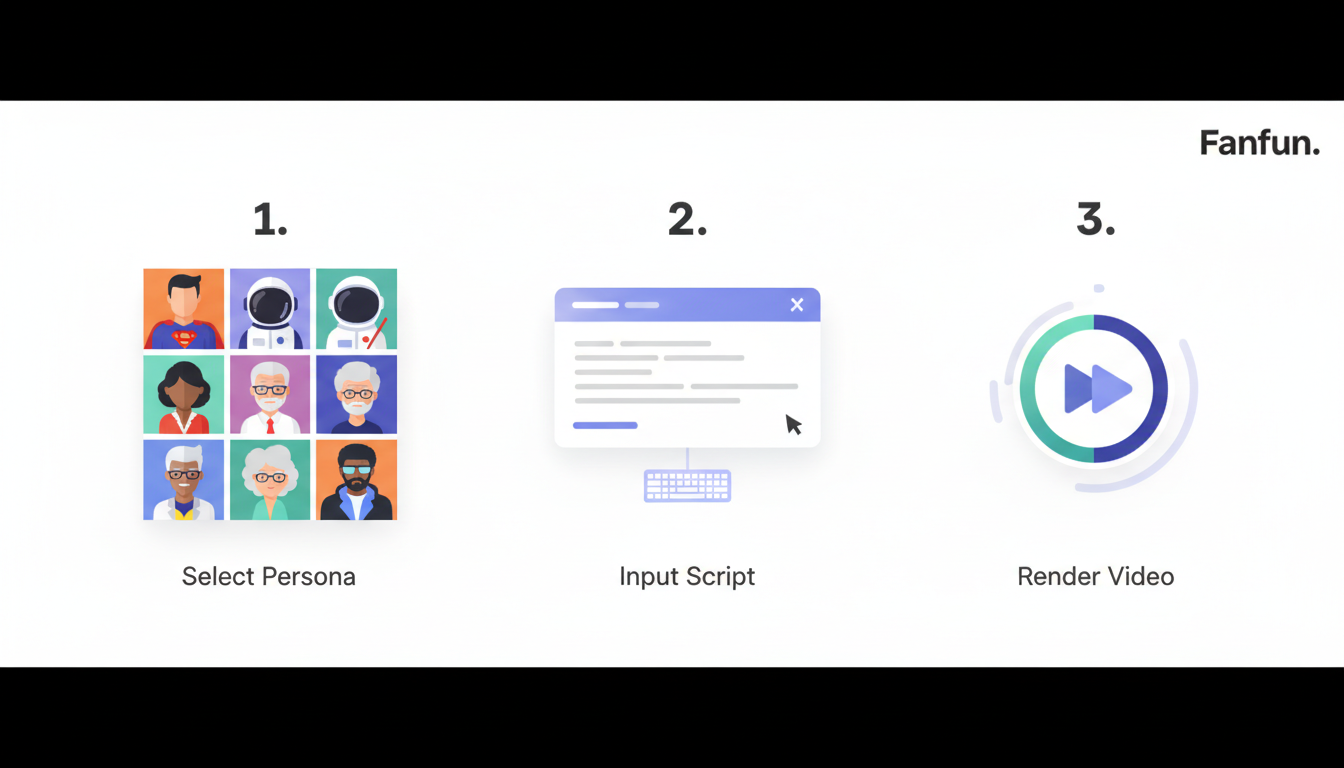
Step 1: Selecting the Right Persona for the Vibe
The foundation of any successful video message is matching the character’s established lore and personality to the theme of your video. For example, if you are creating a motivational speech for a friend who is studying for a difficult exam, an intense anime protagonist or a legendary sports coach will deliver the message with the necessary gravitas. Conversely, if you want to deliver a lighthearted, whimsical message to a child or a cartoon lover, a beloved animated character is the perfect fit.
Understanding how different demographics respond to these personas is key. While a Gen Z colleague might appreciate a deadpan anime icon delivering a sarcastic performance update, a parent or younger sibling will be absolutely thrilled by a friendly cartoon character speaking directly to them. Take a moment to browse the Fanfun character library and select a voice that aligns naturally with your intended tone.
Step 2: Writing the Prompt (Without Sounding Like a Robot)
The secret to a great AI-generated video is grounding the script in reality. To make the video feel truly custom, you must inject specific inside jokes, real names, dates, and locations. A generic "Happy Birthday, John" script feels artificial, but a script that mentions "John’s legendary failure to assemble that flat-pack coffee table last Thursday in Boston" instantly feels personal and authentic.
Additionally, lean heavily into character-specific catchphrases and speech patterns. If the character you chose is known for a specific greeting, a signature laugh, or a unique way of addressing their allies, make sure those elements are woven naturally into the text. This gives the AI voice generator the exact cues it needs to deliver a performance that matches the character’s established identity.
Step 3: Generating and Polishing the Output
Once your script is written, Fanfun’s instant rendering engine goes to work. Within minutes, the platform processes your text and generates a fully rendered video message. Before you finalize and download your video, take advantage of the preview feature to listen closely to the cadence and pronunciation.
If the AI struggles with a highly unusual last name, a slang word, or a specific brand name, do not worry. You can easily tweak the script using phonetic spelling (for example, writing "Shi-vawn" instead of "Siobhan") and run a quick regeneration. This iterative process ensures that the final output sounds completely natural and polished before you share it.
Matching the Message to the Moment: Formats and Frameworks
To help you structure your message for maximum impact, use the framework below to align your chosen format with the ideal character type and script length:
| Format | Ideal Length | Best Persona Types | Structural Secret |
|---|---|---|---|
| The Roast | 30–45 seconds | Feisty Anime Heroes, Sarcastic Icons | Start with false praise, hit them with a specific inside joke, and end with a playful smirk. |
| The Milestone | 45–60 seconds | Legendary Athletes, Epic Protagonists | Build a heroic narrative around their achievement, framing their struggle as a legendary quest. |
| Workplace Humor | 20–30 seconds | Cartoon Characters, Deadpan Mentors | Contrast the character’s epic universe with mundane office realities like spreadsheets or Slack. |
If you are targeting a close friend or a long-time colleague, learning how to script a roast that lands perfectly without crossing the line is essential to keeping the vibe fun rather than hurtful. For promotions, graduations, or retirements, focus on crafting custom scripts for major life achievements that balance reverence with a touch of theatrical energy. Finally, using these videos is an incredibly effective strategy for injecting humor into your team's internal communications, turning dry standard updates into highly engaging team moments.
Scripting for AI Voices: The Secret to Natural Delivery
Writing for an AI voice generator requires a slightly different approach than writing for the printed page. Because AI models interpret text sequentially, standard punctuation marks are your primary tools for controlling comedic timing, emphasis, and dramatic pauses. If you write a long, unbroken run-on sentence, the AI may deliver it too quickly, leaving the listener feeling rushed.
To force natural pauses and create a conversational flow, use ellipses (...) for a thoughtful hesitation, or em-dashes (—) to signal a sudden shift in thought. For example, writing "I can’t believe you did it... actually, scratch that, I can" gives the voice generator the physical space to pause, building anticipation before delivering the punchline. Use exclamation points sparingly; overusing them can cause the AI to sound artificially hyperactive, whereas a single, well-placed exclamation mark provides a natural burst of energy.
Once your script is generated, you can take your production value a step further by layering custom character voiceovers for high-impact social clips, matching the audio perfectly with dynamic visual edits. This technique is highly popular among content creators who want to build engaging TikToks, Reels, or YouTube Shorts that instantly stop users from scrolling past.
Beyond the Birthday Wish: Creative Ways to Use Instant Videos
While birthdays and roasts are the most common entry points for custom videos, the speed and accessibility of Fanfun open up a massive playground for alternative use cases. Parents and educators can captivate younger audiences by scripting custom video messages from cartoon characters, delivering personalized encouragement, chore reminders, or birthday surprises directly from their favorite animated friends.
For social media managers and content creators, the ability to generate rapid-response meme assets is a game-changer. When a new audio trend or pop-culture debate starts trending, you can use Fanfun to generate a character’s hot take within minutes, allowing you to publish relevant content while the topic is still actively being discussed. This level of agility was previously impossible when relying on traditional voice actors or slow manual animation workflows.
Finally, brands and small businesses can leverage instant personalized videos to scale their outreach. Instead of sending generic, text-heavy email blasts, a marketing team can generate personalized video check-ins or quirky holiday greetings featuring a beloved character. This unique approach instantly humanizes your brand, drives higher click-through rates, and leaves a lasting impression on your clients without requiring a massive production budget.
How long does it take to generate a custom video message on Fanfun?
Generating a custom video message on Fanfun typically takes less than five minutes. Once you select your character, input your script, and hit generate, our advanced AI rendering engine processes and delivers your video almost instantly.
Do I need video editing skills to make an AI celebrity video?
No video editing skills are required. The Fanfun platform is designed to be completely user-friendly. All you need to do is choose a character and type your script; our system handles the voice generation, character animation, and final rendering automatically.
Can I write my own script or do I have to use templates?
You have complete creative freedom. While we provide helpful templates and frameworks to get you started, you can write entirely original, custom scripts filled with your own inside jokes, specific names, and unique storylines.
How do AI video messages compare to traditional Cameo videos in cost?
Fanfun is significantly more affordable and scalable than traditional video booking services. While booking a real celebrity can cost hundreds of dollars and take up to a week, Fanfun allows you to generate high-quality, personalized videos instantly for a fraction of the cost.



