
How to Safely Share a Digital Video Card on Social Media
Want to share a custom AI video card on social media without leaking private details? Here is how to keep your public celebrations fun, engaging, and completely secure.
To safely share a digital video card on social media, you must design your video script with public privacy in mind from the very beginning. This means omitting full names, precise locations, and sensitive personal details, while using platform privacy settings like "Close Friends" or unlisted links to control who sees the final message. By taking these precautions, you can celebrate your friends with highly engaging, custom AI character videos without exposing them to identity theft or unwanted tracking.
The Public Post Dilemma: Why Digital Video Security Matters
Unlike traditional paper cards, which sit quietly on a mantelpiece and are seen only by household visitors, digital video cards are highly shareable and can easily travel far beyond your immediate friend group. If you compare the fundamental privacy differences between digital video cards and traditional paper cards, it becomes clear that digital media requires a different approach to security. When you create a video using Fanfun—where you can pick a wild character, type a hilarious prompt, and generate a custom AI video message—you are creating content designed for high engagement. Because these videos are built to be shared, liked, and sometimes even go viral, treating your script as public data from the very first draft is the best way to protect your loved ones.
Scripting for the Public Eye: What to Keep and What to Cut
Keeping your digital video safe does not mean making it boring. You can still craft an incredibly funny, high-energy message by focusing on creative storytelling rather than sensitive facts. Here are a few simple guidelines to follow when drafting your script:
- The First-Name-Only Rule: Never include the recipient's full name, middle name, or rare surname in the script. Stick to first names or common, inside-joke nicknames that do not reveal their offline identity.
- Omit Specific Identifiers: Leave out exact school names, workplace titles, specific dates, or neighborhood names. Instead of "Congrats on graduating from West Oak High on June 14th!", write "Happy graduation day to our favorite high school superstar!"
- Keep Inside Jokes Broad: If you are referencing a funny memory, describe it generally. Avoid details that could reveal sensitive personal history or financial details.
To make the video pop without relying on private facts, you can learn how to write custom audio narratives for social media edits that use dramatic pacing, sound effects, and character-driven humor to deliver a memorable impact.
The Social Media Sharing Framework: Choosing the Right Privacy Level
Once your video is generated, you have several options for how to distribute it. Depending on the occasion, you might want a massive public audience or a small, intimate group. For example, when creating a custom digital anniversary video card, you will likely want a much tighter circle of viewers than you would for a broad holiday greeting.
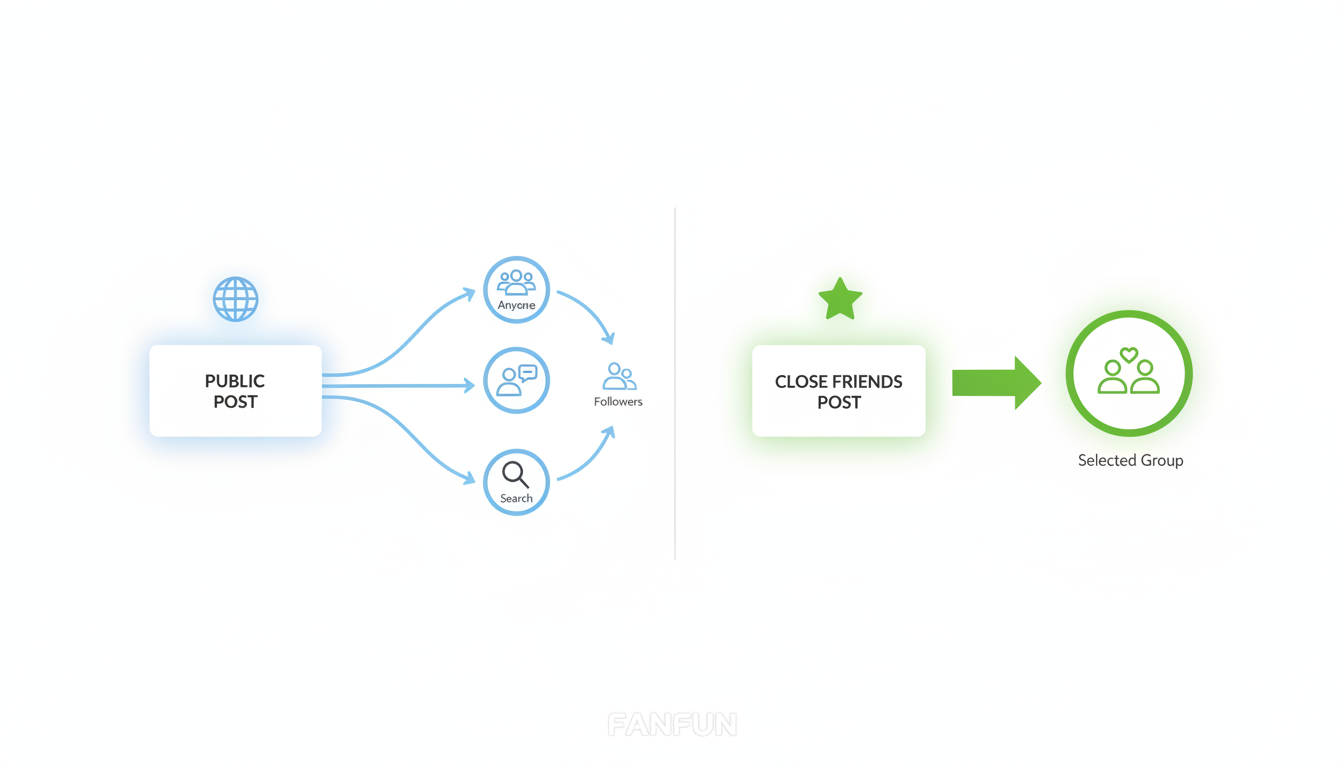
Below is a decision matrix to help you choose the right sharing method for your video card:
| Sharing Method | Best For | Privacy Level | Reach |
|---|---|---|---|
| Public Feed Post (TikTok, Instagram) | Viral humor, public celebrations | Low | High (Anyone online) |
| Close Friends / Stories | Semi-private updates, casual roasts | Medium | Medium (Approved followers only) |
| Direct Link Sharing (Discord, WhatsApp) | Highly personal milestones, family cards | High | Low (Only recipients with the link) |
Using platform-specific tools like Instagram's Close Friends list or TikTok's "Friends Only" privacy setting allows you to enjoy the interactive nature of social media without exposing the recipient to the broader public. If the card contains any sensitive personal milestones, sending a direct, unlisted video link via private messaging is always the safest option.
Technical Steps to Sanitize Your Video Before Uploading
Before you hit that final upload button, run through this quick checklist to ensure your post remains secure:
- Check Supplementary Footage: If you are pairing your AI video card with real-world video clips, check the background for visible street signs, license plates, house numbers, or mailboxes.
- Disable Download Permissions: On platforms like TikTok, turn off the option for viewers to download your video to their local devices. This prevents strangers from saving and re-uploading your content.
- Monitor the Comments: Check the comment section immediately after posting. If friends or family members accidentally comment with sensitive details (like the recipient's full name, party location, or date), delete those comments promptly.
Should I tag the recipient's public profile when posting a digital video card?
It depends on their privacy settings and preferences. If their profile is public and contains personal information, tagging them links the video card directly to their real-world identity. For maximum safety, ask them before tagging, or simply mention their first name in the caption without an active link.
Can bad actors use the voice in an AI video card for voice cloning scams?
Generally, sharing a video card featuring a character voice does not expose your recipient's actual voice to cloning, as the audio uses a different persona. However, keeping your video's script free of highly specific personal details ensures that no private information can be harvested from the recording.
What should I do if a public video card I posted starts getting unwanted attention from strangers?
You can easily change the video's privacy settings to "Private" or "Friends Only" on platforms like TikTok and Instagram at any time. Alternatively, you can disable comments or delete the post and share it directly with your recipient via a secure private link instead.



