
The Podfic Director’s Playbook: Directing AI Voice Generators for High-Emotion Fan Fiction Audio
Transform your fan fiction into an immersive audio drama. Learn the exact script formatting, punctuation hacks, and post-production techniques to direct AI voice generators for high-emotion podfics.
Fan fiction has always been about deep emotional investment. Whether it is a slow-burn romance, an angsty space opera, or a high-stakes battle between legendary rivals, the written word holds immense power in fandom spaces. But for many fans, reading off a screen is only the starting point; they crave an immersive auditory experience. This desire has fueled the rise of "podfics"—audio fan fiction—though historically, creators faced a major bottleneck: finding voice actors who could capture the exact nuance of beloved characters without charging professional studio rates.
Enter the era of sophisticated AI voice generation. Rather than settling for flat, robotic text-to-speech tools that destroy the emotional tension of a scene, creators are now using platforms like Fanfun to step into the role of a director. By casting recognizable AI interpretations of iconic characters and using clever script-formatting techniques, you can turn raw written prose into cinematic audio dramas that do justice to your favorite fandoms.
The Podfic Revolution: Why AI Voice Generators Are Changing Fan Fiction
Historically, podfics were recorded by passionate volunteers in the fandom community using basic microphones. While admirable, these projects were often limited by casting availability, scheduling conflicts, and varying audio quality. Long-form fics (frequently stretching past 100,000 words) rarely received the audio treatment they deserved because the sheer volume of work was too daunting for amateur voice talent. If a story required multiple characters with distinct accents, the casting call could take months before a single line was recorded.
Traditional text-to-speech (TTS) engines did little to bridge this gap. They read text with the emotional depth of a GPS system, turning intense confessions of love or dramatic battle cries into monotone recitations. Modern AI voice generators, however, are built to understand cadence, breath, and emotional subtext. They don't just read words; they perform them, capturing the subtle rises and falls of human speech that make a story feel alive.
At Fanfun, we have built a creative sandbox that changes how these stories are told. Instead of struggling to find a voice actor who can sort-of mimic an anime protagonist or a legendary hero, creators can access a vast library of AI interpretations of iconic characters instantly. This means you can cast the perfect voice for your story, whether you need a brooding anti-hero, a high-energy sidekick, or a majestic fantasy ruler, all running at a fraction of the cost of a traditional voiceover booth and completed in minutes.
Casting Your Audio Fic: Choosing the Right Voice Profile
Casting is the foundation of any successful audio drama. Before generating a single line of dialogue, you must map out your characters' vocal profiles. A character's voice is more than just pitch; it is an extension of their personality and state of mind. Is your protagonist a gravelly, exhausted detective who speaks in short, clipped sentences? Or are they a bright, optimistic mage whose voice naturally rises at the end of a phrase? Matching these traits to the right AI voice model is critical for maintaining suspension of disbelief.
When using Fanfun’s character library, take the time to sample different voice options. Look for models that align with the age, tone, and cultural background of your characters. It is often helpful to keep a casting sheet where you match your written characters to specific AI voice profiles, noting how each voice handles different emotional baselines. For creators wanting to ensure the highest production value, spend time evaluating the fidelity and emotional range of online voice tools before settling on your final cast.
Testing the Voice in Context
Before committing to exporting an entire multi-chapter story, run a pilot test. Select a high-stakes paragraph—one with a mix of dialogue and internal narration—and generate it using your chosen voice. This step is crucial for evaluating how the voice handles the specific vocabulary of your fandom. If the voice sounds too casual during a high-stakes confrontation, you will know you need to adjust your script formatting or select a different vocal profile before proceeding with the full production.
Scripting for the Ear: Formatting Fan Fiction for AI Voice Generators
One of the most common mistakes creators make is copy-pasting raw fan fiction prose directly into an AI voice generator. Written prose is meant for the eye, not the ear. In a book, a line like "No," he whispered, shaking his head, works perfectly because the reader's brain processes the physical action and the dialogue simultaneously. If an AI reads that literally, it will say the words "No, he whispered, shaking his head" in a flat tone, ruining the pacing of the whisper.
To adapt your fanfic into a script, you must strip out redundant dialogue tags and replace them with performance cues. Instead of having the AI read "Get out!" she screamed angrily, you format the script so the AI delivers the line "Get out!" with high intensity, omitting the "she screamed angrily" tag entirely. If you want to learn more about translating written text into dynamic sound scripts, explore our comprehensive guide on cinematic narration and voice direction techniques.
Another critical hurdle is pronunciation. Fantasy names, sci-fi jargon, and fictional languages (like Elvish, High Valyrian, or anime-specific techniques) will completely trip up standard AI algorithms. To prevent jarring mispronunciations, use phonetic spelling in your script. For example, if a character is named Aethelgard, you might spell it phonetically as Ay-thel-gard in the generation box. If they use a sci-fi weapon called a Phased Disruptor, spelling it Fayzed Dis-rup-tor ensures the AI maintains a smooth, authoritative delivery without stumbling over the syllables.
Punctuation Hacks for Emotional Pacing
AI voice generators interpret punctuation as stage directions. By manipulating standard punctuation, you can force the AI engine to insert pauses, gasps, and shifts in cadence that mimic real human emotion. You do not need complex coding; you just need to know how the AI reads basic symbols.
- Ellipses (...): These are your best tool for creating hesitation, romantic tension, or physical exhaustion. Placing an ellipsis before a word forces the AI to take a breath or pause contemplatively. For example, "I... I didn't think you'd actually come."
- Em-Dashes (—): Use these to simulate sudden interruptions, panic, or rapid-fire arguments. An em-dash tells the AI to cut off a word abruptly, creating a sense of urgency. For example, "But we have to—" "There's no time!"
- Line Breaks and Paragraph Spacing: Hard returns are excellent for building suspense. If you want a dramatic pause between a question and its answer, place them on separate lines. The AI treats a new line as a natural break in speech, allowing the silence to hang in the air.
The Emotion Matrix: How to Inject Tension, Romance, and Drama
Fan fiction is built on iconic tropes, and each trope requires a distinct vocal energy. A slow-burn "enemies-to-lovers" story requires a voice that transitions from cold, clipped, and distant to soft, warm, and intimate. An action-packed battle sequence demands rapid delivery, breathy pauses, and high volume. If you are already familiar with directing voices for comic dubs and illustrated stories, you know how crucial it is to match text beats to dramatic delivery.
Below is our "Emotion Matrix" to help you format your dialogue based on the specific emotional needs of your scene:
| Fanfic Trope / Scene Type | Required Vocal Tone | Formatting & Prompting Trick | Example Script Format |
|---|---|---|---|
| Enemies-to-Lovers (Tense) | Cold, sharp, deliberate | Use short sentences, periods for hard stops, and minimal commas to sound guarded. | "Do not touch me. We are partners by force, nothing more." |
| Angst / Hurt-Comfort | Breathier, softer, hesitant | Heavy use of ellipses (...) and lowercase letters to encourage a quiet, vulnerable delivery. | "I'm just... so tired of fighting... alone." |
| Action / High Stakes | Urgent, rapid, breathless | Short, fragmented phrases separated by em-dashes (—) or exclamation points. | "Run! Behind the wall—now!" |
| Fluff / Romantic Comedy | Warm, upbeat, lighthearted | Use exclamation marks sparingly to keep it natural, but add commas to create a bouncing rhythm. | "Oh, of course you brought the wrong map, classic." |
Post-Production: Layering Soundscapes for Ultimate Immersion
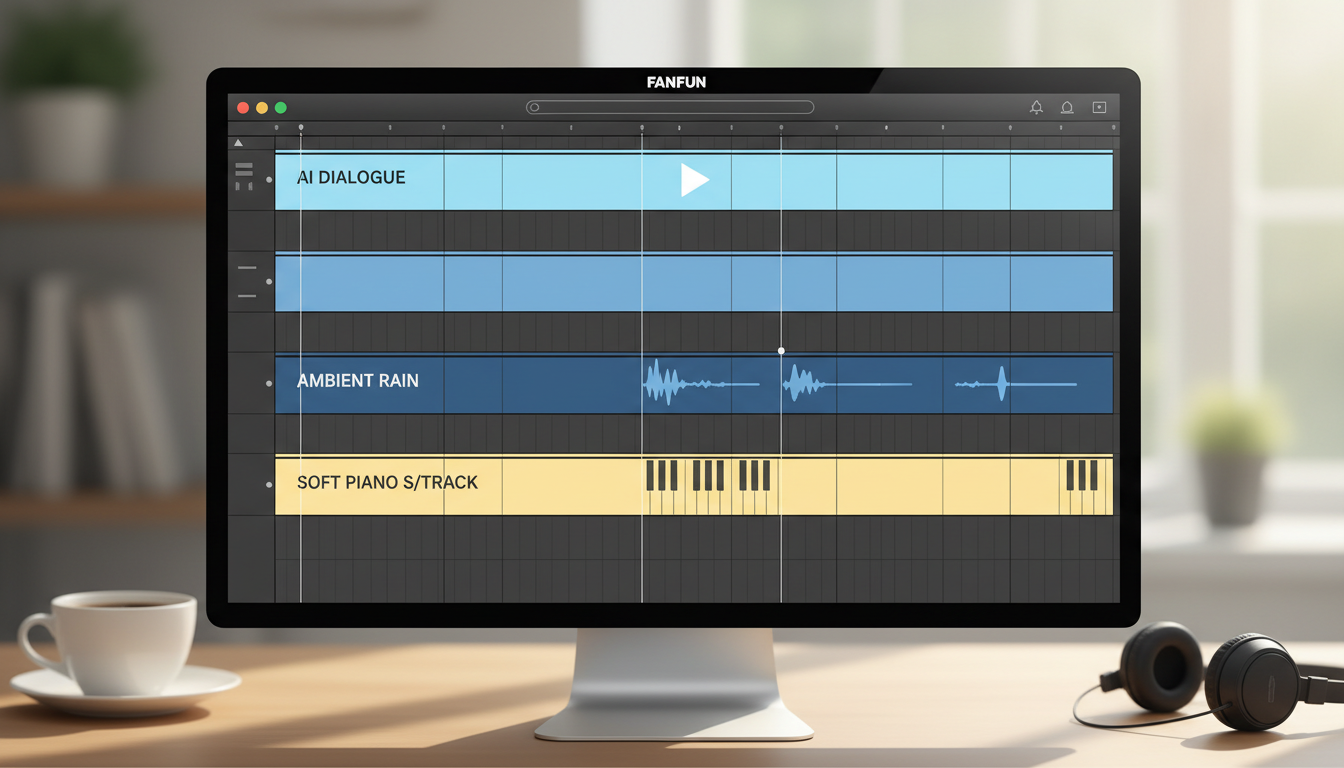
Once you have exported your raw character dialogue and narration tracks from Fanfun, the real magic happens in post-production. Raw voice files, no matter how high the quality, can sound sterile when played in complete silence. To create a truly immersive audio drama, you need to layer soundscapes behind your dialogue.
Start with ambient noise (also known as room tone). If your scene takes place in a cozy library, layer a quiet crackling fireplace and the soft rustle of pages in the background. If it is a sci-fi epic, a low, rhythmic spaceship engine hum will instantly ground the listener in the setting. Ambient noise acts as the "glue" that blends different voice tracks together, masking any minor transitions between dialogue cuts.
Next, introduce background music (BGM) to guide the listener's emotional response. A soft piano melody can elevate a romantic confession, while a low, droning synth can build dread during a suspenseful sequence. The key is balance: your dialogue should always sit comfortably above your music and sound effects. Use your digital audio workstation (DAW) to lower the volume of the music track (a technique called "ducking") whenever a character is speaking. For creators looking to build their own library of unique audio elements, check out our guide on creating custom sound assets and audio edits to give your podfic a professional edge.
Can I use AI voices to create podfics of my own fan fiction?
Absolutely! Using AI voice generators is one of the fastest and most accessible ways to bring your own written stories to life. It allows you to hear your characters speak exactly as you imagined them, without having to coordinate schedules with voice actors or invest in expensive recording gear.
How do I make an AI voice sound like it is whispering or crying in a dramatic scene?
While you cannot force an AI to shed physical tears, you can simulate these emotions through clever script formatting. Use ellipses (...) to create long, hesitant pauses, write out small physical sighs phonetically (like "ah" or "huff"), and lower the volume of the track in your editing software to make the delivery sound intimate and quiet.
Is it legal to use AI voice generators for fan fiction audio dramas?
Generally, fan fiction falls under non-commercial fair use, as long as you are not selling the audio files or charging listeners to access them. Fanfun's AI interpretations are designed as creative, transformative tools for fans to express their love for their favorite characters and universes in non-commercial settings.
What is the best way to handle multiple characters in an AI-generated podfic?
To keep your project organized, generate each character's dialogue lines separately on Fanfun. Once you have exported all the individual audio tracks, import them into a digital audio workstation (DAW) like Audacity, GarageBand, or Reaper. This allows you to arrange the conversation, adjust individual volumes, and add ambient soundscapes seamlessly.



