
How to Create a Dramatic Pause in Synthetic Voiceovers
Getting an AI voice to pause naturally does not require complex editing software. Learn how to use punctuation, line breaks, and phonetic fillers to help adjust the pacing of your synthetic voiceovers.
To create a dramatic pause in synthetic voiceovers, you can format your text script with visual punctuation cues and strategic line breaks to encourage the AI engine to pause. While standard text-to-speech tools are often designed to read text continuously, you can experiment with inserting multiple ellipses (...), em-dashes (---), or physical line breaks directly into your script box. These formatting adjustments can help signal the synthetic voice to take a breath, allowing your message to build suspense or deliver a timed punchline without the need for complex audio editing software.
The Challenge of AI Pacing: Why Synthetic Voices Rush
Synthetic voices often read text in a continuous stream. They are frequently designed to sound fluid, prioritizing a steady flow over dramatic effect. While this works well for standard narrations, it can sometimes feel rushed when you need comedic timing, emotional emphasis, or a suspenseful beat.
A lack of natural pauses can lessen the impact of a roast, a birthday surprise, or a big announcement. If your virtual character rushes through a punchline, the joke might not land as intended. At Fanfun, we believe that making a video message feel engaging requires matching the quirks and rhythms of human conversation. When you are assembling your overall workflow for custom video voiceovers, experimenting with text-based pauses is a practical way to help your final video sound more expressive.
Four Text Hacks for Perfect Dramatic Pauses
You do not need to be an audio engineer to adjust the pacing of your voiceover. By treating punctuation as musical notation, you can try to coax AI models into taking a well-timed breath. Here are four text formatting techniques to try in your next script.
1. The Ellipsis Stack
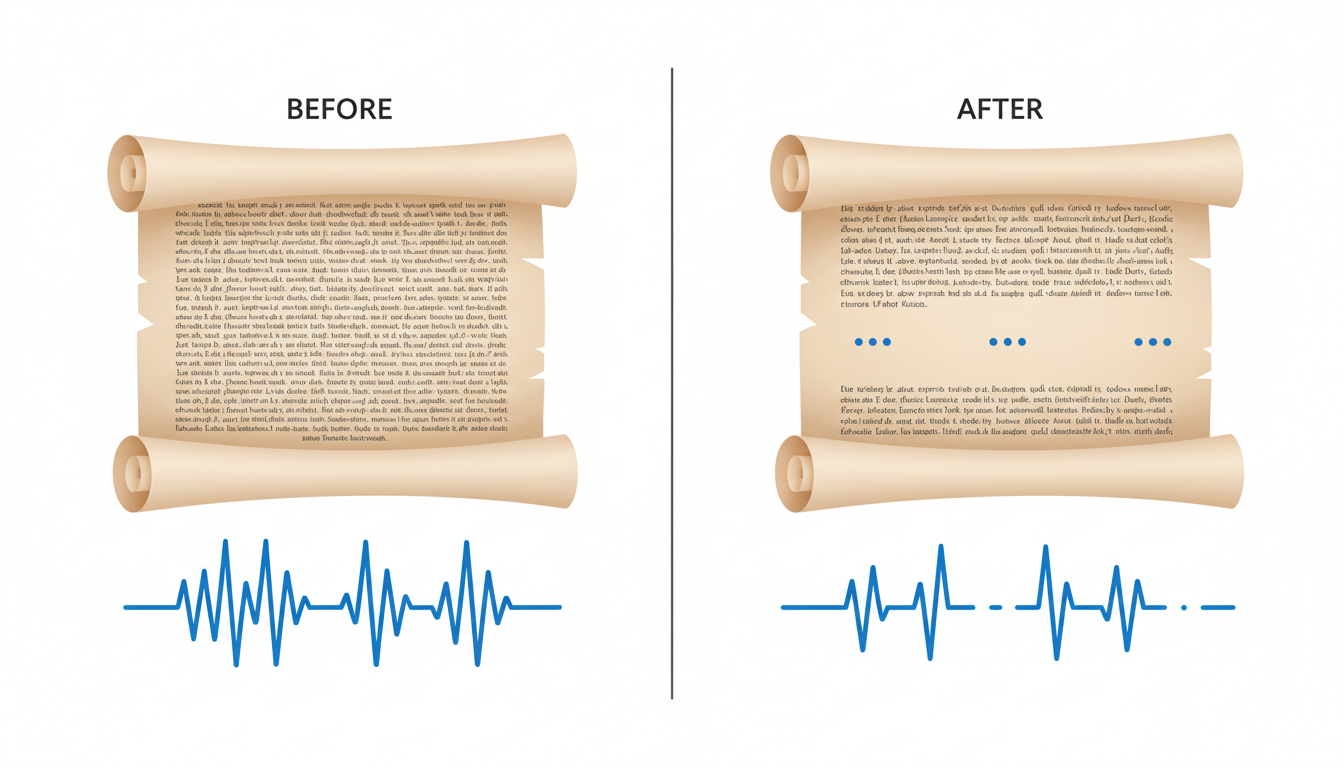
An ellipsis (...) is a common symbol for a pause. However, a single ellipsis might only generate a micro-pause. To try to create a longer delay, you can stack multiple ellipses or dashes together. Writing ... ... or --- often encourages the AI to hesitate as it processes the text.
2. The Line Break Method
Hitting the "Enter" key to create a physical line break is another common approach. Many synthetic voice models treat a new line as the start of a new thought, which can prompt them to pause and reset their pitch. You can learn more about how to use line breaks to control AI speech rhythm to help fine-tune your timing and manage your character's pacing.
3. Phonetic Fillers
Humans do not always speak in perfect, clean sentences. We hesitate, we think, and we use filler words. Adding written hesitations like uh, um, or well... directly into your script can prompt the generator to produce a more conversational pause. This is a useful technique to try for playful roasts or casual greetings.
4. Punctuation Layering
Instead of relying on a single period, you can try layering different punctuation marks to encourage a gradual slowdown. Combining a comma, a semicolon, and a period in close succession may signal the AI to decelerate its reading speed before delivering the final word.
Script Formatting Comparison
The table below demonstrates how formatting adjustments change the pacing and feel of the spoken audio waveform.
| Format Type | Example Script | Resulting Audio Waveform Effect |
|---|---|---|
| Standard Text | "And the winner of the award is Michael." | Continuous waveform with minimal silence. The name may sound rushed. |
| Formatted Text | "And the winner of the award is... ...Michael!" | A gap of silence in the waveform, followed by a peak on the name. |
How to Match the Pause to Your Character's Style
Not all pauses work the same way. The length and style of your pause can be adjusted to match the persona of your chosen character and the occasion of your message.
Comedic Timing
For a roast or a birthday message, timing is key. You can try introducing a beat right before the punchline to let the anticipation build. For example:
"I heard you finally bought a gym membership... [line break] ...to use the massage chairs."
Suspenseful Timing
If you are creating a virtual star graduation video message or celebrating a major life milestone, you might want the pause to feel grand and celebratory. Try using a combination of layered punctuation and dashes to build up to the reveal.
Character-Specific Pacing
Different personas may react uniquely to text formatting cues:
- Cartoon Characters: Animated, high-energy cartoon characters often benefit from dramatic phonetic fillers like "uh oh" or "gasp" to help make their pauses feel more expressive.
- Sports Legends: Virtual sports legends may benefit from short, punchy line breaks that mimic a coach giving a post-game locker room speech.
Testing and Iteration
Because different synthetic voice models interpret punctuation in their own unique ways, there is no single universal rule. We always recommend testing small script segments first. Try a few variations of ellipses, line breaks, and commas to see which combination coaxes the best performance out of your chosen AI character before finalizing your video.
Do all AI voice generators respond to punctuation the same way?
No. Different AI voice models are built on unique architectures. Some models are highly sensitive to commas and ellipses, while others may ignore them entirely. It is always best to preview short snippets of your script to see how your specific character model handles your formatting cues.
Can I use SSML tags to define an exact pause length in seconds?
While some advanced speech systems recognize markup code, standard consumer-facing video generators and script boxes typically do not support raw code. For these platforms, text-based adjustments like ellipses and line breaks are the most practical alternatives to try.
Why does my AI character ignore my commas entirely?
If an AI character is ignoring your commas, the system may be prioritizing overall sentence flow over punctuation. To address this, you can try replacing the comma with a physical line break (pressing Enter) or an ellipsis (...) to encourage a more distinct separation between your words.



