
How to Adjust Script Phrasing and Phonetics for a More Natural Accent in Synthetic Voices
Standard text-to-speech models often strip away regional warmth. Learn how to use phonetic scripting and pacing tricks to give your synthetic voices an authentic, regional accent.

To adjust synthetic voice settings for a more natural regional accent, you must bypass standard dictionary spellings in favor of phonetic scripting—spelling words exactly as they sound in the target dialect—while fine-tuning punctuation and timing. Because standard text-to-speech (TTS) engines default to a standardized, flat pronunciation, simply selecting an accent profile from a drop-down menu often sounds robotic or overly formal. While phonetic scripting can dramatically improve warmth and regional cadence, it requires trial and error, as different AI voice models interpret phonetic spellings uniquely.
Why Standard Text-to-Speech Struggles with Regional Accents
Many synthetic voice generators default to clean, standardized speech. While this makes them highly intelligible, it also strips away the regional warmth, unique dialects, and local character that make human voices sound genuine. Relying solely on a platform's default accent setting often results in a generic, newsreader-style delivery that feels sterile.
When you are customizing scripts for Fanfun's playful AI character voice messages, adjusting the spelling of regional slang is key to making the persona sound authentic. A character trying to sound like they are from east London or deep Texas won't sound right if they pronounce every word with textbook perfection. By taking control of the spelling and pacing yourself, you bridge the gap between a sterile robotic readout and a lively, character-rich performance.
Phonetic Spelling Tweaks for Regional Accents
Phonetic scripting is the art of writing words for how they sound, not how they are spelled in the dictionary. Since AI voice models process text based on phonemes (the distinct units of sound in a language), you can intentionally misspell words to force specific regional pronunciations.
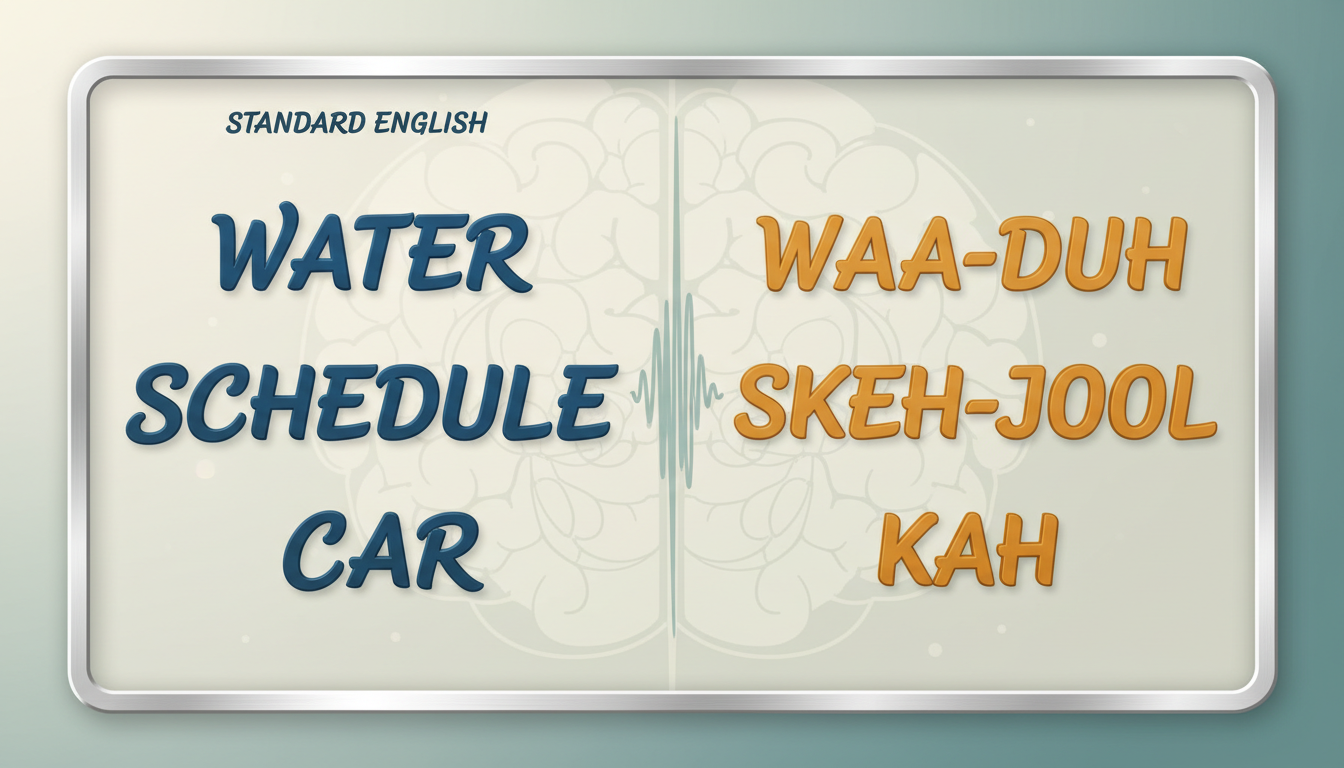
For example, to drop the "r" for a non-rhotic accent (such as British Received Pronunciation or a classic Boston accent), you can spell words with "ah" or "uh." Changing "water" to "wah-ter" or "partner" to "part-nah" forces the synthetic voice to bypass its default rhotic "r" sound. Conversely, to capture a Southern US drawl, you need to lengthen the vowels by adding extra letters. Spelling "well" as "way-all" or "here" as "hee-ur" coaxes the generator into that signature slow, melodic slide.
This process of shaping an accent is highly similar to how you would handle unique names in AI voice generators. If you want to learn more about the mechanics of phonetic spelling, you can refer to our guide on writing phonetic spellings for unique names to see how vowel and consonant substitutions work in practice.
Accent-Optimized Spelling Comparison
Below is a quick reference table demonstrating how standard English words can be phonetically modified to trigger specific regional pronunciations in synthetic voice generators:
| Standard Word | Target Accent | Phonetic Spelling | Resulting Sound |
|---|---|---|---|
| Water | British (RP / Estuary) | "wah-tuh" or "war-tuh" | Softer, non-rhotic ending |
| Partner | Boston / New England | "part-nah" or "pah-tnah" | Dropped "r" with a wide "a" |
| Well | Southern US Drawl | "way-all" | Elongated, multi-syllable vowel |
| My | Australian | "mah-ee" or "moiy" | Diphthong shift with a wider mouth shape |
| Little | Cockney / London | "li-uhl" | Mimics a glottal stop on the double "t" |
Using Cadence and Punctuation to Sell the Accent
An accent is more than just pronunciation; it is defined by its musicality, rhythm, and flow. If you do not adjust the cadence of your script, even the most accurate phonetic spellings will sound like a robot reading a list of misspelled words.
Use ellipses and dashes to force the AI to pause and mimic natural regional speech rhythms. A southern drawl requires longer, lazier pauses between phrases, whereas a fast-paced northeastern clip needs tight, rapid-fire transitions. To manage this pacing, you can learn how to adjust speech rate in synthetic voice generators to match the cultural speed of your target dialect.
Additionally, you may need to soften the tone of the delivery so that heavy regional inflections do not sound harsh or unnatural. We recommend adjusting character voice pitch for a softer tone, which helps smooth out the transitions between phonetically modified words. Finally, make sure to give the voice generator room to breathe; formatting script paragraphs for natural breathing prevents the AI from rushing through complex phonetic spelling chains, keeping the performance believable from start to finish.
Decision Framework: Dialect Tuning Checklist
Before generating your final audio, use this quick checklist to ensure your script is fully optimized for the desired regional accent:
- Check the Vowels: Have you lengthened vowels for slow drawls or shortened them for clipped dialects?
- Inspect the "R" Sounds: If the target accent is non-rhotic (like Boston, NYC, or British RP), have you replaced trailing "r"s with "ah" or "uh"?
- Insert Rhythm Markers: Are there ellipses (...) or hyphens (-) to force natural pauses where a native speaker would hesitate or take a breath?
- Test the Pitch and Speed: Have you dialed back the speech rate for relaxed accents, or slightly increased it for fast, urban dialects?
- Run a Short Test: Always generate a 3-to-5-word sample first to see how the specific AI model handles your phonetic spelling before committing to a full script.
Why does my phonetic accent spelling sound different when I switch characters?
Each synthetic voice can interpret phonetic spellings differently. A phonetic spelling that successfully triggers a Boston accent in one voice might sound unexpected or unnatural in another. Always run short, single-word tests when switching characters to see how that specific voice interprets your phonetics.
Can I use phonetic spelling to make an English voice sound like it has a foreign accent?
Yes, though it requires more extensive phonetic adjustments. For instance, to give an English voice a French accent, you might replace "th" sounds with "z" or "s" (e.g., spelling "the" as "ze") and drop trailing silent consonants. However, the results depend heavily on the underlying AI model's flexibility.
Do punctuation marks like exclamation points affect how an accent is delivered?
Absolutely. Punctuation marks act as emotional and rhythmic cues for AI voice generators. An exclamation point often raises the pitch and speed of the preceding words, which can sometimes distort a carefully crafted regional accent. Use periods, commas, and ellipses for more predictable, natural pacing.