
How to Format Script Paragraphs for Natural Breathing in Synthetic Speech
Give your AI characters room to breathe. Discover how simple paragraph formatting and sentence structure can help you organize conversational pacing in your synthetic scripts.
To introduce natural breathing intervals in synthetic speech, splitting your script into short, single-idea paragraphs of one to two sentences is a practical approach. While AI voice generators do not have physical lungs, structuring your text with clear visual breaks can help you organize the script's pacing. This simple layout adjustment can help prevent a voice from rushing through a wall of text.
The Breathable Script Template
Use this editable template to structure your next voice note or video gift. Copy the text below and replace the bracketed placeholders with your own words, keeping the paragraph breaks exactly where they are:
Hey [Name]! I wanted to stop by and send you a quick message.\n\n[Insert a warm, personal greeting here. Keep it to one sentence.]\n\nI heard that you recently [mention achievement or milestone]. That is absolutely incredible!\n\n[Add one sentence of encouragement or a playful joke.]\n\nAnyway, I hope you have an amazing day. You deserve it!Why Synthetic Voices Run Out of Breath
Synthetic voice generators process text in sequential chunks. When presented with a solid, unbroken block of text, a voice engine may attempt to deliver the text as a continuous thought. Without explicit visual breaks, the voice can sometimes sound hurried or run sentences together, making the delivery feel less natural.
When creating a voice note or a personalized video gift on Fanfun, designing your script with natural conversational pauses in mind can help guide the pacing. Writing shorter, punchier sentences can help keep the delivery feeling natural and conversational.
The Paragraph-Break Blueprint: A Before-and-After Script Template
To see how layout affects delivery, compare these two versions of the same birthday message. While the words are identical, organizing your script visually can help you refine the pacing and sentence length.
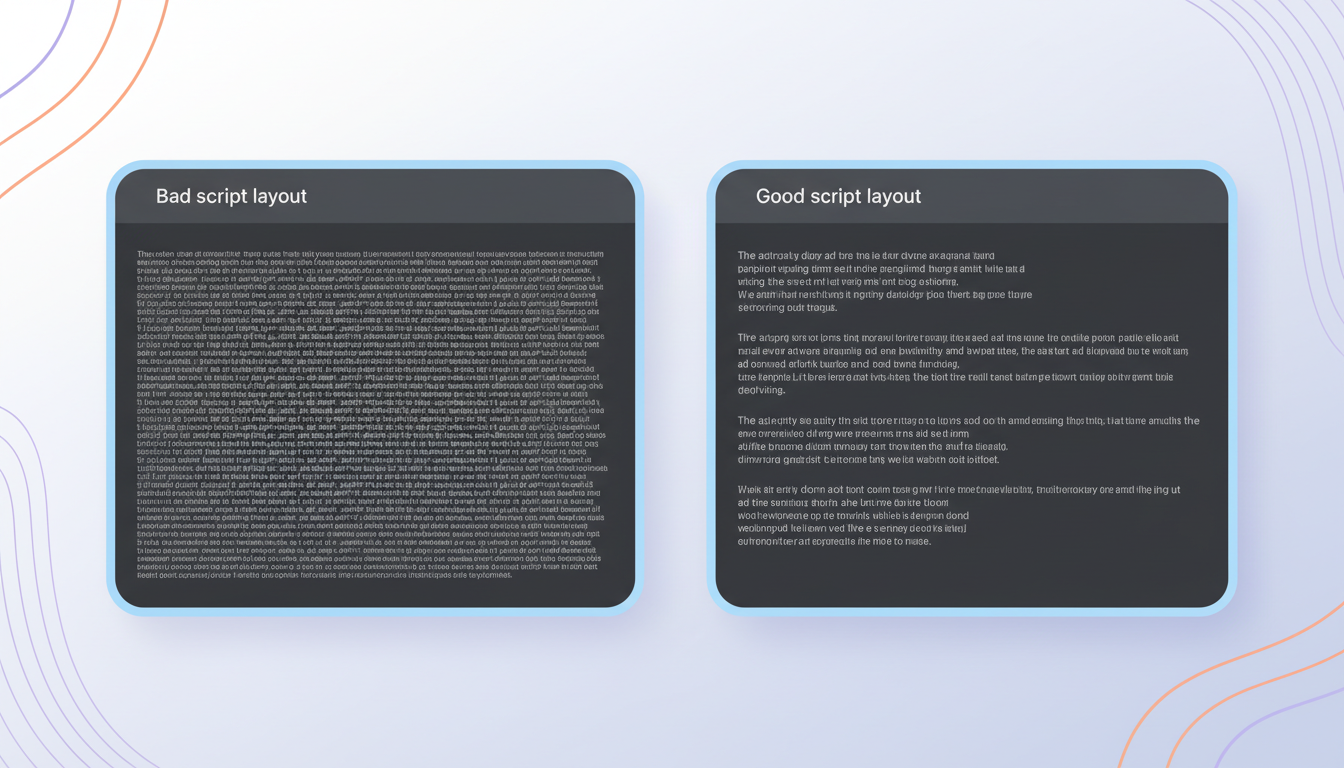
The "Rushed" Script (Before)
"Happy birthday, Sarah! I can't believe another year has flown by already. We need to celebrate this weekend with a giant slice of cake. I hope your day is filled with laughter and surprises!"
Result: A long, unbroken block of text makes it harder to plan natural pauses, which can lead to a delivery that feels rushed or blends the transition between the cake joke and the final warm wish.
The "Breathable" Script (After)
"Happy birthday, Sarah!
I can't believe another year has flown by already.
We need to celebrate this weekend with a giant slice of cake.
I hope your day is filled with laughter and surprises!"
Result: By breaking the script into single-sentence paragraphs, you can better visualize the pacing of each line, helping you write shorter sentences that let the humor and warmth land with proper timing.
Checklist for Placing Paragraph Breaks
- After a punchline: Give the joke a moment to land before moving to the next thought.
- Before an emotional shift: Break the paragraph when transitioning from a funny remark to a sincere congratulation.
- Between distinct thoughts: If you change the subject (e.g., transitioning from a greeting to a specific memory), start a new paragraph.
Balancing Paragraph Length with Speech Timing
While paragraph formatting is a helpful way to organize your thoughts, it works in tandem with your script's overall rhythm. As a rule of thumb, keeping individual paragraphs to a maximum of two sentences can help prevent the delivery from sounding too rushed.
You can also combine paragraph breaks with punctuation tuning to eliminate awkward pauses and control the overall rhythm of the message. For instance, if a paragraph break feels too long but a standard period feels too short, check out our guide on how to fix unnatural pauses in synthetic character speech to fine-tune your script's internal pacing.
Additionally, keep in mind that speech speed affects these intervals. When you learn how to adjust speech rate in synthetic voice generators to match your paragraph pacing, you can ensure that faster-speaking characters still take adequate pauses between their lines.
| Formatting Tool | Typical Effect (Engine Dependent) | Best Used For |
|---|---|---|
| Comma (,) | Very Short Pause | Separating items in a list or adding a minor conversational beat. |
| Period (.) | Short Pause | Ending a standard sentence within a paragraph. |
| Paragraph Break (Enter) | Visual Break / Potential Pause | Transitioning between related thoughts or sentences. |
| Double Hard Return (Enter x2) | Visual Break / Potential Pause | Creating a distinct break or separating topics. |
How to Apply Breathing Formatting to Your Next Video Gift
When preparing a script for a voice note or a video gift on Fanfun, this step-by-step formatting workflow can help you structure your text for a more natural flow:
- Read your script aloud: Speak your written lines at a normal conversational pace. Mark every spot where you naturally take a breath or pause for dramatic effect.
- Structure your paragraphs: Open your favorite text editor and break your script into short paragraphs based on your marked breath points to keep your thoughts organized.
- Differentiate character pacing: If you are writing dialogue for multiple characters, apply unique paragraph spacing rules to each voice to keep their pacing distinct. You can master how to format dialogue for multiple virtual characters in one script to ensure each voice sounds natural.
- Paste and generate: Paste your formatted text into the Fanfun creator. Listen to the generated audio, check the timing, and adjust your script's punctuation or sentence length if the pacing needs fine-tuning.
Do double paragraph breaks create a longer pause than a single paragraph break?
While behavior varies widely by platform and engine, some synthetic voice systems may interpret line breaks as natural pauses. However, because behavior is highly platform-dependent, it is best to test your specific voice generator to see how it handles spacing.
Will paragraph breaks count against my character limit on Fanfun?
Spaces and paragraph breaks do count as standard text characters in most inputs, but they use very little of your limit. Keeping your script organized into clear sections is well worth the few characters they occupy.
Can I use ellipses instead of paragraph breaks to make an AI character pause?
While ellipses (...) are sometimes used to suggest pauses, some AI voice models interpret them as a trailing, hesitant tone. Depending on the platform, punctuation like periods or commas may be more reliable choices for structuring your script's rhythm.



