
Beyond Flat Narration: How to Use a Virtual Character Voice Generator to Build Immersive Audio Stories
Ditch the monotone text-to-speech. Learn how to cast distinct vocal personalities, format scripts for natural breathing, and direct virtual character voices to create highly immersive audio stories.
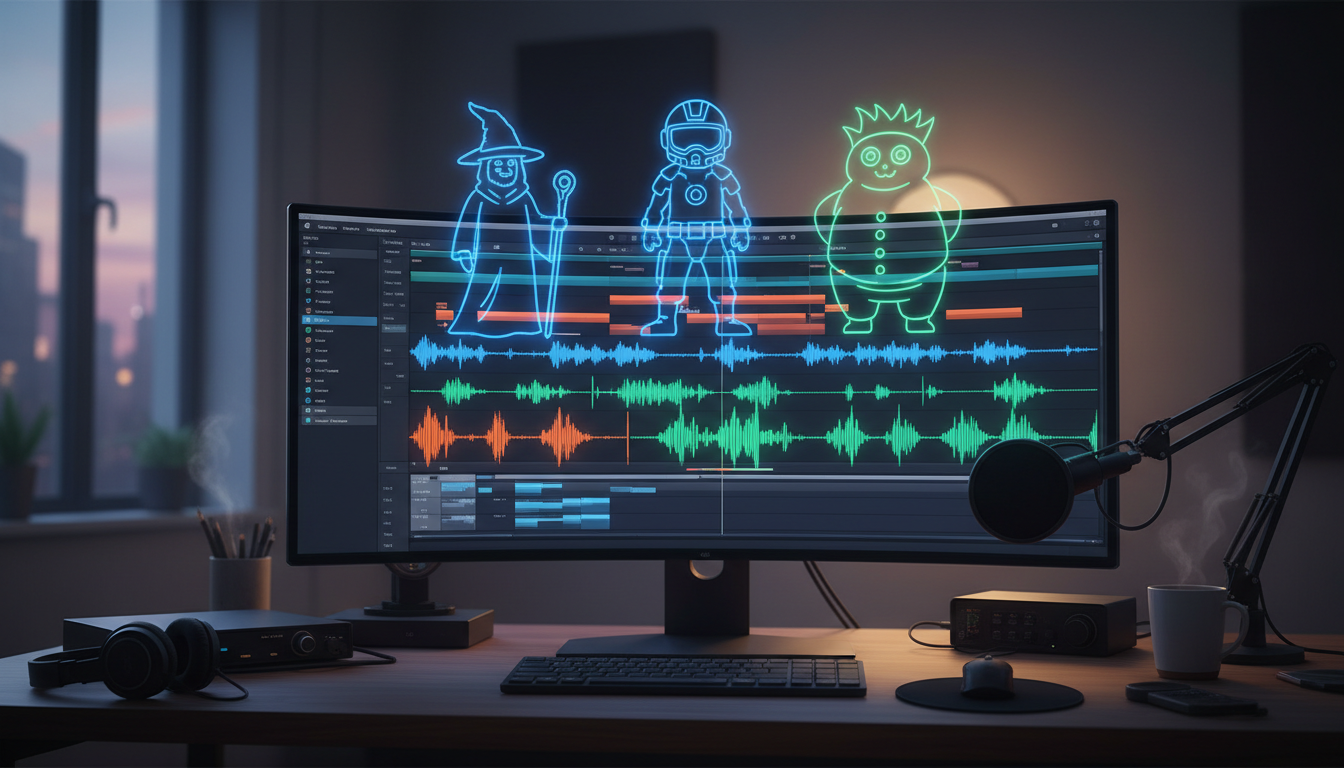
Audio storytelling is undergoing a quiet revolution. For years, independent creators, podcasters, and social media animators were trapped between two challenging options: hiring expensive voice talent for every minor character or settling for the lifeless, robotic drone of legacy text-to-speech tools. When a narrator sounds like a GPS system giving directions, even the most brilliant script loses its magic and fails to connect with an audience.
Today, virtual character voice generators are breaking that bottleneck. By moving beyond flat text-to-speech to highly expressive, character-driven performances, creators can cast, script, and direct multi-dimensional audio stories instantly. With platforms like Fanfun, building a rich sonic universe no longer requires a professional recording studio or a Hollywood budget—just a strategic approach to vocal casting and script direction.
The Death of the Monotone Narrator: Why Storytelling Demands Virtual Character Voices
Traditional text-to-speech (TTS) tools were built for utility, not art. They excel at reading screen-reader text or giving driving directions, but they flatten narrative tension. A story needs more than clear pronunciation; it requires subtext, strategic hesitation, and character-specific cadence. When every character speaks with the exact same mid-Atlantic, perfectly modulated robotic tone, the listener's brain checks out within thirty seconds.
Immersive storytelling demands distinct vocal identities. This is where Fanfun transforms the landscape. Instead of forcing creators to work with generic, unlabeled voice profiles, Fanfun provides instant access to a diverse library of character and celebrity-inspired voices. It moves the needle from simple speech synthesis to actual vocal performance, allowing creators to bypass the clinical, sterile tone of legacy tools and deploy voices that carry built-in personality, attitude, and history.
Crafting the Sonic Identity: How to Cast Your Virtual Voice Roster
Just like a film director avoids casting actors who look and sound identical, an audio creator must curate a balanced sonic palette. If your protagonist, antagonist, and narrator all share a similar mid-range pitch and slow pacing, your listeners will struggle to follow the dialogue. Vocal crowding is the silent killer of audio dramas.
When casting your virtual roster, look for contrasting acoustic profiles. Pair a gravelly, slow-paced anti-hero with a high-energy, fast-talking companion. If you are building a fantasy epic, you might focus on directing fantasy character voice generators for immersive worldbuilding to establish ancient, resonant tones for your mythical entities while keeping your human characters grounded in conversational, modern cadences.
The Vocal Contrast Matrix
To help you structure your cast, use this quick-reference framework to map out contrasting vocal profiles before you generate a single line of dialogue:
| Character Archetype | Pitch Profile | Cadence & Pacing | Key Sonic Feature | Example Use Case |
|---|---|---|---|---|
| The Grit (Anti-Hero) | Low, gravelly | Slow, deliberate | Heavy vocal fry, deep breaths | Hardboiled detective, rugged warrior |
| The Spark (Sidekick) | High, bright | Rapid, energetic | Varied inflection, frequent jumps | Tech-savvy assistant, comic relief |
| The Authority (Mentor) | Mid-to-low, smooth | Rhythmic, steady | Resonance, pauses before key words | Galactic commander, ancient wizard |
Fanfun’s character library allows you to test these vocal combinations before committing to your final script. By running short, single-sentence test lines across different character models, you can hear how their frequencies interact. If two voices sound too similar, swap one out for a character with a different regional flavor or a higher pitch floor to maintain clear acoustic boundaries.
Writing for the Synthesizer: Scripting Techniques That Force AI Voices to Sound Human
You cannot write for an AI voice generator the same way you write for the printed page. Synthesizers read punctuation as physical instructions rather than grammatical rules. To get a virtual voice to sound human, you must act as a director who encodes performance cues directly into the text.
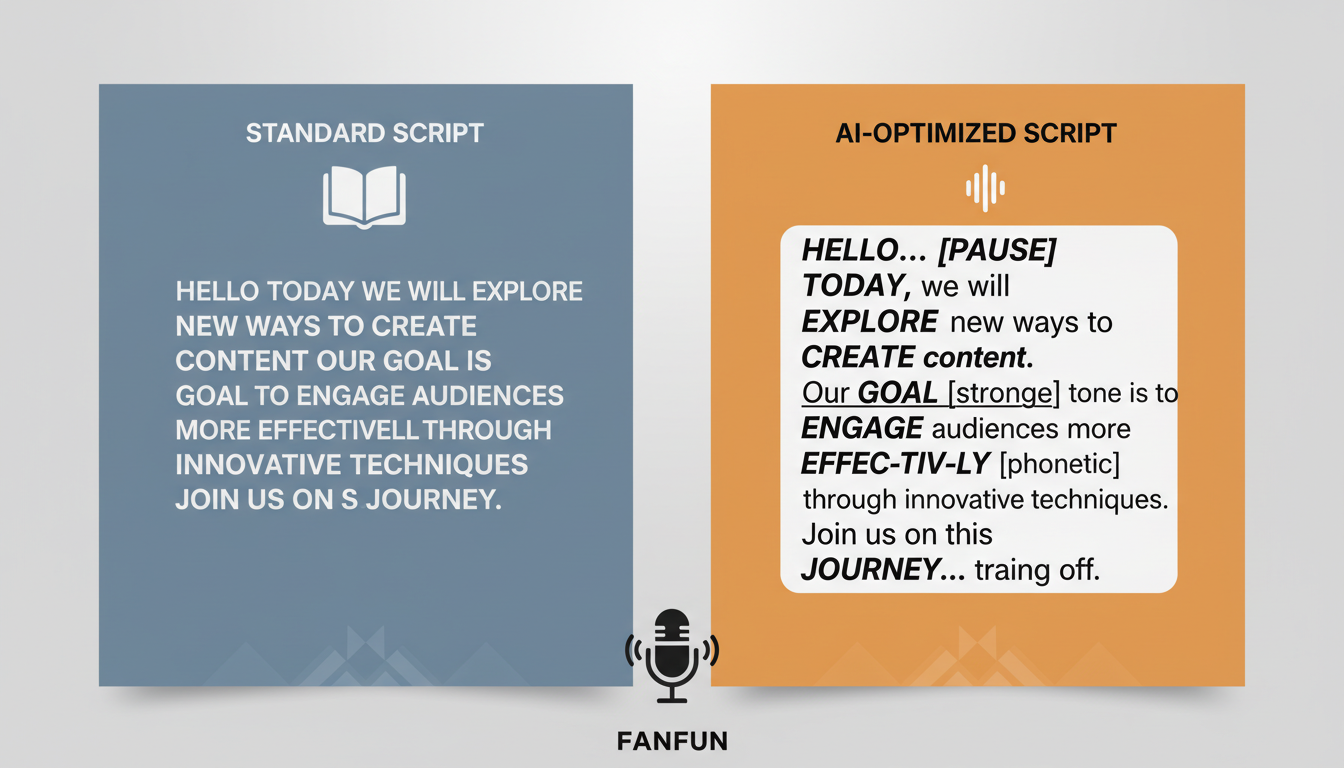
Punctuation is your primary tool for controlling pacing and breath. An ellipsis (...) tells the generator to hold a beat, creating suspense or hesitation. An em-dash (—) forces an abrupt stop, perfect for interrupted thoughts or sudden realizations. Commas act as soft pauses, while hard line breaks can trick the AI into taking a natural "breath" before delivering the next sentence.
Furthermore, you must write for the character's physical capacity. A high-energy character should have short, punchy sentences that mimic rapid breathing. A calculating villain, on the other hand, should speak in long, rolling clauses that showcase an eerie, unbroken control. If the generator struggles with a complex word or a localized slang term, use phonetic spelling. Writing "pro-tah-gon-ist" instead of "protagonist" or "buh-nana" instead of "banana" can bypass awkward robotic glitches and deliver a perfectly natural pronunciation.
Directing the Performance: Pacing, Layering, and Sound Design
Generating the audio is only half the battle. If you simply export your generated clips and stitch them back-to-back in your editing software, the scene will sound unnatural. Humans do not speak in perfectly timed, sequential blocks; we interrupt, we linger on vowels, and we react silently before speaking.
When directing a character AI voice generator for high-impact narrative content, your work in the digital audio workstation (DAW) is crucial. Slice the generated audio files to adjust the space between sentences. Introduce slight overlaps where characters interrupt each other, and insert tiny gaps of silence (around 150 to 300 milliseconds) to represent a character absorbing what was just said before responding.
To truly bring your scene to life, anchor the virtual voices in a physical environment. Layering a subtle bed of ambient sound—such as the low hum of a spaceship, wind rustling through trees, or the clink of glasses in a busy tavern—masks any minor synthetic artifacts in the generated voice. The human brain is easily fooled; when it hears realistic room tone underneath a voice, it automatically registers the voice as physically present in that space. Keep the dialogue mixed cleanly above the soundscape, using a subtle equalizer (EQ) cut in the mid-range of your background music to let the character voices sit comfortably in the spotlight.
From TikTok Series to Audio Dramas: Creative Use Cases Redefining Digital Storytelling
The accessibility of virtual voices has opened up entirely new creative formats that were once restricted to major production houses. On platforms like TikTok and Instagram Reels, creators are building highly engaging multi-part audio dramas. By directing cartoon AI voice generators for high-retention storytelling, social media animators and meme-makers can hook scrolling audiences instantly with high-energy, instantly recognizable voices that command immediate attention.
Beyond traditional narratives, these tools are perfect for interactive fan fiction, personalized birthday roasts, and community-driven content. Because Fanfun generates high-quality voices in minutes rather than days, creators can respond to audience comments in real-time, turning viewer suggestions into the next episode's dialogue. This creates an incredibly tight feedback loop that builds deep audience loyalty.
Finally, virtual voices serve as an invaluable tool for prototyping and pre-visualization. If you are pitching an animated pilot or a complex audio series to investors, you can build a fully realized scratch track using Fanfun's character library. This allows you to prove your concept, nail down the pacing, and showcase the dynamic chemistry of your characters without spending thousands of dollars on voice actors before your project is even greenlit.
How do I make a virtual character voice sound less robotic?
To make virtual voices sound more natural, focus on your script's punctuation. Use ellipses (...) for hesitant pauses, em-dashes (—) for abrupt cut-offs, and spell out words phonetically if the generator struggles with pronunciation. Additionally, importing the audio into a DAW to manually adjust the pacing and spacing between sentences will instantly make the dialogue sound more human.
Can I use virtual character voices for commercial audiobooks and podcasts?
Yes, many creators use virtual character voices for commercial projects, podcasts, and audiobooks. However, always check the licensing terms of the platform you are using. Fanfun offers commercially viable, ethical voice options and licensed personas designed specifically to help creators scale their content safely and legally.
What is the best way to handle dialogue between two AI voices in a single scene?
Avoid generating both voices in a single text block. Instead, generate each character's lines individually. Import the separate audio files into a multi-track editor (like Audacity, Premiere, or Reaper) so you can manually control the timing, overlap, and reaction pauses between the two speakers.
How do virtual voice generators handle accents and regional dialects?
Modern generators handle regional accents through specialized voice models trained on specific speech patterns. To get the best results, select a character model that natively matches the target accent, and use regional slang or phonetic spelling in your script to reinforce the natural cadence of that dialect.



