Real-Time vs. Generative: Why Your Donald Trump Voice Changer Needs a Rhetorical Upgrade
Most real-time voice changers sound robotic because they only shift pitch. Discover why generative AI voice technology is the key to capturing authentic cadence, vocabulary, and comedic timing.

If you have spent any time on TikTok, YouTube Shorts, or Discord lately, you have likely run into hundreds of videos featuring the unmistakable voice of Donald Trump. Whether he is arguing with other political figures over video game matches or ranking fast-food chains, the comedic potential of this specific voice is undeniable. However, if you have tried to recreate this magic yourself using a basic real-time voice changer, you probably ended up with something that sounds less like a former president and more like a malfunctioning dial-up modem.
The issue is not your microphone or your enthusiasm; it is the underlying technology. Traditional voice changers rely on simple, real-time frequency modulation that warps your physical voice but completely misses the linguistic DNA that makes an impersonation land. To create content that actually stops users from scrolling, you need to transition from real-time pitch-shifting to high-fidelity generative AI voice models that capture the unique rhetoric, rhythm, and structural quirks of the target persona.
The Illusion of the Real-Time Voice Changer
Real-time voice changers are incredibly popular for casual, live interactions. They run as background processes on your PC, capturing your microphone input, shifting the pitch, adjusting the formants, and spitting out the modified audio with minimal latency. This is fine for a quick laugh while playing games with friends, but it falls spectacularly flat when you are trying to produce high-impact satirical videos.
The core limitation is that a real-time modulator is entirely dependent on your live vocal delivery. If you speak with a flat, monotonic cadence, the output will be a flat, monotonic caricature. It cannot fix a lack of character vocabulary, incorrect pacing, or natural speech pauses. It merely wraps your voice in a metallic, unnatural digital skin, which is why real-time modulators often sound buzzy, robotic, and instantly recognizable as fake.
If you are serious about content creation, you should skip the basic modulators and look at generative AI platforms. For instance, transitioning to our comprehensive satire playbook for viral parodies at The Satire Playbook can help you understand how to leverage generative tools for professional-grade comedic timing. Generative AI does not just warp your voice—it synthesizes a completely new performance based on deep learning models that understand the nuances of human speech.
Generative Voice vs. Pitch Shifting: A Technical Reality Check
To understand why generative AI sounds so much more convincing than a real-time voice changer, we have to look under the hood. Traditional voice changers are destructive audio processors. They take your existing sound wave and stretch or compress it, which often introduces digital artifacts, robotic buzzing, and a distinct lack of dynamic range.
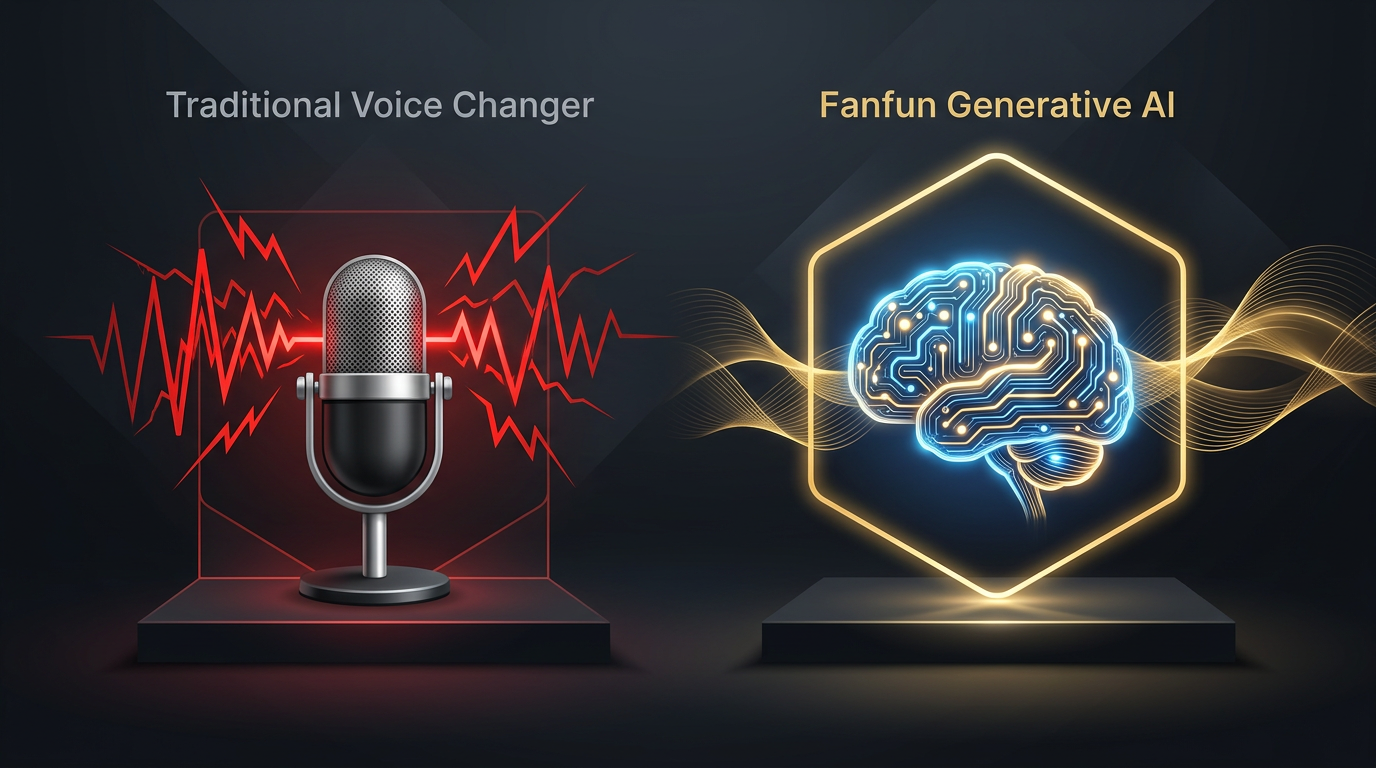
Generative AI platforms, such as Fanfun, work in reverse. Instead of warping an existing audio signal, they analyze text input and synthesize brand-new audio from scratch. The AI has been trained on hours of speech patterns, learning not just the tone of the voice, but how that specific person breathes, pauses, stresses certain syllables, and transitions between words. This results in an organic, high-fidelity performance rather than a cheap digital filter.
| Feature | Traditional Voice Changer | Fanfun Generative AI Voice |
|---|---|---|
| Processing Method | Real-time pitch and formant warping | Deep learning speech synthesis from text |
| Audio Quality | Often metallic, buzzy, or robotic | Studio-quality, clean, and natural |
| Nuance & Cadence | Completely dependent on your physical voice | Captures unique speech patterns, pauses, and sighs |
| Best Use Case | Live gaming chat, Discord pranks | TikToks, YouTube Shorts, high-end satire, promos |
| Setup Complexity | Requires virtual audio cables and software | Instant, browser-based generation |
This comparison highlights a critical shift in creative workflow. When you use a generative platform like Fanfun, you do not need to spend hours practicing vocal fry or trying to mimic physical speech quirks yourself. You can focus 100% of your energy on what actually drives engagement: writing an incredibly sharp, funny script.
The Anatomy of a Viral Impersonation: Writing for the Voice
An accurate vocal tone is only half the battle. If your AI model speaks in perfectly structured, grammatically flawless, academic sentences, the illusion is broken instantly. The real secret to a viral impersonation lies in the rhetoric.
Mastering the Cadence and Vocabulary of Hyperbole
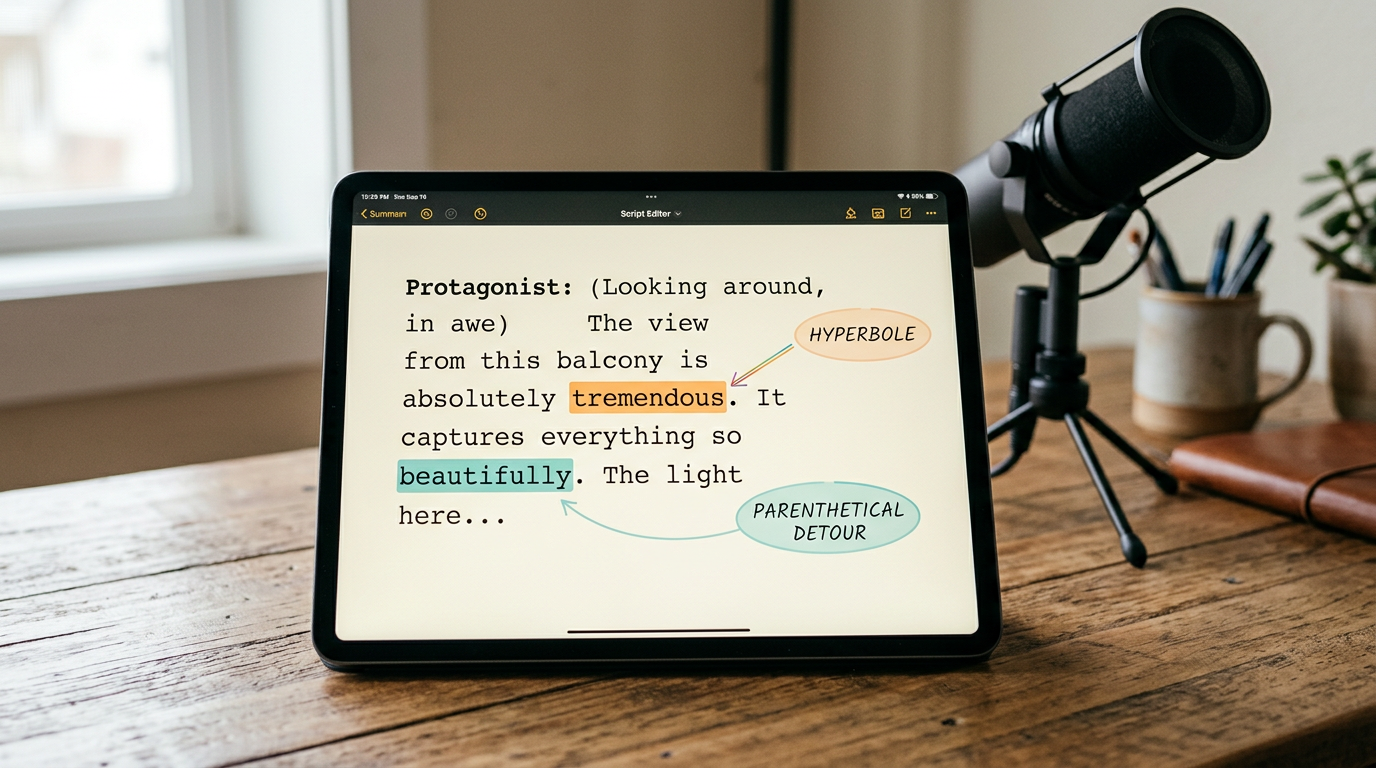
To make your generated audio sound authentic, you must write in a way that matches the natural speech habits of the persona. When writing for a Donald Trump AI voice, this means embracing highly specific rhetorical patterns:
- The Superlative Loop: Everything is either the "greatest," "most beautiful," and "tremendous" thing in history, or a "total disaster," "very sad," and "the worst ever." There is very little middle ground.
- Parenthetical Detours: Sentences rarely move in a straight line. They branch off into self-aggrandizing side notes or sudden observations about people in the room before returning to the main point.
- Rhythmic Repetition: Repeating key phrases two or three times in quick succession builds a rhythmic momentum that the generative AI model can lean into, creating natural-sounding inflections.
Understanding these structures is crucial for exploring the deeper rhetoric of AI for satirical content creation, which you can read more about in our guide on The Rhetoric of AI. By structuring your text to leverage these natural cadences, you give the generative engine the exact cues it needs to insert realistic pauses and dramatic rises in pitch. If you want to see this in action, try learning how to write and generate a viral AI roast by checking out Mastering the Cadence of an AI Roast, which breaks down how to balance humor and hyperbole.
Choosing Your Tool: When to Use a Changer vs. a Generator
Choosing the right tool depends entirely on your format, your audience, and your production goals. Let’s look at a simple decision framework to help you choose the right path:
Use a Real-Time Voice Changer If:
- You are live-streaming on Twitch or YouTube and need instant, low-latency voice modulation.
- You are hanging out in a Discord voice channel and want to play a quick, casual prank.
- Audio quality and natural speech patterns are less important than real-time interactivity.
Use a Generative AI Platform (Like Fanfun) If:
- You are producing short-form videos (TikTok, Reels, YouTube Shorts) where high production value is key.
- You want to create personalized gifts, custom birthday wishes, or highly specific roasts without needing to record your own voice first.
- You want to bypass complex software installations, virtual audio cables, and heavy CPU usage.
Fanfun acts as a modern, instant alternative to traditional modulators and passive fandom platforms. Instead of forcing you to configure complex audio routing or spend hours trying to get a pitch-shifter to sound "just right," Fanfun provides a streamlined, browser-based experience. You simply write your script, select your character, and generate high-fidelity voice and video in minutes.
From Soundbite to Masterpiece: Elevating Your Satirical Content
If you want to turn a simple joke into a viral-ready asset, you need a structured production workflow. Here is a three-step process to take your satirical content from draft to delivery:
Step 1: Write for the Persona
Do not write a generic script and hope the voice generator makes it funny. Use the rhetorical guidelines we discussed: insert superlatives, write in run-on sentences with sudden detours, and use highly recognizable vocabulary. Keep your setups punchy and your punchlines highly exaggerated.
Step 2: Generate and Refine on Fanfun
Input your script into Fanfun’s generative platform. Pay close attention to punctuation; using commas, ellipses, and exclamation points strategically will guide the AI on where to pause, breathe, or add emphasis. If a particular sentence sounds too flat, try breaking it up or adding a classic filler word like "by the way" or "believe me" to trigger a more natural vocal transition.
Step 3: Pair with High-Impact Visuals
A great voiceover needs compelling visual accompaniment to perform well on modern algorithms. Pair your generated audio with dynamic, fast-paced visuals—whether that is gameplay footage, split-screen reaction templates, or animated captions that highlight key words. Because Fanfun can generate both voice and video assets, you can create cohesive, platform-ready content without needing an expensive editing suite.
What is the difference between a real-time voice changer and an AI voice generator?
A real-time voice changer modifies your physical voice as you speak into a microphone by adjusting pitch and formants in real-time. An AI voice generator, like Fanfun, synthesizes a completely new voice from scratch using text input. Generative AI captures the unique cadence, breathing patterns, and rhetorical style of a persona, resulting in a much more natural and realistic performance.
Can I use a Donald Trump voice changer for live streaming on Twitch or Discord?
Yes, you can use real-time voice changers for live streaming on Twitch or Discord because they offer low-latency modulation. However, these tools often sound robotic and lack the authentic speech patterns, pauses, and vocabulary of the person you are trying to mimic. For pre-recorded content, a generative AI platform is highly recommended.
How do I make my generated AI voice sound more realistic and less robotic?
To make an AI voice sound realistic, write your script using the specific vocabulary, sentence structures, and speech habits of the persona. Use strategic punctuation like commas, ellipses, and dashes to guide the AI’s breathing and pausing patterns. Platforms like Fanfun use advanced generative models that naturally minimize the "robotic" sound associated with basic pitch-shifters.
Are there free tools to generate high-quality celebrity voiceovers instantly?
While some basic voice changers offer free trials, they usually produce low-quality, metallic audio. Fanfun offers an affordable, browser-based generative AI platform that lets you create high-fidelity, professional-grade celebrity-style voice and video clips instantly without complex software setups.