
Beyond the Corporate Drone: How to Direct High-Retention AI Voiceovers for Product Demos
Ditch the dry, robotic narrators. Learn how to select the right voice archetypes, write scripts optimized for AI performance, and use Fanfun to turn boring product walkthroughs into high-retention marketing assets.
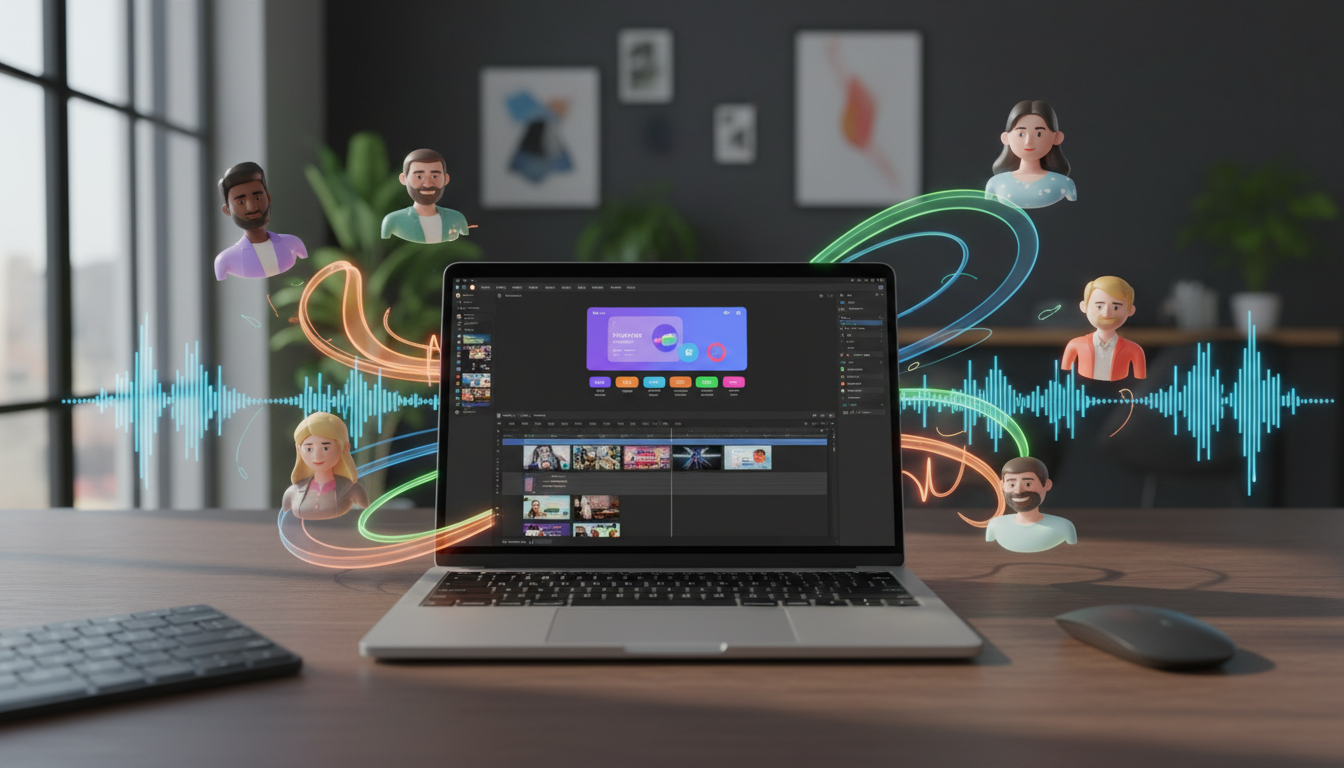
Most product demos are visual triumphs paired with auditory tragedies. You spend weeks polishing the user interface, perfecting the screen capture, and timing transitions, only to slap on a generic, robotic text-to-speech voiceover that sounds like an automated pharmacy line. The moment that lifeless, monotone voice begins reading your script, your audience's attention drops off a cliff.
To win the battle for viewer retention, you must treat voiceover generation as an exercise in creative direction rather than a back-of-the-envelope utility. By moving past the default robotic read and adopting deliberate vocal archetypes, you can turn a standard walkthrough into a high-converting, memorable experience. Here is how to direct AI voiceovers that keep viewers hooked from the first frame to the final call to action.
The Product Demo Engagement Crisis: Why Default Voices Kill Conversions
When viewers click on a product demo, they are looking for a solution to a problem, but they are also looking for a reason to care. If your video starts with a sterile, computerized voice that sounds like a default operating system assistant, you are sending an immediate signal: this product is boring, corporate, and uninspired. Audiences have developed an incredibly sensitive radar for low-effort content, and the "default voice" trap is the fastest way to trigger a click-away.
Voiceover quality and tone directly correlate with viewer retention and brand trust. A warm, dynamic voice acts as an invisible guide, leading the viewer's eyes to the right parts of the screen and building excitement around key features. Conversely, a flat voice makes even the most revolutionary software feel like a chore to use. Modern audiences, raised on dynamic social media formats and highly engaging creators, will tune out traditional corporate narrators within the first five seconds. If you want to understand how standard robotic voices sabotage your content, learn more about how to move away from default options by reading our guide on directing custom AI voiceovers for high-retention TikToks.
To fix this, product marketers and content creators must shift their mindset. You are no longer just generating text-to-speech; you are directing a digital voice actor. This means choosing a voice that matches your brand's soul, writing scripts that accommodate the natural rhythm of speech, and using advanced platforms to inject genuine personality into your presentation.
Choosing Your Demo's Sonic Persona: The Four Voiceover Archetypes
Before you generate a single line of audio, you need to establish your product's sonic identity. Just as you wouldn't use comic sans for a financial app's logo, you shouldn't use a hyperactive hype-man voice to explain a cybersecurity platform. Matching the voice to the target demographic is crucial for building immediate rapport.

Aligning Your Product Type with the Perfect Voice Archetype
To help you map your product to the right vocal style, we have broken down the four primary voiceover archetypes used in high-retention product marketing today:
| Archetype | Core Tone | Best For | Audience Reaction |
|---|---|---|---|
| The Authority Figure | Deep, measured, clear, confident | B2B SaaS, FinTech, Security, Enterprise tools | "This product is secure, professional, and reliable." | The Relatable Everyman | Warm, conversational, slightly imperfect, friendly | Consumer apps, productivity tools, lifestyle platforms | "This looks easy to use and fits into my daily routine." |
| The Hype-Man | High-energy, fast-paced, punchy, modern | Gaming, Web3, creator tools, limited-time promos | "I need to try this right now before I miss out!" |
| The Character Voice | Highly stylized, recognizable, playful, or comedic | Social-first demos, viral campaigns, educational tools | "This is hilarious and clever—I'm sharing this video." |
Choosing the right archetype defines the emotional baseline of your demo. While B2B platforms often default to the Authority Figure, do not discount the power of the Character Voice to disrupt a crowded market. This is where a platform like Fanfun shines. Instead of boring your audience with a generic voice assistant, you can tap into Fanfun's character library to deploy an AI voice generator that sounds like a beloved cultural icon, an anime hero, or a highly specific fictional persona. Imagine a complex developer tool explained by an iconic cartoon character or a sports legend; suddenly, a dry tutorial becomes a viral marketing asset that viewers watch all the way through.
The Script-to-Audio Framework: How to Write for AI Voice Generators
An AI voice generator is only as good as the script you feed it. If you copy and paste a paragraph straight from your product's technical documentation, the resulting audio will sound stiff, no matter how advanced the AI engine is. You must write specifically for the ear, not the eye.
To get a natural, high-retention performance from your AI voice generator, use these three structural scripting hacks:
- Phonetic spelling hacks: AI engines sometimes struggle with brand names, acronyms, and technical jargon. If your product is named "SaaSify" but the AI pronounces it as "Sass-ify," write it out phonetically in the script as "Sass-ih-fy." For acronyms you want spelled out, use hyphens (e.g., write "A-I" instead of "AI").
- Punctuation as direction: Punctuation marks are the director's baton. Use ellipses (...) to create natural, conversational pauses where a human would take a breath. Use em-dashes (—) to signal a sudden shift in thought or a dramatic setup. If you want the AI to emphasize a specific word, try using capital letters or wrapping the word in quotation marks to nudge the generator's natural cadence.
- The "Show, Don't Just Tell" audio rule: Never let your voiceover describe exactly what is happening on screen in real-time. If the video shows a user clicking a green button, the voiceover shouldn't say, "Next, click the green button." Instead, use the audio to explain the *value* of the action: "And just like that, your entire dashboard updates instantly." Keep the audio synced to visual transitions and UI highlights without being redundant.
For a deeper dive into translating written text to engaging audio, check out our script-to-screen audio guide for directing custom character voiceovers that match your art style. By taking the time to format your script with these cues, you dramatically reduce the need for constant regenerations and ensure a seamless flow.
Tool Selection: Matching Your Budget, Speed, and Creative Goals
When planning your product demo's audio strategy, you have several paths to choose from. The right choice depends on your budget, your production timeline, and how much personality your brand requires to stand out.
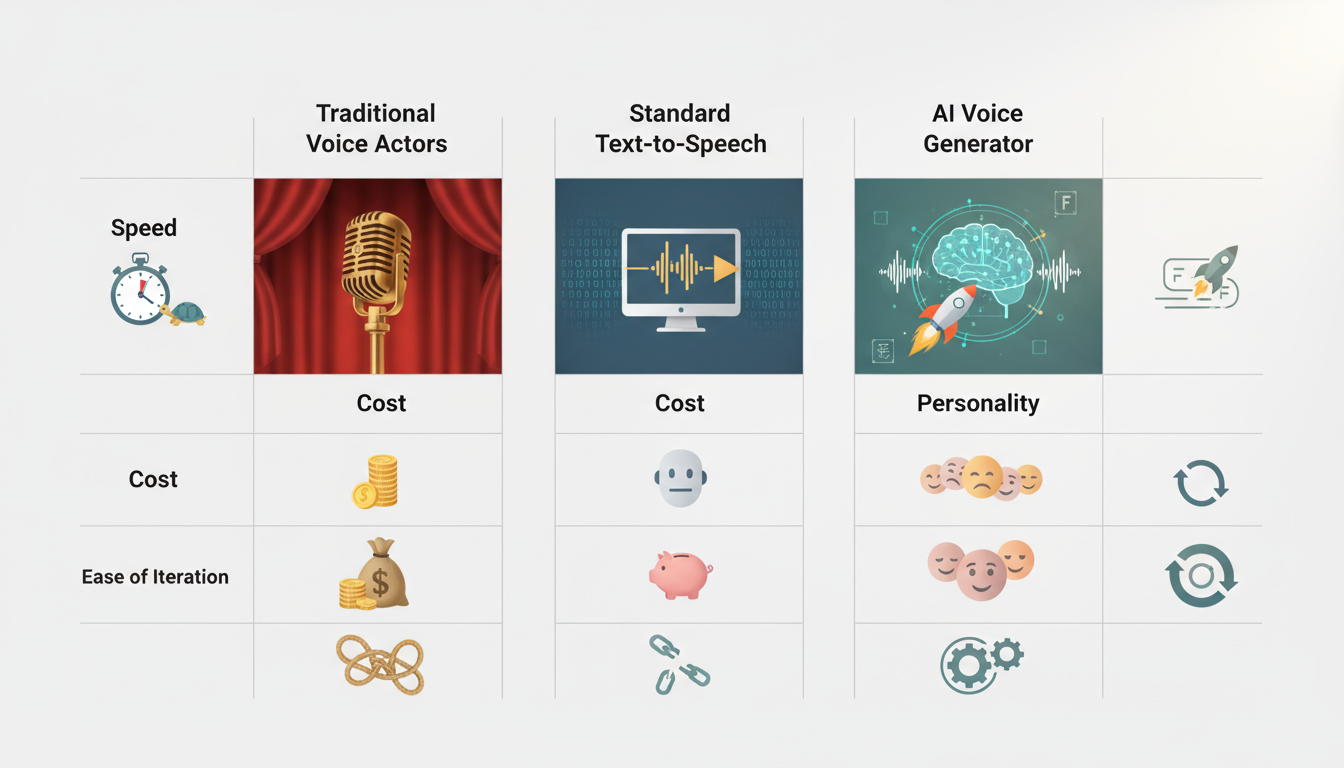
Let's look at the trade-offs of the three primary voiceover methods available to modern creators:
- Traditional Voice Actors: Hiring voice talent on platforms like Fiverr or Upwork offers incredible nuance and bespoke direction. However, this method is expensive (often hundreds of dollars per script) and slow. If you update your product's user interface next week and need to change a single sentence in your demo, you have to rehire the actor, wait for turnaround, and pay another fee.
- Standard Corporate TTS Engines: Built-in text-to-speech tools inside basic video editors are fast and virtually free. Unfortunately, they sound incredibly generic. They lack emotional range, cannot handle comedic timing, and make your premium product feel cheap.
- Fanfun's AI Voice Generator: This is the ultimate sweet spot for agile marketing teams and content creators. Fanfun offers instant, high-quality voice generation featuring an extensive library of character and celebrity-style voices. It allows you to iterate on your script in real-time, adapting your video to new product updates in minutes rather than days, all while maintaining a level of distinct personality and humor that traditional TTS simply cannot replicate.
Post-Production Polish: Merging Custom Voiceovers with Screen Recordings
Once you have generated your perfect AI voiceover track from Fanfun, the work isn't quite finished. To create a truly professional, high-retention product demo, you must blend that audio track seamlessly with your visual screen recordings and supporting audio assets.
First, master the art of audio ducking. Your background music should never compete with your voiceover. Set your music track's baseline volume low, but use your video editor's audio ducking feature to automatically lower the music by an additional 15 to 20 decibels whenever the AI voiceover is speaking. This ensures your narrator's instructions are crystal clear, while the music keeps the video's energy high during pauses.
Second, introduce micro-interaction sound effects. Every time your product demo shows a cursor clicking a button, a menu sliding open, or a chart loading, add a subtle sound effect—a light click, a soft swoosh, or a gentle pop. These auditory cues anchor the viewer's attention to the visual action, reinforcing the voiceover's message. To learn how to layer engaging sound effects over your timeline, consult our custom meme audio blueprint for modern video edits.
Finally, optimize your export settings. When rendering your final video for platforms like YouTube, TikTok, or landing page embeds, ensure your audio is exported in AAC or MP3 format at a minimum of 320kbps with a 48kHz sample rate. This prevents compression algorithms from muddying your voiceover, keeping your directed AI voice sounding crisp, professional, and endlessly engaging.
How do I make an AI voiceover sound natural for a software demo?
To make an AI voiceover sound natural, write your script in a conversational tone rather than a formal, written style. Use punctuation strategically: place ellipses (...) for natural pauses and dashes (—) for shifts in tone. Additionally, use phonetic spelling for complex technical terms or unique brand names so the AI generator pronounces them exactly like a human would.
What is the best AI voice generator for product marketing videos?
The best AI voice generator depends on your creative goals. For standard corporate videos, basic text-to-speech engines work but lack personality. For high-retention, social-first, or creative product marketing, Fanfun's AI Voice Generator is the ideal tool. It offers instant generation, affordable scaling, and an extensive library of character and celebrity-style voices that stand out in crowded feeds.
How can I add humor to a B2B product demo video?
You can inject humor into B2B demos by using unexpected voice archetypes, self-aware scripts, or playful character voices. Instead of reading a dry list of features, have a highly stylized AI persona playfully roast a common industry pain point before showing how your software solves it. This breaks the corporate monotony and keeps viewers engaged.
Can I use character voices in commercial product demonstrations?
Yes, using character-driven and highly stylized voices is an excellent way to make commercial product demos memorable, especially on platforms like TikTok, Instagram Reels, and YouTube. Utilizing platforms like Fanfun allows you to quickly generate creative, engaging interpretations of fun personas to explain your product's key benefits dynamically.



