The Art of the Yellow Sponge: How to Direct an AI SpongeBob Voice for High-Retention Social Content
Most AI SpongeBob content is low-effort noise. Learn how to treat the voice like an instrument, mastering phonetic script writing, emotional shifts, and narrative structure to maximize viewer retention.

If you spend more than five minutes on TikTok or YouTube Shorts, you have probably heard it: a high-pitched, nasal voice reading Reddit threads or Wikipedia articles over a background of Minecraft parkour or Subway Surfers gameplay. This low-effort use of the iconic yellow sponge's voice has flooded social feeds, turning what could be a powerful creative tool into background white noise. For creators looking to build a sustainable, engaged audience, this lazy application of voice-generation technology is a massive missed opportunity.
To stand out in a crowded digital landscape, you have to treat an AI voice generator not as a basic text-to-speech reader, but as a dynamic instrument. High-retention content requires deliberate script writing, precise vocal direction, and a deep understanding of the comedic timing that made this undersea character a global phenomenon in the first place. By mastering these creative elements, you can transform simple voiceovers into compelling, high-performing social media narratives.
The Saturation Problem: Why Most AI SpongeBob Content Flops
The internet is currently drowning in low-effort AI cartoon memes. When voice cloning technology first became widely accessible, simply hearing a beloved childhood character read mundane real-world text was enough to stop users from scrolling. That novelty has completely worn off. Today, these passive, robotic clips suffer from steep drop-offs in viewer retention. When a viewer hears a flat, unmodulated voice-cloning track, their brain instantly registers it as low-value, automated content, prompting them to swipe away within the first three seconds.
Successful, high-retention content relies on dynamic emotional shifts. In traditional animation, characters rarely speak in a flat monotone; their voices crack, rise in pitch with excitement, drop into hushed whispers of panic, and stretch syllables for comedic emphasis. If your AI voice sounds like a GPS navigation system with a slight nasal filter, your audience will treat it like one. To build a loyal following, creators must transition to how creators are elevating this specific character voice for deeper, more structured narrative storytelling.
This is where platforms like Fanfun redefine the creative workflow. Instead of spending hours troubleshooting complex local Python environments, managing audio datasets, or tweaking command-line parameters just to get a basic output, creators can use Fanfun to instantly generate high-quality AI voices. This allows you to bypass the technical friction and focus 100% of your energy on what actually drives retention: clever script writing, precise pacing, and theatrical comedic delivery.
Mastering the Mechanics: How to Direct the AI SpongeBob Voice
Directing an AI voice requires a completely different approach than writing for a human voice actor. A human actor instinctively understands subtext, sarcasm, and comedic timing. An AI, however, reads your script literally unless you use targeted formatting to guide its performance. To successfully direct this specific voice, you must first understand its unique physical anatomy: a high-pitched nasal resonance, rapid staccato pacing, and dramatic, sweeping pitch slides.
Punctuation as Direction: Writing for the AI Ear
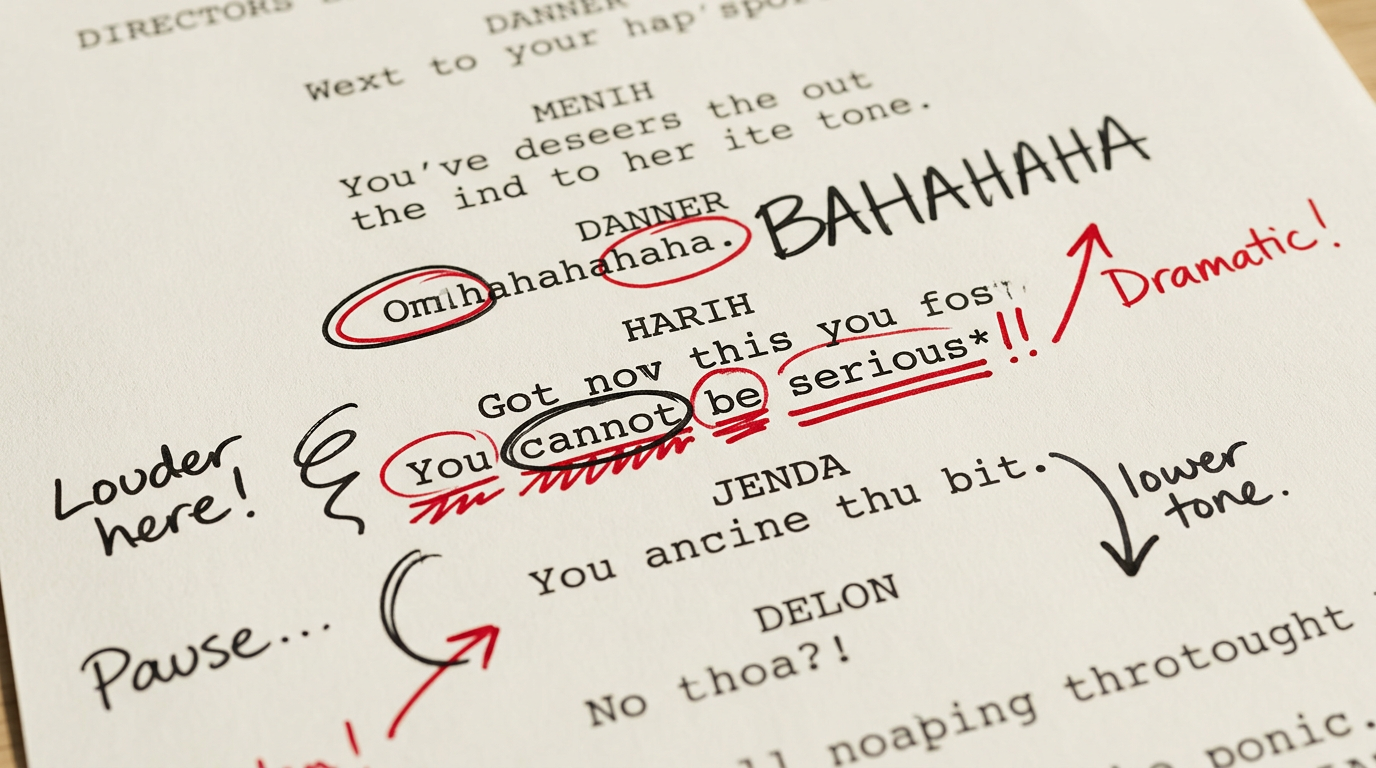
To coax a highly expressive performance out of an AI generator, you have to write phonetically and manipulate punctuation. You cannot write a standard script and expect a dynamic cartoon performance. Instead, you must use strategic punctuation to force the AI to pause, gasp, or emphasize specific syllables, just as you would direct a Trump AI voice generator to hit specific rhetorical beats for social retention.
Consider these specific formatting techniques to elevate your voiceover scripts:
- The Staccato Pause (Hyphens and Ellipses): Instead of writing "I am ready," write "I am... REA-DY!" The ellipsis forces a physical intake of breath or a dramatic pause, while the hyphenated capitalization forces the AI to punch each syllable cleanly.
- Phonetic Laughter: Never write "(laughs)" in your script. The AI will often read the word "laughs" literally. Instead, write out the laughter phonetically: "Ah-ha-ha-ha!" or "Bah-hah-hah!" to guide the generator into the iconic, warbling chuckle.
- The Panic Drop (Elongated Vowels): To transition from blind optimism to sudden panic, use stacked vowels and exclamation points. Writing "Oh no, Patrick, we are in trouble" will sound flat. Writing "Oh no... Paaa-trick! We are in... TROUBLE!" forces the pitch to slide upward on the name and drop dramatically on the final word.
The Creator's Playbook: High-Retention Content Formats
Now that you know how to shape the vocal delivery, you need to place that voice into structural formats that naturally keep viewers watching. The key to high retention is stylistic dissonance—placing an ultra-optimistic, innocent cartoon character into scenarios where they absolutely do not belong.
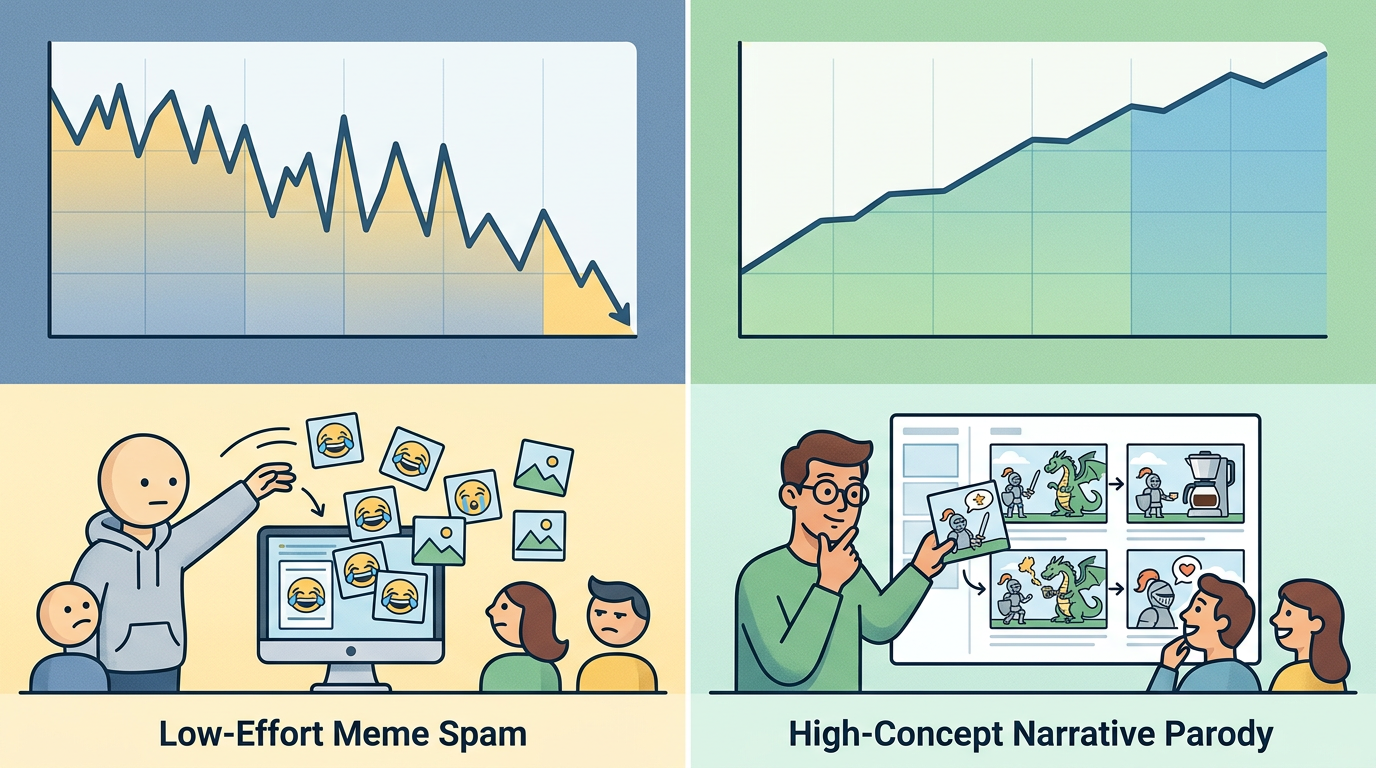
One highly effective format is the "Absurdist Review." In this format, you have the character critique harsh, mundane real-world objects or modern corporate culture with unyielding, naive positivity. Imagine a video where the yellow sponge reviews a corporate 9-to-5 performance review or a brutal DMV waiting room as if it were a fun ride at an amusement park. The contrast between the bleak subject matter and the bubbly, high-energy delivery creates an irresistible comedic tension.
Another powerful framework is the "Narrative Re-imagining." Here, you place the character into high-stakes, dramatic genres like a gritty noir detective monologue or a tense corporate boardroom negotiation. Hearing a cheerful underwater voice deliver a grim, rain-slicked monologue about corruption in "Bikini Bottom Central" instantly hooks the audience because it subverts their deeply ingrained childhood expectations.
To visualize how these high-concept formats outperform basic meme content, consider the following comparison matrix:
| Content Format | Average Retention Rate | Key Psychological Driver | Production Effort |
|---|---|---|---|
| Low-Effort Meme Spam (TTS reading Reddit over gameplay) | 10% - 15% | Short-term novelty; easily ignored as background noise. | Minimal (under 10 minutes) |
| Absurdist Reviews (Critiquing corporate/real-world concepts) | 50% - 65% | Stylistic dissonance; curiosity about the character's unique perspective. | Moderate (1 - 2 hours) |
| Narrative Re-imagining (Noir parodies, high-stakes drama) | 65% - 80% | Story-driven suspense; heavy emotional contrasts and pacing. | High (2 - 3 hours) |
Ethical AI Creation: Scaling Production Without Losing Audience Trust
As AI voice generation becomes more integrated into mainstream media production, creators must navigate the ethical landscape of voice-based content. The goal of using an AI cartoon voice is not to deceive your audience into thinking the original voice actor sat in a recording booth for your 30-second TikTok. Deception is a quick way to alienate viewers and invite platform penalties.
Instead, lean heavily into obvious, high-value creative parody. Transparency actually increases audience engagement because it reframes the AI as a creative tool rather than a cheap shortcut. When your audience understands that you are deliberately directing an AI to create a complex, hilarious parody, they appreciate the writing, technical execution, and comedic value of the video.
This is why working with platforms like Fanfun is essential. Fanfun prioritizes ethical, creative, and parody-based boundaries for AI character generation. By using an established platform that respects intellectual property and creative ethics, you can scale your content output responsibly, leveraging the core strategies from the celebrity AI voice playbook to maintain creative integrity. Always ensure your content remains firmly in the realm of transformative parody, avoiding malicious misrepresentations while focusing on high-value creative entertainment.
The Technical Workflow: From Script to Final Mix
Even the most perfectly directed AI voice track will fail to retain viewers if the final audio mix sounds cheap or disjointed. To create professional-grade content, you must anchor the generated voice in its familiar sonic environment and mix it with deliberate care.
Follow this step-by-step checklist to take your raw generated audio from a basic voice file to a polished, high-impact social video:
- Select the Right Sonic Backdrop: Anchor the voice by using royalty-free Hawaiian slide guitar, steel drums, or classic 1950s orchestral production music in the background. This immediately triggers nostalgic associations in the viewer's brain, making the AI voice feel instantly authentic.
- Apply Light Compression: AI-generated voices can sometimes have unpredictable volume spikes. Apply a soft compressor (ratio of 2:1 or 3:1, with a fast attack and release) to even out the vocal peaks and keep the dialogue crisp and intelligible over mobile speakers.
- Add Room Reverb: Cartoon voices rarely sound completely dry. Add a subtle, high-quality room reverb (mix level around 3% to 5%) to simulate a physical space, preventing the voice from sounding like it was generated in a sterile digital vacuum.
- Sync Visual Cuts to Vocal Rhythm: The iconic yellow sponge speaks in a highly energetic, staccato rhythm. To maximize retention, sync your visual transitions and B-roll cuts directly to the sharp syllable drops and pauses in the voiceover. If the voice takes a sharp, gasping breath, cut to a dramatic close-up.
By treating the AI voice as a genuine acting performance rather than a simple text reader, you can break through the noise of low-effort social media spam. Focus on sharp script writing, expressive punctuation, and high-concept formats, and you will watch your audience retention metrics climb to entirely new heights.
How do I make an AI SpongeBob voice sound more natural and less robotic?
To reduce the robotic tone, avoid standard sentence structures. Use punctuation marks like ellipses (...) to force natural-sounding pauses and physical breaths. Break down words phonetically (e.g., writing "ex-TRA-or-di-nary" instead of "extraordinary") and mix in sudden capitalization to guide the AI's pitch and volume shifts.
What are the best script-writing tricks to get realistic laughter from an AI cartoon voice?
Never write the action parenthetical "(laughs)" in your script, as the AI will likely read it aloud. Instead, spell the laugh out phonetically. For this specific character, try using "BA-HA-HA-HA!" or a warbling "Ah-hah-hah-hah!" separated by hyphens to mimic the iconic, rapid-fire undersea chuckle.
Is it legal to use an AI SpongeBob voice in my monetized YouTube or TikTok videos?
Using AI character voices generally falls under fair use if the content is highly transformative, educational, or a clear parody. However, platforms have strict rules regarding intellectual property. To stay safe, ensure your content is an obvious parody, clearly label the voice as an AI-generated parody, and use ethical platforms like Fanfun that operate within creative and parody-based boundaries.
How can I add background music and sound effects to match the classic cartoon style?
To match the classic nautical aesthetic, use royalty-free Hawaiian slide guitar, steel drums, or vintage 1950s orchestral production music in the background. Keep the music volume low (-15dB to -20dB) and add classic cartoon sound effects (like bubbles, squeaks, or slide whistles) during key comedic beats to complete the nostalgic atmosphere.