
How to Use Digital Video Greeting Cards for Remote Team Building
Tired of forced Zoom happy hours? Learn how to use asynchronous digital video greeting cards and playful AI character messages to build genuine connection.
Digital video greeting cards build remote team connection by replacing exhausting, real-time Zoom events with engaging, asynchronous appreciation. By compiling short video clips from teammates or generating a playful custom AI character message, distributed teams can celebrate birthdays, work anniversaries, and project wins across different time zones without causing screen fatigue. While digital greeting cards cannot replace structured 1-on-1 feedback or company compensation plans, they offer a low-pressure, highly memorable way to make employees feel genuinely recognized.
Why Asynchronous Video Greetings Beat Another Zoom Happy Hour
In a distributed workplace, bringing everyone together for a live video call often feels more like an obligation than a celebration. Coordinating across multiple time zones means someone is always attending a party during their breakfast or late into their evening. This "mandatory fun" can lead to screen fatigue and passive participation.
Asynchronous video greetings offer a refreshing alternative. They respect individual schedules, allowing team members to watch, react, and appreciate the message when it fits their workday. Unlike a live call that is over in thirty minutes, a digital video card acts as a permanent, shareable keepsake that employees can revisit whenever they need a morale boost.
Using Fanfun to generate custom AI character messages introduces an element of novelty and humor that standard corporate communications simply cannot match. Instead of another generic email from HR, your team can receive a personalized video message from a playful virtual character, instantly breaking the monotony of the remote work routine.
3 Ways to Structure a Team-Building Video Campaign
To make digital video cards a consistent part of your team culture, it helps to establish clear use cases. Here are three highly effective ways to structure your campaigns:
- Milestone Celebrations: Mark individual achievements like birthdays, work anniversaries, or promotions with a personalized video. Combining sincere team appreciation with a lighthearted AI character message makes these personal milestones feel uniquely celebrated.
- Peer-to-Peer Appreciation: Encourage team members to collaborate on a group video card to celebrate a major milestone, such as a successful product launch or a challenging project wrap-up. This fosters a culture of lateral recognition rather than just top-down praise.
- Warm Welcome Messages: Onboarding in a remote environment can feel isolating. A warm, personalized video greeting from the immediate team helps new hires feel integrated, seen, and welcomed from day one.
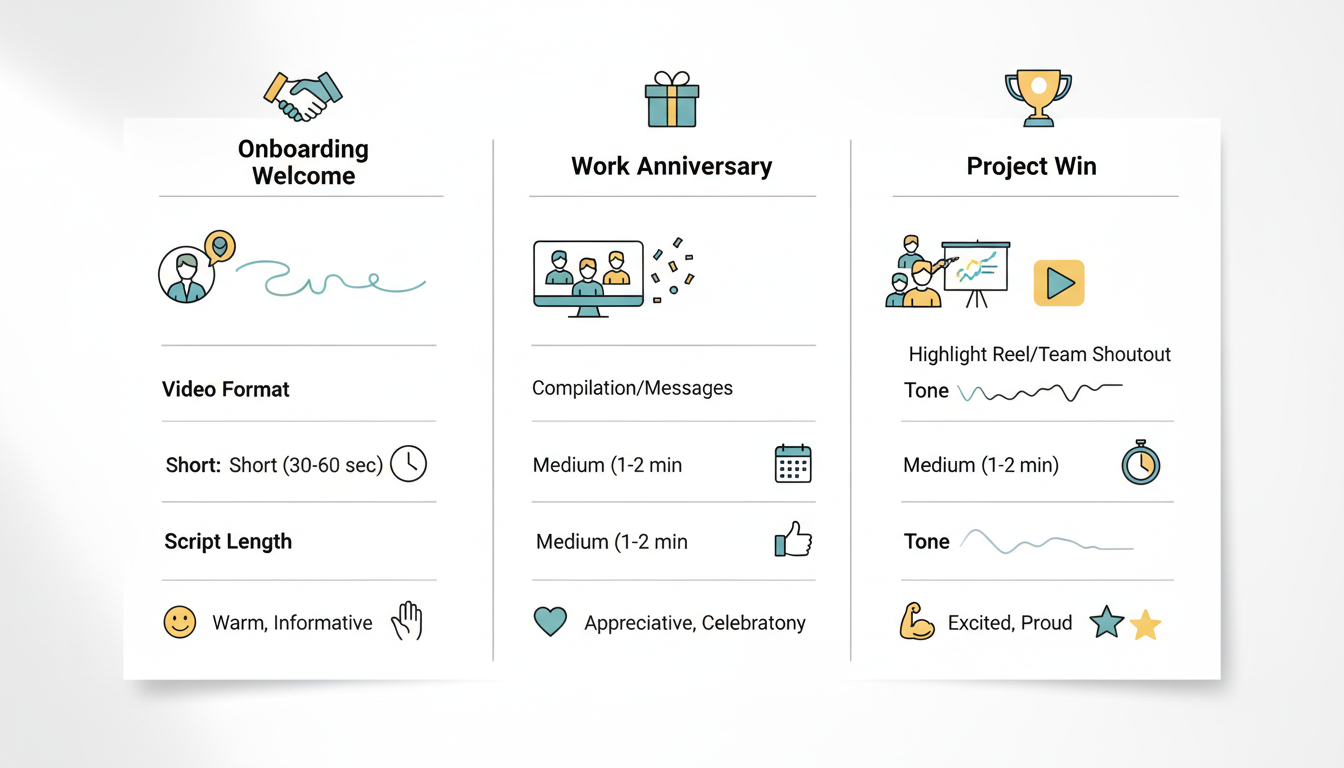
When planning your campaigns, matching the milestone to the right video format ensures the message resonates. Use the decision framework below to choose the best style for your goals:
| Milestone Type | Recommended Format | Ideal Length | Tone Suggestion |
|---|---|---|---|
| Onboarding Welcome | Standard Group Video Card | 60-90 seconds | Warm, welcoming, and informative |
| Work Anniversary | Playful AI Character Video (Fanfun) | 30-45 seconds | Lighthearted, celebratory, and fun |
| Project Win | Personalized Screencast / Peer Compilation | 2-3 minutes | Proud, detailed, and highly collaborative |
To make the recognition feel complete, you can easily pair these digital cards with physical or virtual rewards. Learn how to select and create digital gifts for remote teams to complement your video message.
How to Script an Engaging Team-Building Video
An engaging remote team video needs to be concise, specific, and inclusive. To maintain high engagement and ensure your team actually enjoys watching, keep the final video under 60 seconds. Focus on specific, inside-joke-free appreciation that highlights the recipient's real contributions to the team. While inside jokes might seem fun, they can accidentally alienate newer team members who do not share the history.
When using AI voice and character tools like Fanfun, scripting requires a slightly different approach than writing for a human reader. Keep your sentences clear and straightforward to help the virtual character deliver your message naturally.
If you decide to include humor, establish clear boundaries. For tips on keeping the humor safe and fun, check out our guide on how to script a digital video roast for coworkers. Keep any roasts lighthearted, constructive, and highly inclusive.
Editable Template: The Milestone Anniversary Script
Use this simple, customizable script template for your next team anniversary video. Adjust the brackets to fit your teammate's role and personality:
"Hey [Teammate Name]! The whole team wanted to stop your scroll and say a massive happy [Number] year anniversary. From leading the charge on [Project Name] to always bringing the best energy to our Slack channels, you make remote work feel a lot less remote. We appreciate everything you do. Here is to many more wins together!"
How to Share Your Video Greeting for Maximum Impact
How you deliver the video card is just as important as the content itself. To maximize impact, drop the video link in a dedicated public channel, such as a #celebrations or #general channel in Slack or Microsoft Teams. This encourages thread-based celebrations, allowing other team members to pile on with emoji reactions, threaded congratulations, and animated GIFs.
For teams that run hybrid meetings or occasional virtual parties, you can elevate the moment by turning it into a collective viewing experience. Discover how to cast a video greeting to your smart TV to surprise the team during your next hybrid event. Watching the video play out live on screen while teammates react in real time creates a shared, memorable experience that brings distributed teams closer together.
How do I ensure an AI-generated character video doesn't feel impersonal?
The key to keeping AI videos personal is the script. Avoid generic templates and include specific details about the recipient's actual contributions, recent project wins, or their favorite team rituals. The novelty of the AI character combined with highly specific, genuine details makes the message feel thoughtful rather than automated.
What is the ideal length for a remote team video greeting?
Keep your video greetings between 30 and 60 seconds. This length is short enough to maintain high engagement and easy to watch during a quick work break, while still leaving plenty of time to deliver a meaningful, high-impact message.
How can we share and archive these digital video cards?
You can easily share Fanfun video links in your company's internal wiki, Slack channels, or newsletter roundups, allowing team members to access and enjoy them as a memorable career keepsake.



