
The Comedy Director's Playbook: How to Use AI Voice Generators to Script, Cast, and Time Laugh-Out-Loud Video Edits
Stop relying on flat, robotic text-to-speech. Learn how to direct AI voice generators like a seasoned comedy director, using punctuation hacks, phonetic scripting, and auditory contrast to land every single punchline.
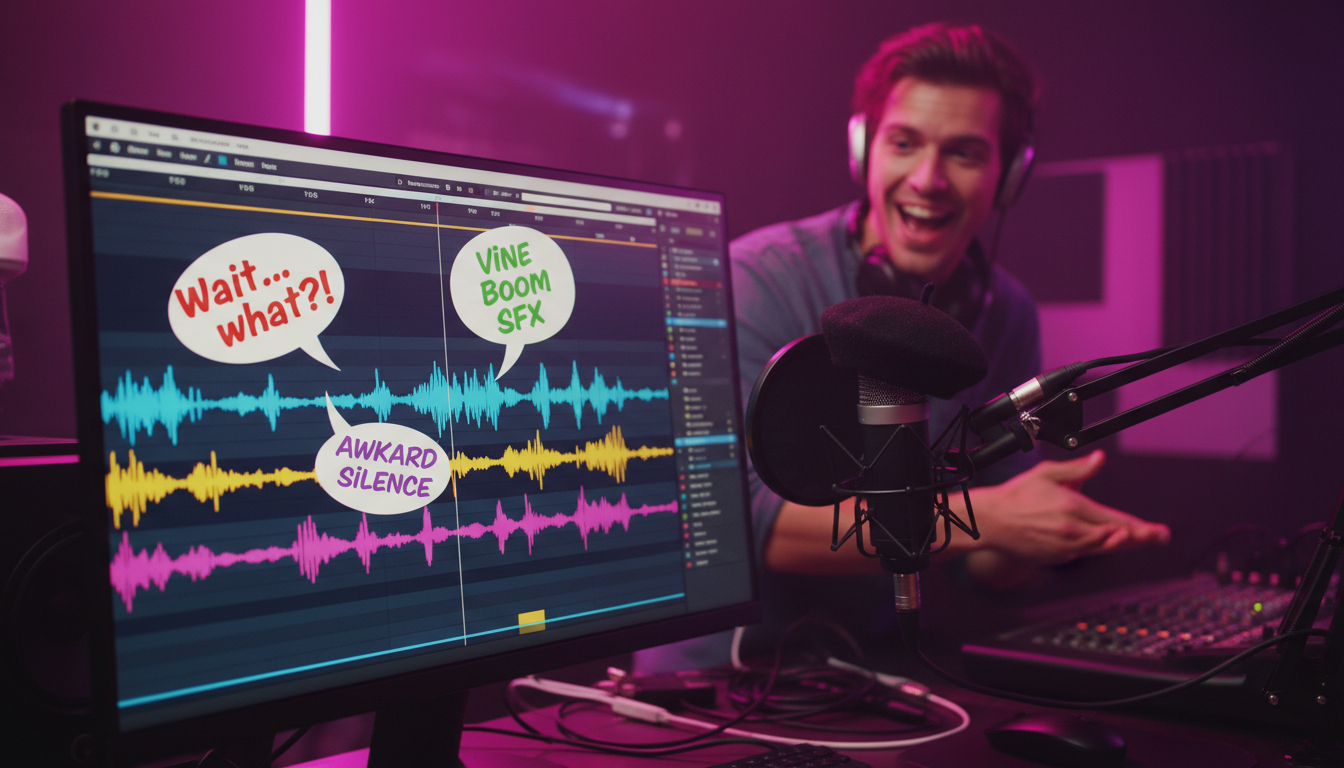
Most creators treat AI voice generators like a digital microwave. They drop in raw text, hit “generate,” and hope the resulting monotone speech somehow keeps people watching. But on short-form platforms like TikTok, YouTube Shorts, and Reels, a flat, robotic voiceover is an instant skip signal. Comedy is built on rhythm, contrast, and surprise; a default text-to-speech engine possesses none of these out of the box.
If you want to create video edits that actually make people laugh, you have to stop treating AI as a simple reader and start treating it as an actor. By learning to direct the voice generator through clever script formatting, strategic voice casting, and precise sound design, you can transform flat digital lines into perfectly timed punchlines. Here is how to take control of your digital cast and direct them to comedic perfection.
The Comedy of Contrast: Why Flat Text-to-Speech Fails (and How to Fix It)
The human brain is incredibly efficient at filtering out predictable patterns. When a viewer scrolls onto a video and hears the same generic, bright, monotone text-to-speech voice that narrates a thousand boring life-hack videos, their brain immediately registers it as low-effort content. The comedic timing is dead on arrival because the AI reads every word with the exact same weight, spacing, and emotional inflection.
To break through this digital fatigue, comedy creators rely on the concept of auditory contrast. Humor often lives in the gap between expectations and reality. If you pair a highly formal, dramatic, or legendary voice with absurd, mundane, or hyper-modern internet slang, the contrast itself becomes the joke. To keep viewers from immediately scrolling past, creators must learn how to break away from monotone digital voices and choose tools that offer real creative control.
By forcing an AI voice to handle language it was never technically designed to speak—such as delivering a high-stakes, Shakespearean monologue about a dropped slice of pizza—you immediately hook the viewer's attention. The brain halts its passive scrolling behavior to resolve the contradiction, giving your visual edit the precious few seconds it needs to land the first visual gag.
Selecting Your Comedic Cast: Archetypes That Drive the Joke
In traditional filmmaking, casting is half the battle. The same rule applies to digital video edits. You cannot use the same voice for a chaotic gaming meme that you would use for a dry, satirical commentary video. When planning your next edit, think of your AI voice generator as an agency representing several distinct comedic archetypes.
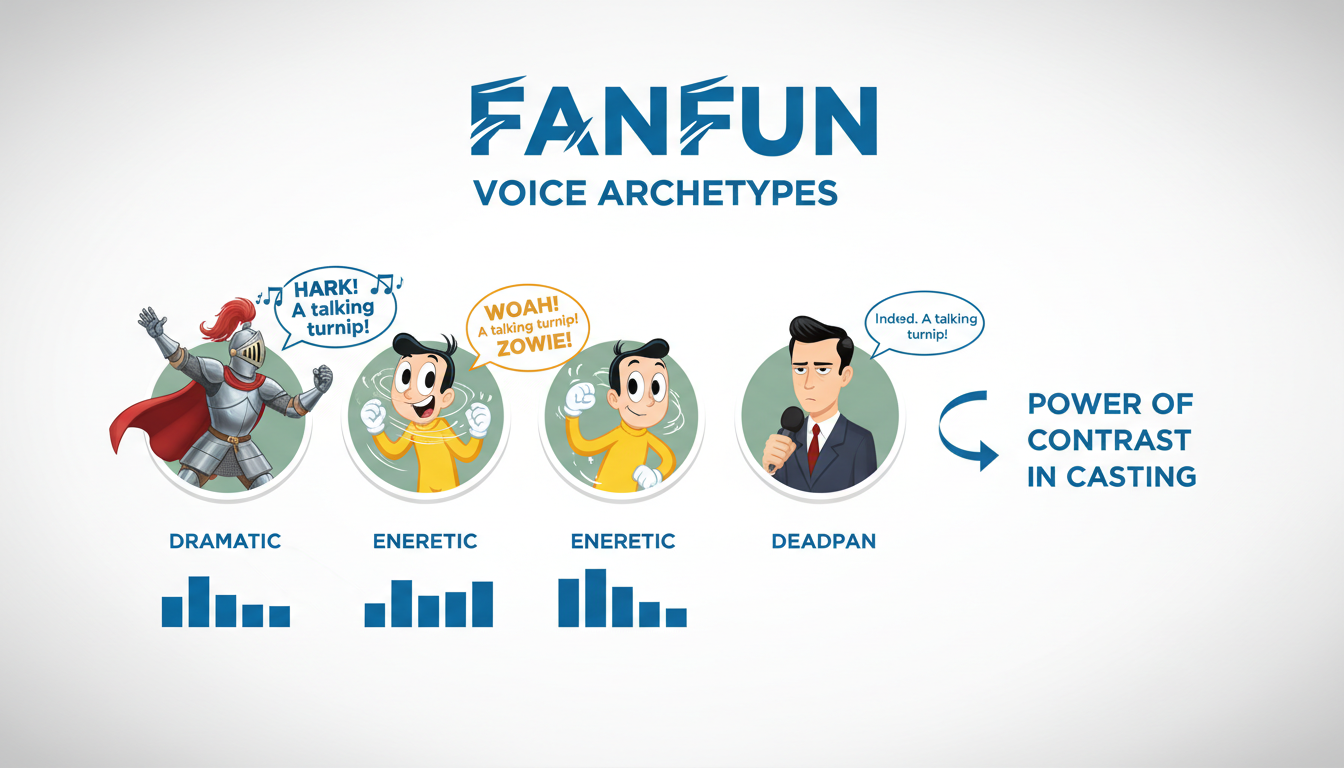
The Deadpan Narrator
This archetype acts as the ultimate straight man. Think of a dry, documentary-style narrator or a highly formal news anchor describing absolute chaos on screen. When a video shows a chaotic physics glitch in a video game or a hilarious cooking disaster, the Deadpan Narrator explains it with clinical, scientific precision. The humor comes from their complete lack of emotional reaction to the madness unfolding before them.
The Over-the-Top Hype Man
The polar opposite of the Deadpan Narrator, this voice brings high-octane, screaming energy to completely trivial tasks. Imagine a bombastic sports commentator yelling with veins popping in their neck because someone successfully threw a crumpled piece of paper into a trash can. This archetype thrives on artificial stakes, injecting massive energy into the mundane.
The Out-of-Character Icon
This is where creators can truly push the boundaries of creative parody. By utilizing recognizable character or celebrity-inspired voices to say things they would never utter in real life, you tap into pre-existing pop culture context. Having a beloved, innocent childhood cartoon character debate complex geopolitical strategies or use aggressive modern gaming slang is instantly disarming and hilarious.
With Fanfun’s extensive library of character and celebrity-inspired AI voices, creators can instantly cast these exact archetypes without waiting days for voice actors to return files. For creators managing complex setups with multiple voices bouncing off each other, check out our guide on casting and scripting multi-character text-to-speech projects to master the art of digital dialogue.
Scripting for the AI: Punctuation Hacks for Comedic Timing
An AI voice generator reads your text literally, but it also looks at punctuation to determine when to breathe, when to raise its pitch, and when to pause. If you write a script using standard, grammatically correct English, the AI will deliver a standard, grammatically correct (and boring) performance. To get comedic timing, you must learn to write in "code" using punctuation hacks.
Punctuation as Your Timing Track
Standard punctuation marks are the knobs and dials of your digital actor's pacing. A comma creates a brief, natural inhalation. An ellipsis (...) forces a long, awkward pause, perfect for building anticipation before a punchline or showing that a character is processing a ridiculous statement. Em-dashes (— or --) force a sudden, jarring stop, mimicking a speaker being cut off or losing their train of thought mid-sentence.
Phonetic Scripting: Getting Slang Right
AI voice models are trained on standard dictionaries. When you throw modern internet slang or highly specific regional accents at them, they often mispronounce the words or say them with an awkward, formal cadence that ruins the joke. To fix this, spell words phonetically based on how they actually sound when spoken aloud.
For example, if you want the AI to say "bussin" with genuine emphasis, typing "buss-in" or "buzzen" might yield a much more natural, rhythmic delivery. If you want a character to sound incredibly exasperated, spelling a word with repeated letters (like "noooooo" or "whaaat") can force the AI model to stretch the vowel sounds, adding instant dramatic flair to the edit.
The Comedic Formatting Cheat Sheet
To help you quickly format your scripts for maximum comedic impact, use this quick-reference guide to manipulate pacing, emphasis, and tone directly inside your AI voice generator text box.
| Formatting Trick | Comedic Purpose | Before (Flat Delivery) | After (Directed Delivery) |
|---|---|---|---|
| Ellipsis (...) | Creates an awkward silence or realization pause. | I think I left the stove on. | I think... I left... the stove on. |
| Double Dash (--) | Simulates getting cut off mid-thought. | I am going to do it. Nevermind. | I am going to do-- wait, nevermind. |
| Phonetic Spelling | Forces correct slang pronunciation and attitude. | That is so fire. | That is... so... fy-ur. |
| Capitalization + Punctuation | Forces a sudden, loud shift in volume or pitch. | Why did you do that? | Why... did you... DO THAT?! |
The Visual Pacing Checklist
Once you have generated your audio, you need to align it with your video timeline. Use this checklist to ensure your audio and visuals work in perfect comedic harmony:
- Cut on the breath: Trim any dead air at the very beginning of the audio clip so the voice starts instantly when the visual scene cuts.
- Match the blink: If your on-screen character or meme template has a physical reaction (like a wide-eyed stare), align the start of the awkward pause (the ellipsis in your script) precisely with that visual frame.
- The 0.5-second rule: Never let a punchline sit in silence for more than half a second unless you are intentionally holding for an awkward beat. Cut quickly to the next scene or reaction to keep the pacing snappy.
Sound Design and Layering: Framing the Punchline
Even the most perfectly directed AI voiceover will struggle to land if it is swimming in a muddy audio mix. Professional comedy editors know that the sound design surrounding the voice is what actually frames the joke. You must treat your audio track like a dynamic instrument that reacts to what the voice is saying.
One of the most powerful tools in a comedy editor's arsenal is sudden silence. If your video features an energetic background music track (like a hyperactive gaming beat or a bubbly pop song), cut the music completely the exact millisecond the AI voice begins to deliver the punchline. This sudden drop in audio energy acts as a massive spotlight, forcing the viewer's brain to focus entirely on the absurdity of the spoken line. Once the punchline lands, slam the music back in to resume the energy.
Additionally, layering subtle sound effects directly under the voice track can elevate the comedic timing. A well-placed record scratch, a soft, awkward cough, or a classic cartoon slide whistle can accentuate the pauses you scripted into your AI voice. Keep your audio levels balanced: your AI voiceover should always sit comfortably above your background tracks, remaining crisp and intelligible even during chaotic visual sequences. For a deeper dive into timing these elements perfectly within your timeline, read the step-by-step custom meme audio blueprint.
How do I make an AI voice sound sarcastic in a video edit?
To inject sarcasm into an AI voice, use punctuation to force slow, deliberate pacing. Break up the sentence with ellipses (e.g., "That is... just... great.") and spell key words phonetically to stretch the vowels (e.g., "reee-ally" instead of "really"). Choosing a naturally dry, deadpan voice archetype also makes the sarcasm feel much more authentic.
What is the best AI voice generator for making funny TikTok memes?
The best tool is one that offers a wide variety of instantly recognizable, high-personality voices. Fanfun is highly popular for meme creation because of its massive library of character and celebrity-inspired voices, allowing creators to generate custom parodies and comedic scenarios instantly without waiting on voice actors.
How do I force an AI voice to pause for comedic timing?
You can force dramatic or awkward pauses by using non-standard punctuation in your script. Commas create short pauses, ellipses (...) create medium-length pauses, and double dashes (--) can simulate a sudden interruption or a hard stop in thought.
Are there pre-made character voices I can use instantly for funny video edits?
Yes. Platforms like Fanfun offer a growing roster of licensed and original AI personas, including anime characters, cultural icons, and sports legends. This allows you to drag, drop, and script unique comedic roles directly into your editing workflow in minutes.



