
How to Use an AI Voice Changer for Fictional Characters in Video Projects
Want to bring fictional character voices to your video projects? Learn the differences between real-time voice changers and script-based generators, how to format scripts for optimal performance, and how to seamlessly sync them in post-production.
Using an AI voice changer or voice generator for fictional characters in your video projects is a powerful way to add humor, storytelling depth, and cultural relevance to your content. To achieve the best results, you must first choose between real-time voice modulation and script-based AI voice generation. While real-time filters are popular for live interactions, script-based generators offer a different workflow for pre-recorded videos, allowing you to draft and edit the script before generating the voice.
Real-Time Voice Changers vs. Script-Based Generators: Which Do You Need?
Before starting your project, it is essential to understand the fundamental difference between real-time voice modulation and script-based AI generation. Choosing the wrong tool can lead to frustration, poor audio quality, and hours of unnecessary editing.
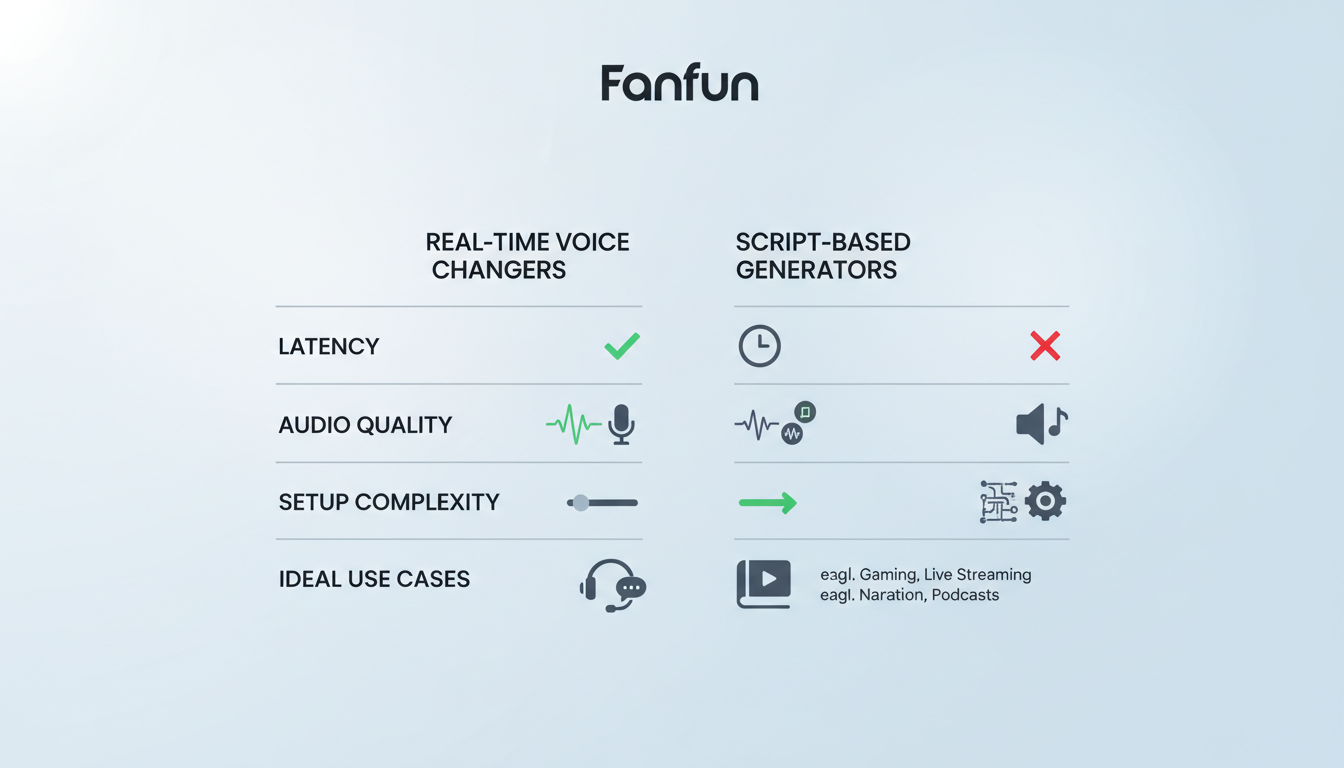
Real-time voice changers modify your spoken voice instantly. They are ideal for live streaming on platforms like Twitch, playing games with friends, or participating in interactive chats. However, because they process audio on the fly, their performance can vary depending on your hardware, software settings, and internet connection.
In contrast, script-based AI generators synthesize voices from text input. This approach allows you to draft and refine the dialogue before rendering the audio. If you are focusing on social media platforms like TikTok or Instagram, leveraging an online fictional character voice generator online can help you create voiceovers to import into your editing timeline.
For creators who want an all-in-one visual and vocal solution without dealing with complex audio editing software, Fanfun allows you to select a fictional persona, enter a custom script, and generate a fully voiced video message in minutes. This streamlined approach lets you focus on the creative concept rather than technical troubleshooting.
| Feature | Real-Time Voice Changers | Script-Based AI Generators |
|---|---|---|
| Primary Use Case | Live streaming, gaming, real-time chat | Video editing, social media content, pre-recorded animations |
| Audio Quality | Variable (depends on input and hardware) | Variable (depends on platform and settings) |
| Latency | Depends on hardware and internet connection | None (pre-rendered output) |
| Control | Limited to your physical speaking voice | Precise control via text, punctuation, and pacing |
How to Direct and Format Scripts for Fictional AI Voices
To get the best possible performance out of an AI character voice, you should treat the technology like a professional voice actor. Instead of typing out standard text, use specific formatting and directional cues to guide the AI's delivery.
- Use Phonetic Spelling: AI models sometimes struggle with unusual words, slang, or character catchphrases. If a word sounds unnatural, spell it out phonetically. For example, spell "Doraemon" as "Doh-rye-mon" or "GIF" as "Jif" to guide the pronunciation.
- Incorporate Strategic Punctuation: Punctuation serves as the "director's notes" for AI voice models. Use ellipses (...) for dramatic pauses, em-dashes (—) for sudden interruptions, and exclamation points to trigger higher energy levels and enthusiasm.
- Match the Character's Personality: An authentic performance requires more than just a matching voice; it requires the right vocabulary and sentence structure. Keep the character's signature catchphrases, sentence lengths, and overall tone in mind when writing.
For creators looking to dive deeper into getting expressive performances from gaming-related voices, our guide on directing AI voice generators for game characters offers advanced techniques for capturing true emotional range and nuance.
Step-by-Step Workflow for Integrating Character Voices into Your Videos
Once you have chosen your tool and drafted your script, follow this structured post-production workflow to combine your generated character voices with your video footage seamlessly.
- Draft and Refine Your Script: Focus on brief, punchy lines that match the visual pacing of your project. If you need a template, learning how to write a script for an AI character video will help you structure your content for maximum comedic or narrative impact.
- Generate the Audio or Video Clip: Input your formatted script into your chosen AI platform. Always preview the output to check for pronunciation, pacing, and overall tone before exporting the final asset.
- Import and Sync: Bring the generated audio or video file into your video editor (such as CapCut, Premiere Pro, or DaVinci Resolve). Align the audio tracks with your visual timeline, ensuring that any character movements or cuts sync naturally with the voiceover.
- Layer Background Elements: To blend the AI voice naturally into the scene and mask any minor digital artifacts, layer a low-volume background music track and subtle sound effects (SFX) like whooshes, ambient room tone, or cartoon pops.
Ethical Guidelines and Creative Best Practices
While playing with fictional character voices is highly entertaining, creators must navigate safety, intellectual property, and ethical considerations responsibly.
- Label AI Content Clearly: Always maintain transparency with your audience. Use clear on-screen text, captions, or platform tags (like #AIVoice or #AICharacter) to indicate that the voice was generated using AI technology.
- Avoid Commercial Endorsements: Do not use AI versions of copyrighted fictional characters for commercial promotions, sponsored ads, or misleading campaigns without explicit licensing or rights. This protects you from potential legal issues and copyright claims.
- Focus on Transformative Creative Uses: Stick to parodies, fan-made stories, roasts, and memes. These creative expressions celebrate fandoms respectfully and are generally viewed as fair, transformative uses of the characters.
Can I use AI character voice changers for commercial YouTube videos?
Generally, using copyrighted fictional characters for commercial, monetized videos without explicit licensing is risky and can lead to copyright claims or demonetization. For safe commercial use, stick to royalty-free AI voices or obtain proper permission from the rights holders.
How do I fix robotic or unnatural sounding pronunciations in an AI voice?
You can improve pronunciation by using phonetic spelling (writing words how they sound phonetically) and using punctuation like commas, dashes, or ellipses to force the AI to pause and adjust its inflection naturally.
Do I need a professional microphone to use a real-time AI voice changer?
While a high-end professional microphone is not strictly required, using a decent USB microphone with a pop filter will significantly improve the output. Real-time voice changers generally perform best with clear audio input to help the software process the voice accurately.
